

Pricing and availability
We compare 600+ stores and found this item at 3 stores. Prices updated .
Store
Reviews
Price




Average Price: $873
High-end/Boutique
$99
$300+
Price Tier
Budget
Standard
High-end
Price History
Based on price data from 1 merchant for "Ableton Push 3 Controller". Prices shown reflect NEW condition. Tracking began Apr 2, 2026.
* Product prices and availability are updated by Equipboard every 24hrs and are subject to change. Equipboard may receive compensation for purchases made at participating retailers linked on this site. This compensation does not affect what products or prices are displayed, or the order of prices listed. For more information, please refer to our affiliate disclosure.
Description
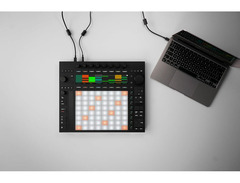
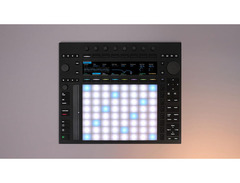
Unleash your musical potential with the Ableton Push 3 Controller, a revolutionary tool designed for both studio maestros and live performers. This sophisticated MIDI pad controller is your gateway to crafting intricate melodies, dynamic beats, and complete compositions, all while staying in the creative zone. With its 64 backlit, MPE-enabled pads, the Push 3 offers unparalleled expressive control, letting you bend, slide, and tweak sounds with nuanced precision.
Far more than just a controller, the Push 3 integrates seamlessly with Ableton Live, granting you access to a rich palette of instruments, devices, and effects. Its built-in 2-in/2-out audio interface makes it a versatile hub for your setup, accommodating both balanced and unbalanced inputs. Connect your instruments, synths, or effects directly and monitor through the balanced outputs or headphone jack.
Designed for musicians who thrive on tactile interaction, the Push 3's hardware gives you the freedom to step sequence, play in real-time, and launch clips effortlessly. Whether you're in the midst of a live set or deep in studio production, this controller ensures you remain focused on your art rather than the computer screen. Embrace the future of music creation with the Ableton Push 3 and transform your workflow with its intuitive, hands-on approach.
Key Features:
- Advanced hardware control surface for seamless integration with Ableton Live
- 64 MPE-enabled, backlit pads for expressive control over your music
- Built-in 2-in/2-out audio interface for versatile input and monitoring options
- Tight integration with Ableton Live software for comprehensive access to instruments and effects
- Supports class-compliant USB MIDI for connecting additional controllers
Product specs
| Type | Control Surface with Built-in Audio/MIDI Interface |
| Pads | 64 x MPE-enabled Pads |
| MIDI I/O | USB, 2 x 1/8" In/Out (breackout cable sold separately) |
| Pedal Inputs | 2 x 1/4" (footswitch) |
| USB | 1 x USB-C, 1 x Type A |
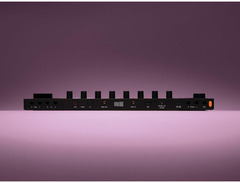
| Other I/O | 2 x 1/4" (audio in), 2 x 1/4" (audio out), 2 x Optical Toslink (in, out), 1 x 1/4" (headphones) |
| Features | 9.07" x 1.51" Screen |
| Power Supply | AC Adapter (included) |
| Height | 1.75" |
| Width | 14.96" |
| Depth | 12.52" |
| Weight | 6.8 lbs |
FAQs
-
How does the Ableton Push 3 integrate with Ableton Live?
-
The Ableton Push 3 is designed to seamlessly integrate with Ableton Live, offering hands-on control over Live's features, including clip launching, mixing, and instrument control, making it an ideal tool for both studio production and live performance.
-
What are the standout features of the Ableton Push 3's pads?
-
The Ableton Push 3 features 64 MPE-enabled pads, allowing for expressive playing with velocity, pressure, and slide sensitivity, which is ideal for creating dynamic performances and intricate music compositions.
-
Does the Ableton Push 3 require an external audio interface?
-
No, the Ableton Push 3 includes a built-in audio/MIDI interface, providing direct connectivity for audio input and output, which simplifies setup and reduces the need for additional equipment.
-
Is the Ableton Push 3 compatible with other DAWs?
-
While the Ableton Push 3 is optimized for Ableton Live, it can function as a MIDI controller with other DAWs, though some advanced features may not be fully supported outside of Ableton Live.
-
What connectivity options does the Ableton Push 3 offer?
-
The Ableton Push 3 provides a range of connectivity options, including USB-C, USB Type A, 1/4" audio in/out, optical Toslink, and pedal inputs, making it versatile for various studio and live setups.
Videos

Dylan Paris
Where Push 3 Controller is BETTER than Standalone
Where Push 3 Controller is BETTER than Standalone
Dylan Paris

This Is What Push 3 Actually Does #abletonpush3

Push Patterns
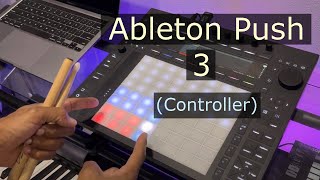
Ableton Push 3 (Controller) Overview

Inspector-Tech
Reviews
PROS
-
Seamless integration with Ableton for enhanced music creation
-
Standalone capability for on-the-go use
-
Intuitive design with a short learning curve
-
High-quality MPE support for expressive playing
-
Snappy response time with minimal screen lag
-
Improved tactile feedback and button layout over previous versions
-
Pre-mapped controls for easy navigation
CONS
-
Battery life could be longer
-
Potential issues with receiving non-standalone versions
-
Some units may require immediate firmware updates
Owner Insights
We analyzed real musician discussions from forums and Reddit to find what players love, question, and tweak about Ableton Push 3 Controller.
User experience
-
Users report fewer distractions and increased focus when using Push 3 standalone, which leads to more completed projects.
Source -
Some users find button presses occasionally unresponsive and note that many functions require pressing multiple buttons simultaneously, which can initially feel unintuitive.
Source -
Push 3 owners appreciate its capability to handle guitar inputs directly, eliminating the need for a computer or amp in some scenarios.
Source
Build quality
-
Some users report that the button lighting is uneven, with wide buttons appearing dim due to a single LED, impacting visibility in low light conditions.
Source
Software and compatibility
-
Users find Push 3's standalone mode lacking basic functionality like arrangement view, limiting it to a sketchpad rather than a full production tool.
Source -
Intel's exit from the NUC market raises concerns about Push 3's long-term hardware support and upgrade paths.
Source -
The standalone version's lack of graphical envelope editing is a noted limitation for users relying heavily on visual feedback.
Source
Comparisons
-
Compared to Maschine, Push 3 offers more seamless integration with Ableton Live, making it a preferred choice for some former Maschine users.
Source -
Users transitioning from other grooveboxes like the Akai Force or Deluge appreciate Push 3's seamless Ableton integration despite some preferring Deluge for MIDI tasks.
Source -
The Deluge is recommended over Push 3 standalone for portability and lap use, despite Push 3's advantages in audio processing.
Source -
Many users prefer traditional MIDI keyboards or drum pad setups over Push's 8x8 grid for learning music theory.
Source
Value and pricing
-
The Push 3 standalone version is deemed overpriced by some users, with suggestions that the price should be significantly lower given its current capabilities.
Source -
The standalone upgrade kit offers a cost-effective way to enhance the controller version, with future-proofing potential against hardware changes.
Source -
Owners highlight that used Push 2 units can be found in mint condition for half the price of a new Push 3, offering significant savings.
Source
Features and functionality
-
Push 3's step sequencer is praised for ease of use, particularly for editing note velocity and probability.
Source -
The pedal jacks on Push 3 double as control voltage outputs, allowing direct interfacing with modular gear in Ableton.
Source -
Push 2 is praised for its seamless integration with Ableton, making it a viable alternative to newer models for beginners.
Source -
Push 3 standalone users can't access arrangement mode, necessitating computer use for full track creation.
Source
Use cases and applications
-
Push 3's ADAT connectivity for up to 10 analog inputs is highly valued for integrating external synths and effects.
Source -
Owners find Push 3's large size and heat make it impractical for lap use; it's best used on a desk or table.
Source -
Push 3 standalone's limitations are noted for users interested in VSTs, suggesting it's better suited for those working without computer tethering.
Source
Critic Reviews
4.5 out of 5
Based on 0 Reviews and 2 Ratings
Artist usage
Add artist

In “Beautiful,” Anyma builds a sonic world that feels both intimate and epic — and the Ableton Push 3 control surface is at the heart of it. Rather than just clicking through presets or playing back a finished track, Anyma uses the Push 3 as an expressive performance instrument https://m.youtube.com/shorts/NKUPNePOlRA


See on Instagram in a publication abaut a new Dub Ambient / Dub Techno track yesterday featuring samples from an upcoming project, I am working on. Date on 04-Aug-2025


In the video "Timeless Rhythms in Mexico City | Raúl Sotomayor," at the 0:43 mark, Raúl Sotomayor, also known as Tonga Conga, can be seen using an Ableton Push 3 Controller in his studio. This video is provided by Ableton on YouTube.


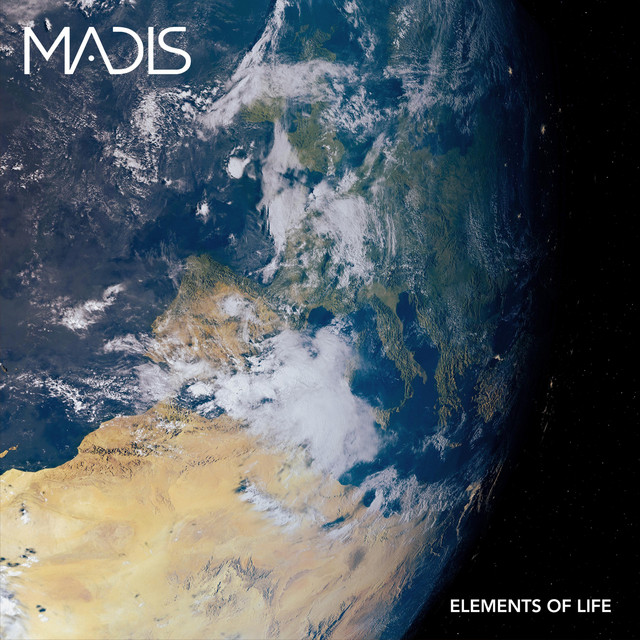
In the live performance video "Lunar Dance" at the Silesian Planetarium, Madis can be seen using the Ableton Push 3 Controller at the 3:57 mark. This video is authored by Madis and available on YouTube, providing clear visual evidence of the gear in use.

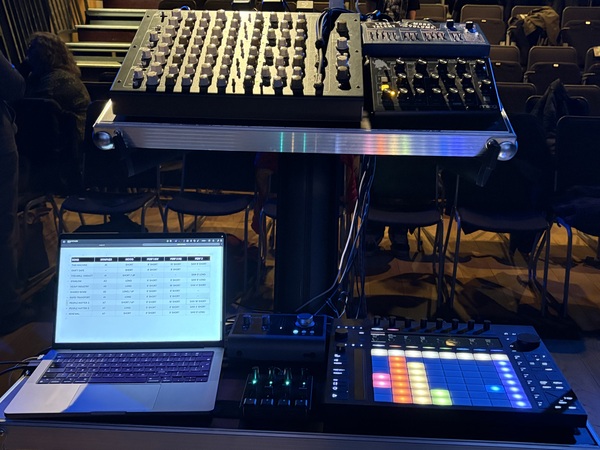
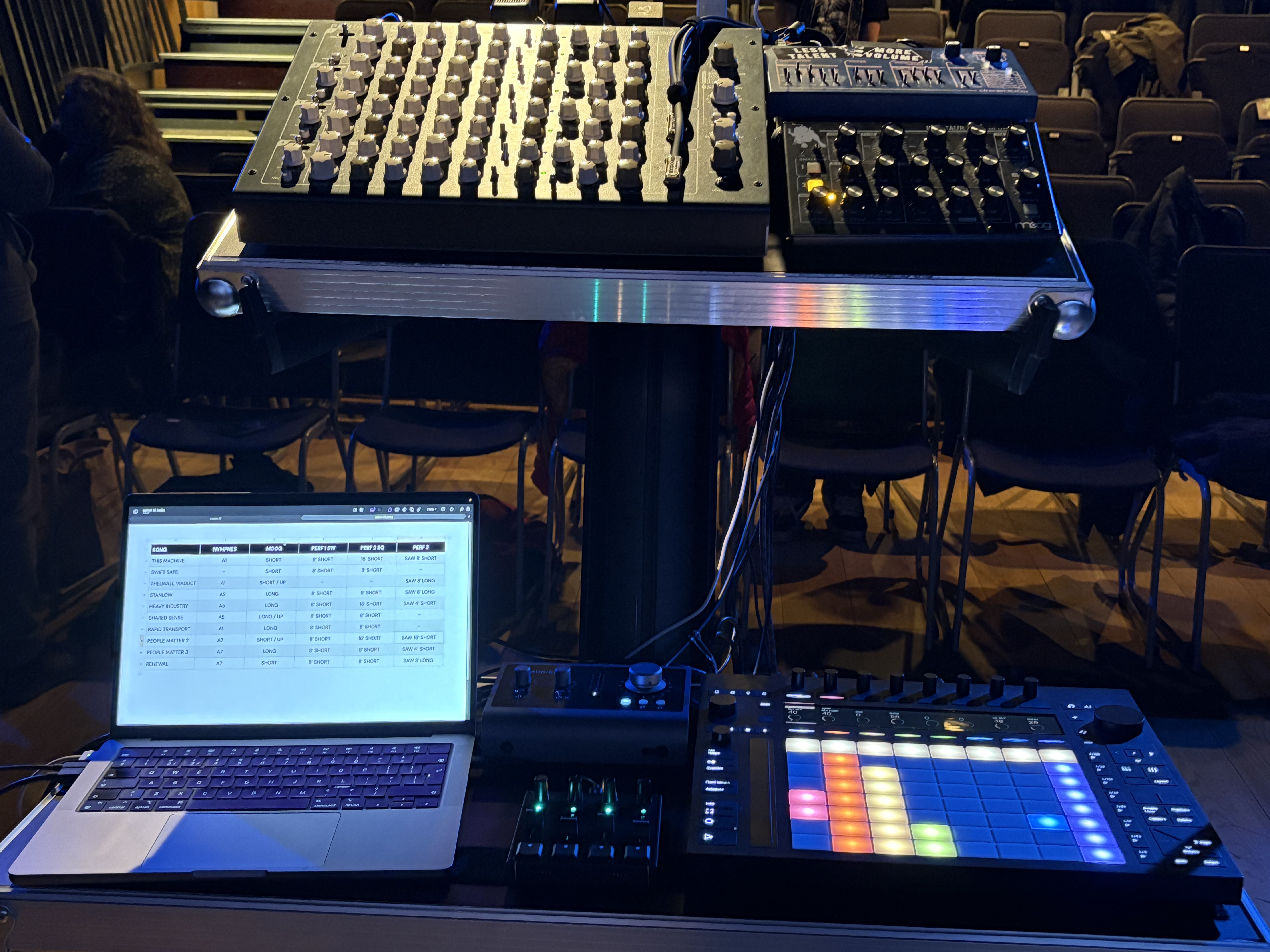
A photograph from a Warrington-Runcorn New Town Development Plan concert at Leeds Chapel Allerton Seven Arts Centre on March 14, 2026, clearly shows the Ableton Push 3 Controller as part of Gordon Chapman-Fox's live synth/sequencer set-up, confirming his use of this equipment. The image can be viewed here.
Album Usage
The Ableton Push 3 Controller has been featured on the following albums:
Genre Usage
Based on how artists on Equipboard use this gear, it is most commonly found in the following genres.
Used With
Based on how musicians on Equipboard use Ableton Push 3 Controller, it is most commonly used with the following gear.




Community setups
Show yours
More Ableton MIDI Pad Controllers
-m.webp?v=1784214120)
$101.68 - $799.00
in MIDI Pad Controllers Rank


.jpg?v=1784159850)

$408.55
in MIDI Pad Controllers Rank


$748.00 - $1,433.09
in MIDI Pad Controllers Rank


$238.85 - $349.99
in MIDI Pad Controllers Rank


$299.00 - $350.00
in MIDI Pad Controllers Rank


$23.92 - $216.30
in MIDI Pad Controllers Rank


$150.00 - $229.99
in MIDI Pad Controllers Rank


.jpeg?v=1784214915)

$40.00 - $299.00
in MIDI Pad Controllers Rank


-m.webp?v=1784266659)
$69.50 - $119.00
in MIDI Pad Controllers Rank


$30.00 - $129.99
in MIDI Pad Controllers Rank


$478.48
in MIDI Pad Controllers Rank


$39.00 - $177.00
in MIDI Pad Controllers Rank


$91.80 - $275.77
in MIDI Pad Controllers Rank


$189.00 - $777.00
in MIDI Pad Controllers Rank


$53.68 - $257.00
in MIDI Pad Controllers Rank


$30.15
in MIDI Pad Controllers Rank


$118.00 - $124.77
in MIDI Pad Controllers Rank


$50.00
in MIDI Pad Controllers Rank


$82.54 - $269.00
in MIDI Pad Controllers Rank


$25.00
in MIDI Pad Controllers Rank


$179.44 - $189.99
in MIDI Pad Controllers Rank


$145.00 - $269.99
in MIDI Pad Controllers Rank


$129.99 - $134.88
in MIDI Pad Controllers Rank


$83.74
in MIDI Pad Controllers Rank


$40.35 - $89.99
in MIDI Pad Controllers Rank


$81.12 - $129.99
in MIDI Pad Controllers Rank


$55.00
in MIDI Pad Controllers Rank


$90.00 - $295.00
in MIDI Pad Controllers Rank


$152.00 - $219.99
in MIDI Pad Controllers Rank


$1,100.00 - $1,535.00
in MIDI Pad Controllers Rank


$259.00 - $349.99
in MIDI Pad Controllers Rank


$84.76
in MIDI Pad Controllers Rank


$50.00
in MIDI Pad Controllers Rank


$328.96
in MIDI Pad Controllers Rank


$103.00 - $149.99
in MIDI Pad Controllers Rank


$215.00 - $299.00
in MIDI Pad Controllers Rank

$40.35 - $89.99
in MIDI Pad Controllers Rank


$49.92 - $177.00
in MIDI Pad Controllers Rank

-m.webp?v=1784214119)
$119.62
in MIDI Pad Controllers Rank


$74.99 - $149.99
in MIDI Pad Controllers Rank
Accessories & Related Items


Similar


Most Popular MIDI Pad Controllers
Most Popular Brands
-
Added to Equipboard on by
 equipboard
GearIQ 4934
-


