
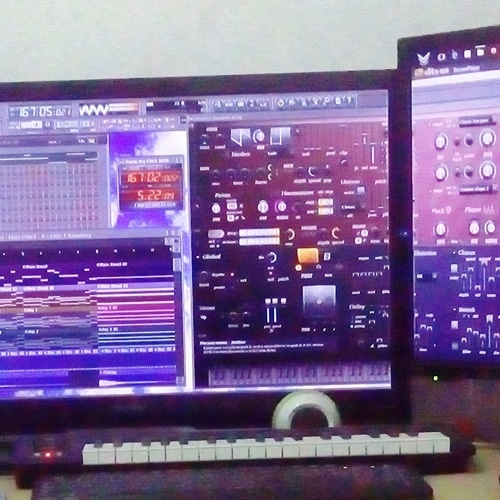

Pricing and availability


* Product prices and availability are updated by Equipboard every 24hrs and are subject to change. Equipboard may receive compensation for purchases made at participating retailers linked on this site. This compensation does not affect what products or prices are displayed, or the order of prices listed. For more information, please refer to our affiliate disclosure.
Description
Unlock the full potential of your audio projects with Adobe Audition CC, a powerhouse in the world of digital audio workstations (DAW). Designed for professionals and enthusiasts alike, this versatile music software offers a comprehensive suite of tools to edit, mix, and refine your soundscapes. Whether you're crafting podcasts, perfecting a song, or designing cinematic audio, Adobe Audition CC stands out with its intuitive interface and robust editing capabilities.
Seamlessly integrate with other Adobe Creative Cloud applications to streamline your workflow, and take advantage of the advanced multitrack editing features to precisely manipulate your audio. With its non-destructive editing environment, Audition ensures that your original files remain untouched, allowing for endless experimentation. The Spectral Frequency Display offers a unique way to visualize your audio, making it easier than ever to isolate and remove unwanted noise.
From voiceovers to music production, Adobe Audition CC provides an array of built-in effects and essential tools like pitch correction and clip stretching. The software supports a wide range of file formats, ensuring compatibility with your existing projects. Plus, the customizable workspaces allow you to tailor the interface to your specific needs, enhancing productivity and creativity.
Key Features:
- Multitrack editing and mixing capabilities
- Non-destructive editing environment
- Seamless integration with Adobe Creative Cloud
- Spectral Frequency Display for detailed audio editing
- Comprehensive built-in audio effects
- Supports various audio file formats
- Customizable workspaces for optimized workflow
- Real-time clip stretching and pitch correction
Videos

tutvid
Make Your Audio and Voice Sound Better – Audition CC Tutorial
Make Your Audio and Voice Sound Better – Audition CC Tutorial
tutvid
Adobe Audition CC Tutorial for Beginners - Getting Started

Mike Russell
Adobe Audition CC Full Tutorial - Getting Started Guide

Dusty Porter
Adobe Audition CC Tutorial
Mike Russell
Adobe Audition CC Multitrack Tutorial for New Users.

Sound Advice
Audio Editing with Adobe Audition CC - Tutorial for Beginners

Graph Desk
Reviews
PROS
-
Intuitive interface for sampling and audio editing
-
Supports a variety of resource-heavy plug-ins
-
Comprehensive toolset including waveform, spectral display, and multitrack
-
Compatible with other Adobe software like After Effects and Premiere
-
Efficient EQ, reverb, and mastering functions
-
Allows easy conversion between multiple audio formats
-
Great for cleaning up audio and tuning vocals
-
Low resource needs despite high performance capabilities
CONS
-
Lacks MIDI support
-
Prone to random crashes during long, intensive sessions
-
Requires more PC resources than previous versions without offering significant new features
-
Does not include built-in sounds for music creation
-
More suited for audio editing than music production
Owner Insights
We analyzed real musician discussions from forums and Reddit to find what players love, question, and tweak about Adobe Audition CC.
Features and functionality
Software and compatibility
-
Audition's automatic foreground activation during file downloads is linked to OS behavior, not a changeable setting within the software.
Source -
The current Adobe Audition CC version conforms visually to other Creative Cloud products but differs significantly from 1.5, especially on the Mac platform.
Source
User experience
-
Users transitioning from older Audition versions miss the flexibility of running multiple instances for varied project handling.
Source
Use cases and applications
-
Previously, multiple Audition instances facilitated different users on one PC, a feature no longer available in CC 2019.
Source
Critic Reviews
4.5 out of 5
Based on 9 Reviews and 40 Ratings

200
A DAW does what it suppose to do at its best.
Adobe Audition is one of my very first DAW and I have been using it for almost 7 years. The interface and the pre built plug-ins really teach me a lot on basic audio sounds effect and editing.
I mostly like about it is its capability of using multiple plug ins with decent amount of resources (I mean like a lot of it, like plenty of heavy plug-in like Ozone 7 and Abbey Road tape at the same time, on a i5, 8GB laptop) and the overall concept is easy to understand (Want multiple channel to use on a same set of plug in? Connect them into a same bus to save some performance. Effect that's too performance hungry on real time? Use pre-render option to smooth out the flow and more).
Although it still have some flaws like Random crashing when recording 32 tracks for two hours in 24bit, 48kHZ and unable to support MIDI (Please Adobe, it really save my time), but overall it is a good DAW should basically have. (Low resource need and excellent VST support).
Examples on using Adobe Audition CC,
Waltzing On Pink Clouds by Noel Ng On UNMC Sessions #3
https://www.youtube.com/watch?v=lGTfM5-WpZw
Seasons by Prodigium on UNMC Sessions #8
https://www.youtube.com/watch?v=lqqs01sy7Ag

176
Simply great!
Adove Audition is one of the best audio editing software out there. It offers a lot of options with it's outstanding comprehensive toolset (such as waveform, spectral display and multitrack). It's great for professional use to both record and edit audio. You can use it to work side by side with other Adobe software (such as After Effects and Premiere). If you're new to audio editing in general, you might need some time to get used to it.
The only downside is that compared to the previous versions of Adobe Audition, this one requires a lot more out of your PC but doesn't offer a whole lot more than the previous versions. So if you have a lower end PC, I would recommend going with one of the older versions such as CS3, CS4 or CS5.

154
Great audio editor for my needs
Luckily I got access to Audition through the university I work for, ended up using it on a whim earlier this year, and it has become extremely valuable to me. I enjoy sampling, and found Audition very intuitive for me to use, so much so that I think my sampling and audio editing work has shot up.

159
Creates studio-type sound out of anything.
I used to use this program to do ALL of my vocal mixing and it does a great job, but it really doesn't teach you how to REALLY mix and master. You can make shit sound great in this but it doesn't really use the same mixing process that industry standards like Ableton and Logic Pro X use.

Good if you have a keyboard.
This software doesn't come with any built-in sounds, so you can't use it without another instrument. However, the EQ settings here are good, and it is easy to use. You can easily convert songs into different formats, from 64-bit, 192 kHz WAV files to 128kbps MP3 files.

266
Great for editing
THIS IS NOT A DAW, don't buy it if you want to MAKE music. It's for CHANGING music.
266
But it certainly works well for audio editing. Bit clunky in some places.

272
Very good sound editing software
Very good sound editing software for cleaning up audio, EQing full songs, tuning vocals, and also mixing tracks with the Multitrack option.

266

Artist usage
Add artist

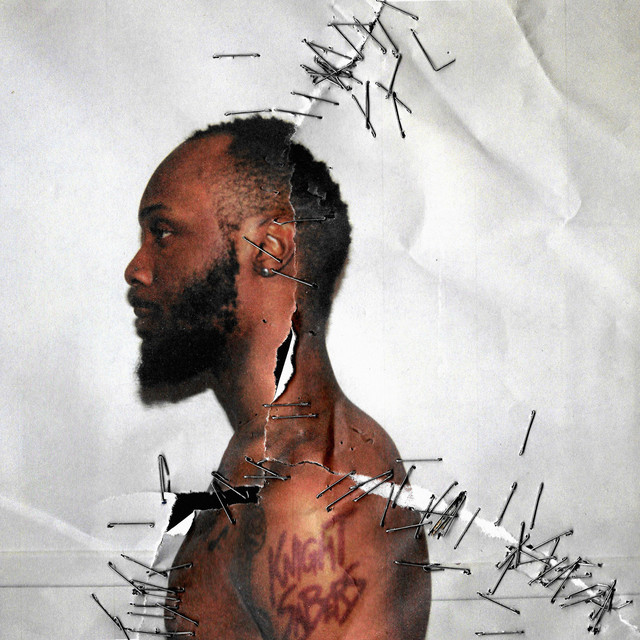
Acording to the toolbar of his laptop, you can see the icon of Adobe Audition. I think this is the photo mentioned in the other posts about Logic and Garageband. This photo comes when you download Black Ben Carson from bandcamp.
Interesting Fact: Peggy knows how to use every DAW, except for Ableton (this was stated by him on the Cambrigde Interview: https://www.youtube.com/watch?v=3UjNTHSIqU8&t=779s timestamp: 12:33).


"I've been using Audition since it was Cool Edit Pro. It's always been at the core of my work."


Gian Paolo Fontani utilizes Adobe Audition CC as his DAW software, as indicated on his Equipboard profile.


Album Usage
The Adobe Audition CC has been featured on the following albums:
Genre Usage
Based on how artists on Equipboard use this gear, it is most commonly found in the following genres.
Used With
Based on how musicians on Equipboard use Adobe Audition CC, it is most commonly used with the following gear.





Community setups
Show yoursMore Adobe DAW Software


$225.00 - $599.00
in DAW Software Rank


$398.00
in DAW Software Rank

$266.00 - $349.00
in DAW Software Rank


-m.webp?v=1783418446)
$99.99 - $344.00
in DAW Software Rank


$99.00 - $399.99
in DAW Software Rank


$179.00
in DAW Software Rank


-m.webp?v=1783418442)
$409.00 - $499.00
in DAW Software Rank


$119.00 - $295.00
in DAW Software Rank


$209.00 - $329.99
in DAW Software Rank


$199.99
in DAW Software Rank
.jpg?v=1783709979)


$199.00
in DAW Software Rank


$524.00 - $579.99
in DAW Software Rank


.png?v=1783711142)


$75.00
in DAW Software Rank


$449.00 - $477.00
in DAW Software Rank


$129.00 - $189.00
in DAW Software Rank


$395.00 - $499.00
in DAW Software Rank


$136.00 - $179.00
in DAW Software Rank

$139.99 - $199.99
in DAW Software Rank


$366.00 - $579.99
in DAW Software Rank


$477.00 - $528.00
in DAW Software Rank

$579.99
in DAW Software Rank


$245.00 - $285.00
in DAW Software Rank


$149.00 - $201.00
in DAW Software Rank


$375.00 - $399.95
in DAW Software Rank

$579.99
in DAW Software Rank

Similar


Gear Guides











Most Popular DAW Software
Most Popular Brands
-
Added to Equipboard on by
 xwayofficial
Gear IQ 655
-


