

Pricing and availability
We compare 600+ stores and found this item at 1 store. Prices updated .
Store
Reviews
Price




Average Price: $3,489
High-end/Boutique
$150
$501+
Price Tier
Budget
Standard
High-end
* Product prices and availability are updated by Equipboard every 24hrs and are subject to change. Equipboard may receive compensation for purchases made at participating retailers linked on this site. This compensation does not affect what products or prices are displayed, or the order of prices listed. For more information, please refer to our affiliate disclosure.
Description
Welcome to the future of studio recording with the Antelope Audio Goliath Thunderbolt / USB / MADI Audio Interface. This powerhouse of a device combines cutting-edge technology with unparalleled versatility, making it the ultimate choice for professional studios and ambitious home setups alike. With 64-bit clocking and a staggering array of connectivity options, including Thunderbolt, USB, and MADI, the Goliath is designed to seamlessly integrate into any audio environment.
Boasting an impressive 36 analog inputs and 32 analog outputs, this interface doesn't just handle audio; it commands it. The 16 Class-A mic preamps ensure that every nuance of your sound is captured with pristine clarity. Dive into the world of zero-latency recording with Antelope's renowned DSP modeling, offering an extensive library of virtual microphone emulations, guitar amps, cabinets, compressors, and EQs. The onboard touchscreen and advanced remote apps provide intuitive control over the Goliath's comprehensive routing and metering capabilities, offering you unrivaled command over your recordings.
Key Features:
- Thunderbolt, USB, and MADI connectivity
- 64-bit clocking for superior audio fidelity
- 36 analog inputs and 32 analog outputs
- 16 Class-A mic preamps for high-quality sound capture
- DSP modeling with zero latency for virtual mic, amp, and effects emulation
- Intuitive touchscreen and remote app control
Product specs
| Brand | Antelope Audio |
| Model | Goliath Thunderbolt / USB / MADI Audio Interface |
| Year | 2010s |
| Categories | Audio Interfaces |
| Bit Depth | 24-bit |
| Bus-Powered | No |
| Compatibility | Windows, macOS |
| Computer Connectivity | Thunderbolt, USB |
| Digital Input Format | ADAT/Optical, AES/EBU, MADI, S/PIDF |
| Digital Output Format | ADAT/Optical, AES/EBU, MADI, S/PIDF |
| Electronics | Analog, Digital, Solid State |
| Format | 19-inch Rackmount |
| Number of Analog Inputs | 32 |
| Number of Analog Outputs | 36 |
| Number of Channels | 128 |
| Number of Digital Inputs | 154 |
| Number of Digital Outputs | 154 |
| Number of Headphone Outputs | 2 |
| Number of MIDI Inputs | 0 |
| Number of MIDI Outputs | 0 |
| Number of Mic Preamps | 16 |
| Sample Rate | 192 khz |
| Simultaneous I/O | 64 x 64 |
FAQs
-
What connectivity options does the Antelope Audio Goliath interface offer?
-
The Antelope Audio Goliath interface provides connectivity through Thunderbolt, USB, and MADI, making it versatile for various studio setups. It supports digital input and output formats such as ADAT/Optical, AES/EBU, MADI, and S/PDIF.
-
Is the Antelope Audio Goliath compatible with both Windows and macOS?
-
Yes, the Antelope Audio Goliath is compatible with both Windows and macOS, ensuring it can integrate smoothly with most modern computer systems.
-
How many mic preamps are included in the Antelope Audio Goliath interface?
-
The Antelope Audio Goliath interface includes 16 high-quality mic preamps, providing ample inputs for recording large sessions or complex setups.
-
Can the Antelope Audio Goliath interface handle high-resolution audio?
-
Yes, the Antelope Audio Goliath supports a sample rate of up to 192 kHz and a bit depth of 24-bit, allowing for high-resolution audio recording and playback.
-
How many simultaneous input and output channels does the Goliath interface support?
-
The Antelope Audio Goliath interface supports simultaneous I/O of 64 x 64 channels, making it suitable for complex recording and mixing tasks in professional studio environments.
-
Does the Antelope Audio Goliath interface require external power?
-
The Antelope Audio Goliath is not bus-powered, meaning it requires an external power source for operation. This ensures stable performance and power for all its features.
Videos

Antelope Audio
Meet the Goliath | Antelope Audio
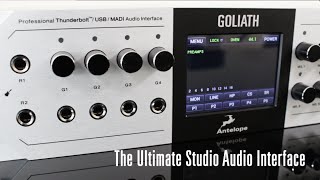
Meet the Goliath | Antelope Audio
Antelope Audio
Antelope Audio presents the new Goliath
Antelope Audio
MESSE 2016: Antelope Audio Goliath Interface

sonicstate
Antelope Audio Goliath Audio Interface Review

Ask.Audio
Reviews
PROS
-
Exceptional sound quality praised by multiple users
-
Extensive connectivity options with numerous ins and outs for diverse tech
-
Compatible with Pro Tools HD, Logic Pro X, and Garageband
-
High-quality FPGA effects often surpassing UAD-2 effects
-
Seamless integration with other high-end audio gear like Apollo x8p
-
Robust build quality and high-level gear for professional use
CONS
-
Steep learning curve requiring understanding of signal flow
Owner Insights
We analyzed real musician discussions from forums and Reddit to find what players love, question, and tweak about Antelope Audio Goliath Thunderbolt / USB / MADI Audio Interface.
Setup and maintenance
Software and compatibility
User experience
-
A user noted the need to disable deep security settings on a MacBook Pro M3 to install Antelope drivers, indicating a challenging setup process.
Source -
Antelope's DSP analog emulation processing is highly regarded, but users criticize the paywalling of plugins, suggesting a mixed value perception.
Source -
Some users report needing to purchase an additional RME Madiface for full utilization of Antelope interfaces via MADI, questioning the initial value proposition.
Source
Features and functionality
Comparisons
Build quality
-
A user fixed a separated face plate on an Orion unit with Gorilla Glue, indicating potential issues with build quality.
Source
Based on 0 Reviews and 0 Ratings
More Antelope Audio Audio Interfaces


-m.webp?v=1784904649)

$325.00 - $1,019.00
.jpeg?v=1784583898)


$2,548.50 - $2,695.00


$458.00 - $899.00


-m.webp?v=1784906129)

$999.00 - $1,095.00


$4,222.00 - $5,995.00


$159.99 - $224.99
in Audio Interfaces Rank


-m.webp?v=1784804580)
$749.99
in Audio Interfaces Rank


Accessories & Related Items


Artist usage


Community setups


Similar


Gear Guides







.webp)
Most Popular Audio Interfaces
Most Popular Brands
-
Added to Equipboard on by
 equipboard
GearIQ 4934
-


