

Pricing and availability
We compare 600+ stores and found this item at 9 stores. Prices updated .
Store
Reviews
Price









Average Price: $232
Standard/Professional
$100
$501+
Price Tier
Budget
Standard
High-end
Price History
Based on price data from 6 merchants for "DBX 215 S EQ". Prices shown reflect NEW condition. Tracking began Apr 2, 2026.
* Product prices and availability are updated by Equipboard every 24hrs and are subject to change. Equipboard may receive compensation for purchases made at participating retailers linked on this site. This compensation does not affect what products or prices are displayed, or the order of prices listed. For more information, please refer to our affiliate disclosure.
Description
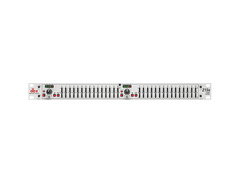
The DBX 215 S EQ is your ultimate companion for achieving precise sound control in demanding environments, whether on stage, in the studio, or within a permanent installation. With dual 15-band channels and a 2/3-octave Constant Q design, this graphic equalizer offers unparalleled flexibility and precision. The switchable boost/cut ranges of ±6dB or ±12dB provide you with the versatility needed to tailor your sound, while the internal toroidal transformer ensures top-notch reliability and performance.
Crafted to meet the needs of audio professionals, the DBX 215 S EQ boasts a robust build and user-friendly interface, featuring 20mm nonconductive sliders and intuitive output level metering via 4-segment LED ladders. With a dynamic range exceeding 108dB and an extended frequency response from <10Hz to >50kHz, the DBX 215 S EQ delivers exceptional clarity and sound integrity. Its XLR and TRS inputs and outputs make it compatible with a wide range of audio setups.
Whether you're enhancing live performances or fine-tuning studio recordings, the DBX 215 S EQ promises exceptional sound quality and reliability that professionals have trusted for decades.
Key Features:
- Dual-channel 15-band graphic equalizer
- 2/3-octave Constant Q frequency bands
- Switchable boost/cut ranges of ±6dB or ±12dB
- 12dB/octave 50Hz low-cut filter
- Front panel bypass switch
- ±12dB input gain range
- 4-segment LED output level meters
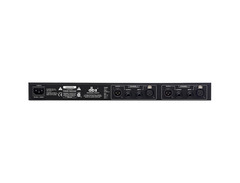
- XLR and TRS inputs and outputs
- Internal toroidal transformer
- Frequency response of <10Hz to >50kHz
- Dynamic range greater than 108dB
Owner's manual
DBX 215 S EQ User ManualProduct specs
| Number of Bands | 2 x 15-band |
| Q Type | Fixed |
| Boost/Cut Range | ±6 dB, ±12 dB (Switchable) |
| Low Cut Filter | 50Hz, 12 dB/octave |
| Faders Throw | Short-throw |
| Analog Inputs | 2 x XLR, 2 x 1/4" |
| Analog Outputs | 2 x XLR, 2 x 1/4" |
| Rack Spaces | 1U |
| Power Source | Standard IEC AC cable |
| Height | 1.75" |
| Width | 19" |
| Depth | 6" |
| Weight | 4.8 lbs. |
FAQs
-
What is the purpose of the DBX 215 S EQ in a studio setup?
-
The DBX 215 S EQ is used to adjust the frequency response of audio signals, providing precise control over tonal balance. It's ideal for fine-tuning sound in studio recording and live sound environments.
-
How many frequency bands does the DBX 215 S EQ have?
-
The DBX 215 S EQ features two channels with 15 frequency bands each, allowing detailed control over the audio spectrum.
-
Can the DBX 215 S EQ be used for live sound applications?
-
Yes, the DBX 215 S EQ is suitable for live sound applications, offering robust control over audio frequencies to enhance sound quality in various environments.
-
What are the input and output options on the DBX 215 S EQ?
-
The DBX 215 S EQ provides both XLR and 1/4" analog inputs and outputs, ensuring compatibility with a wide range of audio equipment.
-
Does the DBX 215 S EQ have adjustable gain control?
-
Yes, the DBX 215 S EQ offers a switchable boost/cut range of ±6 dB or ±12 dB, allowing for flexible gain adjustments to suit different audio needs.
Videos

CARLITO DIAZ
Basic Sound Setup Guide | Outdoor Setup using dbx 215s Equalizer
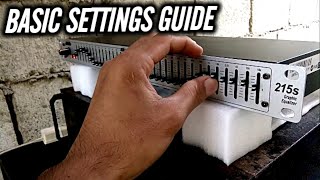
Basic Sound Setup Guide | Outdoor Setup using dbx 215s Equalizer
CARLITO DIAZ
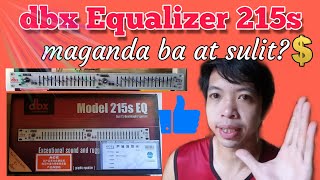
Dbx 215s equalizer review (tagalog)

Usapang Sounds
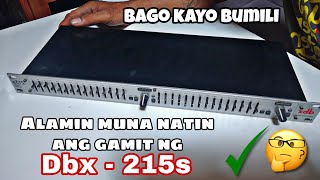
Dbx 215-s EQUALIZER, REVIEW.ating buksan.🤩

ROBOKE Master
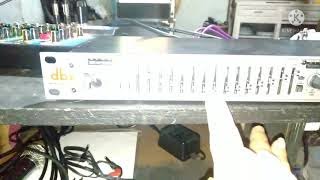
DBX 215s EQUALiZER TESTiNG!! budget equalizer from shopee

KiLLPOP
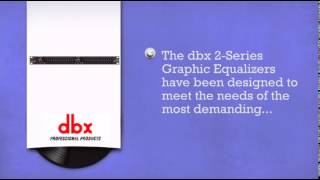
DBX 215S 15 band 1u Graphic Equaliser - DJkit.com

djkit®

dbx 231s EQ & 215s EQ(testing) kay ganda
jerald lagucay
Reviews
PROS
-
Solid and reliable for both live sound and studio recording
-
Clean sound enhancement across various music genres
-
Easy to set up and use; plug-and-play for immediate improvement
-
Affordable price point for its quality and features
-
Robust build expected to last many years
-
15-band EQ offers precise control over sound
-
Dual channels increase versatility for different setups
-
Neutral sound quality with present frequencies
-
Compact 1U rack size saves space
-
Enhances audio clarity for speakers and subwoofers
CONS
-
Lacks a level meter for visual monitoring
-
Some units may develop channel feedback or touchy bypass knobs
-
Missing RCA outputs for additional connectivity
-
No power switch, leading to potential constant power-on state
-
Might require a stronger input signal for optimal performance
-
Permanent on state may contribute to background hiss over time
Owner Insights
We analyzed real musician discussions from forums and Reddit to find what players love, question, and tweak about DBX 215 S EQ.
Use cases and applications
-
The DBX 215 EQ is particularly useful when dealing with feedback in small rooms or when using omni lav mics or condensers.
Source -
The EQ becomes essential when using the system for monitors or in environments with challenging acoustics, emphasizing its role in feedback management.
Source -
The DBX 215s is identified as a standalone EQ, implying its use is limited without additional components like a DAC or interface for optimal setup.
Source
Features and functionality
-
EV ZLX-15P speakers already have built-in DSP with tone controls and environment settings, potentially reducing the need for an additional EQ.
Source -
The DBX 215s EQ is noted as being imprecise for detailed sub-bass adjustments, suggesting it's more suited for general EQ tasks than precise frequency tuning.
Source
User experience
-
Owners consistently find the DBX 215 EQ invaluable for fine-tuning audio systems, especially when encountering feedback issues during live performances.
Source
Software and compatibility
-
Users recommend using REW software with a measuring mic to identify frequency peaks for more precise EQ settings, which the DBX 215s alone may not address.
Source
4.0 out of 5
Based on 0 Reviews and 6 Ratings
Artist usage
Add artist

Genre Usage
Based on how artists on Equipboard use this gear, it is most commonly found in the following genres.
Used With
Based on how musicians on Equipboard use DBX 215 S EQ, it is most commonly used with the following gear.




More dbx Effects Processors
-m.webp?v=1784559423)
$320.00
in Effects Processors Rank


$238.00
in Effects Processors Rank


$59.64
in Effects Processors Rank


$161.75 - $339.00
in Effects Processors Rank


$121.25 - $280.00
in Effects Processors Rank


$239.00 - $365.00
in Effects Processors Rank


-m.webp?v=1784645913)
$70.00 - $585.00
in Effects Processors Rank


$633.00
in Effects Processors Rank


-m.webp?v=1784386757)


$1,050.00


$1,168.94


$210.67 - $380.00


Accessories & Related Items


Community setups


Similar


Most Popular Effects Processors
Most Popular Brands
-
Added to Equipboard on by
 floris_dijkers
GearIQ 146
-


