

Pricing and availability
We compare 600+ stores and found this item at 2 stores. Prices updated .
Store
Reviews
Price




Average Price: $89
Budget/Beginner
$150
$501+
Price Tier
Budget
Standard
High-end
* Product prices and availability are updated by Equipboard every 24hrs and are subject to change. Equipboard may receive compensation for purchases made at participating retailers linked on this site. This compensation does not affect what products or prices are displayed, or the order of prices listed. For more information, please refer to our affiliate disclosure.
Description
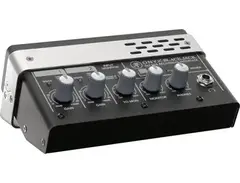
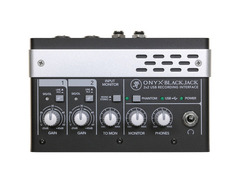
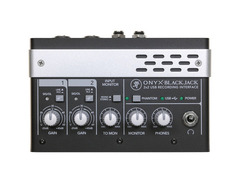
Perfect for home studios and mobile recording setups, the Mackie Onyx Blackjack delivers boutique-quality Onyx mic preamps wrapped in a sleek, desktop-friendly design. This 2 x 2 USB audio interface offers exceptional sound clarity with its 24-bit/48kHz resolution and Cirrus Logic AD/DA converters, boasting a dynamic range of 114dB. Whether you're a budding musician or a seasoned pro, the Onyx Blackjack caters to all your recording needs with two versatile inputs that support both microphones and instruments, complete with 48V phantom power.
The built-in DI feature on each input makes it a breeze to connect guitars, basses, and other instruments directly, while the true analog hardware monitoring ensures zero-latency recording. Plus, with separate monitor and headphone outputs, each with independent level control, you can tailor your listening experience to perfection.
Best of all, the Onyx Blackjack is USB bus-powered, eliminating the need for an external power supply and making it ideal for recording on the go. Compatible with most major DAWs, it also comes bundled with Tracktion 3 music production software, providing a comprehensive solution for all your recording projects.
Key Features:
- 2 Onyx mic preamps for high-quality sound
- 24-bit/48kHz resolution with Cirrus Logic AD/DA converters
- True analog hardware monitoring for zero-latency recording
- Built-in DI on each input for direct instrument connection
- 48V phantom power for condenser mics
- USB bus-powered; no external power supply needed
- Compatible with most major DAWs
- Includes Tracktion 3 music production software
- Independent level control for monitor and headphone outputs
- Ergonomic and rugged desktop design
Product specs
| Brand | Mackie |
| Model | Onyx Blackjack USB Audio Interface |
| Finish | Black |
| Year | 2010 - 2018 |
| Categories | Audio Interfaces |
| Bit Depth | 24-bit |
| Bus-Powered | Yes |
| Compatibility | Windows, macOS |
| Computer Connectivity | USB |
| Electronics | Analog, Solid State |
| Format | Desktop Standalone |
| Number of Analog Inputs | 2 |
| Number of Analog Outputs | 2 |
| Number of Channels | 4 |
| Number of Digital Inputs | 0 |
| Number of Digital Outputs | 0 |
| Number of Headphone Outputs | 1 |
| Number of MIDI Inputs | 0 |
| Number of MIDI Outputs | 0 |
| Number of Mic Preamps | 2 |
| Sample Rate | 48 khz |
FAQs
-
What are the main connectivity options for the Mackie Onyx Blackjack?
-
The Mackie Onyx Blackjack features USB connectivity, allowing it to interface easily with both Windows and macOS computers. It provides two analog inputs and two analog outputs, making it suitable for basic recording setups.
-
Does the Mackie Onyx Blackjack require an external power supply?
-
No, the Mackie Onyx Blackjack is bus-powered via USB, so it does not require an external power supply, making it convenient for mobile recording.
-
What is the bit depth and sample rate of the Mackie Onyx Blackjack?
-
The Mackie Onyx Blackjack offers a bit depth of 24-bit and a sample rate of 48 kHz, providing high-quality audio conversion for recording and playback.
-
How many mic preamps are included in the Mackie Onyx Blackjack?
-
The Mackie Onyx Blackjack includes two boutique-quality Onyx mic preamps, which deliver clear and detailed sound capture for microphones.
-
Is the Mackie Onyx Blackjack compatible with popular DAWs like Ableton Live and Pro Tools?
-
Yes, the Mackie Onyx Blackjack is compatible with major DAWs, including Ableton Live and Pro Tools, on both Windows and macOS platforms.
Videos

MackieTV
Mackie Onyx Blackjack
Mackie Onyx Blackjack
MackieTV
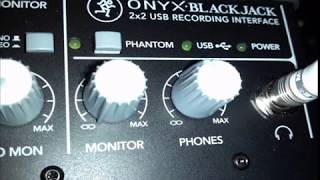
Mackie Onyx BlackJack usb preamp demo: Pros & cons! Record studio quality audio to your computer.

TrustMeI'mADoctor Food Reviews

Mackie Onyx BlackJack Overview | UniqueSquared.com

UniqueSquared

An Electro-Acoustic Guitar plugged in to a Mackie Onyx Blackjack Recording Interface

Steven Mackenzie
Mackie Onyx Blackjack USB Soundcard Review

Callum Artax
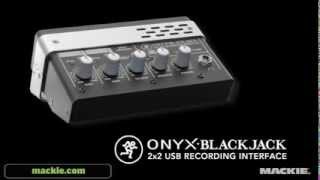
Mackie Onyx Blackjack USB Recording Interface

Gear4music Guitars
Mackie Onyx Blackjack im TechWatch Test

TechWatch
Reviews
PROS
-
Onyx preamps are clean with low noise
-
Inputs conveniently located in the rear
-
Simple to use, suitable for beginners
-
Good sound quality with very low noise
-
Can use both channels simultaneously
CONS
-
Shuts out audio from other sources when DAW is open
-
Potential durability issues with capacitors after intense use
-
Static noise present when using headphones
-
May not be suitable for professional-level work
4.0 out of 5
Based on 5 Reviews and 17 Ratings

It gets the job done
Its a very good interface but when I have my DAW open it shuts out audio anywhere other than the program. Its a software problem and I have the most recent driver.

189
Good starting interface for the price.
Just starting to get into recording, this interface is really simple to use and good sounding. Both the channels can be used simultaneously. The signal sounds great with very low noise.

1765
Nice, looks like you got a good one according to this :)

313
Shit after months
So I bought this back in September, and when I used it for the first time, it sounded AMAZING. Now it sounds like shit because the capacitors or something is dying out after intense use. This is why I am wishing for a new Audio Interface. No I will not get the "beginner's first audio interface 4 cheap!!!" aka the Duet 2 because IT IS NOT CHEAP, unlike what Hardwell said.

6892
My first audio interface
It's a pretty good interface, but there is some static when I plugin my headphones into it. Other than that, it's pretty good.

28
Its ok
I wouldn't use it if you're planning on going professional and have money for something better. But if you don't, then its pretty good
Artist usage
Add artist
.jpg)
Michael Keene uses the Mackie Onyx Blackjack audio interface, as seen in his Instagram post where he mentions, "I have a house full of amps. This one is the sweetest," under his handle keenemachine.

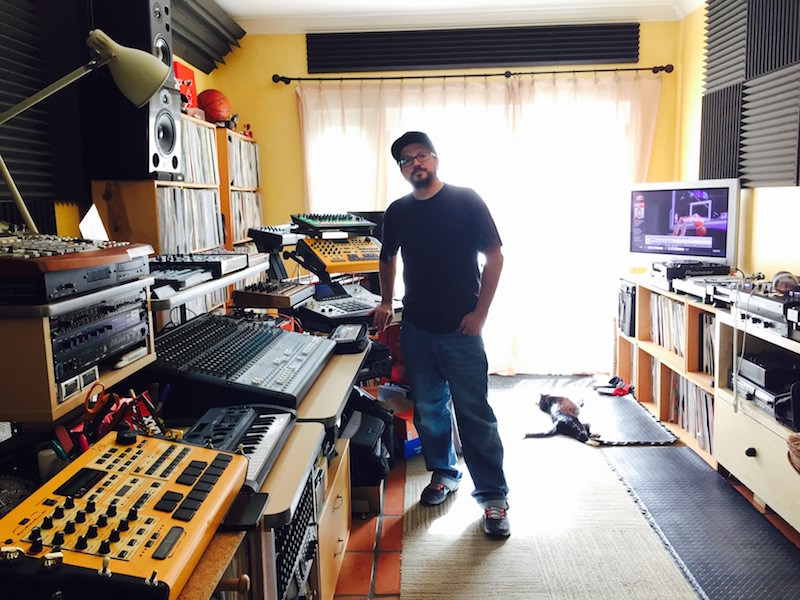
In an interview with Attack Magazine, Mark Farina discusses his use of the Mackie Onyx Blackjack, highlighting his preference for analogue-style mixers.


Genre Usage
Based on how artists on Equipboard use this gear, it is most commonly found in the following genres.
Used With
Based on how musicians on Equipboard use Mackie Onyx Blackjack, it is most commonly used with the following gear.






More Mackie Audio Interfaces


$119.99 - $499.99


$159.99 - $224.99
in Audio Interfaces Rank


-m.webp?v=1784804580)
$749.99
in Audio Interfaces Rank


$59.49 - $239.00
in Audio Interfaces Rank


$79.00 - $299.99
in Audio Interfaces Rank


$320.00 - $799.00
in Audio Interfaces Rank


$239.00 - $495.00
in Audio Interfaces Rank


$56.00
in Audio Interfaces Rank


$49.00 - $149.99
in Audio Interfaces Rank
.jpg?v=1784763257)


$749.00 - $999.00
in Audio Interfaces Rank

.png?v=1784580320)


$799.00 - $1,299.00
in Audio Interfaces Rank


$1,000.00
in Audio Interfaces Rank


$239.00 - $799.00
in Audio Interfaces Rank


$85.00 - $391.13
in Audio Interfaces Rank


$118.00 - $189.99
in Audio Interfaces Rank


$210.00 - $872.49
in Audio Interfaces Rank


$689.00 - $899.00
in Audio Interfaces Rank


$224.99
in Audio Interfaces Rank


$1,468.00 - $1,999.00
in Audio Interfaces Rank

.jpeg?v=1784733415)

$187.41 - $299.99
in Audio Interfaces Rank


$866.00 - $1,199.00
in Audio Interfaces Rank

.jpg?v=1784480765)
-m.webp?v=1784331838)
$70.00
in Audio Interfaces Rank


$69.78 - $159.99
in Audio Interfaces Rank


in Audio Interfaces Rank


$699.00 - $1,899.00
in Audio Interfaces Rank


$411.04
in Audio Interfaces Rank


$350.00
in Audio Interfaces Rank


$1,000.00
in Audio Interfaces Rank


$199.99 - $363.99
in Audio Interfaces Rank


$400.00
in Audio Interfaces Rank

.jpg?v=1784640202)


$144.34 - $279.00
in Audio Interfaces Rank


$20.00
in Audio Interfaces Rank


Accessories & Related Items


Community setups


Similar


Gear Guides







.webp)
Most Popular Audio Interfaces
Most Popular Brands


