


Pricing and availability
We compare 600+ stores and found this item at 2 stores. Prices updated .
Store
Reviews
Price




* Product prices and availability are updated by Equipboard every 24hrs and are subject to change. Equipboard may receive compensation for purchases made at participating retailers linked on this site. This compensation does not affect what products or prices are displayed, or the order of prices listed. For more information, please refer to our affiliate disclosure.
Description
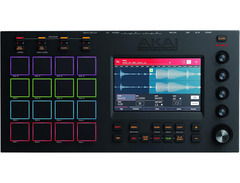
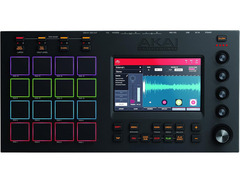
Explore the realm of music creation with the Akai MPC Touch, a compact powerhouse designed to elevate your production to new heights. This innovative Music Production Center, co-created with the legendary Roger Linn, merges intuitive design with cutting-edge technology, offering you unparalleled control over your sonic landscapes. With its interactive display interface and 16 touch pads, the MPC Touch invites you to dive deep into your music, sculpting sounds with precision and ease. Whether you're sequencing beats, looping tracks, or editing samples, this device ensures your creative vision is never compromised.
Key Features:
- Co-designed with Grammy Lifetime Technical Achievement winner Roger Linn
- Interactive display interface for detailed waveform editing
- 16 velocity-sensitive touch pads for dynamic performance
- Integrated step sequencer, looper, and sample editor for comprehensive production capabilities
- Compact and portable design, perfect for studio and live performance setups
Product specs
| Brand | Akai |
| Model | MPC Touch Drum Machine Controller |
| Finish | Black |
| Year | 2015 - 2020 |
| Made In | United States |
| Categories | Drum Machines, Samplers |
| Analog / Digital | Digital |
| MIDI I/O | USB MIDI |
| Number of Pads | 16 Pads |
FAQs
-
Does the Akai MPC Touch require a computer to operate?
-
Yes, the Akai MPC Touch is not a standalone device and requires connection to a computer with the MPC software installed to function.
-
What are the main connectivity options for the Akai MPC Touch?
-
The Akai MPC Touch connects via USB MIDI to your computer, allowing seamless integration with your DAW and other MIDI-compatible devices.
-
How many pads does the Akai MPC Touch have, and are they velocity-sensitive?
-
The Akai MPC Touch features 16 velocity-sensitive pads, which are highly responsive and capable of capturing nuanced dynamics in your playing.
-
Is the Akai MPC Touch suitable for live performances?
-
The Akai MPC Touch is designed for studio use, but its responsive pads and touchscreen interface can be utilized effectively in live settings when connected to a computer.
-
Can the Akai MPC Touch be used with any DAW?
-
The Akai MPC Touch is compatible with most DAWs that support MIDI input, allowing for flexible integration into various production environments.
Videos

AkaiProVideo
Introducing the MPC Touch
Introducing the MPC Touch
AkaiProVideo
Akai MPC Touch Presentation

sonicstate
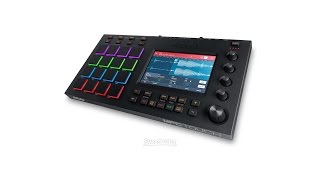
Akai Professional MPC Touch Demo by Sweetwater

Sweetwater
Akai Pro MPC Touch - Unboxing

noterepeat
MPC LIVE vs MPC TOUCH

Matthew Stratton
AKAI MPC Touch Beat

muzykujkropkacom
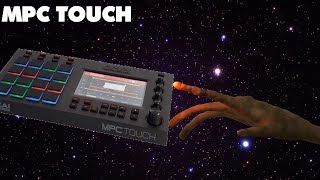
MPC TOUCH WHAT HAD HAPPENED WAS..

DyReck Productions
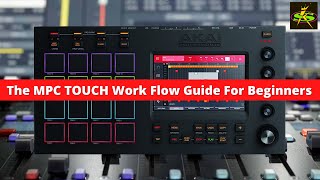
AKAI MPC TOUCH Beginners WorkFlow Guide

SampleKings
Reviews
PROS
-
High-quality sampler software
-
Great look and feel
-
Offers awesome sounds
CONS
-
Common issues with touch screen functionality
-
Difficult to sync with Mac OS, especially High Sierra (10.13.4)
-
Confusing navigation and file system for loading sounds
-
Requires significant time investment to learn
-
Pads and screen may fail to activate
-
Compatibility and updates need thorough research before purchase
Owner Insights
We analyzed real musician discussions from forums and Reddit to find what players love, question, and tweak about Akai MPC Touch.
Software and compatibility
-
Windows updates often disrupt the screen drivers for the MPC Touch, necessitating reinstallation, which can be a recurring hassle for users.
Source -
It's possible to use the Touch's display as a secondary screen outside of MPC software, controlled by MIDI SysEx messages.
Source -
Mac users report needing to install a specific DisplayLink driver since MPC Touch's included driver doesn't work with M1 Macs.
Source -
The MPC Touch's drivers are only available with the full MPC software installer, not with the basic MPC Beats version, making software registration crucial.
Source -
Installing the MPC Touch drivers can be problematic, especially on macOS, where users have faced repeated black screen issues despite following installation guides.
Source -
The MPC Touch integrates with its software seamlessly, allowing users to operate mostly via the touchscreen without needing to look at the computer monitor.
Source
User experience
Features and functionality
-
The MPC Touch can switch its software display between a modern touchscreen and an 'old school' LCD look with text lines.
Source -
The audio interface on the MPC Touch is strictly 2in/2out with a physical knob for headphone volume, lacking separate monitor/PFL channels.
Source -
The MPC Touch is not standalone; it requires a computer connection, functioning primarily as a controller for its software.
Source
Use cases and applications
Value and pricing
-
Many users feel the MPC Touch is overpriced at 260€, suggesting a fair price would be around 200€ due to its limitations and required setup.
Source -
Multiple users suggest that €300 is not a competitive price for the MPC Touch, recommending either lower pricing or considering a used MPC Live mk1 instead.
Source
Setup and maintenance
-
Owners have faced challenges with the display not functioning correctly, indicating potential reliability issues with the touchscreen.
Source
4.5 out of 5
Based on 0 Reviews and 23 Ratings
Artist usage
Add artist

Metro Boomin talks about the MPC Touch in this short promo video.



Genre Usage
Based on how artists on Equipboard use this gear, it is most commonly found in the following genres.
Used With
Based on how musicians on Equipboard use Akai MPC Touch, it is most commonly used with the following gear.



Community setups
Show yours
More Akai Production & Groove

$939.00 - $999.99
in Production & Groove Rank

$449.00 - $1,299.00
in Production & Groove Rank


-m.webp?v=1784732342)
$455.00
in Production & Groove Rank


$1,499.00 - $1,899.99
in Production & Groove Rank
.jpg?v=1784733415)


$350.00 - $728.00
in Production & Groove Rank


$439.00
in Production & Groove Rank


$149.00 - $285.75
in Production & Groove Rank
.jpg?v=1784733418)


$1,488.26 - $2,299.00
in Production & Groove Rank


$320.69 - $899.00
in Production & Groove Rank


$699.00 - $1,299.00
in Production & Groove Rank


$152.81
in Production & Groove Rank


$85.30 - $119.00
in Production & Groove Rank

.jpg?v=1783774944)


$952.49
in Production & Groove Rank


$225.00
in Production & Groove Rank


$3,000.00
in Production & Groove Rank


$4,000.00
in Production & Groove Rank


$642.99 - $899.00
in Production & Groove Rank


$535.78
in Production & Groove Rank


$972.73 - $1,499.00
in Production & Groove Rank


$575.00
in Production & Groove Rank


$1,159.99 - $1,499.00
in Production & Groove Rank


$3,200.00
in Production & Groove Rank


in Production & Groove Rank


$139.99 - $278.00
in Production & Groove Rank


-m.webp?v=1784748673)
$568.00 - $699.00
in Production & Groove Rank
.jpg?v=1784640202)

$715.00
in Production & Groove Rank


$149.00 - $199.00
in Production & Groove Rank

$835.00
in Production & Groove Rank


-m.webp?v=1784733161)
$550.00
in Production & Groove Rank


$110.75
in Production & Groove Rank


$199.00 - $399.00
in Production & Groove Rank
![Akai MPC 4000 [Blue]](https://images.equipboard.com/uploads/item/image/42853/akai-mpc-4000-blue-m.webp?v=1784732685)
$535.78
in Production & Groove Rank


$1,072.00 - $2,599.00
in Production & Groove Rank


$100.00
in Production & Groove Rank


$455.00
in Production & Groove Rank


Accessories & Related Items
-s.webp?v=1784733285)


Similar


Gear Guides





Most Popular Production & Groove
Most Popular Brands
-
Added to Equipboard on by
 ryke
rykeGearIQ 1345
-


