

Pricing and availability




* Product prices and availability are updated by Equipboard every 24hrs and are subject to change. Equipboard may receive compensation for purchases made at participating retailers linked on this site. This compensation does not affect what products or prices are displayed, or the order of prices listed. For more information, please refer to our affiliate disclosure.
Description
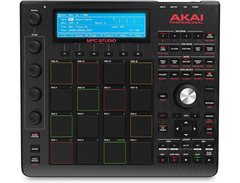
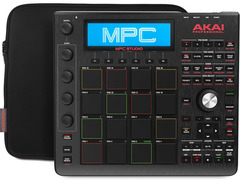
Experience a new level of music production with the Akai Professional MPC Studio Slimline. Tailored for modern producers, this compact powerhouse integrates seamlessly into any studio setup, offering the legendary MPC workflow in a sleek and portable form. Designed with a touch-sensitive, full-color 7-inch display, it provides intuitive control and real-time feedback, ensuring that your creativity is always at the forefront. The MPC Studio Slimline is equipped with 16 velocity-sensitive RGB pads, perfect for dynamic beat making and expressive performances. Whether you're laying down beats or crafting intricate compositions, this versatile tool has you covered.
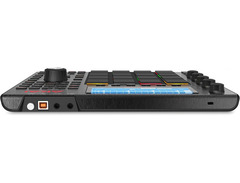
The MPC Studio Slimline comes loaded with a comprehensive suite of software, including MPC2, which delivers a full range of production tools from sampling and sequencing to mixing and mastering. Its USB-powered design means you can plug and play on the go, making it ideal for both studio settings and mobile production. The unit also features a built-in audio interface, providing crystal-clear sound quality without the need for additional gear.
With its blend of classic MPC functionality and modern enhancements, the Akai Professional MPC Studio Slimline is a must-have for any producer looking to elevate their music production game.
Key Features:
- Touch-sensitive, full-color 7-inch display
- 16 velocity-sensitive RGB pads for dynamic beat making
- Integrated MPC2 software for comprehensive production capability
- USB-powered for portability and convenience
- Built-in audio interface for high-quality sound output
- Seamless integration with DAWs via MIDI and USB connectivity
Videos

Sweetwater
Akai MPC Studio Demo - Sweetwater Sound
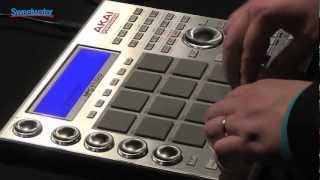
Akai MPC Studio Demo - Sweetwater Sound
Sweetwater
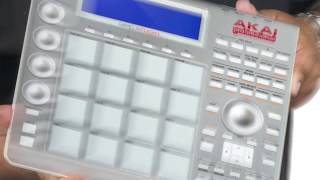
Introducing MPC Studio

AkaiProVideo
The New MPC Studio for MPC 2 Software
AkaiProVideo
FIRST LOOK: MPC Studio Unboxing & First Reaction!

Sarah2ill
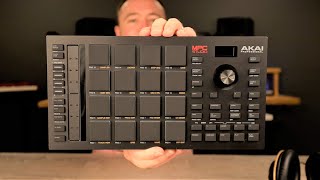
*NEW!* Akai MPC Studio - First Look - Why you SHOULD buy this controller!

DSoundman
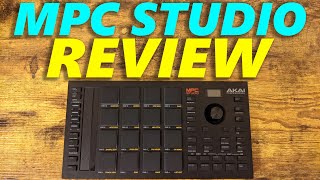
New MPC Studio Review (2021)

Free Beat
Reviews
Owner Insights
We analyzed real musician discussions from forums and Reddit to find what players love, question, and tweak about Akai Professional MPC Studio Slimline.
Features and functionality
-
Users highlight the lack of a native Control Surface for the MPC Studio in Ableton, but a user-created mapping script can improve integration.
Source -
Owners mention the absence of a touchscreen in the MPC Studio Mk2, which impacts workflow efficiency compared to standalone MPC models with this feature.
Source -
The MPC Studio's touch strip is highlighted for live performance versatility, offering an alternative to Q-Links on other models.
Source
User experience
-
There is a consensus that while the MPC Studio offers great value, the standalone models provide a more tactile and integrated experience, which some users prefer for music production.
Source -
Some owners find the transition from MPC Studio to standalone units like the MPC One or Live more enjoyable, enhancing the creative process by reducing computer dependency.
Source -
Owners appreciate the MPC Studio's portability, with simple USB connectivity allowing for relaxed use on a lap or with a large display.
Source
Use cases and applications
-
For those with older computers, the resource demands of the MPC software can lead to performance issues, such as slow operation on systems with 4GB RAM.
Source -
The MPC Studio is primarily recommended for those who work exclusively in the MPC 2.0 DAW, as its integration with other DAWs is not optimal.
Source -
Using a large monitor with the MPC Studio provides a more comfortable workflow compared to hunching over the smaller screen of the MPC One.
Source
Software and compatibility
-
Some users find the MPC software's desktop version less convenient and feature-rich than the hardware interface, highlighting a potential workflow disadvantage.
Source -
The MPC Studio Mk1 requires an unlock linked to discontinued software, potentially rendering it unusable without an upgrade to new software.
Source -
MPC Studio lacks VST3 support and cannot use MIDI VSTs like Scaler or Ripchord, limiting its functionality with certain plugins.
Source
Comparisons
-
Users note that the MPC Studio Mk2 lacks Q-links, which limits precise control over functions like sample start, compared to models like the MPC X with 16 Q-links.
Source -
The MPC Studio Mk2's touch strip is noted for versatility in controlling effects and note repeat features, offering an alternative to more traditional Q-Link controllers.
Source -
The MPC One is favored for its similarity to standalone MPC devices, making tutorials easier to follow compared to the Studio.
Source -
The MPC Studio's pads are similar in size and feel to the MPC Live and X, contrasting with the smaller pads on the MPC One.
Source
5.0 out of 5
Based on 0 Reviews and 7 Ratings
Artist usage
Add artist

In this photo that Grimes posted to her Instagram, you can see a MPC Studio on her bed.


At 2:20 in this video, one can clearly see Jack use an MPC Studio Slimline while recording the song "I Wanna Get Better."


Album Usage
The Akai Professional MPC Studio Slimline has been featured on the following albums:



Genre Usage
Based on how artists on Equipboard use this gear, it is most commonly found in the following genres.
Used With
Based on how musicians on Equipboard use Akai Professional MPC Studio Slimline, it is most commonly used with the following gear.


More Akai Production & Groove

$939.00 - $999.99
in Production & Groove Rank

$400.00 - $1,299.00
in Production & Groove Rank


-m.webp?v=1784905142)
$475.00
in Production & Groove Rank


$1,499.00 - $1,899.99
in Production & Groove Rank

.jpg?v=1784733415)


$399.00 - $728.00
in Production & Groove Rank


$450.00
in Production & Groove Rank


$149.00 - $285.95
in Production & Groove Rank
.jpg?v=1784891692)


$1,489.31 - $2,299.00
in Production & Groove Rank


$319.57 - $899.00
in Production & Groove Rank


$699.00 - $1,299.00
in Production & Groove Rank


$152.11
in Production & Groove Rank


$85.30 - $119.00
in Production & Groove Rank

.jpg?v=1783774944)


$952.49
in Production & Groove Rank


$225.00
in Production & Groove Rank


$3,000.00
in Production & Groove Rank


$4,170.06
in Production & Groove Rank


$642.99 - $899.00
in Production & Groove Rank


$536.15
in Production & Groove Rank


$973.41 - $1,499.00
in Production & Groove Rank


$575.00
in Production & Groove Rank


$1,159.99 - $1,499.00
in Production & Groove Rank


$3,200.00
in Production & Groove Rank


$220.00 - $428.00
in Production & Groove Rank


$139.99 - $278.00
in Production & Groove Rank


-m.webp?v=1784899857)
$568.00 - $699.00
in Production & Groove Rank
.jpg?v=1784640202)

$707.00
in Production & Groove Rank


$149.00 - $199.00
in Production & Groove Rank

$835.00
in Production & Groove Rank


-m.webp?v=1784905927)
$550.00
in Production & Groove Rank


$110.24
in Production & Groove Rank


$199.00 - $399.00
in Production & Groove Rank
![Akai MPC 4000 [Blue]](https://images.equipboard.com/uploads/item/image/42853/akai-mpc-4000-blue-m.webp?v=1784905468)
$536.15
in Production & Groove Rank


$1,149.00 - $2,599.00
in Production & Groove Rank


$100.00
in Production & Groove Rank


$475.00
in Production & Groove Rank


Community setups


Similar


Gear Guides





Most Popular Production & Groove
Most Popular Brands
-
Added to Equipboard on by
 equipboard
GearIQ 4934
-


