

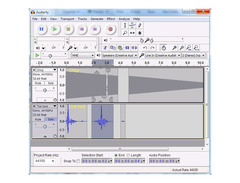
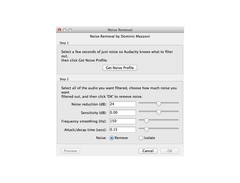

Pricing and availability
We compare 600+ stores and found this item at 1 store. Prices updated .


Price History
Based on price data from 1 merchant for "Audacity". Prices shown reflect NEW condition. Tracking began May 11, 2026.
* Product prices and availability are updated by Equipboard every 24hrs and are subject to change. Equipboard may receive compensation for purchases made at participating retailers linked on this site. This compensation does not affect what products or prices are displayed, or the order of prices listed. For more information, please refer to our affiliate disclosure.
Description
Audacity is your gateway to a world of sound possibilities, offering a robust and user-friendly platform for audio editing and recording. Renowned for its free and open-source nature, Audacity caters to musicians, podcasters, and sound engineers alike, providing a versatile toolset that spans across Windows, macOS, and GNU/Linux. Whether you're capturing live performances or digitizing old tapes, Audacity's multi-track recording capabilities ensure you get the best out of your audio projects.
Dive into its intuitive interface, where editing is a breeze with features like cut, copy, and paste, supported by an unlimited undo history to ensure your creative flow remains uninterrupted. Audacity supports a plethora of file formats, allowing seamless import and export, including the likes of WAV, MP3, and FLAC. Expand your sonic palette with a variety of built-in effects and plugin support, covering LADSPA, VST, and more, or even create custom effects using the Nyquist programming language.
For those who demand precision, Audacity offers high-quality resampling, dithering, and the ability to handle sample rates up to 384,000 Hz on supported devices. With robust analysis tools like spectrogram view and contrast analysis, you can delve into the intricacies of your audio with confidence.
Key Features:
- Free, open-source, and cross-platform software
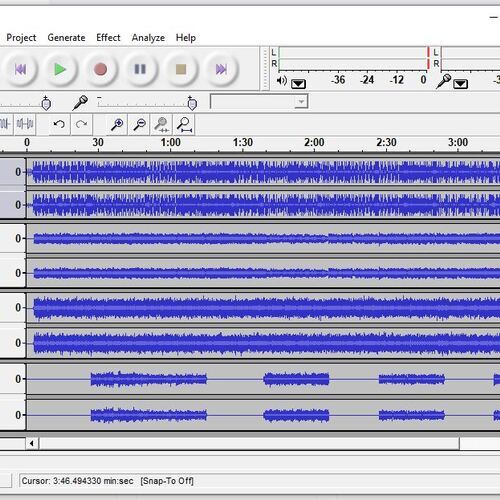
- Multi-track recording and editing
- Supports WAV, AIFF, MP3, FLAC, and more
- Real-time effects preview with plugin support
- High-quality audio resolution up to 384,000 Hz
- Intuitive editing tools, including cut, copy, paste, and unlimited undo
- Extensive plugin support: LADSPA, LV2, VST, and Audio Unit
- Comprehensive analysis tools and spectrogram view
- Runs on Windows, macOS, and GNU/Linux
- Accessible interface with keyboard shortcuts and screen reader support
Product specs
| Operating Systems | Mac, Windows |
| Downloadable | free |
Videos

Kevin Stratvert
🔊 How to use Audacity to Record & Edit Audio | Beginners Tutorial
🔊 How to use Audacity to Record & Edit Audio | Beginners Tutorial
Kevin Stratvert

How To Make ANY Mic Sound PROFESSIONAL (Audacity)

wrxomg
Audacity Tutorial: Einstieg, einfache Aufnahme und Nachbearbeitung

Andreas Kalt – Erklärvideos

Audacity Tutorial For Beginners

Mike Russell
Audacity 3.6 Out Now! New Effects & New Master Channel!

Audacity
![Video thumbnail for Audacity - Tutorial for Beginners in 11 MINUTES! [ UPDATED ] by Skills Factory](https://img.youtube.com/vi/l2hidKKWGPU/mqdefault.jpg)
Audacity - Tutorial for Beginners in 11 MINUTES! [ UPDATED ]

Skills Factory
Reviews
PROS
-
Free and open-source, making it accessible to everyone
-
Supports a wide range of VST plugins and third-party tools
-
Effective for basic recording, editing, and sample manipulation
-
Lightweight, does not heavily tax system resources
-
Simple interface suitable for beginners
-
Offers spectral editing and mastering capabilities
-
Great for quick audio sampling and conversions
-
Allows monitoring of input levels before recording
-
Extensive community support and plugin availability
-
Perfect for analyzing and cleaning up recordings
CONS
-
Prone to crashing, especially with certain plugins
-
Limited for complex music production compared to professional DAWs
-
Does not natively support MIDI; requires additional setup
-
Interface can be perceived as outdated or counter-intuitive
-
Risk of data loss if project files and data folders are mishandled
Owner Insights
We analyzed real musician discussions from forums and Reddit to find what players love, question, and tweak about Audacity.
Features and functionality
-
Audacity allows importing corrupted audio files as raw data, which can be useful for recovering unusable files.
Source -
Audacity's loopback recording feature is used to capture desktop audio, which some users find useful for grabbing samples.
Source -
Audacity offers batch processing capabilities, making it efficient for handling multiple audio files at once.
Source -
Audacity's Ctrl-M function allows users to mark specific sections during recording for later use, making it easier to create promotional snippets or plan future content.
Source -
Audacity works internally in 32-bit floating-point, providing superior audio processing power compared to standard phone recording apps or basic Windows applications.
Source -
Audacity does not support real-time plugin processing, requiring users to wait for rendering, which limits its efficiency for complex projects.
Source
User experience
-
Some users appreciate Audacity's ability to quickly trim silences from the beginning and end of audio files and convert between formats.
Source
Use cases and applications
-
Audacity is noted for being effective in editing podcasts, especially in environments with background noise, using tools like previewing in and out points with the B key.
Source -
Audacity is favored for its ability to record and post-process audio in the same platform, eliminating the need to switch between different software for simple recording tasks.
Source -
The software is particularly appreciated for its ability to handle both single and multiple track recordings quickly, making it ideal for simpler projects that don't require a full DAW.
Source -
Audacity is commonly used for ripping vinyl, leveraging its robust editing and processing capabilities for converting analog recordings to digital formats.
Source -
Audacity remains useful for simple edits and recordings, especially when ease of use is prioritized over extensive DAW features.
Source
Software and compatibility
-
The data collection in Audacity is opt-in by default, focusing on telemetry for improving software performance, and can be manually checked to ensure it's off.
Source -
Audacity's lack of virtual instruments out of the box can be a limitation, as users must find third-party solutions for synthetic sounds.
Source
Comparisons
-
Audacity is compared to a notepad for quick drafts, lacking depth for professional music mixing compared to full DAWs like Reaper.
Source -
Audacity's audio editing capabilities are likened to MS Paint's simplicity, contrasting with more complex software like Reaper that offers comprehensive tools with fewer steps.
Source
Critic Reviews
4.0 out of 5
Based on 70 Reviews and 289 Ratings

95
Best free software for making music
I used audacity on the remainder of GH1 because I didn't have my head wrapped around Amplitube 4 yet. The chorus effect was used on Mr Bluebird on guitar and vocals as was the flanger effect for the bass.

928
nice DAW to have, and it's free
huh, this one... is for when i need to normalize my tracks, or cut a certain points, otherwise, not much

6444
My most overused Audio editing software.
This thing always been useful for me in terms of recording my synthesizers and editing out noise that i find pretty much annoying. I am still using it today as it been pretty much useful for me.
Preferred Settings + Usage:
I sometimes use noise reduction, also the compressor, Equalizer, they are my common use of plugins for this program.

584
Great To Do Minor Adjustment
Even Though, I Use FL Studio 20 And Ableton 10. I Started Out My Music Production With Audacity. I Used To Cut The Song One Sometimes Ago With It For My Remix Cus It Much Easier To Use Compared To FL Studio. But Nowadays, I Use It To Do Minor Adjustment To Acappella

288
Great.
I've explored many of the options in Audacity. They're all great. It's easy to use, free, and a great tool. I highly recommend it.

69
Great for Audio Editing!
I've been using this since I started DJing! It's great for many things. I use Audacity to record my mixes on Serato. I also use Audacity to edit any of my own sounds before putting them in songs and mixes. Hell I even made a couple of mixes with Audacity its great!


3378
A decent free DAW
Its good considering its free, but its essentially garbage for music production, but then its not necessarily built for that sort of purpose. If you want to tweak with a song, or make samples this is good, but tbh after you've got used to ableton or Cubase theres no going back really.

Does the job
For a free program, it's great. Basically capable of meeting any audio editing needs, and then some. However, I really dislike actually using it, I find the interface somehow counter-intuitive. I guess it's just that I'm still used to SoundForge; I love SoundForge, and dislike Audacity, but I use Audacity because I don't want to buy Sony software.

Artist usage
Add artist
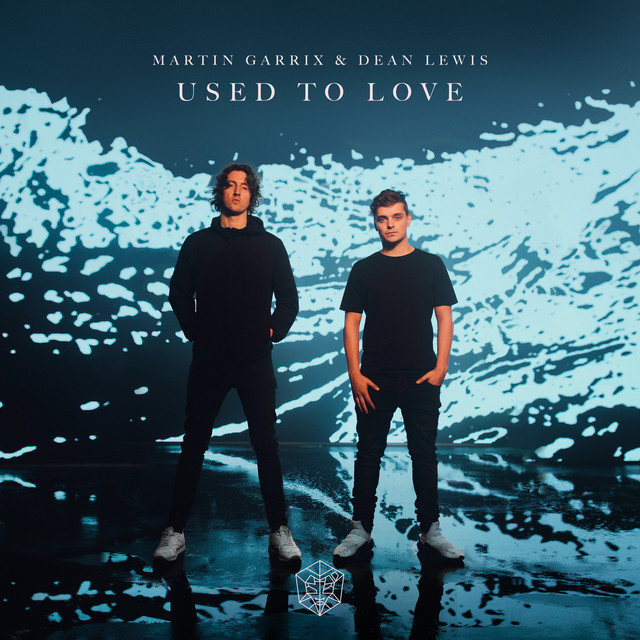
At 8:38 in the video "HOW WE MADE 'USED TO LOVE' | The Martin Garrix Show S4.E4" on YouTube, it is visible that Audacity is pinned on Martin Garrix's laptop taskbar, confirming his use of the software.


At 20:40 in this video, deadmau5 mentions how he prefers to resample in Audacity.


David Guetta utilizes Audacity during his concerts, as showcased on SoundCloud.


In their MusicRadar interview, Nik, when asked what software other than Cubase he uses says: "Most of it happens inside Cubase. Outside of that, there isn't that much, other than Audacity to grab some stuff or PaulStretch for time-stretching things."

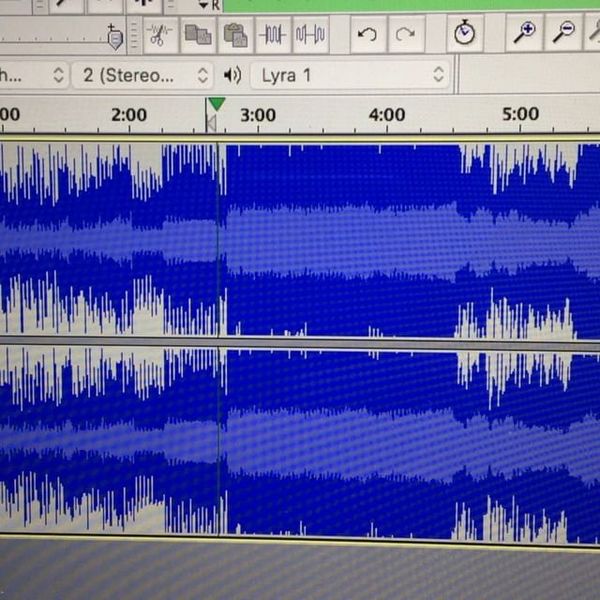

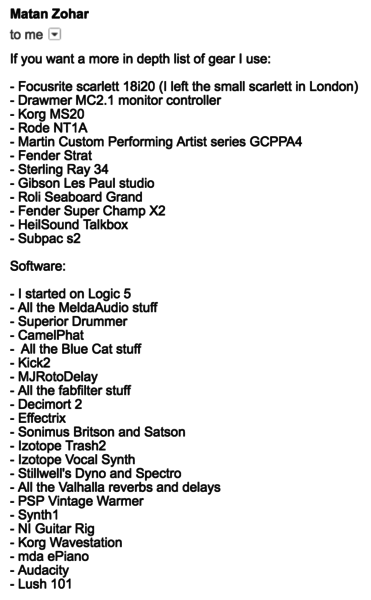
Mat Zo includes Audacity in the list of software and hardware that he uses in the studio (source is an email exchange with Mat Zo from Feb 2017).


At 0:20 the icon for Audacity can be seen in the top left corner of his background.


In this article Will Toledo talks about going from Audacity to Garage band and then finally Logic.



Toby Fox describes using Audacity to stitch several parts of a song together.
.jpg?v=1782207564)

Vessel uses Audacity as seen in the image provided on Equipboard.


Album Usage
The Audacity has been featured on the following albums:
Genre Usage
Based on how artists on Equipboard use this gear, it is most commonly found in the following genres.
Used With
Based on how musicians on Equipboard use Audacity, it is most commonly used with the following gear.





Community setups
Show yours


More DAW Software

$225.00 - $599.00
in DAW Software Rank


$398.00
in DAW Software Rank

$270.00 - $439.00
in DAW Software Rank


-m.webp?v=1782900043)
$99.99 - $344.00
in DAW Software Rank


$99.00 - $399.99
in DAW Software Rank


$179.00
in DAW Software Rank


-m.webp?v=1782900039)
$409.00 - $499.00
in DAW Software Rank


$119.00 - $299.00
in DAW Software Rank


$209.00 - $329.99
in DAW Software Rank


$199.99
in DAW Software Rank
.jpg?v=1782758583)


$199.00
in DAW Software Rank


$524.00 - $579.99
in DAW Software Rank


$75.00
in DAW Software Rank


$449.00 - $485.00
in DAW Software Rank


$129.00 - $195.00
in DAW Software Rank


$395.00 - $499.00
in DAW Software Rank


$485.00 - $528.00
in DAW Software Rank

$136.00 - $179.00
in DAW Software Rank

$139.99 - $199.99
in DAW Software Rank


$366.00 - $579.99
in DAW Software Rank


$579.99
in DAW Software Rank


$245.00 - $289.00
in DAW Software Rank


$149.00 - $201.00
in DAW Software Rank


$375.00 - $399.95
in DAW Software Rank

$579.99
in DAW Software Rank


$149.00 - $249.00
in DAW Software Rank


$208.00
in DAW Software Rank


$47.00 - $59.99
in DAW Software Rank


$249.99 - $499.99
in DAW Software Rank
Similar


Gear Guides










Most Popular Brands
-
Added to Equipboard on by
RreverendentityGear IQ 463
-

