

Pricing and availability
We compare 600+ stores and found this item at 1 store. Prices updated .
Store
Reviews
Price




* Product prices and availability are updated by Equipboard every 24hrs and are subject to change. Equipboard may receive compensation for purchases made at participating retailers linked on this site. This compensation does not affect what products or prices are displayed, or the order of prices listed. For more information, please refer to our affiliate disclosure.
Description
Discover the Digidesign C24 Control Surface, a powerhouse for audio professionals seeking seamless integration with Pro Tools. This robust control surface elevates your studio setup with its combination of tactile control and versatile features, making it an indispensable tool for both seasoned engineers and ambitious newcomers. With 24 bankable strips and 100mm motorized faders, you gain precise command over your mix, ensuring every detail is captured and perfected.
Designed for flexibility, the C24 offers an array of connectivity options, including 68 DB25 and 4 1/4" analog inputs, as well as 32 DB25 and 4 TRS analog outputs, allowing for extensive routing possibilities. The dual LED scribble strip displays and 54 touch-sensitive rotary encoder knobs provide an intuitive user experience, making it easier than ever to navigate complex sessions.
The C24 is also equipped with 16 built-in preamps, delivering clean and dynamic sound capture. Its 5.1 analog surround monitor system and 8x2 stereo line submixer offer rich, expansive soundscapes, while the onboard talkback mic and dedicated switches for EQ, Dynamics, Mute, and Automation streamline your workflow. Whether you're mixing, tracking, or editing, the Digidesign C24 Control Surface is engineered to boost your productivity and creativity.
Key Features:
- 24 bankable strips with 100mm motorized faders
- 68 DB25 and 4 1/4" analog inputs
- 32 DB25 and 4 TRS analog outputs
- Dual LED scribble strip displays
- 54 touch-sensitive rotary encoder knobs
- 16 built-in preamps
- 5.1 analog surround monitor system
- 8x2 stereo line submixer
- Onboard talkback mic
- Dedicated switches for EQ, Dynamics, Mute, Automation, and more
Product specs
| Brand | Avid |
| Model | C24 Pro Tools Control Surface |
| Finish | Gray |
| Year | 2010s |
| Categories | Audio Mixers, Consoles and Summing Boxes |
FAQs
-
Is the Digidesign C24 Control Surface compatible with DAWs other than Pro Tools?
-
Yes, while the C24 is designed primarily for Pro Tools, it can also be used with other DAWs such as Logic Pro, Cubase, and Ableton Live through third-party software like Neyrinck V Control Pro.
-
What are the main features of the Digidesign C24 Control Surface?
-
The C24 offers 24 touch-sensitive motorized faders, 16 high-quality mic preamps, and extensive control over Pro Tools sessions, making it a comprehensive tool for mixing and recording.
-
Does the Digidesign C24 Control Surface require a specific Pro Tools version?
-
The C24 is compatible with various versions of Pro Tools, but it's important to check compatibility with your specific Pro Tools version and ensure that you have the necessary drivers installed.
-
Can the Digidesign C24 Control Surface be used for live sound applications?
-
While the C24 is primarily designed for studio recording and mixing, it can be adapted for live sound scenarios, although it lacks some features specifically tailored for live environments.
-
What kind of connectivity does the Digidesign C24 Control Surface offer?
-
The C24 connects to your system via Ethernet, providing seamless integration with Pro Tools and other compatible DAWs, and features multiple analog and digital I/O options for versatile studio setups.
Videos

Music Technology Tips and Tricks
Control Surface Workflow - C24
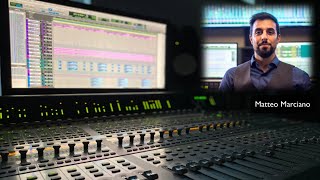
Control Surface Workflow - C24
Music Technology Tips and Tricks
Avid / Digidesign C24

eye On Whatever
C24 The Ultimate Pro Tools Console

Devon Graves-Studio-D
Reviews
Owner Insights
We analyzed real musician discussions from forums and Reddit to find what players love, question, and tweak about Digidesign C24 Control Surface.
Software and compatibility
-
The C24 works with both Pro Tools Studio and Ultimate, despite not being officially supported, by configuring it under the peripherals tab.
Source -
V Control Pro can restore some C24 functionality on newer Mac Pros, offering fader, pan, flip, and transport controls despite losing plugin adjustments and automation mode changes.
Source -
Running Pro Tools under Rosetta might be necessary for legacy controllers like the C24 to function properly, though results can vary.
Source -
Neyrink V-Control Pro driver enables C24 compatibility with modern Pro Tools versions and other DAWs, though it's a paid solution.
Source
Features and functionality
Setup and maintenance
Use cases and applications
-
C24 is considered a good fit for Pro Tools Studio due to its surround and advanced automation capabilities.
Source
Critic Reviews
4.5 out of 5
Based on 1 Review and 3 Ratings
Artist usage
Add artist

Here you can see he's using a c24 Control Surface.


Genre Usage
Based on how artists on Equipboard use this gear, it is most commonly found in the following genres.
Used With
Based on how musicians on Equipboard use Digidesign C24 Control Surface, it is most commonly used with the following gear.




More Digidesign Digital

$220.00
in Digital Rank


$249.00 - $378.00
in Digital Rank


$130.00 - $299.00
in Digital Rank
.png?v=1783714421)

$99.00
in Digital Rank


$409.00 - $699.00
in Digital Rank


$138.00 - $349.00
in Digital Rank


$113.00 - $341.99
in Digital Rank


$147.00 - $272.00
in Digital Rank


$482.91 - $599.99
in Digital Rank


$46.50
in Digital Rank


$586.78 - $1,499.99
in Digital Rank

$201.00
in Digital Rank


$6.88 - $199.52
in Digital Rank


$149.99 - $163.00
in Digital Rank


$650.00
in Digital Rank


$190.00
in Digital Rank


$77.68
in Digital Rank


$223.00 - $299.99
in Digital Rank

$90.00
in Digital Rank

$480.00
in Digital Rank


$799.00 - $999.00
in Digital Rank

$769.00 - $1,150.00
in Digital Rank

$638.00 - $999.99
in Digital Rank
Accessories & Related Items


Community setups


Similar


Most Popular Digital
Most Popular Brands
-
Added to Equipboard on by
 odysseyeurobeat
GearIQ 1708
-


