


Pricing and availability
We compare 600+ stores and found this item at 10 stores. Prices updated .
Store
Reviews
Price








Price History
Based on price data from 7 merchants for "Avid S1". Prices shown reflect NEW condition. Tracking began Apr 2, 2026.
* Product prices and availability are updated by Equipboard every 24hrs and are subject to change. Equipboard may receive compensation for purchases made at participating retailers linked on this site. This compensation does not affect what products or prices are displayed, or the order of prices listed. For more information, please refer to our affiliate disclosure.
Description
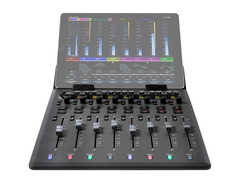
Unleash the power of professional audio and video control with the Avid S1, a compact yet formidable DAW controller designed to elevate your production workflow. This sleek device delivers the precision and functionality of high-end consoles, now accessible in a form that fits comfortably within any studio setup. The Avid S1 is built for those who demand efficiency and accuracy, featuring 8 motorized, touch-sensitive 100mm faders and rotary encoders that respond to your every touch, ensuring a tactile and intuitive mixing experience.
The S1 seamlessly integrates with the free Pro Tools | Control app on your iOS or Android tablet, providing rich visual feedback and enhancing your workflow with S6-style metering and processing views. This integration allows you to navigate large sessions swiftly, making it ideal for music, audio post, or video projects. The device is powered by Avid’s EUCON protocol, which ensures deep hardware/software integration, allowing you to switch between multiple applications and workstations with ease.
Whether you're mixing music, editing video, or working on complex audio post-production, the Avid S1 provides the tools needed to bring your creative vision to life. It supports a wide range of DAWs, including Pro Tools, Logic Pro, Cubase, and more, offering flexibility and versatility to match your specific needs. Connect up to four S1 units for an extended control surface or add an Avid Dock for enhanced functionality, making the Avid S1 a scalable solution for any production environment.
Key Features:
- 8 motorized, touch-sensitive 100mm faders and rotary encoders
- High-resolution OLED displays for detailed visual feedback
- Seamless integration with the free Pro Tools | Control app for iOS/Android
- Powered by EUCON protocol for efficient hardware/software integration
- Compatible with Pro Tools, Logic Pro, Cubase, and other major DAWs
- Expandable with up to four S1 units and optional Avid Dock for extended control
- Supports surround panning, high-res metering, and more via Avid Control
Owner's manual
Avid S1 User ManualProduct specs
| Type | Pro Tools/DAW Controller |
| Screen | Compatible with iPad/Android Tablet |
| Faders | 8 x 100mm, Motorized, Touch-sensitive |
| Encoders/Pots | 8 x Rotary Encoders, Push-top, Touch-sensitive |
| Soft Keys | Solo, Mute, Select, Record, Nudge, Bank |
| Computer Connectivity | Ethernet |
| USB | 1 x Type A (tablet charging) |
| Data I/O | 1 x Ethernet, Wi-Fi |
| Other I/O | 1 x 1/4" (footswitch) |
| Software | Avid Control App |
| Compatibility | Connect up to Four S1 Controllers, Avid Dock, Avid Control |
| OS Requirements - Mac | OS X 10.12 or later |
| OS Requirements - PC | Windows 10 or later |
| Power | External AC Adapter (included) |
| Height | 1.2"-3.8" |
| Width | 12.3" |
| Depth | 14.9" |
| Weight | 4.17 lbs. |
FAQs
-
What software is the Avid S1 compatible with?
-
The Avid S1 is compatible with major DAWs like Pro Tools, Logic Pro X, Cubase, Nuendo, and Media Composer, offering deep integration and control.
-
How does the Avid S1 connect to a computer?
-
The Avid S1 connects to your computer via Ethernet, ensuring a stable and fast connection for seamless control over your DAW.
-
Can the Avid S1 be expanded for larger setups?
-
Yes, the Avid S1 can be expanded by connecting up to four units together, providing more faders and control options for larger projects.
-
Is the Avid S1 compatible with tablets?
-
The Avid S1 is compatible with iPad and Android tablets, which can be used to display additional controls and information via the Avid Control App.
-
Does the Avid S1 require an external power supply?
-
Yes, the Avid S1 requires an external AC adapter, which is included with the unit, to operate.
Videos

Sweetwater
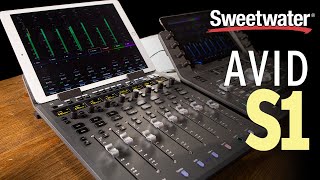
Avid S1 Control Surface Overview
Avid S1 Control Surface Overview
Sweetwater
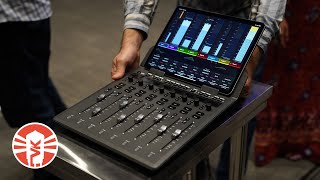
Avid S1 Control Surface | Vintage King

Vintage King
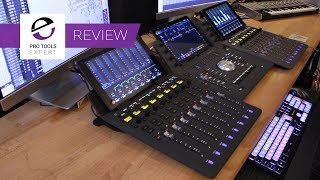
Pro Tools Expert Avid S1 And Avid Control Exclusive Review

Production Expert
Avid S1 Overview — Part 1/3

Avid
Avid S1: Mix Big with a Slimline Control Surface

Noisegate
Introducing Avid S1
Avid

AVID S1 Control Surface - First Look

Innovative Music Australia
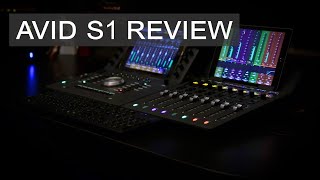
AVID S1 Review

Ant's Live Sound & Recording
Avid S1 — Surface Overview

Avid Pro Tools
Reviews
PROS
-
Syncs well with multiple units for expanded control
-
Automated faders and clear display enhance mixing experience
-
Sturdy iPad cradle prevents tablet damage
-
Excellent build quality and finish
-
Deep integration with Avid Pro Tools for customized workflow
-
Eucon protocol eliminates automation latency
-
Easy setup with instructional tutorials
-
More budget-friendly compared to higher-end models like S3
-
Provides a tactile, mixer-like feeling
-
Compatible with both Pro Tools and Nuendo, though better with Pro Tools
CONS
-
Requires additional tablet purchase for full functionality
-
Some users experience latency with non-iPad tablets
-
Setup not intuitive for all, sometimes requiring tech support assistance
-
Fader feel does not match higher-end Avid models
-
Eucontrol software sometimes struggles to sync S1 surfaces
-
LCD screen prone to scratching, indicating lesser material quality
Owner Insights
We analyzed real musician discussions from forums and Reddit to find what players love, question, and tweak about Avid S1.
Comparisons
-
Avid S1 users with Stream Deck and Soundflow setups find the Dock's additional assignable buttons redundant.
Source -
The SSL UF8 is recommended by some users over the S1 due to fewer connection issues and an overall more reliable experience.
Source -
Owners transitioning from Artist Mix to S1 report a superior experience with the S1, making it their best controller to date.
Source
User experience
-
A user found improvement with a new "Yukon button" in the toolbar for better integration with Pro Tools, highlighting changes in recent updates.
Source -
Owners integrating the S1 with Samsung tablets instead of iPads report effective performance without the need for Apple's higher cost.
Source -
Connecting multiple S1 units via a network switch is seamless, allowing efficient navigation across high track counts.
Source
Use cases and applications
-
Owners who favor using faders primarily for mixing tend to be satisfied with the S1, finding it effective for such tasks.
Source -
Users who frequently require multiple faders, such as those working in post mixing, lean towards the S1, while the Dock suits those needing extensive Eucon command programming.
Source -
The S1's ability to spread plugin parameters across multiple dials enhances hands-on control for detailed adjustments.
Source
Features and functionality
-
One user reports that the S1 displays plugin parameters in a reversed order, particularly with third-party plugins, reducing usability.
Source -
The S1 integrates with Avid Control app and iPads to create a console meter bridge, enhancing workflow with visual feedback.
Source -
The S1's streamlined design is preferred over the Dock's shuttle wheel, which is considered bulky and less useful for some users.
Source
Software and compatibility
-
Some users experience persistent connection problems with Eucon, including the S1 not appearing in Eucon and causing crashes when re-adding it.
Source -
Eucon commands on the Dock enable unique functions unavailable via keyboard shortcuts, appealing to users in post-production environments.
Source -
Some users experience syncing issues with multiple tablets, but when working correctly, the setup significantly improves workflow.
Source
Build quality
-
The S1's faders and pan knobs are noted for their superior quality and reliability compared to the Artist Mix, which often had non-operational pan knobs.
Source
Critic Reviews
3.5 out of 5
Based on 0 Reviews and 2 Ratings
Artist usage
Add artist

In his live performance of the audio-visual project "Are We Dreaming" at Lost Lands, Brian Tyler can be seen using the Avid S1 control surface at the 0:23 mark of the YouTube video titled "Brian Tyler's 'Are We Dreaming' at Lost Lands," shared by Brian Tyler (ARE WE DREAMING).

.jpg)
Anthony has the Avid s1 at the studio with an iPad.

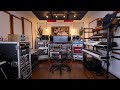
At 9:39 in the YouTube video "EPIC HOME STUDIO Setup 2024 | Ryan Petersen (studio tour)" by Andrew Masters, an Avid S1 EUCON desktop control surface can be seen in the same rack in Ryan Petersen's home studio, confirming its use in his setup.


In the video titled "Spatial Moon Studios | My ultimate 2025 studio tour," at 1:34, NIVIRO mentions using an Avid S1 fader paired with his Samsung Galaxy Tab S8.

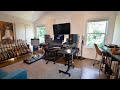
In the video titled "EPIC HOME STUDIO Setup | Colin Sipos (studio tour)" by Andrew Masters, at the 0:04 mark, a couple of Avid S1 control surfaces can be clearly seen on Colin Sipos’ work desk in his home studio.


Genre Usage
Based on how artists on Equipboard use this gear, it is most commonly found in the following genres.
Used With
Based on how musicians on Equipboard use Avid S1, it is most commonly used with the following gear.


-s.webp?v=1785164381)


Community setups
Show yours
More Avid DAW Controllers

$995.00 - $1,195.00
in DAW Controllers Rank


$1,191.76
in DAW Controllers Rank


$995.00 - $1,195.00
in DAW Controllers Rank

$1,191.76
in DAW Controllers Rank




$133.00 - $240.00
in DAW Controllers Rank


$182.00 - $277.00
in DAW Controllers Rank


$52.00 - $119.99
in DAW Controllers Rank


$249.00 - $499.00
in DAW Controllers Rank


$80.00
in DAW Controllers Rank


$33.85 - $209.99
in DAW Controllers Rank


$285.00 - $419.00
in DAW Controllers Rank


$182.37 - $599.99
in DAW Controllers Rank


$1,045.00 - $1,399.99
in DAW Controllers Rank


$76.40 - $109.00
in DAW Controllers Rank


$57.00 - $1,299.99
in DAW Controllers Rank


in DAW Controllers Rank


$99.00 - $229.00
in DAW Controllers Rank


$699.99 - $839.99
in DAW Controllers Rank


$169.00 - $209.99
in DAW Controllers Rank


$228.86 - $524.99
in DAW Controllers Rank


$79.95 - $109.00
in DAW Controllers Rank


$122.00 - $189.00
in DAW Controllers Rank


$129.00 - $349.99
in DAW Controllers Rank

$184.42
in DAW Controllers Rank


$573.71 - $799.99
in DAW Controllers Rank

$125.00
in DAW Controllers Rank


$48.00 - $70.90
in DAW Controllers Rank


$635.00 - $999.99
in DAW Controllers Rank


$333.00 - $399.99
in DAW Controllers Rank

$249.00
in DAW Controllers Rank


Accessories & Related Items


Similar


Gear Guides







Most Popular DAW Controllers
Most Popular Brands
-
Added to Equipboard on by
 thatlkjguy
GearIQ 4716
-


