
Pricing and availability
We compare 600+ stores and found this item at 1 store. Prices updated .
Store
Reviews
Price




Average Price: $32
Budget/Beginner
$99
$300+
Price Tier
Budget
Standard
High-end
* Product prices and availability are updated by Equipboard every 24hrs and are subject to change. Equipboard may receive compensation for purchases made at participating retailers linked on this site. This compensation does not affect what products or prices are displayed, or the order of prices listed. For more information, please refer to our affiliate disclosure.
Description
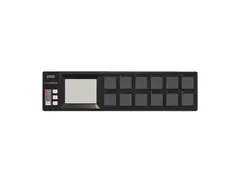
Unleash your rhythmic creativity with the sleek Korg nanoPAD USB Drum Controller, a compact powerhouse designed for musicians who seek both portability and functionality. Perfect for on-the-go music production, this MIDI controller blends touch-sensitive pads and an intuitive X-Y axis touchpad for dynamic performances. Whether you're crafting beats in your bedroom studio or performing live, the nanoPAD offers a seamless interface for controlling MIDI patterns, playing phrases with ease, and tweaking synth parameters, all at your fingertips.
Key Features:
- 16 velocity-sensitive touchpads for expressive, dynamic control
- X-Y axis touchpad for controlling multiple parameters simultaneously
- Touch Scale function for effortless phrase playing
- Compact and portable design, ideal for musicians on the move
- Versatile control options for both studio production and live performance
Product specs
| Brand | Korg |
| Model | nanoPAD2 Slimline USB MIDI Drum Pad Controller |
| Finish | Black, Blue / Yellow, Orange / Green, White |
| Year | 2011 - 2025 |
| Categories | Pad MIDI Controllers |
| MIDI I/O | USB MIDI |
| Number of Pads | 16 Pads |
FAQs
-
How many pads does the Korg nanoPAD2 have?
-
The Korg nanoPAD2 features 16 responsive pads, offering ample control for triggering samples, loops, and beats in your music production setup.
-
Is the Korg nanoPAD2 compatible with all DAWs?
-
The Korg nanoPAD2 is compatible with most major DAWs, as it uses USB MIDI for connectivity. Check your specific DAW for MIDI device compatibility to ensure seamless integration.
-
Can the Korg nanoPAD2 be used for live performances?
-
Yes, the Korg nanoPAD2 is compact and portable, making it suitable for live performances where space is limited and quick pad triggering is required.
-
Does the Korg nanoPAD2 require an external power supply?
-
No, the Korg nanoPAD2 is bus-powered via USB, eliminating the need for an external power supply and reducing cable clutter.
-
What are the standout features of the Korg nanoPAD2?
-
The Korg nanoPAD2 features 16 velocity-sensitive pads, an X-Y touchpad for added control, and a compact design, making it ideal for both studio and live settings.
Videos

audiomidicom
Korg nanoPAD USB Controller

Korg nanoPAD USB Controller
audiomidicom
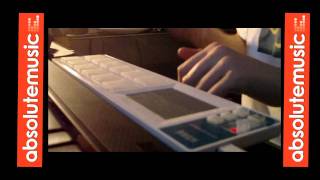
Absolute Music: Korg Nanopad

Absolute Music
Reviews
PROS
-
Fully configurable for personalized setups
-
Plug-n-play, no need for driver installation
-
Ideal for beginners and advanced users alike
-
Easy to program with downloadable software
-
Supports polyphony and multiple notes per pad
-
Compact, perfect for small setups or live performance
CONS
-
Pads can be stiff, causing discomfort over time
-
Requires significant force to trigger samples
-
Drum pads may feel stocky and flimsy
-
Some users experience jamming issues
Owner Insights
We analyzed real musician discussions from forums and Reddit to find what players love, question, and tweak about Korg nanoPAD USB Drum Controller.
Software and compatibility
-
The nanoPAD2 requires a USB MIDI host to work with Volca devices, which typically requires additional hardware like a USB MIDI host box or Raspberry Pi setup.
Source -
Setting up the nanoPAD2 on Reaper (Mac) is straightforward with Korg's software, highlighting its ease of integration with digital audio workstations.
Source
Comparisons
-
For those seeking similar functionality at a lower price, the Arturia Beatstep offers a viable alternative to the nanoPAD2, though it features different controls.
Source
Use cases and applications
-
The padKONTROL is compatible with Volcas, unlike the nanoPAD2, due to its ability to interface without a USB host, making it a more straightforward choice for Volca integration.
Source -
While some users find it beneficial for live performances and sample triggering, others struggle to integrate it into studio production workflows.
Source
Features and functionality
Build quality
-
Owners report needing to hit the pads harder than expected for a proper response, indicating potential sensitivity issues with the pads.
Source
3.0 out of 5
Based on 4 Reviews and 26 Ratings


Artist usage
Add artist
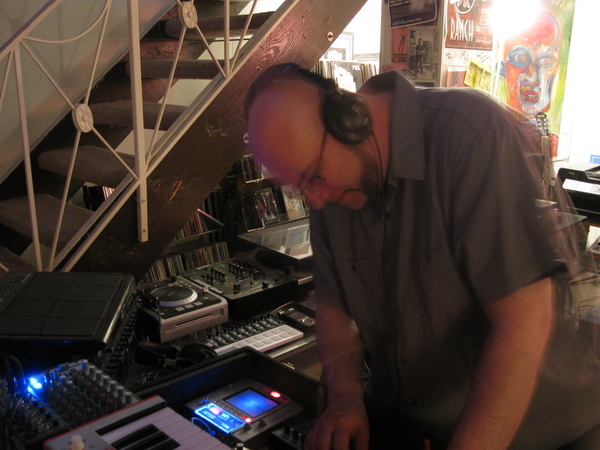
At 1:36 of this Pioneer DJ YouTube video, he says "My DJ setup now consists of ... a Korg Nanopad ..."

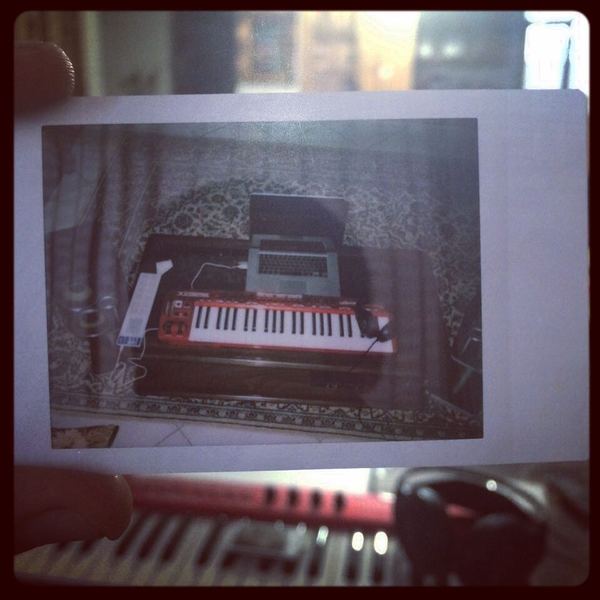
SINAVALIKHANI is shown using the Korg nanoPAD USB Drum Controller in a post on their Instagram account.

Genre Usage
Based on how artists on Equipboard use this gear, it is most commonly found in the following genres.
Used With
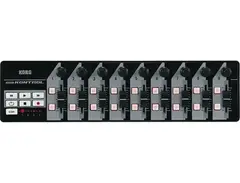
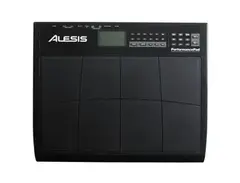
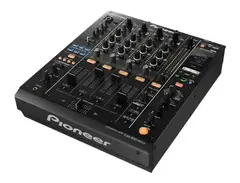
Based on how musicians on Equipboard use Korg nanoPAD USB Drum Controller, it is most commonly used with the following gear.


More Korg MIDI Pad Controllers

$40.13 - $89.99
in MIDI Pad Controllers Rank


$65.00
in MIDI Pad Controllers Rank


$40.13 - $89.99
in MIDI Pad Controllers Rank


$40.13 - $89.99
in MIDI Pad Controllers Rank


-m.webp?v=1784818972)
$101.14 - $799.00
in MIDI Pad Controllers Rank


.jpg?v=1784640202)

$407.04
in MIDI Pad Controllers Rank


$237.97 - $349.99
in MIDI Pad Controllers Rank


$299.00 - $350.00
in MIDI Pad Controllers Rank


$23.80 - $215.22
in MIDI Pad Controllers Rank


$150.00 - $229.99
in MIDI Pad Controllers Rank

.jpeg?v=1784640200)

$40.00 - $299.00
in MIDI Pad Controllers Rank


-m.webp?v=1784818971)
$69.50 - $119.00
in MIDI Pad Controllers Rank


$30.94 - $129.99
in MIDI Pad Controllers Rank


$475.94
in MIDI Pad Controllers Rank


$39.00 - $177.00
in MIDI Pad Controllers Rank


$91.80 - $275.77
in MIDI Pad Controllers Rank


$180.00 - $777.00
in MIDI Pad Controllers Rank


$55.81 - $257.00
in MIDI Pad Controllers Rank


$29.95
in MIDI Pad Controllers Rank


$118.00 - $124.10
in MIDI Pad Controllers Rank


$50.00
in MIDI Pad Controllers Rank


$82.10 - $269.00
in MIDI Pad Controllers Rank


$25.00
in MIDI Pad Controllers Rank


$150.00 - $189.99
in MIDI Pad Controllers Rank


$140.00 - $269.99
in MIDI Pad Controllers Rank


$129.99 - $138.17
in MIDI Pad Controllers Rank


$95.19
in MIDI Pad Controllers Rank


$80.69 - $129.99
in MIDI Pad Controllers Rank


$792.46 - $999.00
in MIDI Pad Controllers Rank


$90.00 - $295.00
in MIDI Pad Controllers Rank


$152.00 - $219.99
in MIDI Pad Controllers Rank


$1,099.00 - $1,538.00
in MIDI Pad Controllers Rank


$266.00 - $349.99
in MIDI Pad Controllers Rank


$745.00 - $1,425.48
in MIDI Pad Controllers Rank


$64.00
in MIDI Pad Controllers Rank


$50.00
in MIDI Pad Controllers Rank


$327.22
in MIDI Pad Controllers Rank


$103.00 - $149.99
in MIDI Pad Controllers Rank


$215.00 - $299.00
in MIDI Pad Controllers Rank
Accessories & Related Items



Community setups


Similar


Gear Guides








Most Popular MIDI Pad Controllers
Most Popular Brands
-
Added to Equipboard on by
 housecat
GearIQ 224
-


