
Pricing and availability
We compare 600+ stores and found this item at 7 stores. Prices updated .
Store
Reviews
Price




Average Price: $282
High-end/Boutique
$60
$201+
Price Tier
Budget
Standard
High-end
Price History
Based on price data from 4 merchants for "Walrus Audio Walrus Mako M1". Prices shown reflect NEW condition. Tracking began Apr 2, 2026.
* Product prices and availability are updated by Equipboard every 24hrs and are subject to change. Equipboard may receive compensation for purchases made at participating retailers linked on this site. This compensation does not affect what products or prices are displayed, or the order of prices listed. For more information, please refer to our affiliate disclosure.
Description
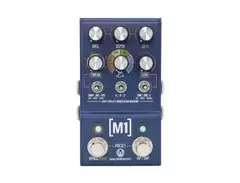
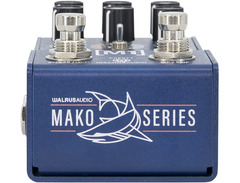
The Walrus Audio Mako M1 is an audio artisan's dream, presenting a multi-function modulation machine that packs six studio-grade effects into a compact pedalboard treasure. Whether you're chasing the swirling depths of a classic chorus or the pulsing intensity of a rotary speaker, the Mako M1 offers a suite of versatile programs: Chorus, Phaser, Tremolo, Vibrato, Rotary, and Filter. Each effect is crafted with three distinct types, resulting in a total of 18 unique modulation experiences ready to enhance your sonic palette.
Navigate effortlessly through its intuitive controls, where the power of customization is at your fingertips. The dedicated lo-fi knob imbues your sound with a vintage vibe, adding layers of character to your music. The Mako M1's dedicated MIDI support provides access to 128 presets, ensuring seamless integration into any rig setup, whether you're jamming in your studio or rocking on stage.
The pedal's X knob allows for deep dives into effect-specific parameters, offering endless tweaks and turns to craft your perfect sound. With stereo I/O, MIDI support, and a user-friendly interface, the Mako M1 is not just a pedal; it's a modulation powerhouse designed for musicians who crave control and creativity.
Key Features:
- Six high-fidelity modulation effects: Chorus, Phaser, Tremolo, Vibrato, Rotary, and Filter
- Three distinct effect types per program for a total of 18 modulation variations
- Dedicated lo-fi knob for adding vintage character to your sound
- MIDI support with up to 128 presets for versatile performance setups
- Intuitive controls including a Tweak knob and X knob for effect-specific customization
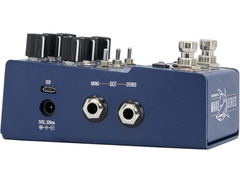
- True stereo signal paths with multiple input/output configurations
Product specs
| Brand | Walrus Audio |
| Model | Mako M1 High-Fidelity Modulation Machine |
| Finish | Blue |
| Year | 2022 - 2024 |
| Made In | United States |
| Categories | Multi-Effects Pedals and Processors |
| Pedal Format | Standard |
FAQs
-
What modulation effects are available on the Walrus Audio Mako M1?
-
The Walrus Audio Mako M1 features six modulation effects: Chorus, Phaser, Tremolo, Vibe, Rotary, and Filter. Each effect offers extensive parameter controls for customization.
-
Does the Walrus Audio Mako M1 work well with bass guitar?
-
Yes, the Walrus Audio Mako M1 is designed to work with both guitar and bass, providing high-fidelity modulation effects suitable for a range of instruments.
-
What power requirements does the Walrus Audio Mako M1 have?
-
The Walrus Audio Mako M1 requires a 9VDC power supply with at least 300mA. An isolated power supply is recommended for optimal performance.
-
Can the Walrus Audio Mako M1 be used in a stereo setup?
-
Yes, the Walrus Audio Mako M1 supports stereo operation, allowing you to create expansive soundscapes with its modulation effects.
-
What makes the Walrus Audio Mako M1 different from other modulation pedals?
-
The Walrus Audio Mako M1 stands out with its high-fidelity sound and versatile modulation options, powered by a robust Analog Devices SHARC processor for detailed effect customization.
Videos

walrusaudioeffects
Walrus Audio Pedal Play: M1 High-Fidelity Modulation Machine Pt. 2
Walrus Audio Pedal Play: M1 High-Fidelity Modulation Machine Pt. 2
walrusaudioeffects
The Only Modulation Pedal You'll Ever Need? | Walrus Audio M1 | Gear Corner

Kris Barocsi
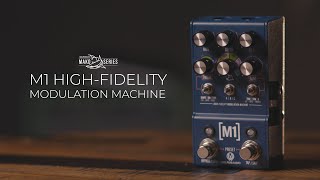
Walrus Audio Mako Series: M1 High-Fidelity Modulation Machine
walrusaudioeffects
![Video thumbnail for 6 Breathtaking settings: Walrus Audio [M1] by Living Room GD](https://img.youtube.com/vi/JLsU-KbfVrA/mqdefault.jpg)
6 Breathtaking settings: Walrus Audio [M1]

Living Room GD
Walrus Audio Mako Series M1 Modulation Pedal Demo

Sweetwater
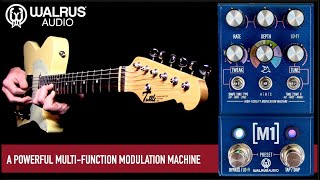
Walrus Audio M1 Multi-function Modulation Machine

Mike Hermans
Walrus Audio Mako Series M1 - Sound Demo (no talking)

Guitar Bonedo
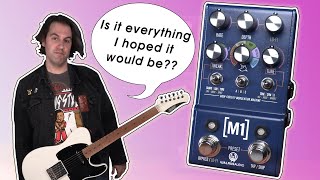
Walrus Audio MAKO M1 Modulation Demo/Review | Stompbox Saturday

Sean Pierce Johnson
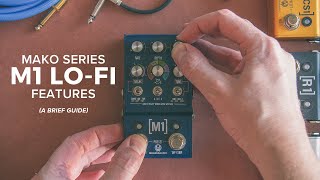
Mako Series M1 Lo-Fi Features, a brief guide
walrusaudioeffects
Reviews
PROS
-
Versatile with multiple effects including lo-fi, vibrato, phaser, and more
-
Intuitive interface allows easy sound exploration
-
Compact design with a small footprint
-
Supports MIDI for enhanced control flexibility
-
Allows for 9 presets without needing a MIDI switcher
-
High-quality sound that doesn't muffle the character of the guitar
-
Offers distinct variations of effects for creative sound crafting
-
Stereo capability enhances audio experience
-
Exceptional for both studio effects and live performance
-
Lofi knob and settings highly praised for uniqueness
CONS
-
Some find it complicated to set up initially
-
Requires time to fully understand and utilize all functionalities
-
No expression pedal control, limiting real-time effect manipulation
-
Lacks some effects like flanger, noted by users as a shortfall
-
Can be overwhelming to dial in the same sound twice without relying on presets
-
Learning curve may be steep for those new to multi-effect units
Owner Insights
We analyzed real musician discussions from forums and Reddit to find what players love, question, and tweak about Walrus Audio Walrus Mako M1.
Features and functionality
-
The M1's MIDI clock has been reported to fall off beat, which customer support identified as a known flaw, suggesting an upgrade to the MKII for a fix.
Source -
The volume adjustment involves holding the Bypass switch and using the Depth knob, offering up to +4dB boost.
Source -
The M1 has a "lo-fi" knob, initially seen as gimmicky, but valued for adjusting tonal degradation creatively.
Source -
The pedal's small size is highlighted, allowing for more space on crowded pedal boards compared to larger multi-effects pedals.
Source -
It lacks menu diving, providing a tactile interface that, although complex, is appreciated for offering many options without overwhelming.
Source -
The Mako M1 offers a clever and efficient preset switching system that is considered user-friendly by some experienced gear users.
Source
User experience
-
Users find the left side of the chorus effect louder than the right, causing imbalance in the sound.
Source -
A user reported the M1's volume is notably quiet, even at maximum settings, necessitating the use of additional gear with a dedicated volume knob to balance output.
Source -
Owners find the user interface clunky, requiring time to "zero" settings, but presets can simplify usage for preferred sounds.
Source
Comparisons
-
Owners often replace the M1 with Source Audio's Artifakt, citing superior modulation capabilities.
Source -
Compared to standalone pedals, the M1's tremolo effect is well-liked, but its chorus effect falls short, leading some users to prefer dedicated chorus pedals like the Small Clone.
Source -
Some owners find the M1 sounds digital and sterile compared to the analog-sounding Juliana, which is praised for better tone without the "tone suck" issue.
Source -
Compared to the Synesthesia, the Mako M1 requires more fiddling to find a preferred sound, whereas Synesthesia's factory presets are often ready-to-use and well-received.
Source
Software and compatibility
-
The M1's MIDI clock lacks fractional tempo adjustments, limiting slower effect rates unless the MIDI clock is halved, affecting other pedals.
Source
Use cases and applications
-
The M1 cannot stack multiple effects together, prompting users who want combined effects to look towards separate pedals for more flexibility.
Source -
Some users desire additional lofi features in the vibrato modes, suggesting that the tape mode's warble is appealing but inconsistent in pitch depth.
Source
Critic Reviews
4.5 out of 5
Based on 2 Reviews and 4 Ratings

320
This pedal does it all!
I love it to bits as a lo-fi machine. For that purpose it's the best on the market in my opinion. (except maybe the chase bliss warped vinyl, but it's a completely different type of pedal).
If you're looking for a one stop modulation machine with tons of lo-fi options where you don't have to dig through digital menu's, This is the one in my opinion!


62
Perfection
A true modulation station. If may seem overwhelming at first but you have the option here to basically create your perfect modulation effects. Also the univibe setting in phaser 3 is fantastic, and the rotary effect is amazing. 10/10 recommend
Preferred Settings + Usage:
Rotary effect-Setting 1- Channel C is the stuff of dreams
Artist usage
Add artist
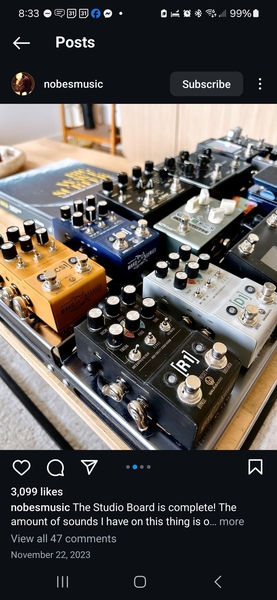
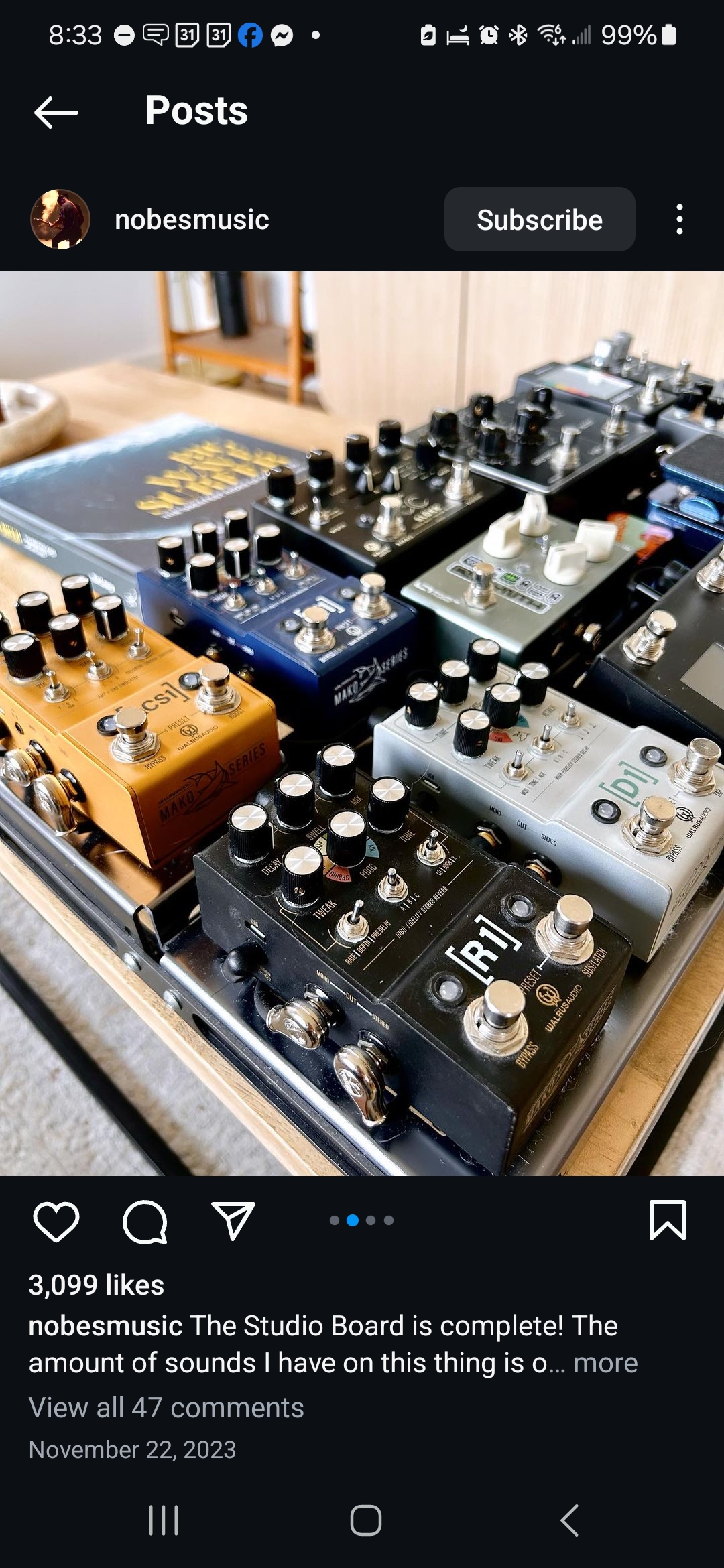
Richie Nobrega Jr., a Walrus Audio sponsored musician, uses the Walrus Audio Walrus Mako M1, as evidenced by a picture of his "Studio Board" on his Instagram @nobesmusic, which features this pedal prominently. You can view the image here: https://images.equipboard.com/uploads/source/image/149710/Screenshot_20240628_083335_Instagram.jpg
Genre Usage
Based on how artists on Equipboard use this gear, it is most commonly found in the following genres.
Used With
Based on how musicians on Equipboard use Walrus Audio Walrus Mako M1, it is most commonly used with the following gear.



-s.webp?v=1784958588)


Community setups
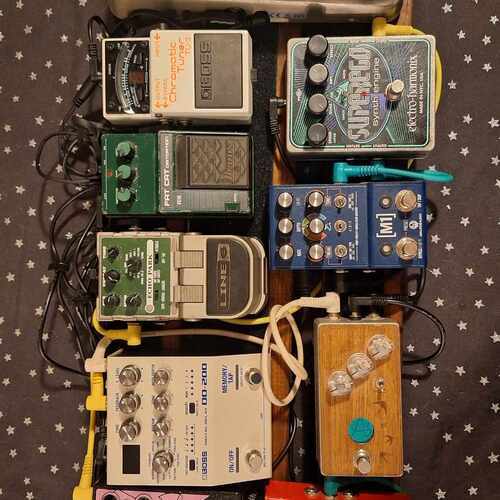
Show yours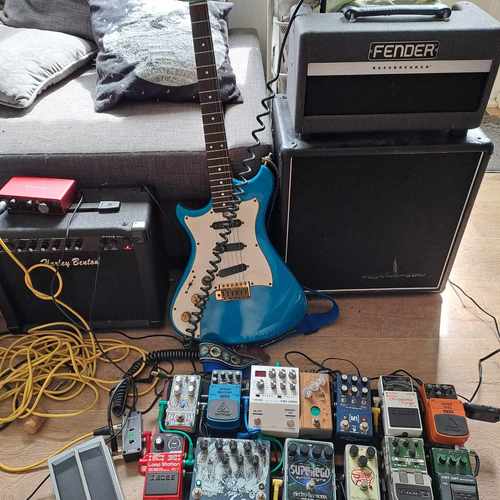
More Walrus Audio Chorus Effects Pedals

$219.99
in Chorus Effects Pedals Rank

.jpg?v=1784889614)


$243.17 - $279.99
in Chorus Effects Pedals Rank


$186.99 - $219.99
in Chorus Effects Pedals Rank


$343.00 - $429.00


$210.50 - $241.99
in Chorus Effects Pedals Rank


$210.00
in Chorus Effects Pedals Rank


$65.53 - $83.90
in Chorus Effects Pedals Rank


$119.00 - $139.99
in Chorus Effects Pedals Rank


$239.00 - $259.00
in Chorus Effects Pedals Rank

.jpg?v=1784940345)

-m.webp?v=1784905132)
$44.99 - $119.63
in Chorus Effects Pedals Rank


$61.00
in Chorus Effects Pedals Rank

.png?v=1784946700)
-m.webp?v=1784957525)
$85.00 - $107.00
in Chorus Effects Pedals Rank


$562.44
in Chorus Effects Pedals Rank


$96.20 - $153.99
in Chorus Effects Pedals Rank


$105.50 - $144.98
in Chorus Effects Pedals Rank

.jpeg?v=1784935806)

$104.00 - $125.99
in Chorus Effects Pedals Rank


$189.00 - $205.00
in Chorus Effects Pedals Rank


$152.11 - $219.99
in Chorus Effects Pedals Rank


$70.00 - $86.20
in Chorus Effects Pedals Rank


$205.00 - $239.00
in Chorus Effects Pedals Rank


$140.07
in Chorus Effects Pedals Rank


$69.00 - $91.90
in Chorus Effects Pedals Rank

.jpg?v=1784782132)

$383.76
in Chorus Effects Pedals Rank


$337.21 - $359.00
in Chorus Effects Pedals Rank
.jpg?v=1784893209)
.jpg?v=1784920144)

$226.37 - $299.00
in Chorus Effects Pedals Rank


$239.00 - $299.00
in Chorus Effects Pedals Rank


$44.60 - $156.98
in Chorus Effects Pedals Rank


$65.00
in Chorus Effects Pedals Rank


$199.00 - $229.00
in Chorus Effects Pedals Rank


$87.00 - $119.99
in Chorus Effects Pedals Rank


$22.30 - $59.88
in Chorus Effects Pedals Rank


$109.00
in Chorus Effects Pedals Rank


.jpg?v=1784793230)

$70.30
in Chorus Effects Pedals Rank


Accessories & Related Items


-s.webp?v=1784958058)


Similar


Gear Guides



.jpg)



Most Popular Chorus Effects Pedals
Most Popular Brands
-
Added to Equipboard on by
 nicholas_spevak
GearIQ 1086
-


