

Pricing and availability
We compare 600+ stores and found this item at 9 stores. Prices updated .
Store
Reviews
Price









Average Price: $488
Standard/Professional
$150
$601+
Price Tier
Budget
Standard
High-end
Price History
Based on price data from 6 merchants for "Zoom B6 Bass Multi-effects Processor". Prices shown reflect NEW condition. Tracking began Apr 2, 2026.
* Product prices and availability are updated by Equipboard every 24hrs and are subject to change. Equipboard may receive compensation for purchases made at participating retailers linked on this site. This compensation does not affect what products or prices are displayed, or the order of prices listed. For more information, please refer to our affiliate disclosure.
Description
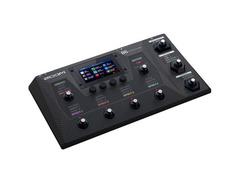
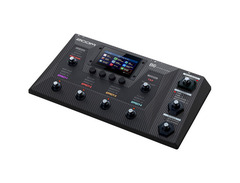
Introducing the Zoom B6 Bass Multi-effects Processor, a compact, yet powerful device designed for bass enthusiasts who crave a broad spectrum of bass tones and effects. This gadget is a result of 30 years of Zoom's expertise, combining four distinctive DI models and a plethora of effects, giving you the ability to craft your unique sound with precision. Whether you're after a gritty vintage vibe, a synth-like fuzz, or studio-quality tones, the B6 has got you covered.
The four custom DI models provide an array of tonal foundations, allowing you to dial in everything from a British stack punch to American tube warmth, German solid-state clarity, or hybrid tones. Shape your sound further with 36 preloaded impulse responses, including vintage and modern cabs recorded with various mics. The B6 provides room for third-party IRs, offering you immense flexibility.
The B6 is also a looper's paradise, allowing you to layer rhythms on the fly. It boasts a built-in looper and rhythm generator with 68 patterns across various genres and time signatures. For those looking to integrate the B6 into their recording setup, it doubles as an audio interface, allowing direct recording into your DAW.
Key Features:
- Four custom DI models for a broad range of tonal options
- Over 100 effects derived from Zoom's 30 years of expertise
- Built-in looper and rhythm generator with 68 patterns
- Direct recording into DAW via the built-in audio interface
- Option to save favorite effects to B6's user banks
- 4.3" touchscreen for an intuitive user experience
- A/B switch for easy switching between basses
- Expression pedal for real-time control
- Ability to connect stompboxes via the rear effects loop
- Compatibility with Zoom Guitar Lab
- Wireless control via optional Bluetooth adapter (BTA-1) with Handy Guitar Lab for B6 app
- Accessibility functionality for the visually impaired with Handy Guitar Lab for B6 app
Owner's manual
Zoom B6 Bass Multi-effects Processor User ManualProduct specs
| Pedal Type | Bass Multi-FX, Modeling |
| Number of Effects | Over 100 |
| Effects Types | Dynamics, Filter, Drive, Preamp, Delay, Reverb, Wah, Synth |
| Amp Modeling | 13 x Amp Models, 12 x Bass Cabinets, 4 x DI Models, IR load function |
| Looper | Yes, up to 45 seconds (up to 2 hours with SD card) |
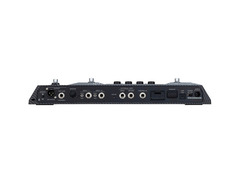
| Inputs | 2 x 1/4" (1 or 10-megOhm), 1 x 1/8" (aux), 1 x 1/4" (return) |
| Outputs | 1 x XLR (DI out), 1 x 1/4" (line/headphones), 1 x 1/4" (send) |
| USB | 1 x Micro-B |
| Other I/O | 1 x 1/4" (control) |
| Power Source | 9V DC power supply (included) |
| Height | 2.55" |
| Width | 16.45" |
| Depth | 8.97" |
| Weight | 4.16 lbs. |
FAQs
-
How many effects does the Zoom B6 Bass Multi-effects Processor offer?
-
The Zoom B6 Bass Multi-effects Processor provides over 100 effects, including dynamics, filter, drive, preamp, delay, reverb, wah, and synth.
-
Can the Zoom B6 be used for live looping performances?
-
Yes, the Zoom B6 features a looper with up to 45 seconds of recording time, which can be extended to 2 hours using an SD card.
-
Does the Zoom B6 Bass Multi-effects Processor support amp modeling?
-
The Zoom B6 includes 13 amp models, 12 bass cabinets, and 4 DI models, along with an IR load function for detailed sound customization.
-
What are the input and output options on the Zoom B6?
-
The Zoom B6 offers 2 x 1/4" inputs, 1 x 1/8" aux input, 1 x 1/4" return, 1 x XLR DI out, 1 x 1/4" line/headphone out, and 1 x 1/4" send.
-
Is the Zoom B6 compatible with USB connectivity?
-
Yes, the Zoom B6 features a USB Micro-B port, allowing for easy integration with computers and other devices.
Videos

Bass Bonedo
Zoom B6 - Sound Demo (no talking)
Zoom B6 - Sound Demo (no talking)
Bass Bonedo
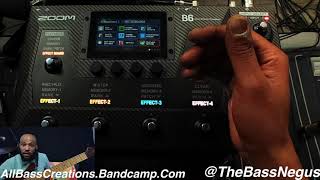
@ZoomSoundLab B6 Bass Multi-Effects Processor By @thebassnegus All Bass Creations Tutorial

The Bass Negus

Carlitos Del Puerto and the Zoom B6

ZoomSoundLab
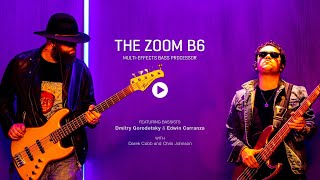
Introducing the Zoom B6 Bass Multi-Effects Processor
ZoomSoundLab
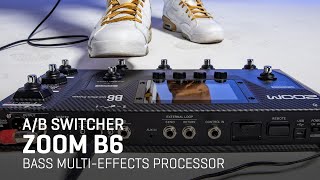
Zoom B6 Bass Multi-Effects Processor: Integrated A/B Switcher
ZoomSoundLab
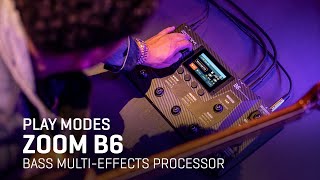
Zoom B6 Bass Multi-Effects Processor: Play Modes
ZoomSoundLab
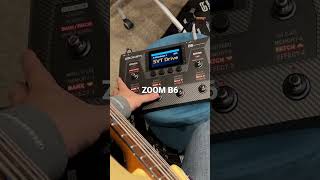
ZOOM B6 test

Bass gosushop
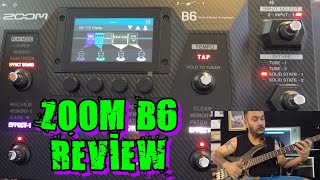
ZOOM B6 - BASS MULTI EFFECTS PROCESSOR (effects amp cabinet simulation use)

Gökhan Yumuşakdemir
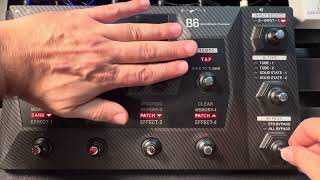
Zoom B6 DI Type and Bypass signal explained. Bass effects.

Terry McGaha
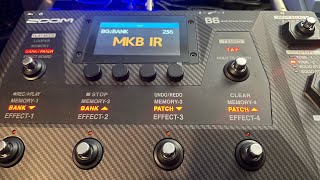
Choosing a DI Type on the Zoom B6
Terry McGaha
Reviews
PROS
-
Versatile range of effects and amp models
-
Features like looper and drum machine enhance practice sessions
-
Capable of achieving iconic bass rig sounds
-
A-B switch allows easy switching between instruments
-
Touchscreen functionality with intuitive layout
-
Longer looper recording time with SD card expansion
-
Solid and rugged build quality
-
Can replace an entire pedalboard while adding more capabilities
-
Quality DI function for gigging
-
Simple to set and program pedal chains and presets
CONS
-
Learning curve and time investment required
-
Screen and font size may be too small for some
-
Lacks USB-C connectivity
-
Limited recording capabilities
-
Challenging to program for novices
-
Heavy CPU usage by amps, IR loader, and effects
-
Does not include a Bluetooth adapter for mobile device use
Owner Insights
We analyzed real musician discussions from forums and Reddit to find what players love, question, and tweak about Zoom B6 Bass Multi-effects Processor.
Comparisons
Features and functionality
-
The Zoom B6 allows for SD card expansion for its looper, offering increased memory capacity.
Source -
The expression pedal on the Zoom B6 is highly recommended by users for enhancing performance flexibility.
Source -
Some users find the B6 lacks processing power, frequently running out of CPU when building complex FX chains.
Source
User experience
-
Owners note good to great performance in the B6's compressors, with most preamps and effects rated highly, except for some tracking issues with octavers.
Source
Critic Reviews
Based on 0 Reviews and 0 Ratings
Genre Usage
Based on how artists on Equipboard use this gear, it is most commonly found in the following genres.
Similar
Add recommendation1 alternative for Zoom B6 Bass Multi-effects Processor, curated by the Equipboard community.

$96.64 - $99.99
More Zoom Multi Effects Pedals

$104.00 - $214.00
in Multi Effects Pedals Rank


$103.00 - $149.99
in Multi Effects Pedals Rank


$70.00
in Multi Effects Pedals Rank


$62.97 - $249.99
in Multi Effects Pedals Rank


$328.11 - $349.99
in Multi Effects Pedals Rank


$75.00
in Multi Effects Pedals Rank


$178.00 - $249.99


.png?v=1784510865)


$118.00 - $129.00


$29.21 - $119.99


$88.00 - $109.99


$69.00 - $95.29


Accessories & Related Items




Artist usage


Community setups


Gear Guides




.webp)

Most Popular Multi Effects Pedals
Most Popular Brands
-
Added to Equipboard on by
Iidk_eitherGearIQ 62
-


