



Pricing and availability
We compare 600+ stores and found this item at 1 store. Prices updated .
Store
Reviews
Price




Average Price: $823
High-end/Boutique
$100
$501+
Price Tier
Budget
Standard
High-end
* Product prices and availability are updated by Equipboard every 24hrs and are subject to change. Equipboard may receive compensation for purchases made at participating retailers linked on this site. This compensation does not affect what products or prices are displayed, or the order of prices listed. For more information, please refer to our affiliate disclosure.
Description
Unlock a world of sonic possibilities with the Lexicon PCM-91, where innovation meets impeccable sound design. Renowned for its Dual Lexichip Architecture, this effects processor delivers exceptional reverbs that have become a staple in professional studios worldwide. The PCM-91 builds on the legacy of the PCM-90, integrating advanced features like dual reverb algorithms and dynamic spatialization effects, perfect for both 2-channel and surround applications.
Dive into creativity with 450 meticulously crafted presets, including Lexicon’s "greatest hits" such as Random Hall and Concert Hall. Whether you're sculpting soundscapes for vocals or adding depth to a drum mix, the PCM-91's intuitive KeyWord search and sort function ensures you'll find the right preset in seconds. With a powerful interface offering real-time adjustments, you can modify sounds instantly without diving into complex menus.
For those who demand flexibility, the PCM-91 comes equipped with balanced analog and digital I/O, ensuring seamless integration into any studio setup. The PCMCIA card slot further enhances its versatility, allowing easy storage and retrieval of custom presets and software updates. Whether you're a seasoned sound designer or a studio newcomer, the PCM-91's blend of user-friendly navigation and rich sonic textures makes it an indispensable tool for achieving professional-grade mixes.
Key Features:
- Dual Lexichip Architecture for unparalleled processing power
- 450 Preset programs; 100 User slots
- 15 Reverb algorithms (5 stereo, 10 dual)
- Dynamic spatialization effects for 2-channel or surround use
- Keyword Search for fast preset selection
- Balanced Analog I/O - XLR and 1/4" inputs and outputs
- Digital I/O - S/PDIF and AES/EBU
- PCMCIA Card Slot for presets and updates storage
- Greater than 110dB Dynamic Range
Product specs
| Brand | Lexicon |
| Model | PCM 91 Digital Reverberator |
| Finish | Black |
| Year | 1990s |
| Categories | Reverb |
FAQs
-
What type of reverb effects does the Lexicon PCM-91 offer?
-
The Lexicon PCM-91 is renowned for its high-quality digital reverb effects, including hall, plate, and chamber reverbs, providing lush and expansive soundscapes suitable for both studio and live applications.
-
Is the Lexicon PCM-91 suitable for live performances?
-
Yes, the Lexicon PCM-91 is ideal for live performances due to its robust build and high-quality reverb algorithms, which enhance live sound with professional-grade effects.
-
Can the Lexicon PCM-91 be integrated into a digital audio workstation (DAW)?
-
While the Lexicon PCM-91 is primarily a hardware unit, it can be integrated into a DAW setup using appropriate audio interfaces, allowing it to process audio tracks within your digital workflow.
-
How does the Lexicon PCM-91 compare to the PCM-81?
-
The Lexicon PCM-91 is focused on providing dedicated high-quality reverb effects, whereas the PCM-81 offers a mix of reverb and other effects, making the PCM-91 more specialized for reverb applications.
-
What are the connectivity options available on the Lexicon PCM-91?
-
The Lexicon PCM-91 features standard audio connections, including balanced XLR and 1/4" inputs and outputs, allowing it to be easily integrated into various studio and live sound setups.
Videos

PTH BOLERO 2
Lexicon PCM 91 & Neve EQ { Test }
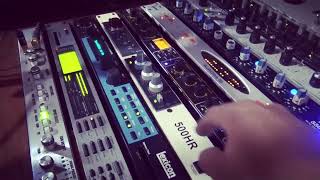
Lexicon PCM 91 & Neve EQ { Test }
PTH BOLERO 2
Reviews
Owner Insights
We analyzed real musician discussions from forums and Reddit to find what players love, question, and tweak about Lexicon PCM-91.
Features and functionality
-
The PCM91 allows for two independent mono reverbs or mono in: stereo out by setting 'Inrouting' to 'mono split' in the Chamber/room and dual reverb algorithms.
Source -
The Sony Mu-201 offers a unique reverb sound, but requires a 110v to 100v converter due to its Japanese voltage specifications.
Source -
The LXP15 is appreciated for its five analog control inputs, allowing custom mapping to functions.
Source
Comparisons
-
The PCM 91 is favored for its classic reverb quality, whereas the Ensoniq DP/4 offers a broader range of creative effects, appealing to synth-heavy projects.
Source -
Ensoniq DP/4 is noted for less common sonic profiles compared to the more frequently heard 90s Lexicon reverbs.
Source -
The Lexicon PCM91 is highly regarded over lower-end models like the MPX500, noted for its superior reverb quality.
Source -
The Lexicon PCM81, priced around $500, is described as slightly less lush than larger Lexicon units but excels in delays.
Source
User experience
-
Owners of both PCM 91 and DP4+ value their unique character and the surprises they offer, indicating long-term satisfaction with their versatility.
Source
Value and pricing
-
Concerns exist around Ensoniq units throwing errors, impacting resale value and reliability, with prices varying significantly based on condition.
Source
Other
-
Eventide pedals and racks are suggested as modern alternatives, providing more features at similar prices to the Ensoniq, with better support and software options.
Source
4.5 out of 5
Based on 1 Review and 3 Ratings

Lexicon PCM 91 Digital Stereo Reverb Processor
High quality reverberation...
The Lexicon PCM 91 gives you Lexicon’s renowned high-end reverb effects with a powerful new interface that provides easy access to superbly crafted presets as well as a wealth of programming capabilities for the sound designer.
The Lexicon PCM 91 contains a built-in library of 450 reverb effects that simulate realistic halls, rooms and plates, and let you create completely natural, or other-worldly spaces. The presets are organized into 9 Banks of 50, and are functionally grouped for different applications. Be sure to experiment with all 450 presets to get a feel for the full range of Lexicon PCM 91 capabilities.
A program sorting function allows you to tag programs with KeyWords and display only programs which have been tagged. (Press Program Banks or Register Banks repeatedly to step through all available banks and then to the KeyWord display.) The default KeyWord selection, A to Z, allows you to view all of the presets in alphabetical order. Others allow you to view, for example, only Acoustic or Spatial effects. Each preset has already been assigned from 1 to 4 KeyWords – you can easily change these assignments in Edit mode. The selection of the KeyWord you want to use for sorting is accessed in Control mode.
Each preset has one or more of its parameters patched to the front panel ADJUST knob, giving you instant control over the primary aspect of the effect – without going into Edit mode. As many as four additional Custom Controls can be created for any effect, allowing you to tailor presets for specific applications. We’ve created some interesting Custom Controls in the presets, and assigned them descriptive names. You can change both the parameter assignments and the names in Edit mode.
The Lexicon PCM 91 uses 5 stereo algorithms to create different types of reverb effects and 10 Dual Reverb algorithms which offer superb dual reverb and cascade configured stereo effects. Each single algorithm includes an uncompromised stereo reverb effect with selected “tools” for ambience, post-processing, compression/expansion, as well as modulation and patching parameters which are common to each algorithm. Each dual algorithm contains two independent reverb blocks, as well as the full set of modulation and patch features in the single effects.
The Lexicon PCM 91 gives you a unique set of tempo controls.Tempos can be tapped in with the front panel Tap button (or an assigned controller) or “dialed-in”, in BPM (beats per minute) on the display.
The Lexicon PCM 91 also lets you generate MIDI clock from your tempo, as well as receive MIDI tempo from an external sequencer or drum machine. In the Lexicon PCM 91, tempo can control LFO speeds and Time Switch controls, as well as all delay parameters, ensuring that all of your modulations are in tempo with your music. You can even set independent rhythmic values for different parameters within a single program.
Tempo can be set and displayed in either rhythmic value or time values. Many presets have delay times assigned to Tap tempo. Try loading some of these and pressing Tap twice in rhythm to change tempo.
An enormous range of editing control is provided for each algorithm, with parameters organized in an edit matrix. In addition to providing this powerful sound design capability, the Lexicon PCM 91 also allows you to customize these controls for your day-to-day editing needs, or to use a subset of controls specially designed for each preset.
The Lexicon PCM 91 has two levels of Edit Mode control called Go mode and Pro mode. In Go mode, the most useful parameters within an effect are grouped for instant access via the front panel Edit button.
Parameters can even be grouped for control by a single master control. These master parameters, called Custom Controls, can be labeled with names that describe their function. Each preset has a specially selected set of Go mode parameters which let you make value changes to the effect without losing the character of the sound. Pro mode gives you access to the full parameter editing matrix for the algorithm of any loaded effect when you press Edit.
In this mode, you can access a complete set of Modulation and Patching parameters, create your own ADJUST knob patch, create Custom Controls, and assign your own Go mode parameters.
A unique Patching and Modulation system provides unprecedented control over your effects, with a versatile set of internal modulators: two LFOs, AR Envelope, Envelope Follower, Latch and Time Switches, MIDI Delay and Sample and Hold. These allow you to create modulation sweeps which move in time with music, or animated effects. You can create as many as 10 patches per effect, each with as many as 8 pivot points. You can patch multiple parameters to a single controller, or patch multiple sources to a single destination.
For all of its programming power and flexibility, you’ll find the Lexicon PCM 91 simple to use. The large, 2-line fluorescent display is easy to see from any angle whether the surroundings are bright or dark.
Separate SELECT and ADJUST knobs make program loading and editing quick and easy. We’ve even designed in a special Info mode – press and hold any button to find out what its function is, or to get status information such as the name of the running effect, current tempo rate, etc.
Analog Audio Input XLR and 1/4" balanced (T/R/S) Input Level -2dBu to +20dBu, balanced;-22dBu to 0dBu, unbalanced Input Impedance 100kΩ, balanced;50kΩ, unbalanced Analog Audio Output XLR and 1/4"T/R/S balanced Output Level +18dBm, balanced;+4dBm, unbalanced Output Impedance 125Ω, balanced Digital Audio Input XLR, AES/EBU;Coaxial RCA, S/PDIF Format AES/EBU, balanced;S/PDIF, unbalanced Sample Rate 44.1kHz and 48kHz Digital Audio Output XLR, AES/EBU;Coaxial RCA, S/PDIF Format AES/EBU, balanced;S/PDIF, unbalanced Sample Rate 44.1kHz and 48kHz Conversion 24-bit A/D;24-bit D/A Internal Audio DSP 24-bit (PCM 81);20-bit (PCM 91) Frequency Response 10Hz - 20kHz ±.5dB Crosstalk -55dB 10Hz to 20kHz THD <0.006%, 10Hz - 20kHz Dynamic Range D/A:>98dB typical, 10Hz - 20kHzA/D:>105dB typical, 10Hz- 20kHzA/A:>96dB typical, 10Hz - 20kHz MIDI Interface 5-pin DIN connectors for MIDI IN, THRU and OUT Footswitch 1/4"T/R/S connector for two independent momentary footswitches (system detects normal-open, or normal-closed on power up) Foot Controller 1/4"T/R/S connector for foot pedal(100Ω- 10kΩimpedance) Memory Card Connector PCMCIA type l cards, 68 pins Standards PCMCIA 2.0 and JEIDA 4.0 Card Format Up to 1MB of SRAM (attribute memory not required) Power Requirements 100 - 240 volts AC;50 - 60Hz;35 wattsAutomatic switching (3-pin IEC connector) Remote Power In 2.5 mm 9 volts AC (not included) Dimensions 19" W x 1.75" H (1U) x 12" D(483 x 45 x 305 mm), rack mount standard Weight 6.4 lbs.(2.9 kg) Operating Temperature 32°to 104°F (0°to 40°C) Maximum Humidity 95% without condensation
Artist usage
Add artist

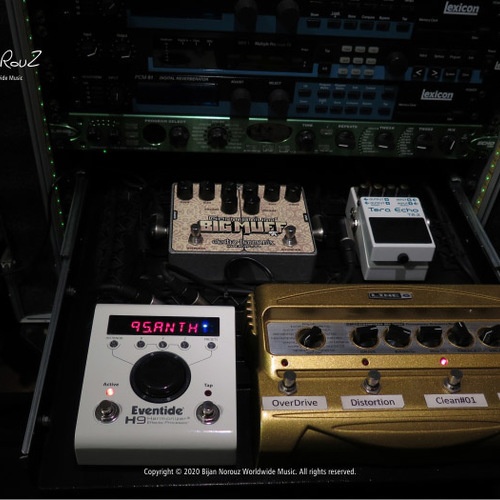
This is one of Billie Joe's Studio Effects.


In this video at 5:08, you can see it: https://www.youtube.com/watch?v=7PV8-5zbbBI&ab_channel=MicrosoftinBusiness


"The outboard gear I'm using when I mix the separate recordings from the modular is mainly a Lexicon PCM91, a Boss SX-700, an Eventide H3000 D/SE, an LA Audio Classic Compressor II, and a Focusrite Platinum Compounder."


In this Slices Tech Talk, Electronic Beats TV looks to delve into the heart of Ian Pooley's Berlin studio


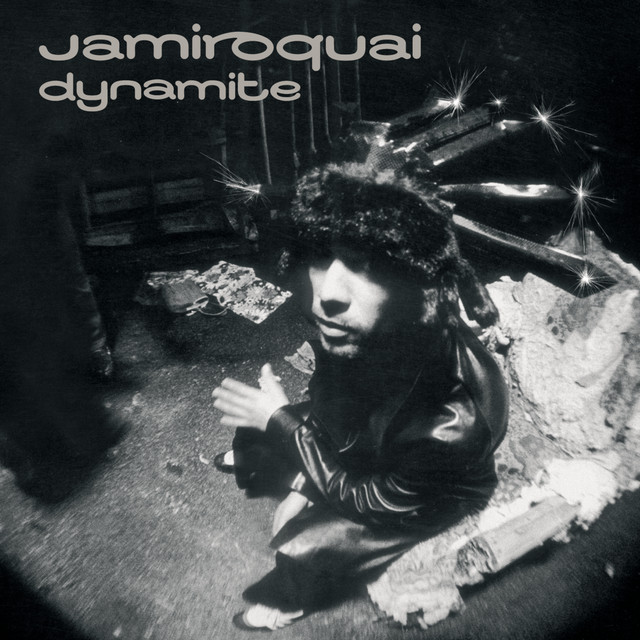
Used for vocals on the Dynamite tour, as stated by mix engineer Rick Pope in this January 1, 2006 Mix Online interview.
Despite reservations, Pope mixes the show sans feedback on a Yamaha PM1D Version 2 digital system, and records both shows to Kay’s Pro Tools rig, which he bought when the band began work on Dynamite. “We’ve been recording every show since 1999, so we have about 250 shows on either DA-88 or Pro Tools,” says Pope. “Most of them we may never even listen to, but Jay likes to have them on file.”
Pope mixes Kay’s vocals, which are sung through a Sennheiser 935 wireless mic, through a Manley VoxBox and an Eventide H3000. Save for an occasional nod to a Lexicon PCM81 or 91, all other processing comes through the Yamaha desk.
By the time of this Britannia Row article from the Automaton tour, Pope had retired the Dynamite-era setup in favor of a Yamaha PM10.
"For Jamiroquai, everyone knows Jay Kay drives a Ferrari. He’s my boss and this is the Ferrari of desks. But consider this, I used to use a TC6000 off board, a Manley Vox Box and an H3000 – they’re expensive bits of kit. Not anymore. The on-board processing and effects are as good or better than anything else out there.”


Per MusicRadar, Nov 4, 2020:
“Eight years ago I asked Phillippe Zdar how to get more depth in my mixes. He gave me this reverb and I never stopped using it ! That’s way more wide and deep than any plugin I ever tried.”


An Apple laptop for mobile work and an Emagic Logic Control fader surface occupy the left-hand part of the desk. Visible behind the laptop is another rack containing a Roland XV5080 module, Akai Z8 and S5000 samplers, Lexicon PCM91 reverb, Yamaha FS1R FM synth module, MOTU 828 FireWire interface and Denon CD player.


Album Usage
The Lexicon PCM-91 has been featured on the following albums:
Genre Usage
Based on how artists on Equipboard use this gear, it is most commonly found in the following genres.
Used With
Based on how musicians on Equipboard use Lexicon PCM-91, it is most commonly used with the following gear.


-s.webp?v=1783695437)


Community setups
Show yours
More Lexicon Effects Processors

$680.00 - $1,799.95
in Effects Processors Rank


$125.00
in Effects Processors Rank


$66.00
in Effects Processors Rank


in Effects Processors Rank


$3,411.45
in Effects Processors Rank


$1,799.99
in Effects Processors Rank


$236.47 - $1,016.83
in Effects Processors Rank


-m.webp?v=1782227096)


-m.webp?v=1783696008)


-m.webp?v=1783695511)


$1,093.40 - $4,120.00


Accessories & Related Items


-s.webp?v=1783695511)


Similar


Most Popular Effects Processors
Most Popular Brands
-
Added to Equipboard on by
 lesmaisondeux
Gear IQ 3294
-


