

Pricing and availability
We compare 600+ stores and found this item at 1 store. Prices updated .
Store
Reviews
Price




Average Price: $67
Budget/Beginner
$150
$501+
Price Tier
Budget
Standard
High-end
* Product prices and availability are updated by Equipboard every 24hrs and are subject to change. Equipboard may receive compensation for purchases made at participating retailers linked on this site. This compensation does not affect what products or prices are displayed, or the order of prices listed. For more information, please refer to our affiliate disclosure.
Description
Dive into a seamless audio experience with the M-Audio AIR Hub USB Audio Playback Interface, a compact yet powerful solution for musicians and producers seeking pristine sound quality. This device is engineered to streamline your studio setup by combining a high-quality 24-bit/96kHz audio output with a convenient USB hub, ensuring that your workspace remains efficient and clutter-free. Designed for both home and professional studios, the AIR Hub offers the flexibility you need for any recording environment.
The AIR Hub features two balanced 1/4" TRS outputs that provide clear, professional-grade audio playback, making it perfect for connecting your studio monitors. Its high-speed USB 3.0 connection ensures quick and reliable data transfer, while the built-in USB hub with three ports allows you to easily connect additional gear. With its intuitive design, this interface is straightforward to incorporate into any setup, empowering you to focus on your creative process without technical distractions.
Key Features:
- High-resolution 24-bit/96kHz audio output for crisp, detailed sound
- Two balanced 1/4" TRS outputs for professional-grade audio playback
- Built-in USB hub with three USB 3.0 ports for connecting additional devices
- Large central volume knob for easy control over your monitoring levels
- Sleek, compact design ideal for any studio setup
Product specs
| Brand | M-Audio |
| Model | AIR Hub USB Audio Playback Interface |
| Year | 2019 - 2020 |
| Categories | Audio Interfaces |
| Bit Depth | 24-bit |
| Bus-Powered | Yes |
| Compatibility | Windows, macOS |
| Computer Connectivity | USB |
| Electronics | Analog, Digital, Solid State |
| Format | Desktop Standalone |
| Number of Analog Inputs | 0 |
| Number of Analog Outputs | 2 |
| Number of Channels | 2 |
| Number of Digital Inputs | 0 |
| Number of Digital Outputs | 0 |
| Number of Headphone Outputs | 1 |
| Number of MIDI Inputs | 3 |
| Number of MIDI Outputs | 3 |
| Number of Mic Preamps | 0 |
| Sample Rate | 96 khz |
FAQs
-
What are the main connectivity options for the M-Audio AIR Hub USB Audio Playback Interface?
-
The M-Audio AIR Hub offers USB connectivity to your computer and features two balanced ¼-inch TRS audio outputs, a ¼-inch headphone jack, and three USB inputs for connecting additional devices.
-
Is the M-Audio AIR Hub compatible with both Windows and macOS?
-
Yes, the M-Audio AIR Hub is compatible with both Windows and macOS systems, making it versatile for different computer setups.
-
Does the M-Audio AIR Hub require an external power supply?
-
No, the M-Audio AIR Hub is bus-powered, meaning it draws power directly from your computer via USB, eliminating the need for an external power supply.
-
How many audio channels does the M-Audio AIR Hub support?
-
The M-Audio AIR Hub supports two audio channels with its two balanced ¼-inch TRS outputs, allowing for stereo playback.
-
Can the M-Audio AIR Hub be used for recording audio?
-
No, the M-Audio AIR Hub is designed for audio playback and does not feature any analog or digital inputs for recording. It is intended as a playback interface with outputs for monitoring.
Videos

Light Leaked
M-Audio AIR Hub Monitoring Interface.
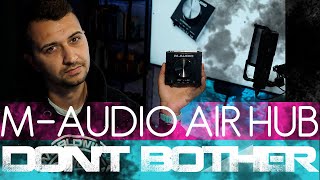
M-Audio AIR Hub Monitoring Interface.
Light Leaked
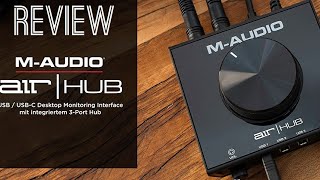
M-AUDIO AIR HUB USB AUDIO INTERFACE ¦ DEMO&REVIEW ¦ HOMESTUDIO REVIEWS

#MPCOM VLOG & REVIEWS - by MOVEPRODUCTIONS_COM
Reviews
Owner Insights
We analyzed real musician discussions from forums and Reddit to find what players love, question, and tweak about M-Audio AIR Hub USB Audio Playback Interface.
Software and compatibility
-
Uninstalling M-Audio drivers and using generic Windows drivers resolved clicking and popping issues for some users.
Source -
Ensuring matching sample rates and bit depths between the computer and interface is crucial to avoid audio distortions.
Source -
Users switching to ASIO4ALL for consumer sound card compatibility in Pro Tools report a more streamlined experience with dedicated USB interfaces, like Focusrite models.
Source
Setup and maintenance
User experience
Based on 0 Reviews and 0 Ratings
Genre Usage
Based on how artists on Equipboard use this gear, it is most commonly found in the following genres.
More M-Audio Audio Interfaces

$99.00 - $147.39
in Audio Interfaces Rank


$26.00
in Audio Interfaces Rank


$47.10 - $69.00


$16.40 - $39.99


$54.99 - $99.99


Artist usage


Community setups


Similar


Gear Guides







Most Popular Audio Interfaces
Most Popular Brands
-
Added to Equipboard on by
 equipboard
Gear IQ 4934
-


