

Pricing and availability
We compare 600+ stores and found this item at 1 store. Prices updated .
Store
Reviews
Price




* Product prices and availability are updated by Equipboard every 24hrs and are subject to change. Equipboard may receive compensation for purchases made at participating retailers linked on this site. This compensation does not affect what products or prices are displayed, or the order of prices listed. For more information, please refer to our affiliate disclosure.
Description
The Mackie HUI is a groundbreaking piece of studio recording gear that revolutionized how musicians and producers interact with their digital audio workstations. Introduced as one of the first control surfaces to offer Human User Interface (HUI) protocol, this device bridges the gap between analog feel and digital precision. Designed for seamless integration with various DAWs, the Mackie HUI provides tactile control over your software, enhancing your workflow and creativity.
With its intuitive layout, the Mackie HUI places essential functions right at your fingertips, allowing for smoother navigation and editing. The touch-sensitive motorized faders provide precise control over your mix, while the dedicated transport controls ensure efficient operation during recording sessions. By offering a physical interface, the Mackie HUI allows musicians to focus more on their music and less on screen time, delivering a more organic recording experience.
Key Features:
- Supports HUI protocol for compatibility with major DAWs
- Touch-sensitive motorized faders for precise control
- Dedicated transport controls for improved workflow
- Intuitive layout for easy navigation and operation
- Enhances tactile interaction with digital audio workstations
Product specs
| Brand | Mackie |
| Model | HUI 8-Channel DAW Control Surface |
| Finish | Gray |
| Year | 1998 - 2004 |
| Categories | Audio Mixers, Consoles and Summing Boxes |
| Electronics | Digital, Solid State |
| Format | Desktop Standalone |
FAQs
-
What is the Mackie HUI used for in a studio setup?
-
The Mackie HUI is an 8-channel digital control surface designed for interfacing with digital audio workstations (DAWs) to provide hands-on control over mixing, editing, and automation tasks.
-
Is the Mackie HUI compatible with modern DAWs?
-
Yes, the Mackie HUI uses the Human User Interface protocol, which is supported by many modern DAWs, allowing it to control essential functions like levels, panning, and transport controls.
-
Does the Mackie HUI require any specific software or drivers to function?
-
The Mackie HUI typically integrates with DAWs that support the HUI protocol without needing additional drivers, but it's essential to check your DAW's compatibility and setup instructions for optimal integration.
-
Can the Mackie HUI control plug-in parameters within a DAW?
-
Yes, the Mackie HUI can control some plug-in parameters, depending on the DAW's implementation of the HUI protocol, allowing for tactile adjustments during mixing.
-
What kind of connectivity does the Mackie HUI offer?
-
The Mackie HUI connects via MIDI, allowing it to interface with compatible DAWs and other MIDI-capable devices for comprehensive studio control.


Reviews
Owner Insights
We analyzed real musician discussions from forums and Reddit to find what players love, question, and tweak about Mackie HUI.
Software and compatibility
-
Ensure Adobe Audition is set to "HUI" under "Preferences>Control Surface..." and configure Scarlett MIDI ports correctly to establish communication with Mackie HUI.
Source -
Mackie HUI users face fader control issues after upgrading to Studio One 7, despite maintaining functionality in Studio One 6.
Source -
Multiple owners have experienced similar issues when upgrading between versions of Studio One, suggesting a recurring compatibility challenge.
Source
Features and functionality
-
Mackie HUI offers multiple operational modes; choose Mackie mode for broader compatibility across Adobe software, including Audition and Premiere.
Source -
Owners appreciate the ability to control plugin parameters using the knobs, enhancing hands-on mixing capabilities.
Source -
Rebooting with HUI reset by holding select on channels 1 and 2 can sometimes address connectivity issues after software updates.
Source
Setup and maintenance
User experience
Critic Reviews
Based on 0 Reviews and 0 Ratings
Artist usage
Add artist

Michael Bradford's 'Chunky Style Gear'
A big, beefy guy with a penchant for making big, beefy‑sounding records, Michael Bradford aptly names his production company Chunky Style Music. Accordingly, he also has his own chunky style setup at a post‑production facility named Millennium Sound. Mostly MIDI‑related or used to run Pro Tools, this collection of equipment is pretty comprehensive:
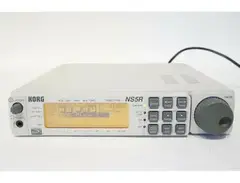
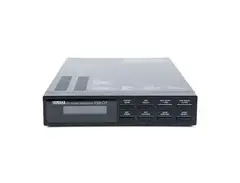
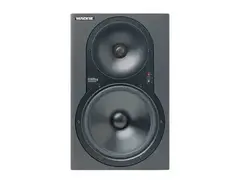
Akai S1100 sampler.Alesis ADAT digital multitrack w/BRC.Apple Power Macintosh 9600 running a Digidesign Pro Tools 5.1 Mix Plus system.Casio RZ1 drum machine.Clavia Nord Rack and Nord Modular synthesizers.CM Automation Motormix.Compaq AP500 Pentium III with Windows NT running Pro Tools 5.0 Mix Plus System.Emu E6400 and Emax samplers, Orbit and Planet Phatt sound modules, and E‑Synth keyboard.Korg M1R and N5SR sound modules.Line 6 Pod and Bass Pod.Mackie HR824 hard disk recorder.Mackie HUI control surface.Mackie 3304 mixer.Yamaha FB01 sound module.
Genre Usage
Based on how artists on Equipboard use this gear, it is most commonly found in the following genres.
Used With
Based on how musicians on Equipboard use Mackie HUI, it is most commonly used with the following gear.




More Mackie Digital


$249.00 - $358.00
in Digital Rank


$177.73 - $299.00
in Digital Rank
.png?v=1784330080)

$99.00
in Digital Rank


$409.00 - $699.00
in Digital Rank


$138.00 - $349.00
in Digital Rank


$113.00 - $341.99
in Digital Rank


$147.00 - $272.00
in Digital Rank


$483.08 - $599.99
in Digital Rank


$46.52
in Digital Rank


$586.17 - $1,499.99
in Digital Rank

$220.00
in Digital Rank


$201.00
in Digital Rank


$6.88 - $201.01
in Digital Rank


$149.99 - $163.00
in Digital Rank


$1,049.00
in Digital Rank


$650.00
in Digital Rank


$200.00
in Digital Rank


$77.68
in Digital Rank


$49.00
in Digital Rank

$223.00 - $299.99
in Digital Rank

$480.00
in Digital Rank


Accessories & Related Items


Community setups


Similar


Gear Guides
.jpg)







Most Popular Digital
Most Popular Brands
-
Added to Equipboard on by
 dandaman
GearIQ 73509
-


