

Pricing and availability
We compare 600+ stores and found this item at 11 stores. Prices updated .
Store
Reviews
Price









Price History
Based on price data from 7 merchants for "PreSonus FaderPort 8 MIDI Control Surface". Prices shown reflect NEW condition. Tracking began Apr 2, 2026.
* Product prices and availability are updated by Equipboard every 24hrs and are subject to change. Equipboard may receive compensation for purchases made at participating retailers linked on this site. This compensation does not affect what products or prices are displayed, or the order of prices listed. For more information, please refer to our affiliate disclosure.
Description
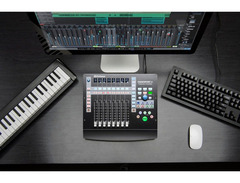
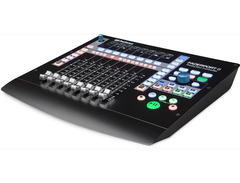
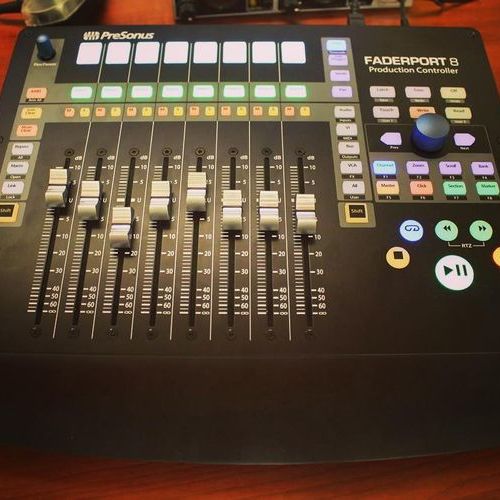
Step into a world of seamless production control with the PreSonus FaderPort 8 MIDI Control Surface—an exceptional tool for musicians and producers alike. With its eight motorized, touch-sensitive faders, the FaderPort 8 delivers precision and fluidity that elevate your mixing workflow. Each fader is complemented by a high-resolution scribble strip, allowing you to quickly identify channels and keep your session organized.
Designed for compatibility, the FaderPort 8 works effortlessly with virtually any DAW software on both Mac and Windows platforms, thanks to its support for HUI and Mackie Control Universal protocols. Its native integration with PreSonus Studio One further streamlines your workflow, providing intuitive control over your projects.
The FaderPort 8 is more than just a control surface; it's your gateway to a more hands-on mixing experience. The Session Navigator offers quick access to essential functions like track scrolling, channel banking, and timeline navigation, making complex sessions a breeze. With dedicated transport and automation controls, you'll find yourself relying less on your keyboard and mouse, allowing for a more immersive and efficient production process.
For those who appreciate versatility, the FaderPort 8 also allows you to control plug-in settings and bus sends directly from the surface, giving you the tactile feedback you crave for a more dynamic sound design experience. Whether you're a seasoned producer or a budding artist, the PreSonus FaderPort 8 is your ticket to professional-grade audio production.
Key Features:
- Eight 100mm motorized, touch-sensitive faders
- High-resolution scribble strip displays
- Compatible with most DAWs, including native support for Studio One
- Session Navigator for efficient track and timeline management
- Full suite of transport and automation controls
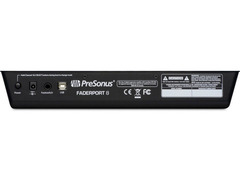
- USB 2.0 connectivity
- Includes Studio One Artist software and a six-month subscription to Studio One+
- Footswitch input for hands-free control (footswitch not included)
Owner's manual
PreSonus FaderPort 8 MIDI Control Surface User ManualProduct specs
| Type | DAW controller |
| Faders | 8 x 100mm, motorized |
| Transport Controls | Yes |
| Computer Connectivity | USB |
| USB | 1 x Type B |
| Other I/O | 1 x 1/4" (footswitch) |
| Software | Studio One Artist |
| Compatibility | Mackie Control, HUI, native control of Studio One |
| Hardware Requirements - Mac | Intel Core i3 or higher |
| Hardware Requirements - PC | Intel Core i3 or higher |
| OS Requirements - Mac | macOS 10.13 or later |
| OS Requirements - PC | Windows 10 or later |
| Power | 12V DC power supply |
| Height | 2.25" |
| Width | 12" |
| Depth | 13" |
| Weight | 5 lbs. |
FAQs
-
Is the PreSonus FaderPort 8 compatible with popular DAWs like Pro Tools and Logic Pro X?
-
Yes, the PreSonus FaderPort 8 is compatible with Pro Tools, Logic Pro X, Cubase, and more, thanks to its support for Mackie Control and HUI protocols. It offers seamless integration without the need for additional drivers.
-
What type of faders does the PreSonus FaderPort 8 have?
-
The PreSonus FaderPort 8 features 8 motorized 100mm faders, providing precise control over your mix and making it easy to write automation.
-
Does the PreSonus FaderPort 8 need a power supply?
-
Yes, the PreSonus FaderPort 8 requires a 12V DC power supply to operate, which is included with the unit.
-
Can I use the PreSonus FaderPort 8 with Studio One?
-
Absolutely, the PreSonus FaderPort 8 offers native control of Studio One, making it an excellent choice for users of this DAW, with enhanced functionality and integration.
-
What are the connectivity options for the PreSonus FaderPort 8?
-
The PreSonus FaderPort 8 connects to your computer via USB and includes an additional 1/4" input for a footswitch, allowing for versatile control and integration into your setup.
Videos

PreSonus Audio Electronics
All about the NEW Faderport MIDI Mode! (Faderport 8 & 16)
All about the NEW Faderport MIDI Mode! (Faderport 8 & 16)
PreSonus Audio Electronics
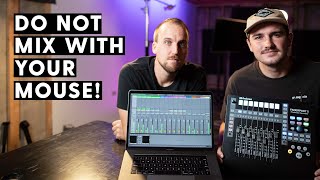
Worship Broadcast Mix MIDI Controller | PreSonus Faderport 8

Churchfront
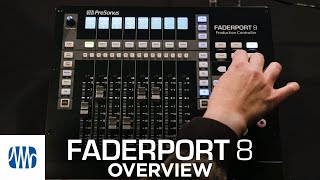
PreSonus FaderPort 8: Firmware update and overview
PreSonus Audio Electronics
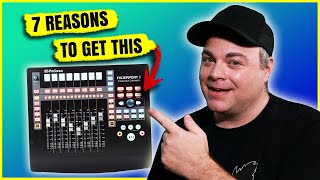
Presonus Faderport 8 - Take Control Of Your DAW!

Audio Tech TV
Reviews
PROS
-
Great integration with Studio One, speeds up workflow
-
Compatible with Ardour on Linux after firmware update
-
Enhances home studio capabilities significantly
-
User-friendly for beginners, including "old guy" learners
-
Footswitch punch-in capability for easy recording
-
Comes with useful plug-ins, enhancing mixing experience
-
Motorized faders bring DAW control off the monitor
-
Allows switching between sets of channels on the fly
-
Solid build quality, despite plastic feel
-
Automated faders have a large throw, visually impressive
CONS
-
Lacks extenders for expansion like Mackie MCU Pro
-
Some users regret not waiting for the FaderPort 16
-
Faders can feel cheap and plasticky
-
Mixed DAW compatibility; issues with Logic Pro X
-
Some buttons lacked software support (at the time of review)
-
Software faders sometimes unresponsive or delayed
-
Erratic fader control with Cubase, not tracking smoothly
-
Learning curve for effective use may take weeks
Owner Insights
We analyzed real musician discussions from forums and Reddit to find what players love, question, and tweak about PreSonus FaderPort 8 MIDI Control Surface.
Software and compatibility
-
Reaper has a FaderPort controller preset, but it currently fails to function properly in HUI, MCU, or MIDI modes.
Source -
FaderPort 8 integrates seamlessly with Logic Pro, offering out-of-the-box functionality that users find lacking in Reaper.
Source -
Studio One v5 resolves previous MIDI mode issues, with faders now functioning correctly across multiple VSTs like Omnisphere, MaiTai, and Kontakt.
Source -
Plugin mode provides feedback to faders and button LEDs, updating positions and values seamlessly across plugins.
Source
Features and functionality
-
Users report that in HUI mode, the ability to control plug-ins like ReaEQ with the FaderPort 8 is not supported effectively.
Source -
The FP8 is praised for its 6 user-assignable buttons, which significantly improve workflow customization.
Source -
The FaderPort 8's transport controls are frequently used and valued, enhancing the recording process by reducing reliance on keyboard and mouse.
Source -
In MIDI mode, users must manually reset fader positions when switching plugins due to lack of feedback, risking previous settings.
Source
User experience
-
Some owners are frustrated with Reaper's limited controller support, influencing decisions to switch DAWs for better compatibility.
Source -
Owners appreciate the tactile experience of using faders for EQ adjustments, enhancing workflow efficiency in Studio One.
Source -
One user notes that while faders are useful for automation, they often revert to mouse controls for finer tuning, citing fader weight as a consideration.
Source
Comparisons
-
Some users prefer the SSL UF8 over the FaderPort 8, despite the higher price, due to better overall functionality.
Source
Use cases and applications
-
The FaderPort 8 is highly regarded for quick mix adjustments during final band recordings, allowing for efficient and seamless tweaks.
Source
Critic Reviews
4.5 out of 5
Based on 3 Reviews and 13 Ratings

609
Very powerful versatile mixing controller board for Studio One DAW.
This controller here and the Studio One DAW are what keep me sticking with PreSonus to be the "core" of my personal studio. This controller-board is well built and features very nice motorized faders.
I went with the 8-channel Faderport not just for the price-point, but because that was all I needed, plus both the 8 and 16 channel models have all of the same exact controls and features. ….and number of channels doesn't matter anyway, because you are not actually restricted to controlling eight channels. You can set up another set of eight channels (from the DAW) and switch between them on the fly instantly.
There is a little bit of a learning-curve to using this board (it took weeks), but once you have, ....the options for controlling a lot of the parameters in the Studio One and the ease of controlling them are endless. It is the perfect mate to Studio One!


136
Awesome workflow.
Beautiful workflow! Outstanding! You can really make your automations come to life! Highly recommended!
Artist usage
Add artist
Genre Usage
Based on how artists on Equipboard use this gear, it is most commonly found in the following genres.
Used With
Based on how musicians on Equipboard use PreSonus FaderPort 8 MIDI Control Surface, it is most commonly used with the following gear.


Community setups
Show yours
Similar
Add recommendation2 alternative and related items for PreSonus FaderPort 8 MIDI Control Surface, curated by the Equipboard community.

$200.00 - $382.49

$285.00 - $419.00
More PreSonus DAW Controllers

$33.96 - $209.99
in DAW Controllers Rank


$699.99 - $839.99
in DAW Controllers Rank


$169.00 - $209.99
in DAW Controllers Rank


$199.99 - $249.99
in DAW Controllers Rank

$169.00 - $209.99
in DAW Controllers Rank


$133.00 - $240.00
in DAW Controllers Rank


$182.00 - $277.00
in DAW Controllers Rank


$53.00 - $119.99
in DAW Controllers Rank


$249.00 - $499.00
in DAW Controllers Rank


$80.00
in DAW Controllers Rank


$285.00 - $419.00
in DAW Controllers Rank


$182.92 - $599.99
in DAW Controllers Rank


$1,045.00 - $1,399.99
in DAW Controllers Rank


$76.40 - $109.00
in DAW Controllers Rank


$57.00 - $1,299.99
in DAW Controllers Rank


in DAW Controllers Rank


$95.00
in DAW Controllers Rank


$99.00 - $229.00
in DAW Controllers Rank


$1,295.00 - $1,495.00
in DAW Controllers Rank


$995.00 - $1,195.00
in DAW Controllers Rank


$79.95 - $109.00
in DAW Controllers Rank


$122.00 - $189.00
in DAW Controllers Rank


$129.00 - $349.99
in DAW Controllers Rank

$184.54
in DAW Controllers Rank


$575.64 - $799.99
in DAW Controllers Rank

$120.00
in DAW Controllers Rank


$48.00 - $70.90
in DAW Controllers Rank


$1,191.76
in DAW Controllers Rank


$635.00 - $999.99
in DAW Controllers Rank


$333.00 - $399.99
in DAW Controllers Rank

$995.00 - $1,195.00
in DAW Controllers Rank

$140.00
in DAW Controllers Rank


$544.00 - $699.99
in DAW Controllers Rank

$1,191.76
in DAW Controllers Rank


$199.00 - $409.00
in DAW Controllers Rank

$125.00 - $169.99
in DAW Controllers Rank

$377.98 - $699.00
in DAW Controllers Rank

$249.00 - $469.90
in DAW Controllers Rank


$249.00 - $1,399.99
in DAW Controllers Rank


Accessories & Related Items


Gear Guides







Most Popular DAW Controllers
Most Popular Brands
-
Added to Equipboard on by
soundobjexGearIQ 136
-


