

Pricing and availability
We compare 600+ stores and found this item at 10 stores. Prices updated .
Store
Reviews
Price









Average Price: $215
Standard/Professional
$99
$300+
Price Tier
Budget
Standard
High-end
Price History
Based on price data from 7 merchants for "Presonus Atom SQ". Prices shown reflect NEW condition. Tracking began Apr 2, 2026.
* Product prices and availability are updated by Equipboard every 24hrs and are subject to change. Equipboard may receive compensation for purchases made at participating retailers linked on this site. This compensation does not affect what products or prices are displayed, or the order of prices listed. For more information, please refer to our affiliate disclosure.
Description
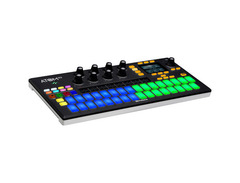
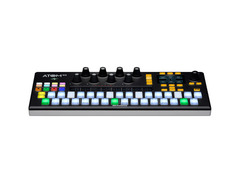
Unleash your creativity with the PreSonus ATOM SQ, a dynamic hybrid MIDI controller that redefines music production and performance. Designed for musicians who crave a tactile experience, the ATOM SQ combines the best features of a sequencer, keyboard, and pad controller into one seamless interface. Its 32 velocity- and pressure-sensitive RGB pads, arranged in a staggered layout, offer unparalleled expressiveness and intuitive use, whether you're programming beats or playing melodies.
Seamlessly integrating with Studio One and Ableton Live, the ATOM SQ offers deep pattern editing capabilities, allowing you to sculpt your music with precision. The onboard arpeggiator and touchstrip controller provide additional layers of musical expression, while the 'Constrain to Scale' function ensures that every note fits perfectly within your chosen key. With its USB bus-powered design, you can take this lightweight controller anywhere, ensuring your creative flow is never interrupted.
Ideal for both studio and stage, the ATOM SQ's eight endless rotary encoders are fully customizable, giving you the power to control virtually any software parameter. The included Studio One Artist and Ableton Live Lite software packages ensure you'll have everything you need to start creating right out of the box. Whether you're a beatmaker, producer, or live performer, the ATOM SQ is your go-to tool for bringing musical ideas to life.
Key Features:
- Hybrid MIDI controller with sequencer, keyboard, and pad functionalities
- 32 velocity- and pressure-sensitive RGB pads in a staggered layout
- Deep integration with Studio One and Ableton Live
- Context-sensitive screen for intuitive control
- Eight endless rotary encoders for customizable software parameter control
- Arpeggiator and touchstrip for enhanced musical expression
- Constrain to Scale feature to keep performances in key
- USB bus-powered and portable design
- Includes Studio One Artist and Ableton Live Lite software packages
- Compatible with most music production software on macOS and Windows
Owner's manual
Presonus Atom SQ User ManualProduct specs
| Type | Performance Pad MIDI Controller |
| Pads | 32 x RGB LED Pads |
| Velocity Sensitive | Yes |
| Aftertouch | Polyphonic Aftertouch, Channel Pressure |
| Other Controllers | Multi-function Touch Strip |
| Encoders/Pots | 8 x Rotary Encoders |
| MIDI I/O | USB |
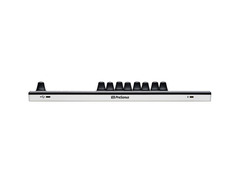
| USB | 1 x USB-C 2.0 |
| Sequencer | Studio One Step Sequencer, TR-style 16-step Sequencer |
| Features | Hybrid Keyboard/Pad Performance, Production Controller, Arpeggiator |
| Software | Studio One Artist, Ableton Live Lite |
| Hardware Requirements - Mac | Intel Core i3 or higher, 8GB RAM or more recommended |
| Hardware Requirements - PC | Intel Core i3 / AMD A10 or higher, 8GB RAM or more recommended |
| OS Requirements - Mac | macOS 10.13 or later, iOS 10 or later |
| OS Requirements - PC | Windows 10 or later, Android 6.0 or later |
| Power Supply | USB bus powered |
| Height | 0.98" |
| Width | 14.25" |
| Depth | 6.77" |
| Weight | 2 lbs. |
FAQs
-
How does the PreSonus ATOM SQ integrate with popular DAWs like Studio One and Ableton Live?
-
The PreSonus ATOM SQ offers seamless integration with Studio One and Ableton Live, allowing advanced control features. It comes with Studio One Artist and Ableton Live Lite, providing users with a comprehensive production package right out of the box.
-
What are the key features of the PreSonus ATOM SQ's pads?
-
The ATOM SQ features 32 velocity-sensitive RGB LED pads that support polyphonic aftertouch and channel pressure, making it ideal for expressive performance and sequencing both drums and melodic instruments.
-
Is the PreSonus ATOM SQ suitable for live performances?
-
Yes, the PreSonus ATOM SQ is designed as a hybrid performance and production controller, featuring a multi-function touch strip and RGB pads for dynamic live performance capabilities.
-
Does the PreSonus ATOM SQ require an external power supply?
-
No, the PreSonus ATOM SQ is USB bus-powered, which means it draws power directly from your computer via a USB-C connection, eliminating the need for an external power supply.
-
What are the system requirements for using the PreSonus ATOM SQ with a computer?
-
For Mac, an Intel Core i3 or higher with macOS 10.13 or later is required. For PC, an Intel Core i3/AMD A10 or higher with Windows 10 or later is necessary. Both platforms recommend 8GB of RAM for optimal performance.
Videos

PreSonus Audio Electronics
ATOM SQ with Gregor, Part 1: The Instrument
ATOM SQ with Gregor, Part 1: The Instrument
PreSonus Audio Electronics
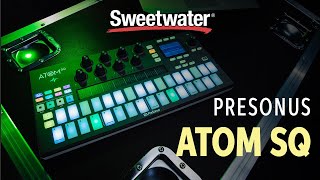
PreSonus ATOM SQ Demo

Sweetwater
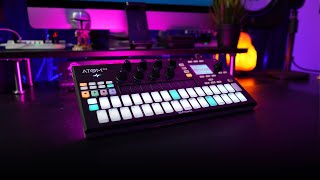
The PreSonus ATOM SQ | My Favorite MIDI Controller

Ivan Calderon
ATOM SQ: A complete music production package with Studio One Artist and Ableton Live Lite!
PreSonus Audio Electronics
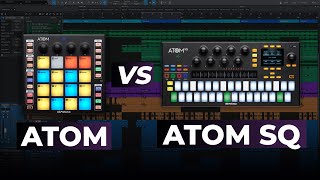
PreSonus ATOM vs ATOM SQ | Which One Should You Pick?
Ivan Calderon

PreSonus ATOM SQ Review

Higher HZ
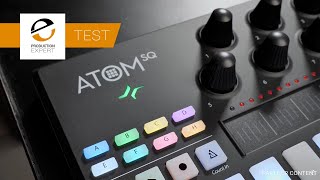
PreSonus ATOM SQ - Tested

Production Expert
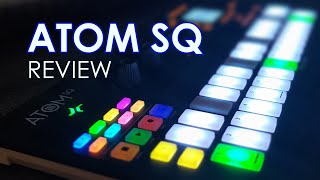
PreSonus ATOM SQ Review

ReNoob
PreSonus ATOM SQ In Use
Production Expert
Reviews
PROS
-
Plug and play with immediate DAW integration
-
Compact, portable design ideal for travel
-
Sensitive, poly pressure pads with aftertouch
-
Infinite rotation knobs enhance plugin control
-
Built-in arpeggiator and extensive transport controls
-
Bright LEDs and sequencer function for visual feedback
-
Excellent Studio One integration, includes software and plugins
-
Versatile for various DAWs, especially Studio One and Ableton Live
-
Touch strip and layout customization offer creative flexibility
-
Enhances workflow and creativity without relying on mouse
CONS
-
Inconsistent button pressure requires adjustment for even volume
-
Unique layout and control scheme have a learning curve
-
Lacks a sustain pedal jack, though workaround available
-
No power switch for instant light control
-
Some functionalities not as intuitive or comprehensive as competitors
Owner Insights
We analyzed real musician discussions from forums and Reddit to find what players love, question, and tweak about Presonus Atom SQ.
Features and functionality
-
The USB port placement is considered inconvenient by some users, impacting ease of use in setups.
Source -
Atom SQ transmits MIDI on channel 10, restricting compatibility with various devices unless MIDI channel assignment is enabled.
Source -
MIDI channels for aftertouch are hardcoded, reducing flexibility for controlling hardware synths without additional software or DAW intervention.
Source
User experience
-
Some users report the pads are stiff and prone to double-triggering, which affects playability and usability for those with joint issues.
Source
Software and compatibility
Comparisons
-
Users compare the Atom SQ unfavorably to controllers with endless encoders and sliders, finding the latter more flexible.
Source
Use cases and applications
-
Attempting to use the Atom SQ as a DAW controller was noted as frustrating, suggesting it may not surpass standard MIDI keyboards for this purpose.
Source
Critic Reviews
Based on 0 Reviews and 0 Ratings
Genre Usage
Based on how artists on Equipboard use this gear, it is most commonly found in the following genres.
More PreSonus MIDI Pad Controllers

$103.00 - $149.99
in MIDI Pad Controllers Rank


-m.webp?v=1784646160)
$101.39 - $799.00
in MIDI Pad Controllers Rank


.jpg?v=1784640202)

$409.19
in MIDI Pad Controllers Rank


$239.23 - $349.99
in MIDI Pad Controllers Rank


$299.00 - $350.00
in MIDI Pad Controllers Rank


$23.86 - $216.30
in MIDI Pad Controllers Rank


$150.00 - $229.99
in MIDI Pad Controllers Rank

.jpeg?v=1784640200)

$40.00 - $299.00
in MIDI Pad Controllers Rank


-m.webp?v=1784698706)
$69.50 - $119.00
in MIDI Pad Controllers Rank


$31.01 - $129.99
in MIDI Pad Controllers Rank


$477.11
in MIDI Pad Controllers Rank


$39.00 - $177.00
in MIDI Pad Controllers Rank


$91.80 - $275.77
in MIDI Pad Controllers Rank


$180.00 - $777.00
in MIDI Pad Controllers Rank


$56.16 - $257.00
in MIDI Pad Controllers Rank


$30.06
in MIDI Pad Controllers Rank


$118.00 - $124.41
in MIDI Pad Controllers Rank


$50.00
in MIDI Pad Controllers Rank


$82.30 - $269.00
in MIDI Pad Controllers Rank


$25.00
in MIDI Pad Controllers Rank


$150.00 - $189.99
in MIDI Pad Controllers Rank


$145.00 - $269.99
in MIDI Pad Controllers Rank


$129.99 - $134.88
in MIDI Pad Controllers Rank


$83.50
in MIDI Pad Controllers Rank


$40.23 - $89.99
in MIDI Pad Controllers Rank


$80.88 - $129.99
in MIDI Pad Controllers Rank


$794.40 - $999.00
in MIDI Pad Controllers Rank


$65.00
in MIDI Pad Controllers Rank


$90.00 - $295.00
in MIDI Pad Controllers Rank


$152.00 - $219.99
in MIDI Pad Controllers Rank


$1,100.00 - $1,538.00
in MIDI Pad Controllers Rank


$266.00 - $349.99
in MIDI Pad Controllers Rank


$748.00 - $1,428.97
in MIDI Pad Controllers Rank


$64.00
in MIDI Pad Controllers Rank


$50.00
in MIDI Pad Controllers Rank


$328.02
in MIDI Pad Controllers Rank


$215.00 - $299.00
in MIDI Pad Controllers Rank

$40.23 - $89.99
in MIDI Pad Controllers Rank


$49.78 - $177.00
in MIDI Pad Controllers Rank

Accessories & Related Items


Artist usage


Community setups


Similar


Gear Guides






.jpg)



Most Popular MIDI Pad Controllers
Most Popular Brands
-
Added to Equipboard on by
 crmerriman
GearIQ 168
-


