

Pricing and availability
We compare 600+ stores and found this item at 6 stores. Prices updated .
Store
Reviews
Price






Price History
Based on price data from 5 merchants for "Waves DeEsser". Prices shown reflect NEW condition. Tracking began Apr 2, 2026.
* Product prices and availability are updated by Equipboard every 24hrs and are subject to change. Equipboard may receive compensation for purchases made at participating retailers linked on this site. This compensation does not affect what products or prices are displayed, or the order of prices listed. For more information, please refer to our affiliate disclosure.
Description
Unleash the full potential of your vocal recordings with the Waves DeEsser plugin, a precision tool designed to tackle sibilance with ease and finesse. Inspired by vintage gear, this plugin effortlessly eliminates harsh "ess" and "shh" sounds without compromising the natural warmth of your audio. Whether you're polishing vocals or taming unruly cymbals, the Waves DeEsser's intuitive interface ensures smooth and subtle de-essing, making it a must-have for any serious audio engineer.
At the heart of the Waves DeEsser is its innovative side-chain filtering technology, which allows for precise frequency targeting. This feature is complemented by the plugin's ability to switch between wide-band and split compression modes, offering flexibility to suit any audio situation. Whether you’re working in a mono or stereo setup, the Waves DeEsser operates seamlessly up to 24-bit/192kHz resolution, making it an ideal choice for both studio recordings and live performances.
Join the community of musicians and producers who trust the Waves DeEsser to deliver crystal-clear audio, free from the distractions of unwanted sibilance. With its user-friendly design and powerful features, this plugin is your go-to solution for achieving pristine vocal tracks.
Key Features:
- Classical hiss reduction inspired by vintage gear
- Sharp side-chain filters for precise processing
- Wide-band or split compression modes
- Audio or sidechain monitoring options
- Supports up to 24-bit/192kHz resolution
- Compatible with mono and stereo components
- SoundGrid license compatible with MultiRack Native, StudioRack Native, and more
Owner's manual
Waves DeEsser User ManualProduct specs
| Software Type | DeEsser |
| Platform | Mac, PC |
| Upgrade/Full | Full |
| Download/Boxed | Download |
| Bit Depth | 64-bit |
| Format | AAX Native, AudioSuite, VST, AU, SoundGrid |
| Hardware Requirements - Mac | Intel Core i7 or higher (M1 support), 8GB RAM minimum |
| Hardware Requirements - PC | Intel Core i5 / AMD Quad-core or higher (AVX required), 8GB RAM minimum |
| OS Requirements - Mac | macOS 10.15.7 or later |
| OS Requirements - PC | Windows 10 or later (21H2), 64-bit |
FAQs
-
What is the primary function of the Waves DeEsser plugin?
-
The Waves DeEsser plugin is designed to reduce excess sibilance, such as 'ess' and 'shh' sounds, from vocal tracks, providing smooth and natural-sounding de-essing.
-
Is the Waves DeEsser plugin compatible with my DAW?
-
The Waves DeEsser supports AAX Native, AudioSuite, VST, AU, and SoundGrid formats, making it compatible with most major DAWs on both Mac and PC platforms.
-
What are the system requirements for running the Waves DeEsser on a Mac?
-
To run the Waves DeEsser on a Mac, you'll need macOS 10.15.7 or later, an Intel Core i7 or higher (M1 support), and a minimum of 8GB RAM.
-
Can the Waves DeEsser be used for live sound applications?
-
Yes, the Waves DeEsser can be used in live sound environments through SoundGrid compatibility, allowing real-time processing with low latency.
-
What is the recommended frequency range to set on the Waves DeEsser for effective sibilance reduction?
-
For effective de-essing with the Waves DeEsser, it's recommended to set the filter frequency between 1800 Hz and 8000 Hz, depending on the specific vocal characteristics.
Videos

Waves Audio
Introducing Waves DeEsser
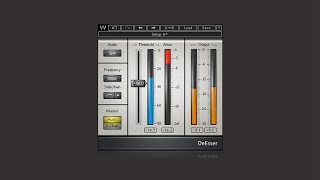
Introducing Waves DeEsser
Waves Audio
Fixing HARSH vocals with a De-Esser

Mix With Jerry
Reviews
PROS
-
Straightforward, user-friendly interface
-
Effective "S Chain" feature highlights frequency cuts
-
Works well on various vocal types
-
Intuitive presets enhance usability
-
Minimal resource consumption
-
Quick and easy integration with DAWs
-
Consistently reliable over years of use
-
Softens harsh sibilance while maintaining clarity
-
Versatile beyond vocal applications
CONS
Owner Insights
We analyzed real musician discussions from forums and Reddit to find what players love, question, and tweak about Waves DeEsser.
Comparisons
-
Some users find the Waves DeEsser more effective for live use due to its faster attack compared to Sibilance, which can struggle with quick sibilant sounds.
Source -
In some cases, when Sibilance didn't perform well, users switched to the Weiss De-Esser for a more suitable sound, although the Weiss generally isn't favored.
Source -
The Lindell 902 de-esser and Slate's FG-DS 902 both emulate the dbx 902 hardware model, providing an alternative to Waves DeEsser with a vintage touch.
Source -
Users note that the Waves R-DeEsser's "notch" shape can help with targeting sibilance effectively compared to the stock Pro Tools de-esser, which tends to darken vocals.
Source -
FabFilter's DeEsser is praised for its flexibility and the ability to avoid over-compressing vocals, making it a preferred choice over Waves for detailed control.
Source
User experience
-
The Waves DeEsser is praised for its simplicity and transparency, especially in wide mode, with multiple users preferring it over Sibilance for its sound quality.
Source -
The Waves DeEsser is favored by some professionals despite having access to more advanced and expensive options, citing its effectiveness and simplicity.
Source -
Some users find Logic's built-in DeEsser problematic, producing audible issues, whereas Waves R-DeEsser consistently delivers better results without compromising vocal quality.
Source
Features and functionality
-
Sibilance's interface is criticized by some users for not clearly displaying compression levels, making it less intuitive than the traditional DeEsser.
Source
Use cases and applications
-
For those who require moderate de-essing, some users prefer manual adjustments with clip gain in Pro Tools for remaining sibilance after using the DeEsser.
Source -
When using the Waves DeEsser, users often set it to wideband and adjust the threshold until sibilance is adequately controlled without noticeable artifacts.
Source -
Sonnox's Oxford Supresser is noted for maintaining the original audio quality while effectively controlling sibilance, making it a strong alternative to Waves.
Source
Value and pricing
-
Waves DeEsser remains functional without mandatory upgrades; however, users must pay over $100 for major OS updates after the first year.
Source
4.5 out of 5
Based on 2 Reviews and 16 Ratings

Artist usage
Add artist

In the video "A. G. Cook Breaks Down His Vocal Processing Techniques" by Tape Notes Podcast, A. G. Cook uses the Waves DeEsser on vocals.


The last insert plug-in is the Waves De-esser. That was pretty much my vocal sound for this album. The sends are going to the Altiverb plate reverb, and the EchoBoy slap and long delays, and the amounts are tailored to each section of the song.
Sound on Sound article, 2013.

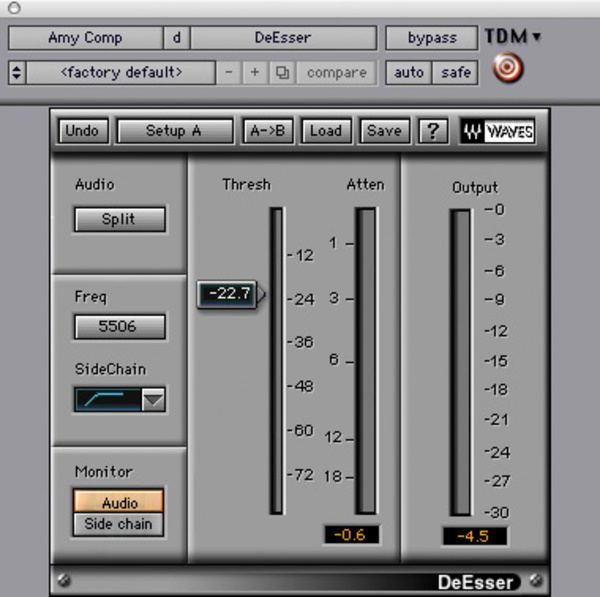
Used for Winehouse's lead vocals on "Rehab", as stated by mix engineer Tom Elmhirst in this August 2007 Sound on Sound interview. An image of the settings can be found here, with the caption "Waves' De-esser was employed on Amy Winehouse's lead vocal to cut sibilance."
Lead vocals
- Urei 1176 blackface compressor, Pultec EQ, Fairchild compressor/limiter, McDSP F2 Filterbank, Waves Q10 Paragraphic EQ, Waves De-esser, Great British Spring reverb, EMT plate reverb.
"I am not a techno snob, I'll use whatever I can to make a great record. Simple as that. I do try to keep compression and EQ analogue, unless it's EQ to notch out specific frequencies, in which case plug-ins are more precise and effective. Amy is a very dynamic singer. She has a lot of bite in her voice, but I wanted it to sound warm and not take your head off. I often use the Renaissance Q10 EQ for radical reductive EQ'ing, and you can see this in the settings I used on Amy's voice. I'm cutting four frequencies by 18dB; in two cases, 465 and 917, with a Q of 100! That's a really heavy notch. At 3107Hz the Q is only 13.7, so that's quite wide. Taking off 18dB here is enormous, but that's what it was.
"There were specific frequencies in Amy's lead voice [the track labelled 'AmC'], that were bugging me. It may be due to hundreds of things, perhaps to do with the microphone that was used on the day. Don't get me wrong, it was not a bad vocal sound, but she does have some hard frequencies in her voice. There are a few tracks on the album that I did not mix [instead they were mixed by Gary 'G Major' Noble], and you can hear on them what she sounds like without the EQ I applied. I also use McDSP's Filterbank F2, probably shelving around 40Hz, and the Waves De-esser cuts around 5506Hz. Amy is not hugely sibilant. The threshold here is 22, which is not that high for me. There would probably be no more than 3dB of de-essing.
"In addition, I was also filtering with a Pultec outboard EQ and on the board as well. The outboard chain on Amy's vocal was Pultec, going into a Urei 1176 blackface compressor, going into a Fairchild compressor. On the Pultec I was probably adding around 12k, just to brighten it up a little bit, adding air. The Urei will have been set with a very fast attack and a super-fast release, doing perhaps 10dB of compression, while the Fairchild will have had a very slow release. I can't quite explain what this does, but in my head the Urei will catch anything that jumps out, while the Fairchild will pick up the slack and keep a more constant hold of the vocal -- ie. smooth things out. During the mix I'll be constantly playing with these two compressors; it's not something I set up and then leave. How hard the signal coming from the Urei hits the Fairchild affects the sound a lot.
"The vocals had a spring reverb which would have been tracked when they recorded Amy, at Chung King Studios in New York. I also recorded an EMT plate on the vocals at Metropolis. You can see both at the bottom of the Edit screen. I spent a lot of time on the vocal, and I would regularly come back to it. Late in the evening of the first day of mixing 'Rehab' I would have the vocal pretty much in the track all the time, and after that I'd constantly be tweaking it a little bit. I don't just do it and leave it. You're getting constantly closer to the final mix, but it's not immediate."


Used for vocals on "Rolling in the Deep" and "Hello", as stated by mix engineer Tom Elhirst in this September 2011 Sound on Sound interview and in this December 21, 2015 SonicScoop interview, respectively. An image of the settings for the latter song can be found here.
Sound on Sound, September 2011, "Tom Elmhirst: Recording Adele 'Rolling In The Deep'"
Vocals: Waves Q6 & De‑esser, Digirack EQIII, Lo‑Fi & Trim, Pultec EQ, Urei 1176, Tube‑Tech CL1B, various spring reverbs and delays.
"I had the Q6 on the chorus vocal, notching out 930, 1634 and 3175 Hz very, very heavily: ‑18dB, ‑18dB and ‑12.1dB respectively, with very narrow Q. I also had the EQIII on the lead‑vocal sub, notching something out again. Something obviously needed to be taken out. The vocal is the most important thing in the track, and taking those frequencies out allowed me to keep it up front in the mix, particularly in the chorus. You can never account for what mic the vocals were recorded on, and whatever it is that bugs me, I can take it out. 'T' on the lead vocal bus is the [Massey] Tapehead plug‑in, which wasn't used, but I did use two Waves De‑essers, one taking out at 5449Hz and the other at 11004Hz. Rather than use one to try to cover all the sibilance I used two. I do that quite often.
"Regarding the outboard, I had the Pultec EQ, Urei 1176 and the Tube‑Tech CL1B on the lead vocal sub insert (desk channel 25). The Pultec boosted around 100Hz and 12k. It's colourful, but not drastic. There was not a lot of gain. The blackface Urei had fast attack and fast release, whereas the Tube‑Tech had slow attack and slow release, it was more evening out the level. You can use compression as an effect, but on the vocal you mainly want control. You want to set it up right so you're not constantly moving the channel fader to fit the vocal in the mix. If you're constantly moving the fader, rather than just doing the occasional ride, you know that you need to look at your compression. There's also Paul's Roland Space Echo track, which I used throughout, and which was the only lead vocal effect in the first chorus. On the backing vocals I had the Digirack Trim, again the Lo‑Fi, and the EQIII, cutting a bit around 405Hz and boosting a little around 3.17k. I used quite a few spring reverbs on the backing vocals, because I wanted them to have a lot more ambience. In the choruses I would also have added several delays. The delays make the backing vocals swing a bit, and they also fill up the space and make sure that they fit in the mix.”
SonicScoop
The chain in LA was the Neve 1066 (Mic pre/3-band EQ) to the Bluestripe UREI 1176 compressor into a Fairchild 660 limiter. I’m taking the multitrack return from Pro Tools to the line amp on the Neve 1066, then straight into the 1176 and 660 and back up the insert return.
The UREI is hitting and releasing quicker, while the Fairchild is doing a much slower attack and release. Here at Electric Lady I use a Neve 1081 into a Blackface 1176 and then into a Tube-Tech CL 1B compressor.
A large part of the vocal sound is the plates and chambers at Capitol Studios: There’s chambers that Les Paul built back in the 1940’s, and they are literally like nothing else on earth. When I got back to NY in September, I mixed five or six songs at Electric Lady, so we’d send the vocals from here and they’d record it through the chamber, and send back the prints.
Once you’ve found the vocal sound for someone like Adele, you want to use it through the whole record, and these plates and chambers sound incredible. To get to them is hard enough: you go in to the basement of Capitol, you then climb through a ladder to get to the sub-basement, where it looks like no one has been for 50 years. You literally open a hatch and climb down a steel ladder.
Have you ever been in a reverb chamber? They’re like tiled rooms, not painted – like Alice in Wonderland rooms, they don’t look right.
There’s a lot of effects going on behind the vocals. There’s an AMS delay, an Eventide preset called “Canyon,” a plate, a spring…You can see the escalation of things. There’s about seven or eight things going on. You get this wide kind of thing, but her vocal remains super-present.
So what’s going on in the box?
There’s no compression processing going on at all, just some de-essing and some little volume draws on the vocals – little dots and dips, but no rides. The rides have been done with automation on the flying faders.


Used for "How to Talk", as stated by mix engineer Kesha Lee in this December 2017 Sound on Sound article.
“The intro track was a voice note Uzi had recorded on his phone, and he played it in the booth on his phone, and we recorded it through the mic like that. It sounded really telephone-y, which we wanted, but I tried to take out some of the highs with the Waves OneKnob. All audio vocal tracks apart from the intro have Antares Auto-Tune as the first plug-in. Uzi hears his Auto-Tuned vocals in his headphones while singing. We used to just have it on default, with a Retune speed of 20, but lately he has been like: ‘Give me more Auto-Tune!’ so now we have the Retune Speed set to anywhere from 12 to 5. The ‘D’ after Auto-Tune is the Waves De-Esser, the ‘Q’ the Avid EQ3 seven-band, and the ‘1’ is the Waves C1 gate. All vocal audio tracks also have sends to the delay and the reverb aux tracks. The delay aux track has the Avid Mod Delay II set to half notes, with feedback at 43 percent, the Waves Renaissance Reverberator, set to ‘Hall 1’ reverb, with the highs cut on the reverb EQ, and the Waves S1 stereo imager. The reverb aux has the Renaissance Reverberator.
“All audio vocal tracks go to the vocal aux track. I had two vocal aux tracks in this session, because I wanted to try something different, using plug-ins I don’t normally use. That’s why one of the aux tracks is muted. The vocal aux track that I did use has the Waves De-Esser acting around 4230Hz, then the EQ3 seven-band which has a high-pass at 96.4Hz, and I’m dipping out muddiness at 200 and 500 Hz. I’m also adding some high end at 6.52kHz. I don’t normally add EQ with the seven-band, but Seth would add some high end on Future’s voice and that worked well, so I tried it here. Next is the Waves Renaissance Compressor, to keep the dynamics in check, and then the Waves SSL E-channel, on which I am again dipping out various frequencies. The latter plug-in is more for colour and character. The Waves CLA-3A is more for the sound, and the RN Digital Detailer made Uzi’s vocals sound fuller and wider.
"The final plug-in in the chain is the Nomad Factory MCL-2269 limiter and compressor, again for the sound and for more volume. We always go for a warm, full, loud, in-your-face vocal sound, also because we like the vocals to be louder than the beat. I always turn the beat down 1-2 dB. There are no plug-ins on the master track, because I used to work for a producer who didn’t want that, as the mix would go to the mastering engineer. So I’m still used to doing it like that. I turn the master volume down anywhere between -7 to -9 dB before it goes to mastering, so they have room to work with.”


Acle uses this in his drum mixing tutorial as listed on his website.


Mentioned by sound engineer Trevor Muzzy in this Sound on Sound interview about the production of "Starships".
"You can see that the pre-chorus and chorus vocals have a lot of timing and comp edits. They were imported directly from the session I cut the vocals in. I did not merge or consolidate them, they just are the way they are. There's quite a lot going on with the vocals. I tried to create a nice basic vocal sound using the inserts, and once they sat well in the track, most of the sonic variations between the sections came from the sends. There was no tuning on the rapping, but the sung vocals in this track had a fair amount of tuning with the Logic Pitch Corrector plug-in on the inserts. The tuning is part of the sound of the record, with vocals needing to be very, very precise. In some cases, we pitched them up or down for vocal effects. Logic Pitch Corrector is a little harder-sounding than Auto-Tune, but it has its own distinct sound that we liked for the vocals in this track. It really fits the song.
"The other inserts on most of the vocals were all Waves: the C1 compressor, SSL Channel, Renaissance Channel, De-Esser, Renaissance Compressor, API 2500, and the Logic Channel EQ. The C1 compressor is the first in line on several lead vocals, and it does the same Pensado trick I used on the guitars, which is to compress a specific band — in the case of the verse lead vocal, around 2849Hz — focusing on notes that sounded a little harsh. It smooths this problem out more elegantly than using an EQ. Then the signal goes through the R Channel with some basic EQ, cutting significantly at 281Hz. Again, it was a matter of removing some less pleasant things to let the nice aspects shine. I bypassed the compressor in the R Channel. I needed a bit of de-essing, and the Waves De-Esser is a great all-purpose de-esser, in this case working at 5634Hz with the side-chain set to high-pass.
"There were two more compressors on her vocal. There was no science behind this, it was just a matter of experimenting to find a unique sound. The first is the Renaissance Compressor, which I love and which is set to a fast attack time and takes off about 6dB, so quite subtle, not too intense. The API 2500 is set pretty aggressively and you can hear it pumping a little bit on the vocal. It was already in the session — it had been used on the demo vocal. I pulled it over to Nicki's channel and liked what it was doing, so I adjusted it to fit her vocal. Finally, the Channel EQ notches quite a lot around 600Hz and a little bit more around 235Hz, just carving out some low-mids to make the vocal sit better in the track.
"Regarding the sends, there are some really distinct things happening here. The main lead vocal was similar throughout the song, but I tweaked it as it went along. The pre-chorus and chorus vocals all have Bus 1, which went to the same Altiverb effect that I had on the drums, to add some ambience to the vocal. The rap verses are much drier. Bus 35 is the Waves Doubler, which gives a bit of spread to the lead vocal — I used this on the rap as well as on the sung vocals. Bus 4 is the Waves CLA with a drastic telephone effect. That was another effect that was there from the demo version and added a cool quality. Bus 50 is the [Sound Toys] Echo Boy, which is the main plug-in I use for delay throws, whenever I want to repeat a word. In this case it's on a quarter-note Echoplex setting. It's a single, mono echo that I panned a little bit to the side. Bus 7 has the Waves VX1 Maserati Vocal Enhancer, and that was, again, a plug-in I inherited. It is set to a very compressed, bright vocal sound that I brought in and out to add some sparkle to the sound when necessary.
"Bus 6 has the main reverb in the track, which you are hearing in the pre-chorus and chorus, and which is a Lexicon Plate plug-in on the 'VocalPlate2' preset. It's a really bright, over-the-top plate sound that is not trying to blend in but that's actually brightening the vocal up a lot. It's loud and wet. Busses 16 and 29 are different stereo delays: the Waves SuperTap was already in the session and I kept it, and the other is a standard Logic stereo delay that I use all the time on vocals. Bus 3 is the Logic Bitcrusher, which gives the vocals a grainy sound. The vocals already had an aggressive sonic quality to them because of the 251-TG2-1176 chain, and the Bitcrusher enhanced that. It's nasty, there's nothing nice about a bit-crusher, and it adds a bit of attitude. I used it on some of the background vocals as well, like in the second verse, where you have the pitch effects. You can hear it in the very processed harmony vocals that come in. That was something we added when we were doing the final vocal comp and arrangement. It gave that second verse some more life and helped the track build. The background vocals are a very big part of the hook vocal sound as well, and, for example, track 140 has many effects on it. That actually contains the vocals of the demo singers. Nicki's lead and background vocals are dominant, but in the chorus the background vocals from Mohombi and Wayne Hector added to the crowd feeling. The chorus vocals are really big in this track, and they were part of that.”


Used on SZA's vocals for "All the Stars", as stated by producer Matt Schaeffer in this May 2018 Sound on Sound interview. An image of the settings can be found here and here.
There are 12 SZA vocal audio tracks in total: two for the main hook, one second verse lead track, and nine verse backing tracks, which in fact provide emphasis and overdubs of single words. All SZA audio tracks have the Antares Auto?Tune 8.1 plug-in, the two hook tracks each also have the FabFilter Pro?Q2 equaliser, and the main SZA verse track also has a de-esser, while the backing vocals have two instances of the Waves RVerb and one of the same company’s H-Delay. Apart from Auto?Tune, most of the processing is done on the ‘SZA ?’ aux, to which all SZA audio tracks are sent.
Schaeffer: “The inserts of the sum track for SZA’s vocals consist of the EQ3 seven-band, Waves RComp, UAD Pultec EQP1A, UAD 1176E, Waves De-Esser, UAD LA2A, another Waves De-Esser, the Pro?Q2, yet another Waves De-Esser and the SoundToys MicroShift. The De-Essers affect 11400Hz, 15032Hz and 2000Hz respectively. I like stacking de-essers set to different frequencies. It works like narrow multiband compression. Sometimes I will in fact use a multiband compressor, like the Waves C4, but if the vocals have very specific harsh frequencies, I prefer to use several de-essers. They also are helpful as I like boosting high frequencies in vocals; here, the EQP1A boosts 16kHz. The EQ3 has a high-pass at 216Hz and cuts at 695Hz, and the Q2 lowers the high end to some degree. When a frequency bothers me, I usually sweep through [with a band set temporarily to boost] to find the frequency and then I cut. The MicroShift provides a little extra width and a slight ambience with the delay parameter, without actually making the vocal sound too stereo.
“The sends go to auxes called ‘SZA Verb’ and ‘DVerb’, both of which have the DVerb and EQ3 seven-band, two ‘SZA Delays’ with the Waves H-Delay, and the ‘SZA Chamber’, which has the Waves RVerb and again the EQ3 seven-band. I put an EQ after the reverb, because I don’t like too much low end in reverb. You get a cleaner sound by taking it out, and you make space for actual instruments to take up that spectrum. The delays are both set to eighth note, and one of them is set to ping-pong delay and also is automated to only come in on certain places.”


In this video at 9:03 we can see Waves DeEsser Plugin


Used for vocals on "Sum 2 Prove", as stated by mix engineer Tillie in this June 2020 Sound on Sound interview. An image of the settings can be found here.
"All Lil Baby's vocals go through an aux track," says Tillie, "on which I have the Waves DeEsser, Avid EQ3 7-band, Waves SSL Channel and Compressor, Waves RCompressor, UAD J37 and the FabFilter Pro‑DS de-esser. There are two sends to reverb aux tracks and one to a half–note delay. The Waves DeEsser is there because I felt the vocal was too bright. The EQ3 has a pretty involved curve, with a low cut at 69.8Hz, notches at 184.7Hz and 425.2Hz, and me adding at 2kHz and high end at 5.37kHz, because I wanted some more presence. The SSL Compressor is not doing much, it's just there for vibe. I do the actual compression with the RCompressor.
"The J37 adds analogue vibe — it's one of my favourite plug–ins on vocals. It really brings them to life. I did all the heavy lifting with the first de-esser, and the Pro‑DS is just to catch anything that's the result of the EQ curve that I added. There's also a Vocal Parallel aux with the Softube Tube‑Tech CL‑1B to add more body and a bit of beef. I think that compressor just makes everything sound better. It gives you a different tonal character.
"The first send goes to the Verb aux track, which has the DVerb, set to a Large Hall, and an EQ3 7-band, taking out low end below 100Hz. The second send goes to the Verb 2 aux, with the Waves RVerb, the Waves REQ, again rolling off low end, and the Waves S1 Stereo Imager. I use the Imager on my reverbs probably 75 percent of the time. My style of mixing is very wide, so I tend to spread out my instruments and my effects, and I place things in different places in the stereo mix. I always like to add width and depth, so you can feel things and they are not necessarily right up in your face. But I leave the vocals to be the centre point of the mix."



Used for the vocals on "Intro", as stated by Kirk mix engineer Kevin "Black Pearl" McCloskey in this December 2019 Sound on Sound interview. An image of the settings can be found here.
"Typically, my processing on vocals here is EQ-compression, EQ-compression, EQ-compression and so on. When vocals are recorded well, I don't have to do that, but in this case, because of the hotel room sound, I had to do many corrections. Because speed was of the essence, I just added more plug-ins as I encountered issues — I did not have the time to go into settings of plug-ins already there. The plug-ins on the vocal busses, with a number of variations, start with the Waves DeEsser, and then the UAD SSL-E Channel strip, thinning things out, and the Waves CLA76 knocking off 3dB to flatten peaks, as they did not track with a compressor. I also use the Avid EQ7, and the Waves MV2 compressor, which acts more like an expander."
Album Usage
The Waves DeEsser has been featured on the following albums:

Ex Machina
Metrik (2020)

Sum 2 Prove
Lil Baby (2020)
Echoes
Ben Duffy & Kove (2019)
KIRK
DaBaby (2019)
How Does It Feel
M-22 (2018)
All The Stars (with SZA)
Kendrick Lamar & SZA (2018)

Bodak Yellow (feat. Kodak Black)
Cardi B & Kodak Black (2017)

Lost In You
Eddie Thoneick & Erick Morillo (2016)

Take Me Home
Thomas Gold (2015)
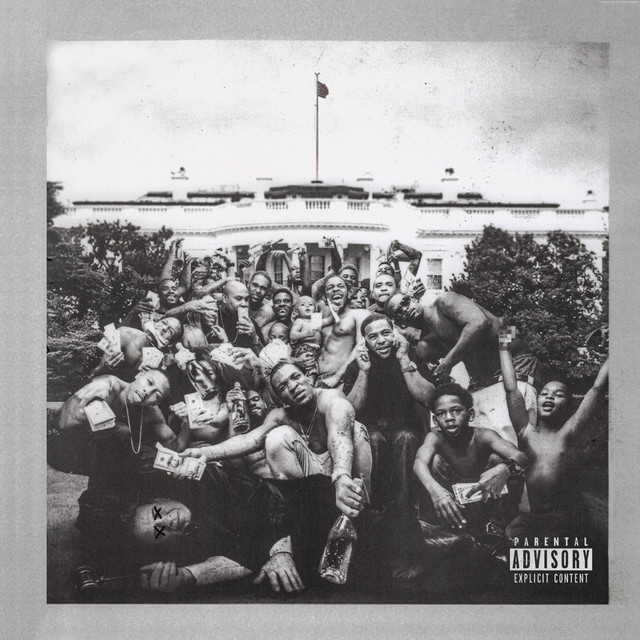
To Pimp A Butterfly
Kendrick Lamar (2015)

Rehab (Remixes & B Sides)
Amy Winehouse (2015)

Purpose (Deluxe)
Justin Bieber (2015)

Another Country
Rod Stewart (2015)
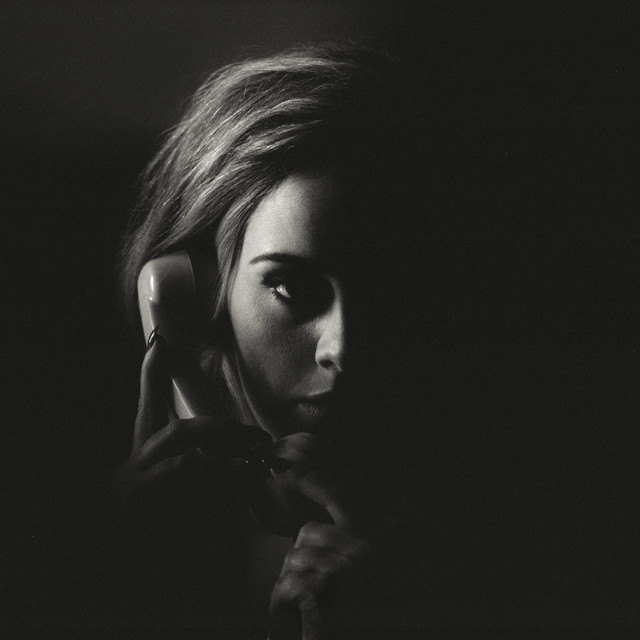
Hello
Adele (2015)
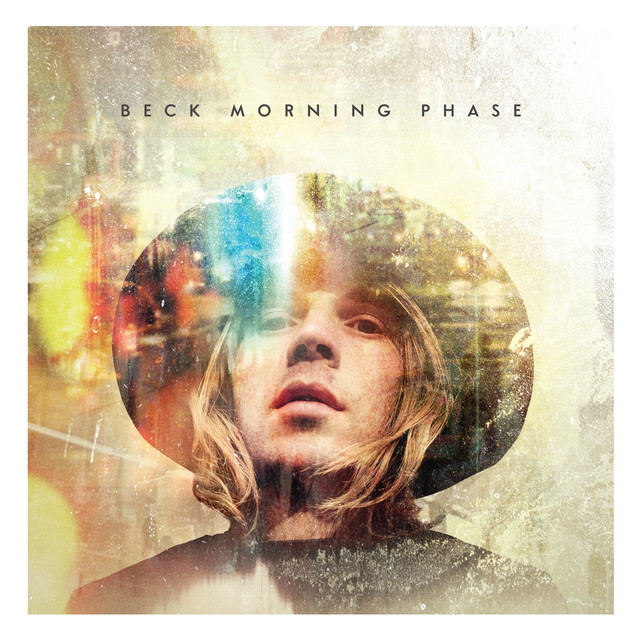
Morning Phase
Beck (2014)

Against All Odds
Dyro (2014)

Happy (Oktoberfest Mix)
Pharrell Williams (2014)
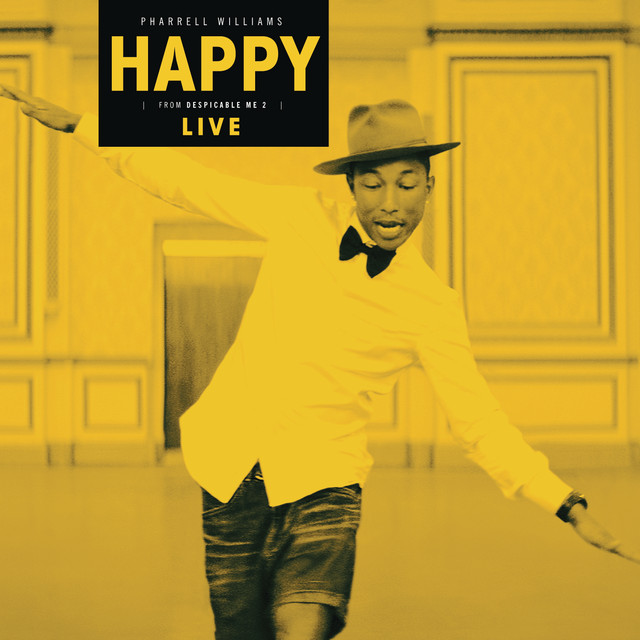
Happy (Live)
Pharrell Williams (2014)
Rolling in the Deep
Adele (2011)

Headlines
Drake (2011)
Genre Usage
Based on how artists on Equipboard use this gear, it is most commonly found in the following genres.
Used With
Based on how musicians on Equipboard use Waves DeEsser, it is most commonly used with the following gear.

-s.webp?v=1783229810)


-s.webp?v=1783173639)

More Waves De-Esser Plugins

$33.00 - $34.99
in De-Esser Plugins Rank


$29.99 - $34.99
in De-Esser Plugins Rank


$144.00 - $199.00
in De-Esser Plugins Rank


$57.00 - $216.00
in De-Esser Plugins Rank


$14.99 - $149.00
in De-Esser Plugins Rank

$23.90 - $40.00
in De-Esser Plugins Rank


$99.00
in De-Esser Plugins Rank


$18.30 - $89.00
in De-Esser Plugins Rank

$96.00 - $99.00
in De-Esser Plugins Rank

$79.00
in De-Esser Plugins Rank


$59.00 - $129.00
in De-Esser Plugins Rank


in De-Esser Plugins Rank

$47.00 - $100.00
in De-Esser Plugins Rank

$0.00
in De-Esser Plugins Rank


$49.00 - $89.99
in De-Esser Plugins Rank


$199.00
in De-Esser Plugins Rank


Accessories & Related Items


-s.webp?v=1783173726)
-s.webp?v=1783173736)


-s.webp?v=1783173699)


Community setups


Similar


Most Popular De-Esser Plugins
Most Popular Brands
-
Added to Equipboard on by
 equipboard
Gear IQ 4934
-