This page about Digidesign Icon D-control is a stub. You can help improve it:


Pricing and availability




* Product prices and availability are updated by Equipboard every 24hrs and are subject to change. Equipboard may receive compensation for purchases made at participating retailers linked on this site. This compensation does not affect what products or prices are displayed, or the order of prices listed. For more information, please refer to our affiliate disclosure.
Description
In a world where seamless integration with your digital audio workstation is paramount, the Digidesign Icon D-control stands as a revolutionary DAW controller. Designed for the professional studio environment, it offers unparalleled control and flexibility, bridging the gap between traditional and modern recording paradigms. The D-Control's ergonomic layout ensures that the user experience remains intuitive, reducing the need for constant paging and allowing you to focus on the creative process.
At the heart of the D-Control is its tactile worksurface, featuring a Master Module complemented by a 16-channel Fader Module. This setup can be expanded to accommodate up to 80 physical faders, providing scalability for any studio size. The high-quality, touch-sensitive motorized faders and comprehensive control sections for EQ and dynamics plug-in editing make this controller a powerhouse for any audio engineer.
Visual feedback is a standout feature, with an abundance of LCD displays, LED rings, and bargraphs keeping you informed at a glance. The XMON Monitor System further extends the D-Control's capabilities, offering remote, rack-mounted I/O audio monitoring and communications that can handle complex multi-channel mixes with ease. With its high-speed Ethernet connection to Pro Tools and versatile monitor/communications control section, the Digidesign Icon D-control is a must-have for any serious audio production setup.
Key Features:
- Expandable control surface supporting up to 80 physical faders with optional 16-channel Fader Modules
- Ergonomic design with minimal paging and abundant visual feedback
- High-quality, touch-sensitive motorized faders
- Comprehensive control sections for EQ and dynamics plug-in editing
- XMON Monitor System for advanced monitoring and communication capabilities
- High-speed Ethernet connection to Pro Tools | HD Accel DSP mixing core
Videos

Hauskaz
Vegas Mode and Other Diagnostics on a Digidesign ICON D-Control
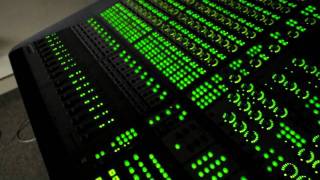
Vegas Mode and Other Diagnostics on a Digidesign ICON D-Control
Hauskaz
Reviews
Owner Insights
We analyzed real musician discussions from forums and Reddit to find what players love, question, and tweak about Digidesign Icon D-control.
Software and compatibility
-
The Digidesign Icon D-Control requires setup under "peripherals/Ethernet" as it uses an older Digidesign protocol, not Eucon, which affects compatibility with newer Pro Tools versions.
Source -
Neyrinck offers a $300 software that allows the D-Command to be recognized as a HUI protocol device under new Pro Tools versions.
Source -
The D-Control can run via Rosetta on M-series Macs but won't work natively, requiring Pro Tools to operate in Rosetta mode.
Source -
Eucon 2022.12 works on macOS Mojave, but does not display softkey options in the Eucontrol GUI, indicating partial functionality.
Source
Setup and maintenance
-
Proper connection of the D-Control often involves configuring through the Mac's main network settings, highlighting potential setup complexities.
Source -
Users have found stability running Pro Tools 2022.12 on macOS Mojave with the D-Control, highlighting the risk of losing compatibility when upgrading the OS.
Source
Critic Reviews
Based on 0 Reviews and 0 Ratings
Artist usage
Add artist

Album Usage
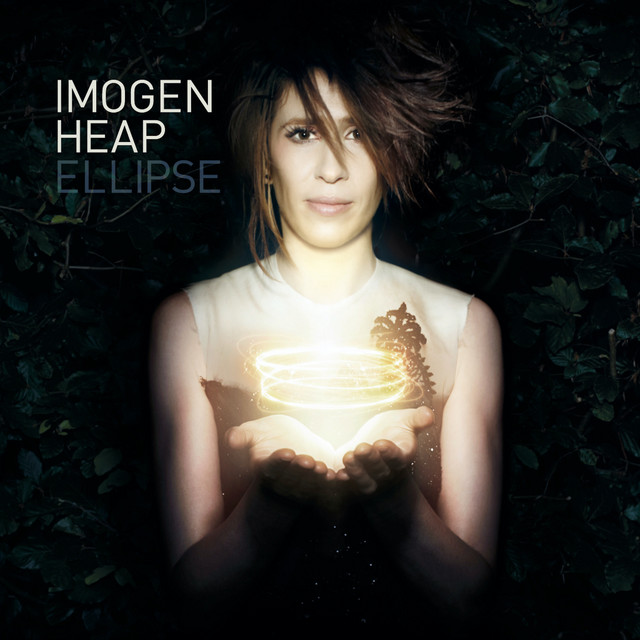
The Digidesign Icon D-control has been featured on the following albums:
Genre Usage
Based on how artists on Equipboard use this gear, it is most commonly found in the following genres.
Used With
Based on how musicians on Equipboard use Digidesign Icon D-control, it is most commonly used with the following gear.
-s.webp?v=1784622696)
More Digidesign DAW Controllers

$65.62 - $798.00
in DAW Controllers Rank


$140.54
in DAW Controllers Rank


$100.00
in DAW Controllers Rank


$133.00 - $240.00
in DAW Controllers Rank


$182.00 - $277.00
in DAW Controllers Rank


$53.00 - $119.99
in DAW Controllers Rank


$249.00 - $499.00
in DAW Controllers Rank


$80.00
in DAW Controllers Rank


$34.00 - $209.99
in DAW Controllers Rank


$285.00 - $419.00
in DAW Controllers Rank


$182.55 - $599.99
in DAW Controllers Rank


$1,045.00 - $1,399.99
in DAW Controllers Rank


$76.40 - $109.00
in DAW Controllers Rank


$57.00 - $1,299.99
in DAW Controllers Rank


in DAW Controllers Rank


$74.00
in DAW Controllers Rank


$99.00 - $229.00
in DAW Controllers Rank


$699.99 - $839.99
in DAW Controllers Rank


$169.00 - $209.99
in DAW Controllers Rank


$229.86 - $524.99
in DAW Controllers Rank


$1,295.00 - $1,495.00
in DAW Controllers Rank


$995.00 - $1,195.00
in DAW Controllers Rank


$79.95 - $109.00
in DAW Controllers Rank


$122.00 - $189.00
in DAW Controllers Rank


$579.73 - $799.99
in DAW Controllers Rank

$161.07 - $349.99
in DAW Controllers Rank

$185.23
in DAW Controllers Rank


$125.00
in DAW Controllers Rank


$48.00 - $70.90
in DAW Controllers Rank


$1,191.76
in DAW Controllers Rank


$635.00 - $999.99
in DAW Controllers Rank


$333.00 - $399.99
in DAW Controllers Rank

$129.00 - $169.99
in DAW Controllers Rank

$995.00 - $1,195.00
in DAW Controllers Rank

$544.00 - $699.99
in DAW Controllers Rank

$140.00
in DAW Controllers Rank


$1,191.76
in DAW Controllers Rank


$199.00 - $409.00
in DAW Controllers Rank

$379.38 - $699.00
in DAW Controllers Rank


$249.00 - $469.90
in DAW Controllers Rank
Accessories & Related Items


Community setups


Similar


Most Popular DAW Controllers
Most Popular Brands
-
Added to Equipboard on by
 jonas_nilsson
GearIQ 120
-


