

Pricing and availability
We compare 600+ stores and found this item at 7 stores. Prices updated .
Store
Reviews
Price









Price History
Based on price data from 4 merchants for "Behringer X-Touch Mini". Prices shown reflect NEW condition. Tracking began Apr 2, 2026.
* Product prices and availability are updated by Equipboard every 24hrs and are subject to change. Equipboard may receive compensation for purchases made at participating retailers linked on this site. This compensation does not affect what products or prices are displayed, or the order of prices listed. For more information, please refer to our affiliate disclosure.
Description
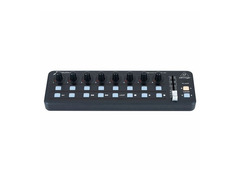
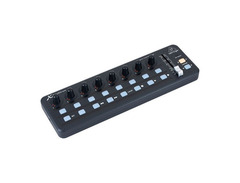
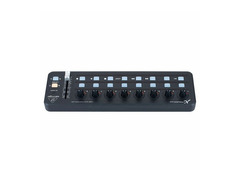
The Behringer X-Touch Mini is your gateway to seamless DAW control without the clutter. Perfect for the musician on the go, this ultra-compact USB control surface is packed with all the essential features to elevate your music production. Its intuitive design offers immediate, tactile access to your DAW and instruments, enabling you to break free from your mouse and dive into a hands-on mixing experience. Whether you’re crafting beats in your home studio or performing live on stage, the X-Touch Mini provides a robust solution for swift and precise control.
With Mackie Control emulation, you can interface with virtually any major DAW effortlessly. The X-Touch Mini offers dual-layer mode, allowing you to switch between controlling different applications or setups in the blink of an eye. All this wrapped in a sleek, bus-powered design that requires no messy power adapters. Simply plug it into your Mac or PC, and you’re ready to go.
Key Features:
- 8 rotary potentiometers with LED collars for easy parameter adjustments
- 60 mm master fader for precise control
- 16 illuminated buttons for transport and other essential functions
- Dual Layer mode with 25 control elements each, enabling quick app switching
- Mackie Control Mode for seamless DAW integration
- No drivers required for Mac/PC (USB class compliant)
- USB bus-powered for ultimate portability
Product specs
| Type | General |
| Faders | 1 x 60mm (Slider) |
| Encoders/Pots | 8 |
| Computer Connectivity | USB |
| MIDI I/O | via USB |
| Compatibility | Mackie Control Mode |
FAQs
-
How does the Behringer X-Touch Mini connect to a computer?
-
The Behringer X-Touch Mini connects to a computer via USB, providing seamless integration with your digital audio workstation (DAW).
-
Is the Behringer X-Touch Mini compatible with all DAWs?
-
The Behringer X-Touch Mini is compatible with most DAWs that support Mackie Control Mode, allowing for versatile use across various software platforms.
-
What are the primary controls available on the Behringer X-Touch Mini?
-
The Behringer X-Touch Mini features 8 rotary encoders, a 60mm fader, and several buttons, providing comprehensive control over your DAW functions.
-
Can the Behringer X-Touch Mini be used for live performances?
-
Yes, the Behringer X-Touch Mini's compact design and USB connectivity make it suitable for both studio use and live performances.
-
Does the Behringer X-Touch Mini require external power?
-
No, the Behringer X-Touch Mini is powered via USB, eliminating the need for an external power supply.
Videos

Work From Hype
This Desk Gadget is CHEAP and has 8 KNOBS?
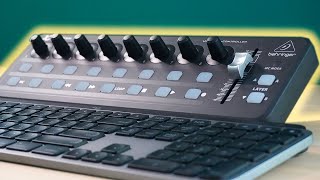
This Desk Gadget is CHEAP and has 8 KNOBS?
Work From Hype
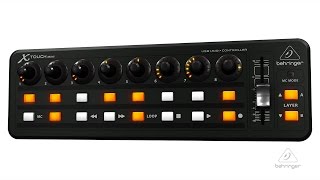
X-TOUCH MINI Compact Universal USB Controller

Behringer
TUTORIAL: Behringer X-Touch Mini & Ableton Live

SOTO-ARTE
Behringer X-Touch Mini Review!(2019)

John Mike
Behringer X-Touch Mini Overview - Sweetwater at Winter NAMM 2014

Sweetwater
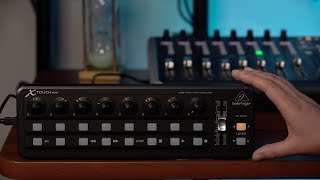
X-TOUCH MINI Control Surface Overview
Behringer
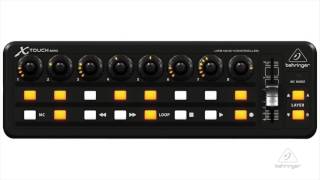
Behringer X-TOUCH MINI Compact USB Controller Overview | Full Compass

Full Compass
![Video thumbnail for ISE 2014: Behringer Presents the X Touch Mini, Its Ultra-Compact Universal USB Controller by rAVe [PUBS]](https://img.youtube.com/vi/_vyaH1MFvdk/mqdefault.jpg)
ISE 2014: Behringer Presents the X Touch Mini, Its Ultra-Compact Universal USB Controller
![rAVe [PUBS]](https://yt3.ggpht.com/ytc/AIdro_ncLnvzT4O7Ugyzm3AznmXNexjTjGX6Ci8oCjen_TTyPjk=s88-c-k-c0x00ffffff-no-rj)
rAVe [PUBS]
Reviews
PROS
-
Versatile across DAWs, lighting rigs, and external MIDI gear
-
Easy setup with custom MIDI mappings
-
LED-collar pots enhance control visibility
-
Able to switch between Mackie and User modes externally
-
Supports complex setups with re-assignable A/B layers
-
Compact and portable, suitable for live performance and studio
-
Programmable pots, buttons, and fader for tailored control
-
Affordable compared to similar controllers
CONS
-
Windows-only software for User A/B layers re-assignment
-
Limited scalability in MC mode for multi-track control in live setups
-
LED lights underperform when not connected via Mackie Control
Owner Insights
We analyzed real musician discussions from forums and Reddit to find what players love, question, and tweak about Behringer X-Touch Mini.
Software and compatibility
-
PrControl by Peltmade is required to fully utilize Behringer X-Touch Mini with Premiere Pro, enabling encoder functions like shuttle and jog.
Source -
PrControl integrates directly with Premiere's control surface settings, simplifying mapping of commands to the X-Touch Mini's knobs and buttons.
Source -
It's been noted that the X-Touch Mini often requires configuration tricks, such as entering MC mode, to resolve issues with MIDI2LR not recognizing the device.
Source
Features and functionality
-
Rotary encoders can be assigned to various tasks like audio levels, pan, and color correction parameters within Premiere Pro using PrControl.
Source -
The X-Touch Mini features two modes: standard mode for display control and MC mode for software integration, which is crucial for functionality with certain software like Lightroom.
Source
Use cases and applications
-
The X-Touch Mini is praised for enhancing tactile control over audio mixing and color correction in Premiere Pro, offering a more hands-on editing experience.
Source
User experience
-
Users found that audio faders in Premiere's "clip mixer mode" only move during playback, while "track mixer mode" allows faders to move even when paused.
Source
Other
-
Concerns exist about the PrControl website's credibility, though users report effective support and functionality.
Source
Comparisons
-
Alternatives like Loupedeck and Tourbox offer native Premiere support but are noted for higher costs and potential product line changes.
Source
3.5 out of 5
Based on 1 Review and 4 Ratings

182
Disappointing quality but works
Knobs and fader are quite wobbly. They feel like loose teeth. Knobs also turn with little steps and not smoothly which makes finer adjustments tough. But not impossible because the slower you turn the knobs, the finer the adjustment on your computer, which is also weird to get used to.
Also important to note, the editor software for the controller is an .exe file which doesn't run on Mac and I was looking forward to changing the knob light settings.
Otherwise decent product. Buttons feel nice and the position indicator lights around the knobs are a useful feature that I wish more controllers implemented. Works as a midi controller so could be a okay option if you get a good deal on it. But I got it for $30 off and I'm still returning it.
Artist usage
Add artist

can be seen in this post from February 26, 2023


Genre Usage
Based on how artists on Equipboard use this gear, it is most commonly found in the following genres.
Similar
Add recommendation1 alternative for Behringer X-Touch Mini, curated by the Equipboard community.

$249.00 - $469.90
More Behringer DAW Controllers

$285.00 - $419.00
in DAW Controllers Rank


in DAW Controllers Rank


$122.00 - $189.00
in DAW Controllers Rank


$110.00
in DAW Controllers Rank


$199.00 - $409.00
in DAW Controllers Rank
$249.00 - $469.90
in DAW Controllers Rank



$133.00 - $240.00
in DAW Controllers Rank


$182.00 - $277.00
in DAW Controllers Rank


$52.00 - $119.99
in DAW Controllers Rank


$249.00 - $499.00
in DAW Controllers Rank


$80.00
in DAW Controllers Rank


$34.07 - $199.99
in DAW Controllers Rank


$183.15 - $599.99
in DAW Controllers Rank


$1,045.00 - $1,399.99
in DAW Controllers Rank


$76.40 - $109.00
in DAW Controllers Rank


$57.00 - $1,299.99
in DAW Controllers Rank


$74.00
in DAW Controllers Rank


$99.00 - $229.00
in DAW Controllers Rank


$699.99 - $839.99
in DAW Controllers Rank


$169.00 - $209.99
in DAW Controllers Rank


$229.78 - $524.99
in DAW Controllers Rank


$1,295.00 - $1,495.00
in DAW Controllers Rank


$995.00 - $1,195.00
in DAW Controllers Rank


$79.95 - $109.00
in DAW Controllers Rank


$582.22 - $799.99
in DAW Controllers Rank

$161.41 - $349.99
in DAW Controllers Rank

$185.16
in DAW Controllers Rank


$1,191.76
in DAW Controllers Rank


$635.00 - $999.99
in DAW Controllers Rank


$333.00 - $399.99
in DAW Controllers Rank

$129.00 - $169.99
in DAW Controllers Rank

$995.00 - $1,195.00
in DAW Controllers Rank

$544.00 - $699.99
in DAW Controllers Rank

$140.00
in DAW Controllers Rank


$1,191.76
in DAW Controllers Rank


Accessories & Related Items




Community setups


Most Popular DAW Controllers
Most Popular Brands
-
Added to Equipboard on by
 digital_steve
GearIQ 695
-


