


Pricing and availability
We compare 600+ stores and found this item at 8 stores. Prices updated .
Store
Reviews
Price








Price History
Based on price data from 3 merchants for "Akai Professional Fire". Prices shown reflect NEW condition. Tracking began Apr 2, 2026.
* Product prices and availability are updated by Equipboard every 24hrs and are subject to change. Equipboard may receive compensation for purchases made at participating retailers linked on this site. This compensation does not affect what products or prices are displayed, or the order of prices listed. For more information, please refer to our affiliate disclosure.
Description
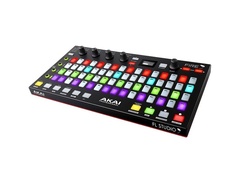
Introducing the Akai Professional Fire, a dedicated hardware controller tailored for the FL Studio DAW platform. This high-performance tool, designed in collaboration with Image-Line, is intended to enrich the music production experience of FL Studio enthusiasts. The Fire facilitates seamless plug-and-play integration, empowering you to build tracks and create patterns using a 4x16 matrix in mere seconds.
The Fire effortlessly navigates through the Channel Rack, Browser, Tool Bar, and Playlist menus, eliminating the need for a mouse. Courtesy of its graphical OLED display, you can browse and manage various files, menus, and parameters within your FL Studio session with ease. The dedicated transport buttons ensure you have full control over your music.
When in Performance mode, the Fire blurs the lines between controller and instrument, enabling you to play and record notes in real-time with the velocity-sensitive RGB pads. Fire can accommodate up to four units simultaneously, creating an unparalleled 8x32 matrix for the ultimate musical experience. Compatible with both PC and MAC, the Akai Professional Fire is the ideal tool for FL Studio users craving a powerful studio and stage instrument.
Key Features:
- Plug-and-play integration with FL Studio
- 4x16 matrix for creating patterns and building tracks
- Graphical OLED display for easy browsing and control
- Dedicated transport buttons for full control over music
- Velocity-sensitive RGB pads for playing and recording notes in real-time
- Capability to connect up to four units at once
- Compatibility with both PC and MAC
- Enhanced workflow for music production with FL Studio
- Comes with FL Studio Fruity Fire Edition software for a high-powered workflow.
Product specs
| Brand | Akai |
| Model | Fire Controller for FL Studio |
| Finish | Black |
| Year | 2010s |
| Categories | Pad MIDI Controllers |
| MIDI I/O | USB MIDI |
| Number of Pads | 64 Pads |
FAQs
-
Is the Akai Professional Fire compatible with DAWs other than FL Studio?
-
While the Akai Professional Fire is primarily designed for use with FL Studio, it can be used with other DAWs, but functionality may be limited. Users may need to configure MIDI settings manually for optimal integration.
-
Does the Akai Professional Fire include FL Studio software?
-
Yes, the Akai Professional Fire comes with the FL Studio Fruity Fire Edition software, providing a complete music production environment.
-
How many pads does the Akai Professional Fire have?
-
The Akai Professional Fire features 64 RGB pads, offering a versatile grid for triggering samples, loops, and controlling various parameters within FL Studio.
-
What kind of connectivity does the Akai Professional Fire offer?
-
The Akai Professional Fire connects via USB MIDI, making it easy to integrate with your computer and compatible software.
-
Can the Akai Professional Fire be used for live performances?
-
Yes, the Akai Professional Fire is well-suited for live performances, offering real-time control over FL Studio projects with its responsive pad matrix and intuitive layout.
Videos

In The Mix
AKAI FIRE Complete Overview Tutorial
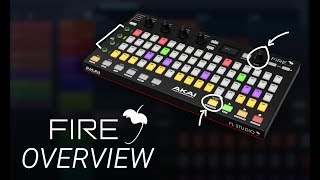
AKAI FIRE Complete Overview Tutorial
In The Mix
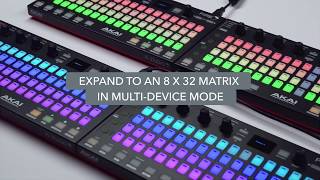
Introducing the Akai Fire

AkaiProVideo
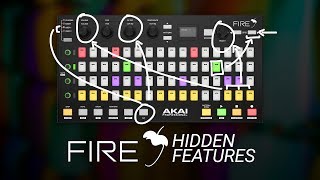
AKAI FIRE - 10 Tips, Tricks and Hidden Features,
In The Mix
Is This Thing Even Worth it? | AKAI FIRE

Busy Works Beats
Akai Professional Fire Grid Controller for FL Studio Demo

Sweetwater

5 Reasons You Need The Akai Fire FL Studio Controller

PMTVUK

Introducing Akai Fire: Overview
AkaiProVideo
Akai Professional Fire Sound Demo (no talking)

Bonedo Synthesizers
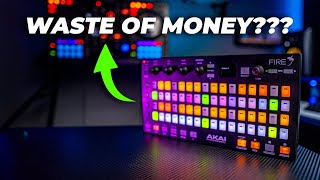
Is The AKAI FIRE Worth it?

Thozi
Reviews
PROS
-
Designed specifically for FL Studio, offering seamless integration
-
Features like step editor, scale options, and slice-x mode enhance plugin-free control
-
Easy to set up in the MIDI section of FL Studio
-
Sturdy construction, durable for frequent use
-
Facilitates faster music production with intuitive controls
-
Versatile control with step sequencer and customizable user modes
-
Compatible with Ableton through Crossfire plugin, expanding its usability
-
Encourages quick recording/sequencing and configuring of FL Studio
CONS
-
Not compatible with M1 Macs without using Rosetta
-
Aimed more towards beginners, may not offer much for experts with deep music theory knowledge
-
Pads can be small and unresponsive, especially in note mode
-
Some users find it doesn't significantly speed up workflow
-
Reported issues with device stopping to work, requiring frequent MIDI device refreshes
Owner Insights
We analyzed real musician discussions from forums and Reddit to find what players love, question, and tweak about Akai Professional Fire.
Features and functionality
-
The Akai Fire's step sequencer is praised for ease of use, especially with a knob for channel scrolling, enhancing workflow compared to using a mouse.
Source -
The omni-mode is highlighted for its ability to play multiple channel rack instruments directly, adding versatility to the controller.
Source -
Some users feel the Akai Fire's pads lack sufficient velocity sensitivity, impacting expressiveness during play.
Source
Use cases and applications
-
It’s particularly useful for sketching chord progressions/melodies, especially for those who aren't proficient keyboard players due to intuitive scale locking controls.
Source -
Owners suggest trying the Fire from a store with a good return policy to test its impact on workflow before committing.
Source -
The Akai Fire is often used as a secondary device in hybrid setups, rather than the main controller, due to its compact size and ease of use for drum pattern experimentation.
Source
User experience
Value and pricing
-
The Fire is considered worth its price for those preferring hands-on control over mouse-based production, though it may not drastically change workflow.
Source
Software and compatibility
-
DrivenByMoss integration with DAWs like Reaper and Bitwig significantly enhances the Akai Fire's functionality, making music creation intuitive and enjoyable.
Source
Critic Reviews
4.0 out of 5
Based on 4 Reviews and 17 Ratings

131
Awesome controller
No need to buy new. Got mine on facebook marketplace for $50. At this price it’s an insane value. There are a few FL Studio scripts that make it even more effective as a controller. Highly recommended.
Not sure why the cons state that Rosetta is required in an M1 Mac. I don’t think this is the case, any longer.

924
best fl studio controller
for a while i was using the maschine jam to do pretty much what this does but now i have the maschine jam up for sale. this controls fl studio almost like an ableton push controls ableton allowing for seriously quick recording/sequencing and general configuring of fl studio

220
Not bad
I never seem to really use this piece of hardware. It's a good idea but i don't think it makes things faster or easier.

102
Paperweight
The thing just stopped working. Every time I plug it in and refreshing MIDI deceives and constantly checking on Windows's deceive manager, all I get is the RGB light show. And yes I always update every FL Studio version...

27237
What a disappointment. Sorry to hear this. What does Akai's Support Team say?
Artist usage
Add artist

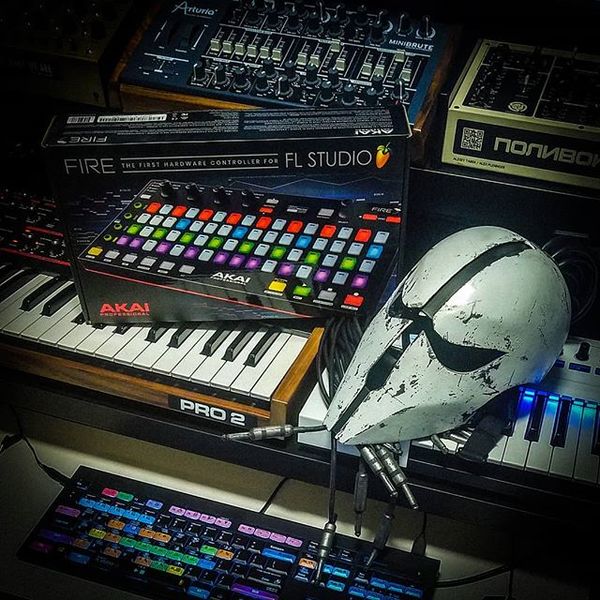
In this video we see k 391 making a beat using the akai fire.

Genre Usage
Based on how artists on Equipboard use this gear, it is most commonly found in the following genres.
Used With
Based on how musicians on Equipboard use Akai Professional Fire, it is most commonly used with the following gear.





Community setups
Show yours
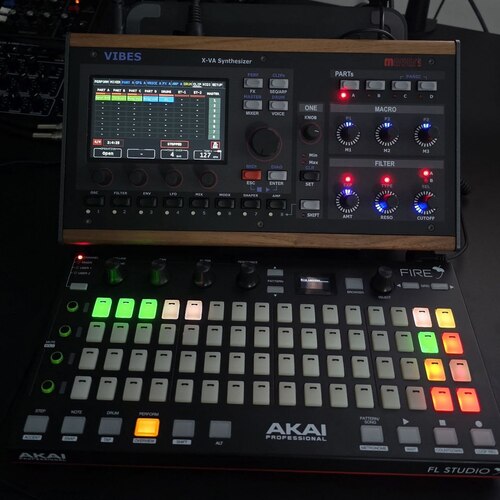

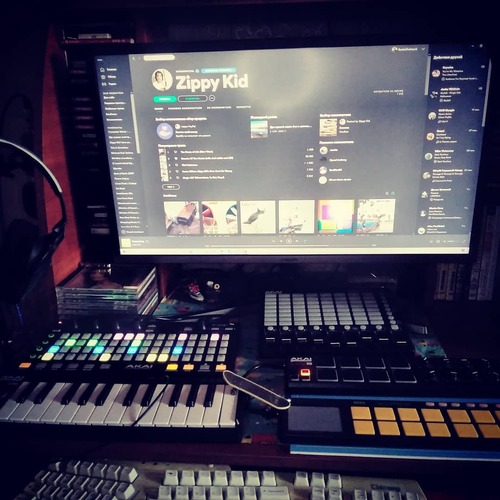

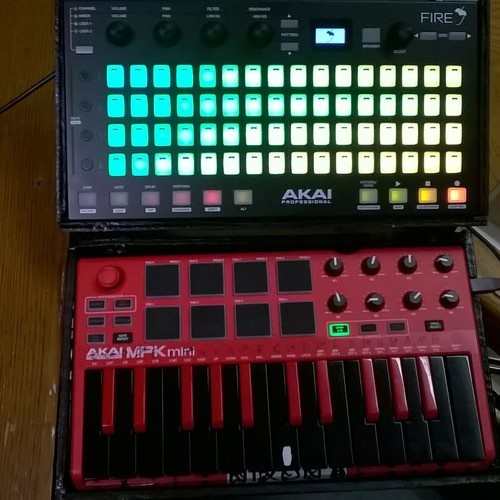

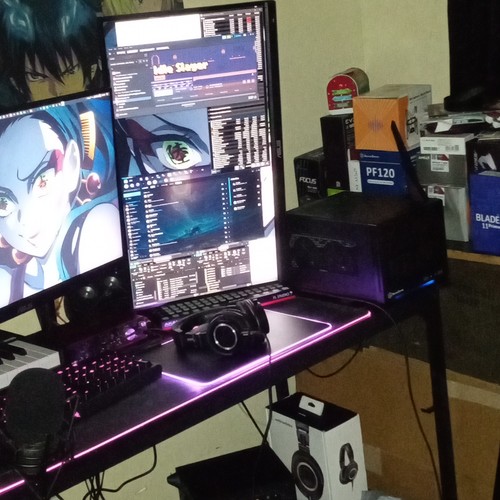

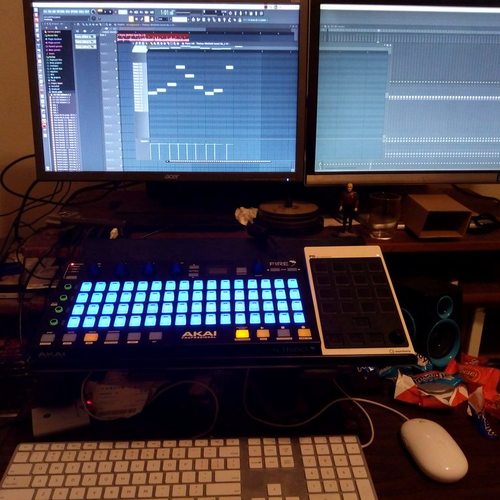
More Akai DAW Controllers

$80.00
in DAW Controllers Rank


$76.40 - $109.00
in DAW Controllers Rank


$74.00 - $99.00
in DAW Controllers Rank


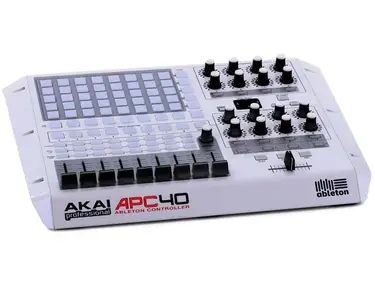

$133.00 - $240.00
in DAW Controllers Rank


$182.00 - $277.00
in DAW Controllers Rank


$53.00 - $119.99
in DAW Controllers Rank


$249.00 - $499.00
in DAW Controllers Rank


$34.00 - $209.99
in DAW Controllers Rank


$285.00 - $419.00
in DAW Controllers Rank


$182.55 - $599.99
in DAW Controllers Rank


$1,045.00 - $1,399.99
in DAW Controllers Rank


$57.00 - $1,299.99
in DAW Controllers Rank


in DAW Controllers Rank


$74.00
in DAW Controllers Rank


$699.99 - $839.99
in DAW Controllers Rank


$169.00 - $209.99
in DAW Controllers Rank


$229.86 - $524.99
in DAW Controllers Rank


$1,295.00 - $1,495.00
in DAW Controllers Rank


$995.00 - $1,195.00
in DAW Controllers Rank


$79.95 - $109.00
in DAW Controllers Rank


$122.00 - $189.00
in DAW Controllers Rank


$579.73 - $799.99
in DAW Controllers Rank

$161.07 - $349.99
in DAW Controllers Rank

$185.23
in DAW Controllers Rank


$125.00
in DAW Controllers Rank


$48.00 - $70.90
in DAW Controllers Rank


$1,191.76
in DAW Controllers Rank


$635.00 - $999.99
in DAW Controllers Rank


$333.00 - $399.99
in DAW Controllers Rank

$129.00 - $169.99
in DAW Controllers Rank

$995.00 - $1,195.00
in DAW Controllers Rank

$544.00 - $699.99
in DAW Controllers Rank

$140.00
in DAW Controllers Rank


$1,191.76
in DAW Controllers Rank


$199.00 - $409.00
in DAW Controllers Rank

$379.38 - $699.00
in DAW Controllers Rank


$249.00 - $469.90
in DAW Controllers Rank


Accessories & Related Items


-s.webp?v=1784467673)


Similar


Most Popular DAW Controllers
Most Popular Brands
-
Added to Equipboard on by
 volee
voleeGearIQ 129
-


