


Pricing and availability
We compare 600+ stores and found this item at 11 stores. Prices updated .
Store
Reviews
Price









Price History
Based on price data from 7 merchants for "PreSonus Faderport 16". Prices shown reflect NEW condition. Tracking began Apr 2, 2026.
* Product prices and availability are updated by Equipboard every 24hrs and are subject to change. Equipboard may receive compensation for purchases made at participating retailers linked on this site. This compensation does not affect what products or prices are displayed, or the order of prices listed. For more information, please refer to our affiliate disclosure.
Description
Elevate your mixing workflow with the PreSonus FaderPort 16, a versatile 16-channel DAW controller designed to streamline your in-the-box productions. This compact powerhouse is equipped with 16 touch-sensitive, 100mm motorized faders that respond dynamically to your touch, offering a tactile experience reminiscent of an analog console. The digital scribble strips provide instant visual feedback on each channel, enhancing your session's fluidity and precision.
Built with an intuitive layout, the FaderPort 16 includes transport and automation controls that put comprehensive command of your DAW at your fingertips. The unique Session Navigator empowers you to breeze through track and timeline scrolling, zooming, and master fader management, ensuring you never miss a beat. With support for HUI and Mackie Control protocols, it seamlessly integrates with almost any DAW, while native support for PreSonus Studio One unlocks extra features.
Whether you're fine-tuning plug-in settings or managing complex sessions, the FaderPort 16 reduces reliance on your keyboard and mouse, allowing you to focus more on creativity. Its ergonomic design fits comfortably on any desk, making it an ideal companion for both home studios and professional environments.
Key Features:
- 16 touch-sensitive, 100mm motorized faders
- High-definition digital scribble strips for channel clarity
- Comprehensive transport and automation controls
- Session Navigator for efficient DAW management
- Native support for Studio One, with HUI and Mackie Control for other DAWs
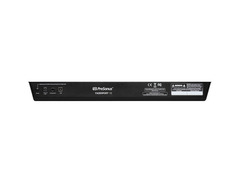
- USB 2.0 connectivity and footswitch input for hands-free transport control
- Includes Studio One Artist and the Studio Magic Plug-in Suite for expanded creative options
Owner's manual
PreSonus Faderport 16 User ManualProduct specs
| Type | Mixing Control Surface |
| Faders | 16 x 100mm (motorized) |
| Transport Controls | Yes |
| Encoders/Pots | 1 x Pan/Parameter |
| Soft Keys | Solo, Mute, Select |
| Computer Connectivity | USB |
| USB | 1 x Type B |
| Other I/O | 1 x 1/4" (footswitch) |
| Software | Studio One Artist |
| Compatibility | HUI (Pro Tools 12), Mackie Control (Logic 10.4, Cubase 9.4, Ableton 9.7, Sonar) |
| Hardware Requirements - Mac | Intel Core i3 or higher, 8GB RAM or more recommended |
| Hardware Requirements - PC | Intel Core i3 or higher, 8GB RAM or more recommended |
| OS Requirements - Mac | macOS 12 or later, iOS 11.4 or later |
| OS Requirements - PC | Windows 10 20H1 or later, Android 6.0 or later |
| Power | 12V DC 1.2A power supply (included) |
| Height | 2.11" |
| Width | 19.6" |
| Depth | 11.9" |
| Weight | 8 lbs. |
FAQs
-
What DAWs are compatible with the PreSonus FaderPort 16?
-
The PreSonus FaderPort 16 is compatible with several DAWs, including Pro Tools 12, Logic 10.4, Cubase 9.4, Ableton 9.7, and Sonar, using HUI and Mackie Control protocols.
-
Does the PreSonus FaderPort 16 require a power supply?
-
Yes, the PreSonus FaderPort 16 requires a 12V DC 1.2A power supply, which is included with the unit.
-
Can the PreSonus FaderPort 16 be used with both Mac and PC?
-
Yes, the PreSonus FaderPort 16 is compatible with both Mac and PC. It requires macOS 12 or later for Mac and Windows 10 20H1 or later for PC.
-
Is the PreSonus FaderPort 16 suitable for large projects?
-
Yes, with its 16 motorized faders and comprehensive control features, the PreSonus FaderPort 16 is well-suited for managing large projects and complex mixes efficiently.
-
How does the PreSonus FaderPort 16 integrate with Studio One?
-
The PreSonus FaderPort 16 offers deep integration with Studio One, allowing seamless control over mixing, editing, and automation directly from the hardware. It includes Studio One Artist software to enhance workflow.
Videos

PreSonus Audio Electronics
Presonus–Channel Strip Functionality with FaderPort 16 and Logic Pro
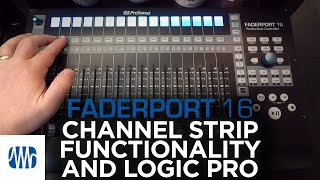
Presonus–Channel Strip Functionality with FaderPort 16 and Logic Pro
PreSonus Audio Electronics
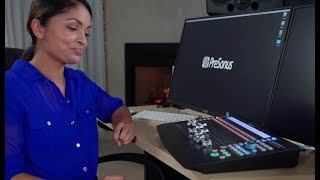
Presonus Faderport 16 - Review

Showtime Solutions TV
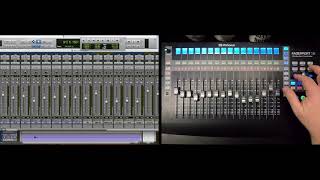
PreSonus–FaderPort 16 Automation Controls with Pro Tools
PreSonus Audio Electronics
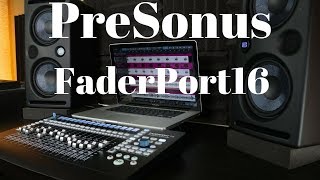
PreSonus FaderPort 16

BoyntonProAudio
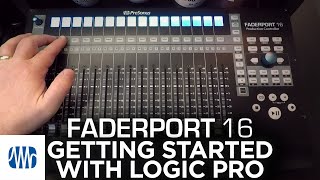
Presonus–Getting Started with FaderPort 16 and Logic Pro
PreSonus Audio Electronics
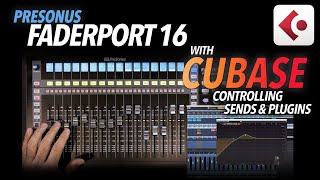
Presonus FADERPORT 16 with CUBASE - Controlling PLUGINS & SENDS

Chris Selim - Mixdown Online
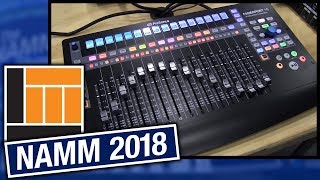
L&M @ NAMM 2018: PreSonus Faderport 16 Production Controller

Long & McQuade Musical Instruments
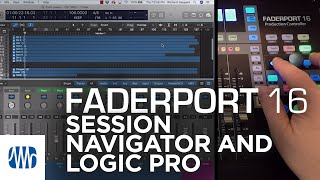
PreSonus–The Session Navigator in FaderPort 16 with Logic Pro
PreSonus Audio Electronics

Presonus Faderport 16 Unboxing - Rockett Vlog #16

Rikki Rockett’s Legend Tripping
Reviews
PROS
-
Compact size, doesn't require much desk space
-
Motorized faders enhance mixing experience
-
Quick and easy setup process
-
Integrates tightly with Studio One DAW
-
Versatile control over plugins and automation
-
Responsive and fast faders for real-time mixing
-
Helps reduce reliance on computer mouse and keyboard
-
Scribble strip for track identification, despite size
-
Enhances workflow efficiency and mixing accuracy
-
Good build quality and design, aesthetically pleasing
CONS
-
Scribble strip can be glitchy and hard to read
-
Setup can be tedious with DAWs other than Studio One
-
Limited information on integration with certain DAWs like Ableton Live
-
Some users experience encoder and fader calibration issues
-
Absence of metering on channels for Ableton Live users
-
Drum racks in Ableton Live are not well-supported
-
Not ideal for complex setups or studios with extensive I/O
-
Limited utility beyond DAW control, not suited for external hardware control
-
Fader accuracy might not meet professional standards
Owner Insights
We analyzed real musician discussions from forums and Reddit to find what players love, question, and tweak about PreSonus Faderport 16.
Features and functionality
-
The rotary encoder defaults to the selected track, allowing users to switch fader functions between volume and pan with a button press.
Source -
The Faderport 16's LCD strips can be difficult to read at certain angles; using a VESA mount allows for adjustable positioning to improve visibility.
Source -
Faderport is praised for its utility in running automation, especially when Pro Tools is in "trim automation" mode for precise adjustments.
Source
Use cases and applications
-
Studio One's integration with the FaderPort is so seamless that some users choose to remain within this DAW environment due to the superior compatibility.
Source -
Jazz and classical music mixers benefit from grouping tracks into buses with custom actions, enhancing workflow with large track counts.
Source -
Users often use single fader versions for riding automation on one track, particularly when working with vocals or single elements.
Source
Build quality
-
The FaderPort's metal chassis and responsive buttons defy its photos, surprising new owners with its high build quality upon hands-on inspection.
Source
Comparisons
User experience
-
Some users experienced technical issues where the FaderPort stopped connecting to a primary computer despite working on other devices, highlighting potential reliability concerns.
Source -
Users appreciate the Faderport's build quality over the Behringer X-Touch, citing it as a more cost-effective and durable option.
Source -
Some find multi-channel Faderports more beneficial for quickly adjusting drum mixes but prefer other interfaces for finer mixing tasks.
Source
Software and compatibility
-
FaderPorts integrate seamlessly with Studio One, auto-mapping plugins without the need for manual setup, a feature not always found in third-party controllers.
Source -
Using Klinke's MCU extension with the Faderport 16 improves functionality in Reaper without extensive setup, offering a practical alternative for Reaper users.
Source -
The Faderport 16 can bank tracks in groups of 16 within Reaper, but the mixer view remains independent until specific tracks are selected.
Source -
There's interest in chaining Faderports together for use with Presonus' DAW, though it's unclear if this feature is available for Pro Tools.
Source
Critic Reviews
4.5 out of 5
Based on 1 Review and 5 Ratings

330
Not bad... but not a real hardware mixer
More a control surface really. I typically use Yamaha O2R96 desk but I recently bought the Presonus Studio V3 and wanted to control the software rather than messing about with a mouse. In this respect the unit works pretty well and if you have a simple recording setup then no doubt the Faderport 16 will fit the bill.
Unfortunately I have more I/O than Euston station and that's when both the software and this unit get more or less hard work. Using in my studio I have to say that it's not really what I am used to or expect. I usually use hardware for recording (yes even today) but somehow the software solutions change all the time where things are stored as well as being more difficult to use than regular hardware solutions like the O2R96 type of digital desk.
Like I said, OK for small setups but I would not really recommend this if you are using the studio for anything other than simple demo's.
Artist usage
Add artist

At the 20:11 mark of the video titled "Studio Tour: DJ Jazzy Jeff on His 'Creative Utopia'" by Sweetwater, a PreSonus FaderPort 16 production controller is visible within DJ Jazzy Jeff's private studio setup.


At 0:20 in the video titled "I Built My DREAM Home Studio - 2025 Home Studio Tour" by Mike Bello, a PreSonus FaderPort 16 DAW controller can be clearly seen on his studio desk, confirming its use in his music production setup.


Genre Usage
Based on how artists on Equipboard use this gear, it is most commonly found in the following genres.
Used With
Based on how musicians on Equipboard use PreSonus Faderport 16, it is most commonly used with the following gear.





Community setups
Show yours
More PreSonus DAW Controllers

$33.96 - $209.99
in DAW Controllers Rank


$169.00 - $209.99
in DAW Controllers Rank


$229.01 - $524.99
in DAW Controllers Rank


$199.99 - $249.99
in DAW Controllers Rank

$169.00 - $209.99
in DAW Controllers Rank


$133.00 - $240.00
in DAW Controllers Rank


$182.00 - $277.00
in DAW Controllers Rank


$53.00 - $119.99
in DAW Controllers Rank


$249.00 - $499.00
in DAW Controllers Rank


$80.00
in DAW Controllers Rank


$285.00 - $419.00
in DAW Controllers Rank


$182.92 - $599.99
in DAW Controllers Rank


$1,045.00 - $1,399.99
in DAW Controllers Rank


$76.40 - $109.00
in DAW Controllers Rank


$57.00 - $1,299.99
in DAW Controllers Rank


in DAW Controllers Rank


$95.00
in DAW Controllers Rank


$99.00 - $229.00
in DAW Controllers Rank


$1,295.00 - $1,495.00
in DAW Controllers Rank


$995.00 - $1,195.00
in DAW Controllers Rank


$79.95 - $109.00
in DAW Controllers Rank


$122.00 - $189.00
in DAW Controllers Rank


$129.00 - $349.99
in DAW Controllers Rank

$184.54
in DAW Controllers Rank


$575.64 - $799.99
in DAW Controllers Rank


$120.00
in DAW Controllers Rank


$48.00 - $70.90
in DAW Controllers Rank


$1,191.76
in DAW Controllers Rank


$635.00 - $999.99
in DAW Controllers Rank


$333.00 - $399.99
in DAW Controllers Rank

$995.00 - $1,195.00
in DAW Controllers Rank

$140.00
in DAW Controllers Rank


$544.00 - $699.99
in DAW Controllers Rank

$1,191.76
in DAW Controllers Rank


$199.00 - $409.00
in DAW Controllers Rank

$125.00 - $169.99
in DAW Controllers Rank

$377.98 - $699.00
in DAW Controllers Rank


$249.00 - $469.90
in DAW Controllers Rank


$249.00 - $1,399.99
in DAW Controllers Rank


Accessories & Related Items


Similar


Gear Guides







Most Popular DAW Controllers
Most Popular Brands
-
Added to Equipboard on by
tonymckenziecomGearIQ 330
-


