


Pricing and availability
We compare 600+ stores and found this item at 9 stores. Prices updated .
Store
Reviews
Price









Price History
Based on price data from 6 merchants for "Nektar Panorama P1". Prices shown reflect NEW condition. Tracking began Apr 2, 2026.
* Product prices and availability are updated by Equipboard every 24hrs and are subject to change. Equipboard may receive compensation for purchases made at participating retailers linked on this site. This compensation does not affect what products or prices are displayed, or the order of prices listed. For more information, please refer to our affiliate disclosure.
Description
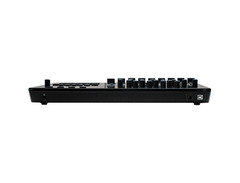
Unleash your creativity with the Nektar Panorama P1, the ultimate USB MIDI control surface that bridges the gap between your musical ideas and reality. Designed for musicians and producers who demand seamless integration with their DAW, the Panorama P1 offers comprehensive control over Bitwig Studio, Cubase, Nuendo, Logic Pro, Reason, Main Stage, and Reaper. This isn't just another MIDI controller—it's a powerhouse of possibilities, packed into a sleek, compact design that's about the size of a laptop.
The Panorama P1 stands out with its crystal-clear 3.5" color TFT display, offering real-time feedback on your settings, eliminating the need to keep shifting your gaze between screen and controller. This display, combined with its deep integration capabilities, turns complex tasks into intuitive actions. Whether you're tweaking your mixer, adjusting channel strip settings, or triggering QWERTY commands with a single button, the P1 revolutionizes your workflow.
Crafted with precision, the Panorama P1 features 16 encoders, nine 45mm faders, and ten assignable LED buttons, providing tactile control over your DAW's parameters. With its extended eleven-button transport bar, you have all the tools for creative exploration right at your fingertips. And thanks to Nektar's proprietary communication protocols, every function is just a touch away, making the Panorama P1 a natural extension of your music-making process.
Key Features:
- 16 Continuous rotary encoders
- Nine 45mm faders
- 10 Assignable LED buttons
- 11 Transport buttons
- High-resolution 3.5" color TFT display
- Deep DAW integration with Cubase, Nuendo, Reason, and more
- USB Bus Powered for convenience
- Assignable foot switch jack
- Supports QWERTY macro commands for enhanced workflow
- Compact design perfect for any studio setup
Product specs
| Type | Controller for Bitwig Studio, Logic Pro X, Reason, Cubase, and Nuendo |
| Faders | 9 x 45mm (Standard) |
| Transport Controls | Yes |
| Encoders/Pots | 16 x Rotary Encoders |
| Soft Keys | 11 (F-keys) |
| Computer Connectivity | USB |
| Other I/O | Footswitch input |
| Height | 1.75" |
| Width | 15.25" |
| Depth | 9.25" |
| Weight | 2.8 lbs. |
FAQs
-
Is the Nektar Panorama P1 compatible with major DAWs like Logic Pro X and Cubase?
-
Yes, the Nektar Panorama P1 is designed for seamless integration with major DAWs including Logic Pro X, Cubase, Bitwig Studio, Reason, and Nuendo, offering deep control over these software environments.
-
How many rotary encoders does the Nektar Panorama P1 have?
-
The Nektar Panorama P1 features 16 rotary encoders, allowing for extensive parameter control and customization within your DAW.
-
Does the Nektar Panorama P1 include transport controls?
-
Yes, the Nektar Panorama P1 includes transport controls, enabling you to easily manage playback, recording, and navigation within your DAW.
-
What connectivity options are available on the Nektar Panorama P1?
-
The Nektar Panorama P1 connects via USB and also includes a footswitch input for additional control options.
-
Is the Nektar Panorama P1 suitable for live performances?
-
While primarily designed as a studio controller, the Nektar Panorama P1's compact size and comprehensive DAW integration make it a versatile tool that can be used in live performance settings.
Videos

UniqueSquared
Nektar Panorma P1 Overview | UniqueSquared.com
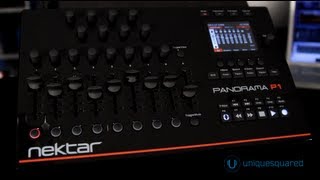
Nektar Panorma P1 Overview | UniqueSquared.com
UniqueSquared
NAMM 2013: Nektar Panorama P1

MusicRadar Tech
Tutorial Programming Nektar Panorama P1 for external Instruments

Mike Smith (ADSR Pro)
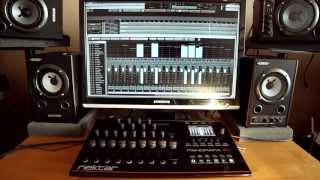
Nektar Panorama P4 and P1 at a glance

Hunart©

Nektar Panorama P1 Demo | UniqueSquared.com
UniqueSquared
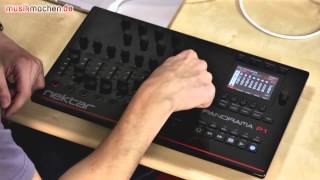
Nektar Panorama P1 USB-Controller im Test auf musikmachen.de

musikmachen.de
![Video thumbnail for [NAMM] Nektar Panorama P1 & P4 by Audiofanzine in English](https://img.youtube.com/vi/eMTIoD89TB0/mqdefault.jpg)
[NAMM] Nektar Panorama P1 & P4

Audiofanzine in English
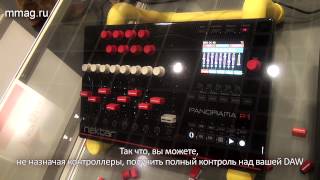
mmag.ru: Musikmesse 2014 - Nektar Panorama P1 - контроллер

MusicMagTV
Reviews
PROS
-
Comprehensive feature set for control surfaces
-
High build quality with a good feel on knobs and faders
-
Useful LCD display provides excellent feedback
-
Customizable for various DAWs including Cubase and Logic
-
Free replacements for worn parts from customer service
-
Deep integration with software, enhancing control over VSTs and EQ
-
Scripting for DAWs done from scratch for seamless operation
-
Illuminated, dedicated transport buttons for easy operation
-
Class-compliant with macOS for easy setup
-
Responsive support and regular software updates
CONS
-
Steep learning curve for programming and customization
-
Software support showing signs of aging
-
Glossy surface prone to fingerprints, requiring frequent cleaning
-
Lack of motorized faders
-
Some design choices limit ergonomic placement on desks
-
Non-intuitive for users new to DAW controllers
Owner Insights
We analyzed real musician discussions from forums and Reddit to find what players love, question, and tweak about Nektar Panorama P1.
Software and compatibility
-
Limited integration with Ableton Live, requiring plugin wrapper for automapping; lacks deep Session View control unlike Ableton's Push controllers.
Source -
Installing only the P1 install.exe, not the Reason Integration, can help auto-detect both mixer mode and the P1 but won't map newer instruments like Europa or Grain.
Source
Comparisons
-
The Nektar Panorama P1 lacks the deep integration with Ableton Live that Novation SL Mk3 offers, which works seamlessly with Ableton's Push controllers.
Source -
The Kontrol Master offers a large knob for better tactile control, whereas the Panorama P1 provides broader control options with smaller knobs and faders.
Source
Features and functionality
User experience
-
Potential buyers are deterred by the lack of detailed documentation and support videos for integration with Ableton Live.
Source -
Setup for the P1 is reported as quick and easy, similar to the P6 model, allowing seamless integration into workflows.
Source -
Auto-detection issues with P1 in Reason may require manual setup, a recurring problem also noted with other brands like Novation across different Reason versions.
Source
Use cases and applications
-
The P1 is particularly praised for its Reason mappings, offering meticulously designed controls that benefit users of this DAW.
Source
Critic Reviews
4.5 out of 5
Based on 0 Reviews and 7 Ratings
Artist usage
Add artist

Genre Usage
Based on how artists on Equipboard use this gear, it is most commonly found in the following genres.
Used With
Based on how musicians on Equipboard use Nektar Panorama P1, it is most commonly used with the following gear.


Community setups
Show yours
More Nektar DAW Controllers

$333.00 - $399.99
in DAW Controllers Rank

$133.00 - $240.00
in DAW Controllers Rank


$180.00 - $277.00
in DAW Controllers Rank


$53.00 - $119.99
in DAW Controllers Rank


$249.00 - $499.00
in DAW Controllers Rank


$80.00
in DAW Controllers Rank


$33.91 - $209.99
in DAW Controllers Rank


$285.00 - $419.00
in DAW Controllers Rank


$182.68 - $599.99
in DAW Controllers Rank


$1,045.00 - $1,399.99
in DAW Controllers Rank


$76.40 - $109.00
in DAW Controllers Rank


$57.00 - $1,299.99
in DAW Controllers Rank


in DAW Controllers Rank


$95.00
in DAW Controllers Rank


$99.00 - $229.00
in DAW Controllers Rank


$699.99 - $839.99
in DAW Controllers Rank


$169.00 - $209.99
in DAW Controllers Rank


$228.68 - $524.99
in DAW Controllers Rank


$1,295.00 - $1,495.00
in DAW Controllers Rank


$995.00 - $1,195.00
in DAW Controllers Rank


$79.95 - $109.00
in DAW Controllers Rank


$122.00 - $189.00
in DAW Controllers Rank


$184.28
in DAW Controllers Rank


$575.69 - $799.99
in DAW Controllers Rank

$120.00
in DAW Controllers Rank


$48.00 - $70.90
in DAW Controllers Rank


$1,191.76
in DAW Controllers Rank


$635.00 - $999.99
in DAW Controllers Rank


$995.00 - $1,195.00
in DAW Controllers Rank

$140.00
in DAW Controllers Rank


$544.00 - $699.99
in DAW Controllers Rank

$1,191.76
in DAW Controllers Rank


$199.00 - $409.00
in DAW Controllers Rank

$125.00 - $169.99
in DAW Controllers Rank

$377.44 - $699.00
in DAW Controllers Rank


$249.00 - $469.90
in DAW Controllers Rank


$249.00 - $1,399.99
in DAW Controllers Rank


$123.00 - $219.99
in DAW Controllers Rank

$199.99 - $249.99
in DAW Controllers Rank
Accessories & Related Items


Similar


Gear Guides







Most Popular DAW Controllers
Most Popular Brands


