

Pricing and availability
We compare 600+ stores and found this item at 1 store. Prices updated .
Store
Reviews
Price




* Product prices and availability are updated by Equipboard every 24hrs and are subject to change. Equipboard may receive compensation for purchases made at participating retailers linked on this site. This compensation does not affect what products or prices are displayed, or the order of prices listed. For more information, please refer to our affiliate disclosure.
Description
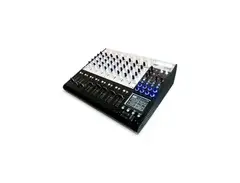
Step into a world of precision and control with the Novation ZeRO SL MkII USB MIDI Control Surface. Designed with the serious music producer in mind, this DAW controller offers seamless integration with your favorite digital audio workstations for an intuitive and engaging workflow. With its Automap technology, the ZeRO SL MkII makes assigning controls to software parameters effortless, saving you time and allowing you to focus on your creativity.
The controller's hands-on approach ensures that you have everything you need right at your fingertips. Its touch-sensitive, motorized faders give you real-time feedback, while the backlit LED screen provides clear visibility in any studio setting. The ZeRO SL MkII also features a range of assignable knobs, buttons, and pads, delivering a customizable experience to suit your specific production style. Whether you're tweaking synth parameters, controlling your mix, or triggering samples, this control surface delivers precise and responsive performance.
Key Features:
- Automap technology for automatic software parameter mapping
- Touch-sensitive, motorized faders for hands-on control
- Backlit LED screen for clear parameter visibility
- 8 endless rotary encoders for smooth, continuous adjustments
- 32 assignable buttons and 8 soft-feel trigger pads
- Compatible with major DAWs including Ableton Live, Logic Pro, and more
- USB-powered for easy setup and portability
Product specs
| Brand | Novation |
| Model | ZeRO SL MKII Desktop MIDI DAW Controller |
| Finish | White |
| Year | 2008 |
| Categories | Audio Mixers, Consoles and Summing Boxes |
FAQs
-
What are the standout features of the Novation ZeRO SL MkII's control surface?
-
The Novation ZeRO SL MkII offers an intuitive control surface with motorized faders, touch-sensitive encoders, and an LCD screen for seamless DAW integration. It provides hands-on control for mixing, tweaking effects, and managing virtual instruments.
-
Is the Novation ZeRO SL MkII compatible with popular DAWs?
-
Yes, the Novation ZeRO SL MkII is designed to integrate smoothly with major DAWs such as Ableton Live, Logic Pro, and Cubase, offering pre-mapped controls and customizable templates for enhanced workflow.
-
Does the Novation ZeRO SL MkII require external power or is it USB-powered?
-
The Novation ZeRO SL MkII is USB-powered, which means it draws power directly from your computer, eliminating the need for an external power supply and simplifying setup.
-
Can the Novation ZeRO SL MkII be used to control software plugins?
-
Yes, the Novation ZeRO SL MkII can control software plugins, allowing you to map parameters to its faders, knobs, and buttons for intuitive and tactile control of your virtual instruments and effects.
-
What kind of connectivity options does the Novation ZeRO SL MkII offer?
-
The Novation ZeRO SL MkII features USB connectivity for easy integration with your computer, as well as MIDI In/Out ports for connecting to other MIDI-compatible gear, expanding its versatility in a studio setup.
Videos

TheDSPproject
Novation ZeRO SL MkII review
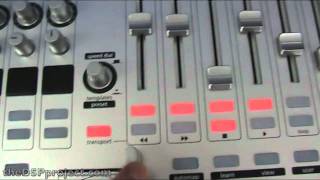
Novation ZeRO SL MkII review
TheDSPproject
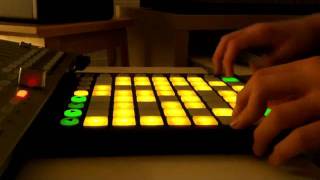
NOVATION: Launchpad e ZeRO SL MKII

ProShows
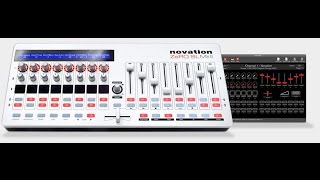
Novation ZeRO SL MkII MIDI Control Surface Unboxing

Drummer Tech
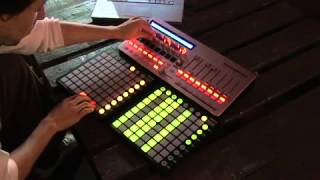
Novation ZeRO SL MkII and Launchpad Demo

Gear4music Guitars
Reviews
PROS
-
Excellent for running DMX lights with its connectivity options
-
Works well with Mac via conventional MIDI, bypassing USB issues
-
Durable and resistant, survives extreme conditions
-
Display screen is very useful for live performances
-
Highly customizable for Ableton Live, enhancing production and live performance
-
Incredible software mapping with the updated Automap version
CONS
-
Compatibility issues with Mac, requiring workaround solutions
-
Some units may send sporadic MIDI signals over USB and MIDI ports
-
AutoMap software can be difficult to use or set up
-
One fader may not work, indicating potential quality control issues
-
Heavier than expected, making it less portable for frequent live or DJ sets
Owner Insights
We analyzed real musician discussions from forums and Reddit to find what players love, question, and tweak about Novation ZeRO SL MkII USB MIDI Control Surface.
Software and compatibility
Features and functionality
-
Automap fails to recognize VST3 plugins, limiting integration with newer software instruments.
Source -
Some users report partial functionality with Mackie HUI/Automap HUI for transport and mixing but not for VSTi control in Studio One.
Source -
The SL MkII can function without Automap, sending CC messages directly from controls, although Windows requires a MIDI driver.
Source -
The SL MkII can be powered over USB, eliminating the need for a power adapter.
Source -
The SL MkII can be configured as a Mackie Logic Control Surface in Logic, providing effective integration without Automap.
Source
Setup and maintenance
-
Manual MIDI mapping in Cubase 12 Pro is necessary due to lack of Automap support.
Source
User experience
Critic Reviews
4.5 out of 5
Based on 5 Reviews and 24 Ratings

812
Pretty good but...
I hate AutoMap . I bought this second hand and I knew one fader didn't work but didn't care as long as the rest worked cause I planned to use it as a Midi controller but I could never get AutoMap to work...now I think there is a MIDI mode and I should try it sometime but soon after I obtained a second hand Nektar Panorama and used that...until that stopped working in a way that Nektar could not help me with...Caveat emptor! hehe
98
Perfect partner for the Launchpad
It's a bit too heavy do be brought to every live or DJ Sets I'm playing, but it has been an awesome companion for the Launchpad. The display screen is very useful, and every feature can be tide to control whatever you want in ableton. It's a wonderful friend for production has well, if you want to use the mouse of your computer as less as possible. Very resistant, it survived some DJ Sets at 46°C in Australia.

221
Use this for everything!
Incredible software mapping. The new Automap is fantastic. I think it's up to version 4.8


Artist usage
Add artist

Along with a Novation Launchpad, this Novation controller can be seen in Madeon's Pop Culture YouTube video.


At :25s of this video Paul shows us his Novation ZeRO saying "this is a controller that actually controls patterns and recording modes and also other stuff."


At 2:27 it's possible to see Nicolas Jaar using a Novation SL Zéro Mk2



In a tweet, Tim Hecker shares a photo featuring the Novation ZeRO SL MkII USB MIDI Control Surface, suggesting its presence in his setup.

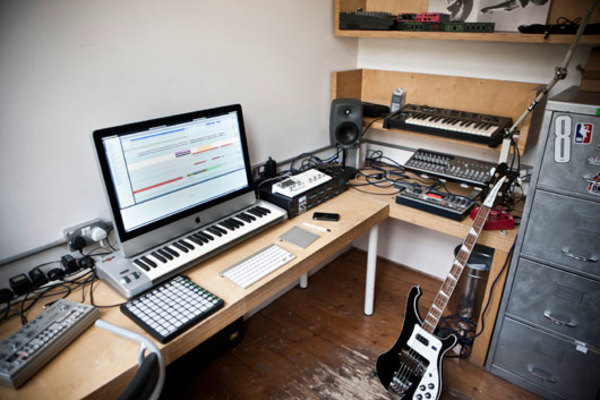


"And then you've got this little thing here, this is a MIDI controller from, uh, Novation, called the Remote ZeRO SL. Just controls... basically, the whole thing is controlled by it, um, this is the volume stuff." (1:07)


According to the official gear list on Darude's Website (Click on the studio tab), it says he owns a Novation Zero SL.


Listen on the equipment page of artist's website, also seen in studio photos and interview videos.


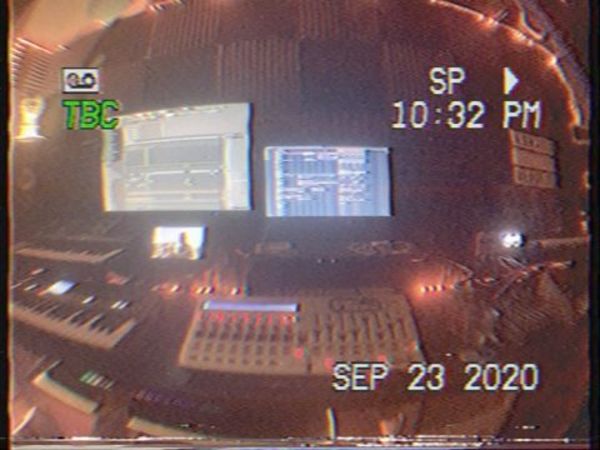
MM can be seen using this in live performances and it’s typically featured in most studio videos

Album Usage
The Novation ZeRO SL MkII USB MIDI Control Surface has been featured on the following albums:
Genre Usage
Based on how artists on Equipboard use this gear, it is most commonly found in the following genres.
Used With
Based on how musicians on Equipboard use Novation ZeRO SL MkII USB MIDI Control Surface, it is most commonly used with the following gear.

-s.webp?v=1784905089)



More Novation DAW Controllers

$133.00 - $240.00
in DAW Controllers Rank


$95.00
in DAW Controllers Rank


$125.00 - $169.99
in DAW Controllers Rank

$35.74
in DAW Controllers Rank


$125.10
in DAW Controllers Rank


$125.10
in DAW Controllers Rank


$182.00 - $277.00
in DAW Controllers Rank


$53.00 - $119.99
in DAW Controllers Rank


$249.00 - $499.00
in DAW Controllers Rank


$80.00
in DAW Controllers Rank


$33.96 - $209.99
in DAW Controllers Rank


$285.00 - $419.00
in DAW Controllers Rank


$182.92 - $599.99
in DAW Controllers Rank


$1,045.00 - $1,399.99
in DAW Controllers Rank


$76.40 - $109.00
in DAW Controllers Rank


$57.00 - $1,299.99
in DAW Controllers Rank


in DAW Controllers Rank


$99.00 - $229.00
in DAW Controllers Rank


$699.99 - $839.99
in DAW Controllers Rank


$169.00 - $209.99
in DAW Controllers Rank


$229.01 - $524.99
in DAW Controllers Rank


$1,295.00 - $1,495.00
in DAW Controllers Rank


$995.00 - $1,195.00
in DAW Controllers Rank


$79.95 - $109.00
in DAW Controllers Rank


$122.00 - $189.00
in DAW Controllers Rank


$129.00 - $349.99
in DAW Controllers Rank

$575.64 - $799.99
in DAW Controllers Rank

$120.00
in DAW Controllers Rank


$48.00 - $70.90
in DAW Controllers Rank


$1,191.76
in DAW Controllers Rank


$635.00 - $999.99
in DAW Controllers Rank


$333.00 - $399.99
in DAW Controllers Rank

$995.00 - $1,195.00
in DAW Controllers Rank

$140.00
in DAW Controllers Rank


$544.00 - $699.99
in DAW Controllers Rank

$1,191.76
in DAW Controllers Rank


$199.00 - $409.00
in DAW Controllers Rank

$377.98 - $699.00
in DAW Controllers Rank


$249.00 - $469.90
in DAW Controllers Rank
Accessories & Related Items
Community setups


Similar


Gear Guides







Most Popular DAW Controllers
Most Popular Brands
-
Added to Equipboard on by
 equipboard
GearIQ 4934
-


