

Pricing and availability
We compare 600+ stores and found this item at 2 stores. Prices updated .
Store
Reviews
Price




Price History
Based on price data from 1 merchant for "PreSonus FaderPort Classic". Prices shown reflect NEW condition. Tracking began Apr 2, 2026.
* Product prices and availability are updated by Equipboard every 24hrs and are subject to change. Equipboard may receive compensation for purchases made at participating retailers linked on this site. This compensation does not affect what products or prices are displayed, or the order of prices listed. For more information, please refer to our affiliate disclosure.
Description
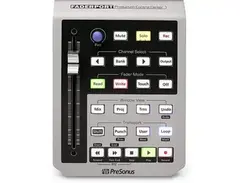
Transform your digital audio workstation experience with the PreSonus FaderPort Classic. This intuitive DAW controller is designed to streamline your workflow, allowing you to focus more on creating and less on controlling. Boasting a touch-sensitive, 100mm motorized fader, the FaderPort Classic delivers tactile precision for mixing, whether you're riding vocals or automating fades.
This compact powerhouse features comprehensive transport controls, enabling swift navigation and operation without relying heavily on your keyboard and mouse. Its compatibility extends across a variety of DAWs, including Studio One, Pro Tools, Logic Pro X, Cubase, and Ableton Live, thanks to its Mackie Control Universal and HUI emulation.
The FaderPort Classic's 360-degree push-button encoder provides additional versatility, allowing you to manage pan, mute, solo, and record enable functions with ease. Its Session Navigator makes handling complex sessions effortless, giving you the power to scroll through timelines, zoom in and out, and manage tracks with precision.
For those who crave hands-free control, the FaderPort Classic includes a footswitch jack, perfect for punch-in/out recording. Plus, with the bundled Studio Magic Plug-in Suite, you gain access to a collection of premium plug-ins, enhancing your production capabilities right out of the box.
Key Features:
- Touch-sensitive, 100mm motorized fader
- Comprehensive transport and automation controls
- Seamless integration with major DAWs via Mackie Control Universal and HUI emulation
- 360-degree push-button encoder for versatile control
- Session Navigator for efficient management of complex sessions
- Footswitch jack for hands-free recording
- Includes Studio Magic Plug-in Suite for enhanced production capabilities
Product specs
| Type | Transport Production Controller |
| Faders | 1 x 100mm motorized fader |
| Transport Controls | Yes |
| Encoders/Pots | Push-button Rotary Encoder |
| Soft Keys | 8 x function keys |
| Computer Connectivity | USB |
| USB | 1 x Type B |
| Other I/O | 1 x 1/4" (footswitch) |
| Software | Studio One Artist |
| Compatibility | Mackie HUI Pro Tools, Mackie Control Universal (Logic Pro X, Cubase, Ableton Live, Studio One) |
| Hardware Requirements - Mac | Intel Core 2 Duo or higher |
| Hardware Requirements - PC | Intel Core 2 Duo / AMD Athlon X2 or higher |
| OS Requirements - Mac | macOS 10.13 or later |
| OS Requirements - PC | Windows 10 or later |
| Power | 12V DC power supply |
| Height | 1.8" |
| Width | 5.5" |
| Depth | 9" |
| Weight | 1.5 lbs. |
FAQs
-
Is the PreSonus FaderPort Classic compatible with major DAWs like Pro Tools and Logic Pro?
-
Yes, the PreSonus FaderPort Classic is compatible with major DAWs, including Pro Tools and Logic Pro, using Mackie HUI and Mackie Control Universal protocols.
-
What are the standout features of the PreSonus FaderPort Classic's control capabilities?
-
The PreSonus FaderPort Classic features a 100mm motorized fader, transport controls, and eight function keys, allowing for precise automation and efficient workflow management.
-
Does the PreSonus FaderPort Classic require any special drivers for installation?
-
No special drivers are needed; simply connect the FaderPort Classic to your computer via USB, and it's ready to use with compatible DAWs.
-
What power supply does the PreSonus FaderPort Classic use?
-
The PreSonus FaderPort Classic uses a 12V DC power supply for operation.
-
Can the PreSonus FaderPort Classic be used with Ableton Live?
-
Yes, the PreSonus FaderPort Classic is compatible with Ableton Live, providing efficient control over session navigation and track adjustments.
Videos

Sweetwater
PreSonus Faderport Control Surface Review
PreSonus Faderport Control Surface Review
Sweetwater
Presonus Faderport Classic Review

Real Home Studio
LUNA Control Surface REVIEW | FaderPort Classic

Emily Bowie
Presonus Faderport 2 - First Impressions (Comparing with Faderport Classic)
Real Home Studio
PreSonus FADERPORT CLASSIC

FLAVMEDIA
Reviews
PROS
-
Perfect for amateur, home studio producers
-
Single fader and pan knob simplifies mixing setup
-
Motorized fader automatically adjusts to selected track
-
Enhances control and flexibility alongside traditional mouse and keyboard
-
Compact and portable, easy to integrate with existing gear
-
Seamless integration with Studio One and other DAWs like Cubase and Live
-
Provides hands-on mixing experience with mechanical fader
CONS
-
Price may feel high for its simplicity and features
-
Initial firmware issues affecting fader functionality
-
Quality of the fader not convincing to all users
-
Limited support beyond Windows 10, lacks broader compatibility
Owner Insights
We analyzed real musician discussions from forums and Reddit to find what players love, question, and tweak about PreSonus FaderPort Classic.
Software and compatibility
-
Logic Pro users on Apple Silicon should choose Mackie Designs HUI for better FaderPort functionality instead of Mackie Control.
Source -
FaderPort setup success requires setting both input and output ports specifically to FaderPort in Logic Pro.
Source -
In Studio One 7.1, the FaderPort Classic supports synchronized fader movement across selected tracks, ensuring seamless DAW control.
Source -
Disabling "Auto Select" in Mackie HUI settings resolves the issue where FaderPort doesn't update to match Cubase channel selections.
Source
Setup and maintenance
-
Adjust channel strips in Logic Pro by changing mix max value from 64 to 127 for full fader range control, minimizing fader movement to 0.2.
Source
Features and functionality
-
PreSonus documentation suggests turning off key repeat for optimal auto punch performance.
Source -
The FaderPort Classic can move multiple faders in unison in Studio One if multiple tracks are selected, enhancing workflow efficiency.
Source -
Fast turning of the Pan encoder results in minimal response due to the encoder's design, which likely reads values at intervals, missing rapid movements.
Source
User experience
4.5 out of 5
Based on 10 Reviews and 43 Ratings

133
Absolutely Love This
For an amateur, home studio producer, this is perfect. I am not limited to only 9 map-able channels like you would find on a midi mixer, and I don't have a huge studio mixer sitting on my dresser. Instead, I have a single fader, a single pan knob, and some function buttons, and it's all I need. After using it for a decent amount of time, I really don't know what I would do without it.

301
compact and efficient control with motorized fader
Can't complain; it came with Studio One. I actually find this preferable to a giant mixer setup, since I don't have to search for the specific fader that is correlated with the track; it is automatically adjusted to the selected track. Also, the fader is motorized, which is a nice touch.
222
A solid transport controller with some quality concerns
Really cool. I only recently got this and I've only really used it as a transport controller so far for Pro Tools but I can see myself using it more as it perfectly suits my mixing style.
My opinion is that £119 is a little bit too much for this though. It's a very simple product and so far I'm not 100% convinced by the quality of the fader. Also there were some firmware issues at first which stopped the fader working.
But otherwise it's great. Sits alongside my mouse and keyboard for navigation

4716
Great portability
Love its small form factor. Motorized fader is a great plus. Unfortunate that it doesn't come with support past Windows 10.

270
Best $150 I spent this year
This little box seems small and limited, but if you're used to using your computer keyboard and mouse for most DAW work, it will give you a ton of extra control and flexibility. And it's small and light enough to tote with your laptop and other gear without trouble.


446
Just Perfect
The perfect size, excellent functionality and integrates seamlessly with studio one 3

393
if you have Studeo one......
if you are a user of studio one, then this is a must, its a wired remote transport, with a mechanical fader, and a pan pot, hands on useful!


Artist usage
Add artist

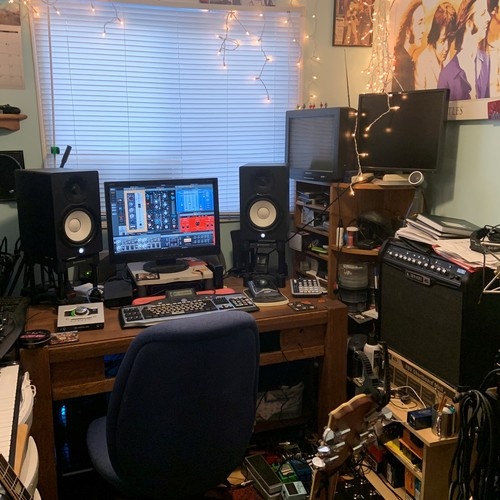
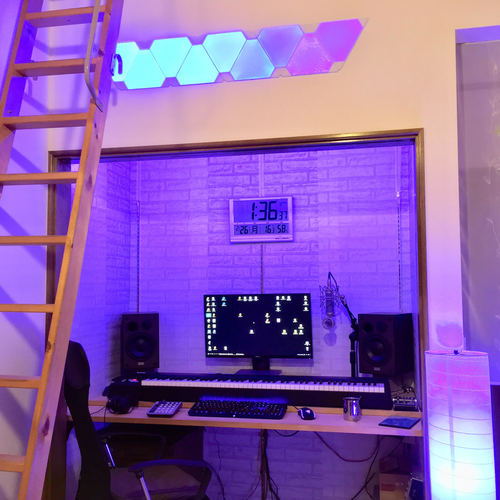
The faderport can be seen on the bottom right of the video.


There were no plug?ins in their computer, so I installed several that I needed to work. I also made them buy some outboard [two Chandler Germanium compressors and an Alan Smart C2] and a PreSonus FaderPort, to work easier.”


In a tweet, Masaru Teramae discusses his experience with the PreSonus FaderPort Classic, noting the automatic movement of its faders and expressing nostalgia for using similar equipment.


In this video you can see SuperStar O with his PreSonus Faderport at 1:40.


confirmation at 0:58 https://www.youtube.com/watch?v=6uiSiEjilLU


Avior uses the PreSonus FaderPort Classic to enhance production workflow, as seen in their Instagram post.

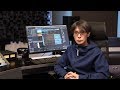
the PreSonus FaderPort Controller can be seen starting at 0:17


Lo muestra en su Studio Tour 2019 en el minuto: 3:30


Genre Usage
Based on how artists on Equipboard use this gear, it is most commonly found in the following genres.
Used With
Based on how musicians on Equipboard use PreSonus FaderPort Classic, it is most commonly used with the following gear.

-s.webp?v=1784455242)


Community setups
Show yours


Similar
Add recommendation1 alternative for PreSonus FaderPort Classic, curated by the Equipboard community.

$169.00 - $209.99
More PreSonus DAW Controllers

$699.99 - $839.99
in DAW Controllers Rank


$169.00 - $209.99
in DAW Controllers Rank


$229.04 - $524.99
in DAW Controllers Rank


$199.99 - $249.99
in DAW Controllers Rank

$169.00 - $209.99
in DAW Controllers Rank


$133.00 - $240.00
in DAW Controllers Rank


$182.00 - $277.00
in DAW Controllers Rank


$53.00 - $119.99
in DAW Controllers Rank


$249.00 - $499.00
in DAW Controllers Rank


$80.00
in DAW Controllers Rank


$285.00 - $419.00
in DAW Controllers Rank


$183.05 - $599.99
in DAW Controllers Rank


$1,045.00 - $1,399.99
in DAW Controllers Rank


$76.40 - $109.00
in DAW Controllers Rank


$57.00 - $1,299.99
in DAW Controllers Rank


in DAW Controllers Rank


$74.00
in DAW Controllers Rank


$99.00 - $229.00
in DAW Controllers Rank


$1,295.00 - $1,495.00
in DAW Controllers Rank


$995.00 - $1,195.00
in DAW Controllers Rank


$79.95 - $109.00
in DAW Controllers Rank


$122.00 - $189.00
in DAW Controllers Rank


$160.73 - $349.99
in DAW Controllers Rank

$184.57
in DAW Controllers Rank


$578.31 - $799.99
in DAW Controllers Rank

$120.00
in DAW Controllers Rank


$48.00 - $70.90
in DAW Controllers Rank


$1,191.76
in DAW Controllers Rank


$635.00 - $999.99
in DAW Controllers Rank


$333.00 - $399.99
in DAW Controllers Rank

$995.00 - $1,195.00
in DAW Controllers Rank

$140.00
in DAW Controllers Rank


$544.00 - $699.99
in DAW Controllers Rank

$1,191.76
in DAW Controllers Rank


$199.00 - $409.00
in DAW Controllers Rank

$129.00 - $169.99
in DAW Controllers Rank

$378.03 - $699.00
in DAW Controllers Rank


$249.00 - $469.90
in DAW Controllers Rank


$249.00 - $1,399.99
in DAW Controllers Rank


Accessories & Related Items


Gear Guides







Most Popular DAW Controllers
Most Popular Brands


