


Pricing and availability
We compare 600+ stores and found this item at 5 stores. Prices updated .
Store
Reviews
Price


Average Price: $181
High-end/Boutique
$49
$150+
Price Tier
Budget
Standard
High-end
Price History
Based on price data from 3 merchants for "FabFilter Pro-Q 3". Prices shown reflect NEW condition. Tracking began Apr 2, 2026.
* Product prices and availability are updated by Equipboard every 24hrs and are subject to change. Equipboard may receive compensation for purchases made at participating retailers linked on this site. This compensation does not affect what products or prices are displayed, or the order of prices listed. For more information, please refer to our affiliate disclosure.
Description
Unleash your creativity with the FabFilter Pro-Q 3, a versatile EQ plugin that stands out in any mix engineer's toolkit. Its sophisticated design allows you to shape sound with precision, whether you're making subtle adjustments or engaging in complex frequency sculpting. The 24-band dynamic equalizer offers a mix of analog warmth and digital precision, thanks to its Natural Phase and Linear Phase modes. This plugin is not just versatile in its sound-shaping capabilities but also in its user-friendly interface, which features a large interactive EQ display that simplifies the process of creating and tweaking EQ bands.
With Pro-Q 3, you can effortlessly identify and eliminate frequency collisions, aided by its revamped spectrum analyzer and Spectrum Grab function. The plugin also supports Dolby Atmos, making it a future-ready tool for immersive audio projects. The inclusion of a Piano Roll display ensures your EQ decisions are always musically informed, while the innovative Auto Gain mode compensates for volume changes, keeping your mix balanced. Whether you are a seasoned pro or an aspiring engineer, the Pro-Q 3 promises a rich blend of features that elevate your mixing and mastering sessions.
Key Features:
- 24-band dynamic equalizer with Natural Phase and Linear Phase modes
- Dolby Atmos support with intelligent per-band speaker selection
- Brickwall LP/HP filter slope for aggressive frequency elimination
- Spectrum analyzer with collision detection and Spectrum Grab function
- Per-band Mid-Side and Left-Right processing modes
- Auto Gain with channel weighting and dynamic gain correction
- EQ Match feature for seamless integration with other Pro-Q 3 instances
- Up to 96 dB/octave filter slope and diverse filter types
- Piano Roll display for musically guided EQ adjustments
- Zero Latency mode for live tracking and performance
Product specs
| Software Type | Dynamic EQ |
| Platform | Mac, PC |
| Upgrade/Full | Full |
| Download/Boxed | Download |
| Bit Depth | 64-bit |
| Plug-in Formats | AAX, AU, VST, CLAP |
| Additional Compatibility | AudioSuite |
| Hardware Requirements - Mac | Intel Core 2 Duo or higher, 4GB RAM minimum |
| Hardware Requirements - PC | Intel Core 2 Duo / AMD Athlon 64 X2 or higher, 4GB RAM minimum |
| OS Requirements - Mac | macOS 10.13 or later |
| OS Requirements - PC | Windows 7 SP1 or later |
FAQs
-
What are the main features of the FabFilter Pro-Q 3 EQ plugin?
-
The FabFilter Pro-Q 3 offers a 24-band dynamic EQ with Dynamic Range and Threshold controls, perfect analog EQ shape matching, Linear Phase mode, and surround support up to 7.1.2 Dolby Atmos. It also includes mid/side processing options, a brickwall LP/HP filter slope, and an improved spectrum analyzer with frequency collision indication.
-
Is FabFilter Pro-Q 3 compatible with my DAW?
-
FabFilter Pro-Q 3 is compatible with DAWs that support AAX, AU, VST, CLAP, and AudioSuite plugin formats. It works on both Mac and PC platforms, ensuring broad compatibility across most popular DAWs.
-
How does the Dynamic EQ feature work in FabFilter Pro-Q 3?
-
The Dynamic EQ in FabFilter Pro-Q 3 allows you to adjust the EQ bands dynamically based on the input signal. It features Dynamic Range and Threshold controls, along with an intelligent Auto Threshold mode, providing precise control over dynamic processing.
-
What are the system requirements for running FabFilter Pro-Q 3 on a Mac?
-
To run FabFilter Pro-Q 3 on a Mac, you'll need macOS 10.13 or later, an Intel Core 2 Duo processor or higher, and a minimum of 4GB RAM.
-
Can I use FabFilter Pro-Q 3 for surround sound mixing?
-
Yes, FabFilter Pro-Q 3 supports surround sound mixing up to 7.1.2 Dolby Atmos, with intelligent per-band speaker selection, making it suitable for complex audio environments.
-
How does the spectrum analyzer in FabFilter Pro-Q 3 improve mixing?
-
The spectrum analyzer in FabFilter Pro-Q 3 includes frequency collision indication and the ability to show the spectrum of any other Pro-Q 3 instance, helping you identify and address frequency clashes effectively during mixing.
Videos

FabFilter
Introduction to FabFilter Pro-Q 3
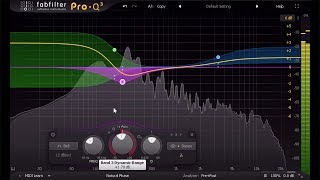
Introduction to FabFilter Pro-Q 3
FabFilter
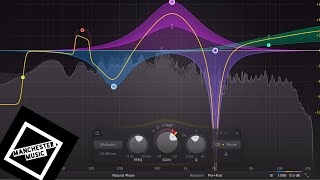
Fabfilter Pro Q3: Why is everyone in love with this thing?

Geoff Manchester
Fabfilter Pro-Q 3 EQ Tutorial - Everything You Need to Know

Sam Smyers
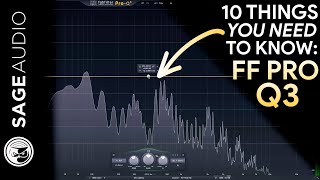
FabFilter Pro Q 3: 10 Things You Need to Know

Sage Audio
FABFILTER PRO-Q3 FIRST LOOK!

White Sea Studio
What Makes This Plugin So Great? FabFilter Pro-Q 3

Creative Sauce
Coming soon... FabFilter Pro-Q 3
FabFilter
Is this the BEST EQ Plugin Ever Made?

EDM Tips
THIS IS RUBBISH...not! - FABFILTER PRO-Q 3 REVIEW | Streaky.com

Streaky
FabFilter Pro-Q 3 | Worth the hype?

Jon Meyer Music
Reviews
PROS
-
Highly flexible with up to 24 bands for detailed EQ control
-
Dynamic EQ capabilities allow for precise frequency adjustments
-
Excellent GUI with visual feedback aids in intuitive use
-
Transparent sound, ideal for both subtractive and additive EQ tasks
-
Mid/side processing enhances stereo field manipulation
-
Extremely versatile, suitable for individual tracks and mastering
-
Auto-gain feature simplifies gain staging and workflow
-
Industry standard, trusted by professionals for reliable performance
-
Resource friendly, doesn't strain CPU even with multiple instances
-
Exceptional for surgical EQ tasks and problem frequency isolation
CONS
-
Some users find it expensive compared to other EQ options
-
Lacks the analog warmth of hardware EQs for certain tasks
Owner Insights
We analyzed real musician discussions from forums and Reddit to find what players love, question, and tweak about FabFilter Pro-Q 3.
Comparisons
-
ToneBoosters EQv4 is highlighted as offering 90% of Pro-Q 3's functionality at just 20% of the cost, providing a more budget-friendly option.
Source -
The JST EQ by Joey Sturgis Tones is suggested as a budget-friendly alternative to Pro-Q 3, sharing many features but at a lower price.
Source -
Kirchhoff EQ is noted as a comparable alternative, particularly for its dynamic EQ control, though it lacks Pro-Q 3's frequency masking visualization.
Source
Use cases and applications
-
The Pro-Q 3's dynamic EQ functionality is praised for maintaining mix clarity when static cuts make the mix sound dull.
Source -
The EQ matching feature in Pro-Q 3 is noted for its utility in reverse-engineering sounds, providing creative sound design opportunities.
Source -
Many users prefer using Pro-Q 3's linear phase mode on vocals for its clean, transparent sound, despite its high CPU usage.
Source
User experience
-
Some users note the minimized version of Pro-Q 3 is efficient on CPU, making it feasible to use as the default EQ on multiple channels without resource strain.
Source -
Users report that Pro-Q 3 significantly enhances workflow speed, especially when working on tight deadlines.
Source -
Owners appreciate the mid-side processing and intuitive UI, which significantly improves workflow efficiency.
Source
Features and functionality
-
Users appreciate the full-screen mode, which maximizes the analyzer display, allowing for quicker identification of problem frequencies.
Source -
The Pro-Q 3's EQ curves maintain integrity near the Nyquist frequency, avoiding the "cramping" effect found in other EQs for high-frequency filters.
Source -
The Pro-Q 3's ability to visualize frequency conflicts between tracks using multiple instances is a unique feature not found in other EQs.
Source -
Pro-Q 3 offers extensive y-axis scale customization from 3dB to 30dB, which can be set as a default preset for consistent visual scaling.
Source -
Users appreciate the ability to sidechain the EQ to different sources, enhancing flexibility in mixing scenarios.
Source -
Pro-Q 3 includes a brick wall function, although it's advised to use it cautiously as it can cause phase issues.
Source -
Dynamic EQ feature allows turning any band into a compressor, providing nuanced control over specific frequency ranges.
Source
Value and pricing
-
Pro-Q 3 is considered a premium plugin, but its extensive feature set and usability justify the investment for many users, despite the availability of cheaper alternatives.
Source -
FabFilter offers significant discounts for students and price reductions when purchasing multiple plugins, enhancing its affordability.
Source
Critic Reviews
5.0 out of 5
Based on 63 Reviews and 443 Ratings

Best. EQ. Outthere.
Basically the only EQ I use. I do use Maäg EQ4 on the master channel, when mastering projects, but that's it. Pro-Q does everything else.. Sculpting, cleaning, filtering, removing low or high frequencies, mid, side, etc etc.

1824
Unbelievable Versatile Digital EQ!!!
My Favorite Digital EQ (Versatile) works wonderful on just about anything
Exceptional Sound Quality
Solves Problems BIG TIME!
Excellent Control
Worth EVERY Dollar - you will use this on everything - If you only own 1 Digital EQ the THIS should be 'The ONE'!

5455
5 stars, 2nd most used EQ
5 stars, 2nd favorite plugin EQ. Goes Massenburg, ProQ 2. I'd be fine with just the 2 plugin EQ options honestly, I rarely use anything else...ever. Most used plugins I have. The feature set on the Pro Q is nice & a big part of how it gets used as often as it does. It's a solid problem solver.
The Massenburg is a better sounding plugin EQ, but it's feature set is limited. It does what it does very well & that's it. No bells & whistles & that suits me just fine.
The ProQ 2 covers the mid side, the ease of finding problem frequencies, etc. & general problem solving, etc. it's what has made it a go to for EQ work where the Massenburg isn't a fit.
Lastly- the GUI is, I'm sure already mentioned, but refreshing & it's how I wish more developers would think.
It's a plugin for shits sake.
I'm not interested in some massive GUI representation of a NEVE or API.
Actually that, in addition to being a hassle just serves to remind me of said plugins failings.
Version: FabFilter Pro-Q 2
852
Probably the Best Equalizer I have Used
This is one of if not the best equalizer plugin that I have used. I use it up front on each channel in the mix to shape the signal right out of the instrument plugins. For example, I use it on a synth as the first plugin in the chain. I also use it in my master chain as the first plugin. The thing I like about this EQ is that it allows me to see what I am doing so clearly. I almost don't have to hear the music to know what it is going to sound like. And, this version 2 has an auto gain feature that while not perfect does a great job at keeping the levels going out of this plugin quite even with what was going into it. That is always a chore during the gain staging process and this EQ takes easily an hour out of the process for me.
Version: FabFilter Pro-Q 2
205
Most popular EQ plugin out there, possibly the best.
This EQ plugin is practically an industry standard, and has a really nice GUI. It comes standard with lots of presets, too, which can be a good thing if you just want to try and stick them on your sounds in the mix or use as examples to go off of. I will say, though, that sometimes it can be easy to overlook DAWs simple, but effective, built-in EQ plugins.


213
The Perfect EQ.
The Perfect EQ.
Everything about this EQ is perfect. The sound, the look, the features, the workflow. I love this EQ because, although I use it mostly for subtractive EQing, the additive EQ sounds super transparent, especially in the higher frequencies.
I'd recommend getting to know whatever EQ you have already, but if you have the money to spend, get to know this one instead and it will most likely improve your production quality.
Version: FabFilter Pro-Q 2
185
Best workhorse EQ on the planet
Like the title says, simply the best EQ on the planet. Why? It is highly flexibel, has awesome workflow and sounds awesome. And on top of that it is beautiful to look at. My go to EQ everyday. I wouldn't use it for coloring because it is very transparant. But there's plenty of other coloring EQ's on the market today.
Version: FabFilter Pro-Q 2
166
The best EQ
This is an amazing EQ plugin and it is very very quick, i like how it more or less guesses whether you want a HPF or LPF according to where you click. The HD display also makes it much easier to see every single frequency you want to manipulate on its spectrum analyser. Also the amount of points and curves you can make allow so much freedom to mix however you want. The frequency automation is also very responsive which is great.
Version: FabFilter Pro-Q 1
238
This is the pre-eminent EQ
As far as subtractive EQ goes, this plugin is a workhorse for mixing. Does alright with boosts too but they lack the flavor of analog gear, so I use them sparingly in favor of other EQs.
Artist usage
Add artist


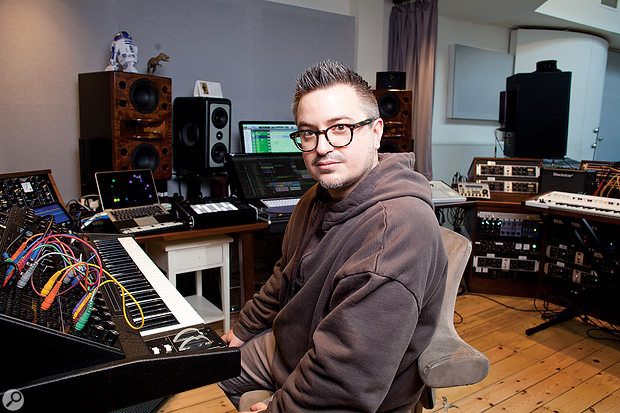
The guitars have the Soundtoys PanMan to give them some movement, and also some corrective EQ from the Pro–Q 2, and the UAD SSL E Channel strip, which is one of my go–to plug–ins, because it sounds so similar to the original SSL,

In the video: "John Christian's Studio Sessions: Chapter 1 | Layering Part I" at the minute 5:43 he use the FabFilter Pro-Q.

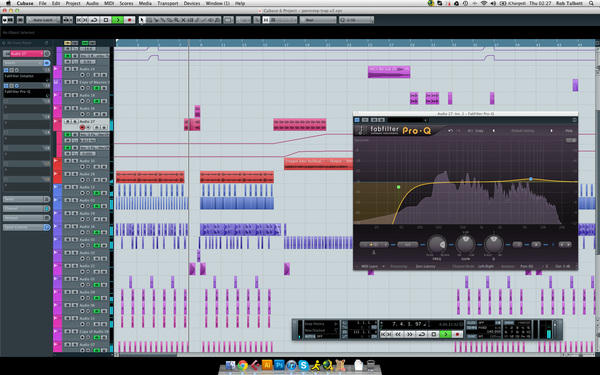
Dodge & Fuski uses the FabFilter Pro-Q Equalizer Plugin to "focus on EQing recordings of girls making sex noises" on December 19, 2012.


At 3:37 in the video you can see Fred V opening Fabfilter Pro-Q


Used on Cardi B's vocals for "Bodak Yellow", as mentioned by mix engineer Evan LaRay in this February 2018 Sound on Sound interview.
In his mix of ‘Bodak Yellow’, Evan LaRay used almost identical vocal chains on two auxiliary busses. The ‘Vox 1’ chain includes FabFilter’s Pro-DS de-esser and Waves’ C4 multiband compressor, plus the Waves CLA Vocals plug-in and SoundToys’ Decapitator saturation processor.
The main ‘Hook’ and ‘Verse’ vocal tracks have similar plug-in chains, incorporating the EQ3 seven-band, Waves CLA-76 and Waves De-esser, though the ‘Hook’ also has FabFilter’s Timeless 2 delay. LaRay explains, “The EQ on the ‘Hook’ has a high-pass, around 100Hz, and I’m also cutting 3dB at 300Hz, because the vocal sounded a bit muddy, and again 3dB at 4kHz, because there was a piercing frequency there. The CLA keeps the peaks in check, and the de-esser again takes some higher frequencies out, at 4270Hz, and the Timeless is another favourite plug-in. I think in general the FabFilter plug-ins are extremely dope. I wanted the ‘Hook’ vocal to stand out from the ‘Verse’ vocal, so I used a stereo delay preset, and then tweaked that. The presets on the FabFilter plug-ins are pretty good: you just run through all of them and then choose the best one. In this case I lowered the width and the wet value of the stereo delay preset, and that sounded good and gave the hook its own space. The three plug-ins on the ‘Verse’ track do pretty much the same.
“The ‘Inout’ tracks that are below the ‘Hook’ and the ‘Verse’ are vocal doubles. They are words or lines we use for emphasis and additional power on these lines and words. They come from one of her original vocal takes, which I just cut and cleaned up. Both ‘Inout’ tracks have the Waves RCompressor, just containing these words and lines so they don’t overwhelm the ‘Hook’ or the ‘Verse’ vocal, and then the FabFilter Pro-Q2, taking out some high frequencies, again to make sure it doesn’t clash with the leads, and also cutting below 200Hz. And there’s a delay on these tracks to put them in a slightly different space from the lead vocal tracks.
“In addition to the two ‘Inout’ tracks, both the ‘Hook’ and the ‘Verse’ tracks are also accompanied by an ‘Ad Libs’ track, which were some ad libs Cardi had recorded with Mike over at Krematorium. Mike had also set up a separate aux track for these ad libs, which is ‘Vox2’, and I liked that and kept two of the plug-ins he had on that: the [Avid] Sansamp for some distortion and the SoundToys Panman. I then added the D-Verb and the [Waves] CLA Vocals. I adore the CLA Vocals. I use it on every track I work on. When I don’t use it, the vocals sound completely different. I’d love to know what exactly it does! Finally, the inserts have the Waves L1, just to control the peaks.
“The other tracks — ‘EXF1’, ‘EXF2’, ‘EXF3’ and ‘EXF4’, are because I prefer to create a new track if I want to have a specific effect on specific words or phrases. I prefer doing that to automating the effects on a track. Automation is great, but I tend to only do volume automation. So I copy audio to another track, and then put the effect on that, and in this case I created four different effects tracks with four different delays. ‘EFX1’ is the main one, and has the same three plug-ins as the Verse tracks — EQ3 three-band, CLA76 and Waves De-esser — just with the EQ3 cutting more of the high frequencies. Then there’s an eighth-note ping-pong delay from the Waves H-Delay, and then a D-Verb set to ‘hall’ with 7s decay and a 15ms pre-delay. ‘EFX2’ has another H-Delay delay, ‘EFX3’ the Timeless 2 delay, and ‘EFX4’ again has the H-Delay plus a D-Verb.”
All the main vocal audio tracks go to LaRay’s ‘Vox1’ aux group track. This, he explains, has “A FabFilter Pro-DS de-esser, then the Waves RCompressor controlling the peaks, the Waves C4 multiband compressor boosting the high end and containing the lows in her voice, so it doesn’t cut through too much, and Waves CLA Vocals. Again, it’s really making my vocals sound good. I push the Pitch fader to stereo, spank it on the compressor, also push up the treble to brighten it up, turn the reverb down to ‘tight’, and lower the delay by 9dB because my own quarter delay is my main vocal delay, and it sounds great. There’s also a SoundToys Decapitator, to add more harmonic distortion, and then there’s the Waves RVox. That was supposed to be the final plug-in on the insert, but then I realised the vocal was still peaking too much once she began rapping loudly, so I put on the L1 [limiter] to control that.”
The ‘special sauce’ in Evan LaRay’s mixes comes from a parallel aux channel containing a blend of compression, saturation, EQ and other processors. Key ingredients are Waves’ PuigChild compressor and PuigTech equaliser.
The ‘Vox1’ and ‘Vox2’ tracks also each have a Trim plug-in on an insert, and sends to the ‘Verb’ aux and to the ‘ELR’ (LaRay’s initials) track. “I put the Trim on all my tracks at the end of the vocals, and at the end of the beat, because the vocals actually began distorting in places. These two tracks were too hot, and I wanted to make sure they had a good level before going to the ‘Sub Print’ track. I have the ‘ELR’ aux track in every session. It’s most of all parallel compression, but I also always try out new things with distortion, exciters and things like that, and I label that ‘ELR’. In this case it really is the ‘ELR’ track that makes the vocals cut through the mix.
“The compression on the ‘ELR’ track comes from the Waves PuigChild 670, which is a great compressor, and it’s compressing a lot, so the vocal stays right there in the middle. The signal is then going to the PuigTech EQP-1A, which is boosting some low end to add some warmth to the vocals, and some 5kHz, and then the Waves Aphex Vintage Aural Exciter, set to AX Mix 6, for some added crispness and clarity, then the EQ3 seven-band to control the low mids, and another De-Esser cutting 4398Hz, to finalise the vocal sound. The L1 also helps keep the vocals in the same place. Finally, the ‘Verb’ send on the ‘Vox1’ and ‘Vox2’ tracks goes to the ‘Verb’ aux, which has the Waves RVerb, and that pretty much glues everything together.”


at 3:34, you can briefly see Naomi has this plugin on a track.


In a behind-the-scenes video for her single "bittersweet," Madison Beer and her producer One Love, also known as Tim Sommers, discuss the production process, in which Madison was significantly involved. At the 2:55 mark of the video, the FabFilter Pro-Q 3 plugin is visibly displayed in the left corner, confirming its use. This video was published by Variety on YouTube in their series "Behind the Song."


Mid-Air Thief uses the FabFilter Pro-Q 3, as confirmed in an interview by Someya Taiyo for the release of the album "Crumbling" in 2018:
As for plug-ins, I mostly used Fabfilter and iZotope. Fabfilter’s Pro-Q is the only EQ software I can bear to use. I just love it too much…
(Source: Henkka, "Mid-Air Thief 'Crumbling' Interview (2018)," kumomi)


James is using FabFilter Pro-Q 2 Equalizer Plugin here.

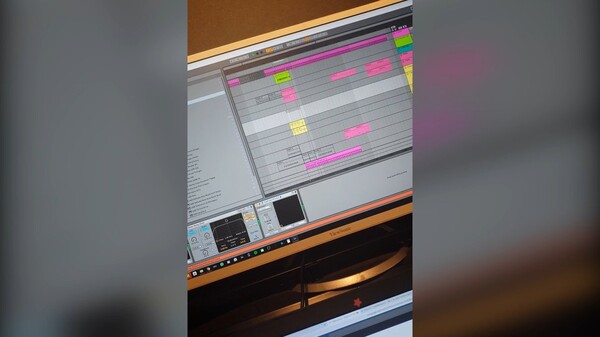
In this instagram video at 0:19 Jetfire can be seen using Fab Filter Q3


Album Usage
The FabFilter Pro-Q 3 has been featured on the following albums:

bittersweet
Madison Beer (2025)
Are We There
Breaka (2025)

american dream (nightcore version)
21 Savage (2024)

Open Your Eyes
Funkin Matt (2024)

Modern Girl
Bleachers (2023)

Lucky
Bad Snacks (2022)

snowfall
Øneheart (2022)
Neon Medusa
The Midnight (2021)
Good News
Megan Thee Stallion (2020)
Exciting New Sound
Will Sparks (2020)
Ex Machina
Metrik (2020)
Say So (feat. Nicki Minaj)
Nicki Minaj & Doja Cat (2020)

Old Town Road (Remix)
Billy Ray Cyrus & Lil Nas X & Mason Ramsey (2019)

Echoes
Ben Duffy & Kove (2019)
Obsidian
Huminal (2019)

KIRK
DaBaby (2019)

Gravity
Metrik (2019)
Can't Erase
Rebecca & Fiona & Nause (2019)
bad guy (with Justin Bieber)
Justin Bieber & Billie Eilish (2019)
Be Honest (feat. Burna Boy)
Jorja Smith (2019)

Crumbling
Mid-Air Thief (2019)
Macropsia
Huminal (2018)
How Does It Feel
M-22 (2018)
Dead Inside
Taska Black (2018)
All The Stars (with SZA)
Kendrick Lamar & SZA (2018)

Sober
Cat Dealers (2017)
Lots to Say
Mark Villa & Keanu Silva (2017)

Bodak Yellow (feat. Kodak Black)
Cardi B & Kodak Black (2017)
Breathe
Jonas Aden (2016)

Is It Love
3LAU (2016)

Blau & Pink
Dat Adam (2016)
Sweet & Sour (Extended Mix)
Mike Williams & Mike Williams (2016)
![FabFilter Pro-Q 3 as heard on Memories (feat. Sirah) [Radio Edit] by Bassjackers & KSHMR (2015)](https://images.equipboard.com/uploads/album/image/255828/memories-feat-sirah-radio-edit.jpg)
Memories (feat. Sirah) [Radio Edit]
Bassjackers & KSHMR (2015)
Secrets (Remixes)
Tiësto & KSHMR & Vassy (2015)
Secrets (Diplo Remix)
Tiësto & KSHMR & Vassy (2015)

Secrets (Radio Edit)
Tiësto & KSHMR & Vassy (2015)

Edge EP
Neonlight (2015)

See You Soon
Michael Brun (2015)

The One
W&W (2015)

The End (Megaphonix Remix)
Lucky Date & Megaphonix (2015)
Memories (feat. Sirah)
Bassjackers & KSHMR (2015)

Heartbeats
Matt Nash (2015)

Here Comes The Sun
Will K (2015)

Rattlesnake
Rogue (2015)

A Head Full of Dreams
Coldplay (2015)
Purpose (Deluxe)
Justin Bieber (2015)
Turn It Around
DubVision (2014)
Turn It Back
Deepend (2014)
Party Face
Victor Porfidio (2014)
Max Ammo
Firebeatz (2013)
Retaliate
Angerfist (2012)
In The Mode
Roni Size & Roni Size / Reprazent (2000)
Genre Usage
Based on how artists on Equipboard use this gear, it is most commonly found in the following genres.
Used With
Based on how musicians on Equipboard use FabFilter Pro-Q 3, it is most commonly used with the following gear.






Community setups
Show yours
Similar
Add recommendation2 alternative and related items for FabFilter Pro-Q 3, curated by the Equipboard community.


$249.00
More FabFilter EQ Plugins

$179.00 - $199.00
in EQ Plugins Rank
-m.webp?v=1783316885)
$34.99 - $38.00
in EQ Plugins Rank


$1,015.75 - $1,195.00
in EQ Plugins Rank


$33.00 - $49.99
in EQ Plugins Rank


$64.00 - $240.00
in EQ Plugins Rank


$33.00 - $34.99
in EQ Plugins Rank


$33.00 - $34.99
in EQ Plugins Rank


.jpg?v=1782886998)

$33.00 - $35.99
in EQ Plugins Rank


$34.99 - $47.00
in EQ Plugins Rank


$33.00 - $34.99
in EQ Plugins Rank


$33.00 - $35.99
in EQ Plugins Rank


$33.00 - $34.99
in EQ Plugins Rank


$39.00
in EQ Plugins Rank


$39.00 - $49.00
in EQ Plugins Rank
.jpeg?v=1783244343)


$0.00
in EQ Plugins Rank


$33.00 - $34.99
in EQ Plugins Rank


$29.99 - $34.99
in EQ Plugins Rank


$38.00
in EQ Plugins Rank


$22.00 - $99.00
in EQ Plugins Rank

$33.00 - $249.00
in EQ Plugins Rank

$80.00 - $99.00
in EQ Plugins Rank


$725.00 - $863.00
in EQ Plugins Rank


$141.00 - $149.00
in EQ Plugins Rank


$89.00 - $149.00
in EQ Plugins Rank

$29.00 - $29.99
in EQ Plugins Rank


$42.00 - $109.00
in EQ Plugins Rank


$33.00 - $34.99
in EQ Plugins Rank


$112.46 - $3,421.95
in EQ Plugins Rank


Accessories & Related Items


Gear Guides






Most Popular EQ Plugins
Most Popular Brands
-
Added to Equipboard on by
 trakatiks
Gear IQ 425
-


