

Pricing and availability
We compare 600+ stores and found this item at 4 stores. Prices updated .
Store
Reviews
Price


Average Price: $179
Standard/Professional
$149
$400+
Price Tier
Budget
Standard
High-end
Price History
Based on price data from 3 merchants for "Image-Line FL Studio". Prices shown reflect NEW condition. Tracking began Apr 2, 2026.
* Product prices and availability are updated by Equipboard every 24hrs and are subject to change. Equipboard may receive compensation for purchases made at participating retailers linked on this site. This compensation does not affect what products or prices are displayed, or the order of prices listed. For more information, please refer to our affiliate disclosure.
Description
Image Line's FL Studio 20 Producer Edition is not just a music production software, it's a creativity hub for musicians of all levels. With a legacy of over two decades, FL Studio has been the go-to solution for countless artists, from bedroom producers to chart-topping hitmakers, providing an intuitive environment to compose, arrange, record, edit, mix and master professional-grade music.
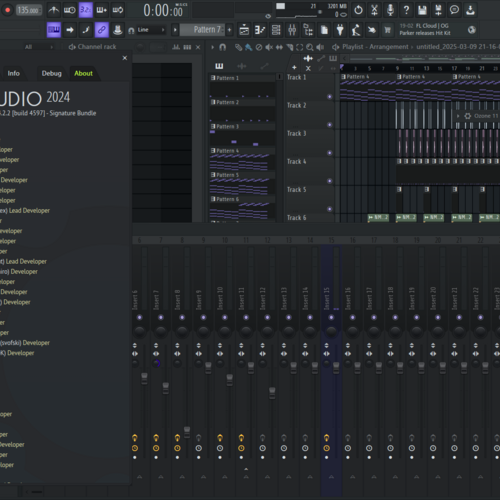
The FL Studio’s legendary Playlist serves as your infinite creative playground, allowing you to sequence and overlay multiple elements of your project in any manner you fancy. The only limit is your creativity! Its unique Patcher empowers you to chain instruments and effects in custom configurations for truly unique sounds.
The software comes packed with over 80 virtual instruments and effect plug-ins, ranging from synthesis, sampling, compression, to delay, and filtering. The package includes powerful tools like Sytrus, Harmless, Slicex, Vocodex, and Maximus, enabling you to achieve whatever style or sound you envisage.
The 20th edition takes music production to new heights, introducing features like Time Signatures, in-situ rendering, multiple Playlist Arrangements, and rebuilt plug-in delay compensation, all designed to make your creative process smooth and synchronized.
Best of all, FL Studio is committed to growing with you. Renowned for its lifetime of free updates, your FL Studio software will never fall out of date, keeping pace with your evolving creativity.
Key Features:
- Comprehensive music production software
- Over 80 virtual instruments and effect plug-ins
- Unique Patcher for custom instrument and effect chains
- Innovative Playlist for limitless creative sequencing
- New features including Time Signatures and in-situ rendering
- Lifetime of free software updates.
Product specs
| Software Type | Music Production |
| Platform | Mac, PC |
| Upgrade/Full | Full |
| Download/Boxed | Download |
| Bit Depth | 64-bit |
| Format | VST2, VST3, AU, Standalone |
| Hardware Requirements - Mac | Intel Core Duo or higher, 4GB RAM or more recommended |
| Hardware Requirements - PC | Intel Core Duo / AMD Athlon 64 or higher, 4GB RAM or more recommended |
| OS Requirements - Mac | macOS 10.13.6 or later |
| OS Requirements - PC | Windows 8.1 or later |
FAQs
-
Is FL Studio 21 Producer Edition compatible with both Mac and PC?
-
Yes, FL Studio 21 Producer Edition is compatible with both Mac and PC platforms. It requires macOS 10.13.6 or later for Mac and Windows 8.1 or later for PC.
-
What are the minimum system requirements for running FL Studio 21 on a PC?
-
To run FL Studio 21 on a PC, you need at least an Intel Core Duo or AMD Athlon 64 processor and 4GB of RAM.
-
Does FL Studio 21 Producer Edition support VST plugins?
-
Yes, FL Studio 21 Producer Edition supports VST2 and VST3 plugins, allowing you to expand its functionality with a wide range of third-party plugins.
-
Can FL Studio 21 be used as a standalone application?
-
Yes, FL Studio 21 can be used as a standalone application, providing a complete music production environment without the need for additional software.
-
Are lifetime free updates included with FL Studio 21 Producer Edition?
-
Yes, purchasing FL Studio 21 Producer Edition includes lifetime free updates, ensuring you always have access to the latest features and improvements.
Videos

FL Studio
FL STUDIO 20 | Launch Video

FL STUDIO 20 | Launch Video
FL Studio
FL STUDIO 21.2 | What's New?
FL Studio

FL STUDIO 2024 | What's New?
FL Studio
![Video thumbnail for FL Studio 21 - Tutorial for Beginners in 12 MINUTES! [ COMPLETE ] by Skills Factory](https://img.youtube.com/vi/6ZuBg6bmkhk/mqdefault.jpg)
FL Studio 21 - Tutorial for Beginners in 12 MINUTES! [ COMPLETE ]

Skills Factory
FL STUDIO 20.8 | What's New?
FL Studio
Anfänger Schnelleinstieg | FL Studio 20 Tutorial

Edward Sour
FL STUDIO 20.8.3 | What's New?
FL Studio

Which Version of FL Studio Should I Get? (2024)

Another Monster Productions
FL STUDIO | Psytrance Tutorial
FL Studio
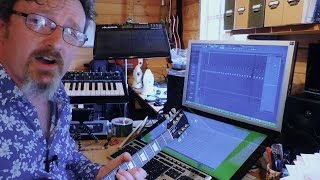
Image Line FL Studio 12 Full, In Depth Review

Molten Music Technology
Reviews
PROS
-
Intuitive interface caters to beginners and pros alike
-
Lifetime free updates eliminate upgrade costs
-
Rich stock plugins and sound packs included
-
Highly praised piano roll for seamless MIDI editing
-
Affordable entry price attracts new producers
-
Strong community support and extensive tutorials
-
Versatile for electronic music production
-
Flexible workflow allows for rapid idea development
-
Consistently evolving with user feedback
-
Excellent for creating complex arrangements quickly
CONS
-
Recording capabilities deemed primitive by some users
-
Struggles with integrating external sound modules
-
High CPU usage reported with large projects
-
Limited MIDI support, complicating collaboration
-
No track freezing, impacting CPU-heavy projects
-
Confusing GUI for some users
-
Automation clips can be cumbersome to manage
-
Lacks real-time audio warping compared to competitors
-
Stock plugins not always up to par with third-party options
-
Some users find workflow doesn’t translate well to other DAWs
Owner Insights
We analyzed real musician discussions from forums and Reddit to find what players love, question, and tweak about Image-Line FL Studio.
Software and compatibility
-
It's confirmed that FL Studio creates an "Image-Line" folder containing project data, and a separate "FL Studio" folder in Documents for user data.
Source
Setup and maintenance
-
Deleting the "Image-Line" and "FL Studio" folders post-uninstallation is safe if no projects or presets were saved, reducing unnecessary file clutter.
Source
User experience
-
Some users report historical changes in folder management, highlighting that older habits might differ from current FL Studio data storage practices.
Source -
Some users find FL Studio's workflow challenging initially, yet many adapt and appreciate the software over time, anticipating improvements in upcoming updates.
Source
Features and functionality
-
FL Studio offers free updates, which are frequently substantial, setting it apart from other DAWs that may charge for major releases.
Source
Value and pricing
-
The $49 Fruity Edition is an affordable entry point, but users find it limited compared to Producer Edition or higher, making it more of a stepping stone for upgrades.
Source
Critic Reviews
4.5 out of 5
Based on 590 Reviews and 2206 Ratings

109
Ideal to my workflow and great VST's inside
I recently switched from Ableton Live 9 to FL Studio 12 and after fooling around and getting a good handle on all the basics, I've decided FL fits my workflow and excites my organizational standards more than any prior DAW I've spent the time getting to know (Logic Pro X & Ableton Live 9 Intro). Understanding the unique integration between channels and patterns took a little getting used to, but now I feel comfortable enough to have created a basic formulaic workflow within it.
For people with 'mixer' MIDI controllers (such as Launch Control XL, MIDI keyboards with other knobs and parameters)... I love how all of my hardware MIDI controllers are for the most part unassigned and ready to be variously manipulated from track to track. This is compared to how Ableton Live will auto assign all knobs, buttons, and faders to specific 'general' parameters, i.e. panning, volume, mute, sends... It tries to replicate session view onto the controller, and this actually lessens the sense of creativity and personification for me. On the flip side of this, Ableton is the best performance DAW, and for that reason I would recommend Ableton over FL in a live setting; I'm talking strictly for production purposes. When opening FL and hooking up my gear, I was truly excited to learn that most of my controller parameters were unassigned and waiting to be accessed according to my priorities and wants. I was able to have my entire studio at my ready; I didn't have to go back to unassign/reassign and organize my controller throughout the entire production process.
The VST's are all powerful, thorough, and interesting. I really like effect VST's such as Parametric EQ 2, Maximus, Grossbeat, and Fruity Reeverb 2. Effects like these I prefer for being so thorough yet understandable. The synth VST's are great. A master at Harmour could use only 1/4 of its features to make some of the toughest, most interesting sounds achievable, but the scale of thoroughness and difficulty touches on all ends of the spectrum from synths like Plucked! to synths like Harmour or Toxic Biohazard.
Going off of this, FL makes it easy for you to work your way up. Once you know the basics to operating this DAW, it provides you with basic VST's that you can learn and master with ease (but also consistency) to start making very basic yet respectable tracks. By the time you reach a level of proficiency in some 3-10 years, I can already tell how guiding yet insanely complex it will seem looking back.
Version: Image Line FL Studio 12
161
Great Workflow
FL was the first DAW I ever worked with, but I transitioned to Logic awhile ago and just started using FL again. The workflow can't be beat, and it's incredibly intuitive once you get past the initial learning curve that comes with any new software.
62

394
High value, quality DAW especially excelling in piano roll and automation controls
I use both FL Studio and Logic (primarily logic) and find both to be very useful for different purposes when producing and composing. For MIDI data manipulation, both are amazing, but FL studio stands out for its simplicity and smooth efficiency of piano roll input. The included ZGameEditor plugin is also extremely useful for effortlessly creating interesting high quality videos for many purposes.
Version: Image Line FL Studio 12
822
Very useful to mix and produce yor music
This is a powerful DAW, also VST plug-in instruments can be used and some standalone applications like amplitube also can be fully integrated for your audio samples or instruments. Very handy to compose songs. I began replacing the sounds of a Casio LK -220 electronic lighted keyboard, that I bought to learn the Piano Basics, because this instrument has a USB input and midi sounds, so you can use the sound quality from Fruity Loops (compilated audio samples).
Probably I'm not using Fruity Loops the way I should do, because I used it only to compose songs for videogames, maybe some youtube tutorials can help a lot.
A USB capable Mixer, a usb keyboard or synth, microphones and a PC with good perfomance* is the best suggestion to get the best results from Fruity Loops.
*The specifications for recommended performance are told in the Image-Line web site, but I can say to have a PC with Intel i7, 8-16 Gb RAM, 1-4 Tb HDD, 256 Gb SDD (optional), at least a 19-21" monitor to freely manage all the windows and menus without problem.
Version: Image Line FL Studio 10
590
Amazing overall, but mediocer audio workflow
I used to use FL, because when I was starting out I needed something that is super easy for me to understand, even without any tutorials (because high-quality and good tutorials didn't really exist when I was starting out). But when I started working more with audio, especially vocals and melodic samples, I knew I had to switch, because I just didn't like FL's approach to audio editing. Overall I really like it, and it is a great DAW for beginners, but I just feel FL could do better with their audio workflow.

41029
the original sampling beatbox software
I was an early adopter of Fruity Loops. I tried version 1 as a highschool senior and fell in love with its ability to load up and edit an unlimited number of my homemade samples and then sequence them with an easy to understand TR808/909 type grid layout. I've been with Image Line ever since. This gets five stars because of how innovative it was at the time. Compared to rebirth it was harder to get useable stuff out of, but it was way more versatile and it sounded as good as what you put in. THis was such a chameleon and combined with hardware synths and something like acid for loop manipulation you really were at the cutting edge of computer music. The toughest thing was syncing it all up back then. Everything had to be done in little bite sized pieces and the workflow was tedious at best!
Version: Image Line FruityLoops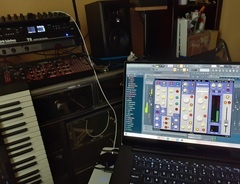

72
main is fl studio 2024!
I TIRED FL STUDIO MUSIC I WANT SOME ALL KINDS OF SAMPLING SOME LIKE THIS.
Preferred Settings + Usage:
FL STUDIO HAS SWTICHED MAIN!

129
My Primary Studio
For 6 years, FL Studio has been my main setup in music production because of the its flexibility workflow as well as the interface which is very straight to the point compare to other DAWS which required more time to understand before jumping into the actual production.
Another thing I do like to point out is the free updates which make its stand out against other DAW which requires an additional fees in order to updates to the latest version
Artist usage
Add artist

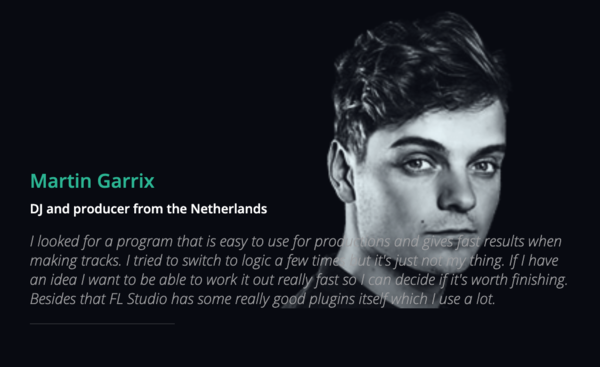
In a studio session video, Martin Garrix said he uses different versions of FL Studio he has installed, since he has not consolidated all the samples and synth sounds into one version (due to lack of time).
The official Image Line website features a Martin Garrix testimonial:
I looked for a program that is easy to use for productions and gives fast results when making tracks. I tried to switch to logic a few times but it's just not my thing. If I have an idea I want to be able to work it out really fast so I can decide if it's worth finishing. Besides that FL Studio has some really good plugins itself which I use a lot.
A few more sources:
- In this video Martin Garrix In The Studio With Future Music, at 1:40 and throughout, a very clear shot of him using FL Studio can be seen.
- He can also be seen using FL Studio throughout this Martin Garrix Masterclass at ADE Sound Lab XL 18.10.17 @ DeLaMar Theater.
- On Feb 17, 2017 Martin Garrix uploaded a "Behind The Scenes" video of his single Scared To Be Lonely which he made with Dua Lipa. He can be seen working in FL Studio, which you can get a clear shot of if you pause at 1:37.
- At 2:47 of the official video for Glitch, you can see on his laptop that Garrix is using FL Studio.

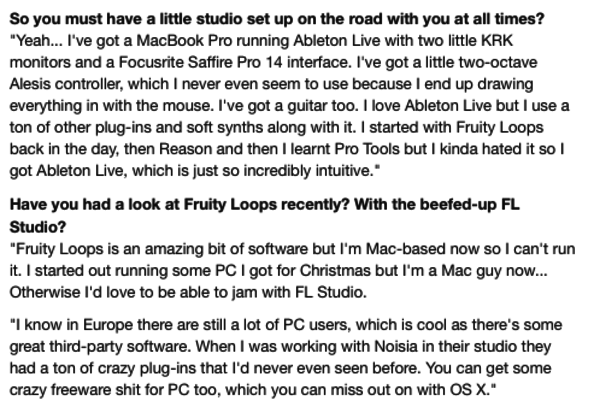
"I started with Fruity Loops back in the day, then Reason and then I learnt Pro Tools but I kinda hated it so I got Ableton Live, which is just so incredibly intuitive," says Skrillex in this interview.


Deadmau5 on FL Studio:
"First and foremost, I launch FL with the beginning of each little idea I have in my head, whether it’s a fast melody, or a drum groove to start out with. I Use FL Studio for that because I have found that the piano roll is by far the FASTEST way to “plot” my melodies and rhythms down because although I have an ear for it, I couldn’t “play” a melody to save my life. So the base of the track is composed almost entirely in FL Studio, all my piano roll / midi data is stored in FL Studio."

Avicii is clearly using FL Studio throughout this video, Avicii in the studio - The Making of Dancing In My Head.
Also in this April 2013 Tweet, when asked what age he started producing and with what software, Avicii says:
"15-16 years old, FL studio. I learned everything myself just by watching youtube tutorials and hanging on forums and stuff!"
He can also be seen working in FL Studio in this video, Avicii: Complete Compilation Of The March 2018 Sessions.


If Daft Punk used Gross Beat as per the video, then that means that they must have used some version of FL Studio.

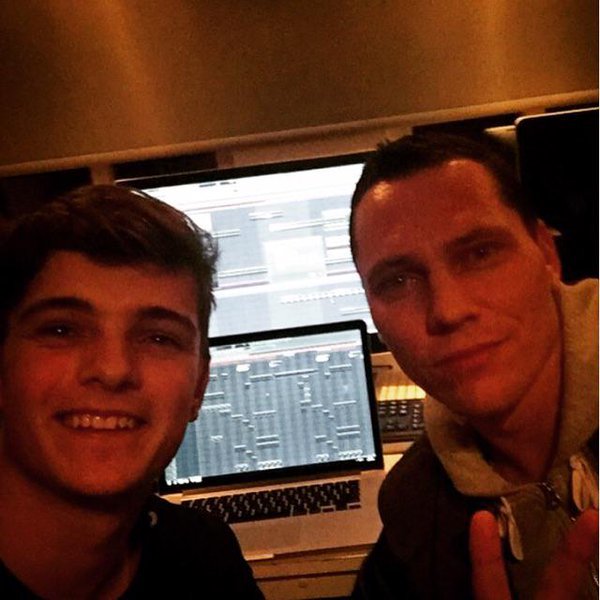
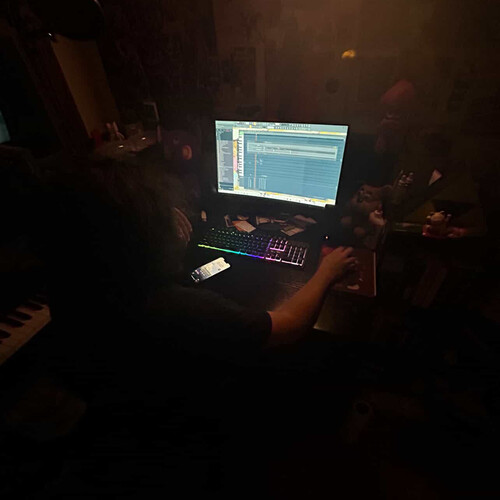
In this photo of a collaboration between Martin Garrix and Tiesto, FL Studio is seen in the back ground on two screens. Based on the photo's recency and layout of FL Studio's playlist layout, it is most likely to be version 11.


"Some people think, "Are you crazy working with FL Studio?" But yes, I work with everything that inspires me. MY main DAW is Logic Pro and Ableton, but recently I got into FL Studio as well." at 10:45.

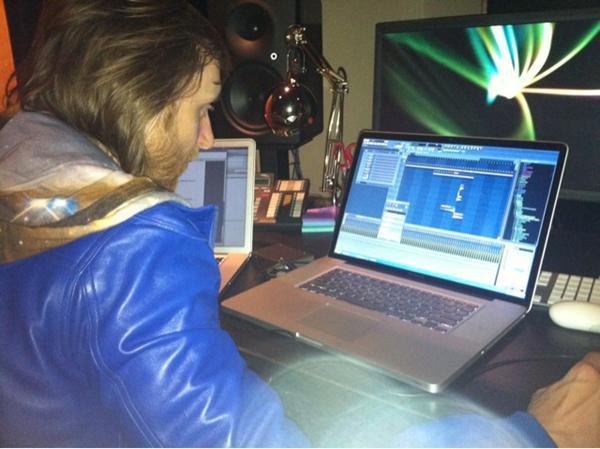
David Guetta can be seen working in FL Studio in this picture

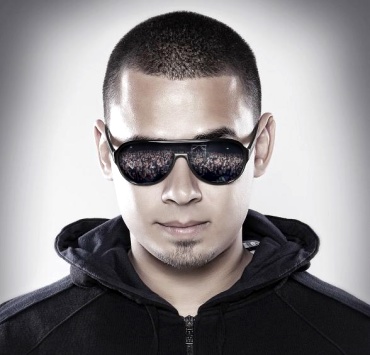
According to the Image Line artists page, Afrojack has been using Fruity Loops ever since he started out producing. He says:
"I started using it when i was about 11 years old, just for fun, making remixes and mixing records through each other just for fun, FL studio felt really easy and obvious, and I never stopped using it."


Nicky Romero started producing using FL: "Before I moved in to this studio I was literally just using Fruity Loops and some speakers that weren’t even monitors, just multimedia speakers."

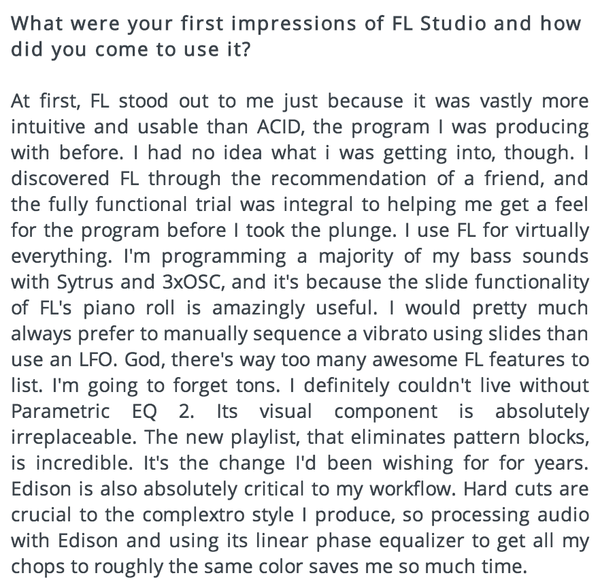
Porter Robinson produces using FL Studio DAW software. In an interview with Image-Line, he says he gravitated towards it after a friend recommended it, and he stuck with it because it was "more intuitive and usable than ACID," which is the software he was using prior.
He also mentions that he programs the majority of his bass sounds using Sytrus and 3xOSC. Other features he cites are useful are the new playlist, which "eliminates pattern blocks," and Edison, which he claims is critical to his workflow: "Hard cuts are crucial to the complextro style I produce, so processing audio with Edison and using its linear phase equalizer to get all my chops to roughly the same color saves me so much time."
Original source here.
Also, around 1:17:00 in this video Porter Robinson Full Twitch Livestream, he talks about being in his bedroom studio, and says:
This is where I produce. I'm in my "studio" right now, though it's not a studio because I don't use any hardware or anything. I don't know if it could strictly be called a studio because it's just me using FL in my bedroom.
Album Usage
The Image-Line FL Studio has been featured on the following albums:

One More Christmas
Aden Foyer (2025)

It's About Us
Chris Stussy (2025)
So Close To What
Tate McRae (2025)
Sakura
Chris Stussy (2025)
TOO BAD – Alan Walker Remix
Alan Walker & G-Dragon & Anderson .Paak (2025)
HYPERYOUTH
Joey Valence & Brae (2025)
Desire
Chris Stussy (2024)
Synergy
Chris Stussy (2024)
Won't Stop (Don't)
Chris Stussy (2024)
Won't Stop (Don't) - EP
Chris Stussy (2024)
Almighty So 2
Chief Keef (2024)
Bounce To The Beat (2024 Remixes)
Todd Terry & Chris Stussy (2024)

NO HANDS
Joey Valence & Brae (2024)
All Night Long
Chris Stussy (2023)

BAILA BONITO
Ovy on the Drums (2023)
The Ballet Girl
Aden Foyer (2023)
Sense of Future
Chris Stussy (2023)
Midtown Playground EP
Chris Stussy (2023)
Midtown Playground
Chris Stussy (2023)

snowfall
Øneheart (2022)

Frailty
Jane Remover (2021)

Do It To It
ACRAZE (2021)
Looking Back
Mesto (2020)
One Thing (Extended Mix)
Mr. Belt & Wezol (2019)
One Thing
Mr. Belt & Wezol (2019)
Roses (Imanbek Remix)
SAINt JHN & Imanbek (2019)
By Now
Jay Pryor (2019)
All About This Ep
Buunshin (2019)
Break Down the House
Laidback Luke (2019)
Reload EP
Eliminate (2018)
Miss You (Remixes)
Major Lazer & Cashmere Cat & Tory Lanez (2018)
Psycho Boys Club
Juyen Sebulba & Stoltenhoff (2018)
Disco
Eliminate (2018)
Different World
Alan Walker (2018)

The Final Mission (Q-BASE 2018 Anthem)
Atmozfears (2018)
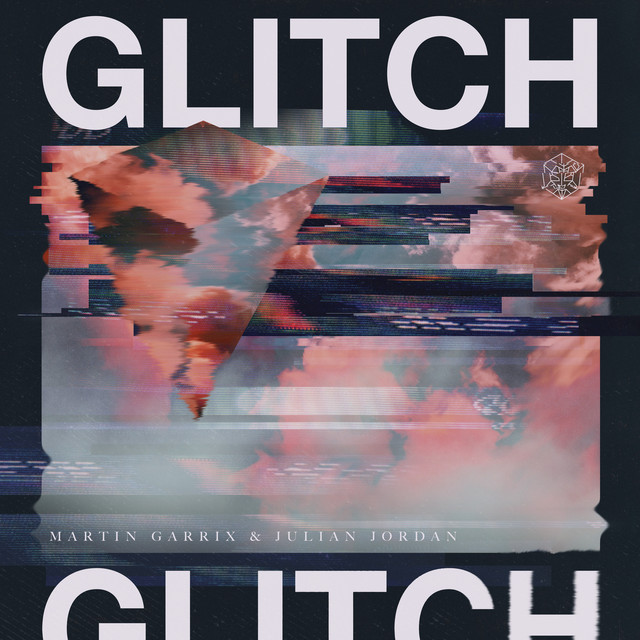
Glitch
Martin Garrix & Julian Jordan (2018)
Parallel (Ephixa Remix - Instrumental)
Ephixa & Laura Brehm (2017)

Scared to Be Lonely
Martin Garrix & Dua Lipa (2017)
Congratulations (Remix)
Quavo & Post Malone (2017)
Lots to Say
Mark Villa & Keanu Silva (2017)
Thief
Ookay (2016)
Come EP
Jain (2016)
Run Wild (Dr Phunk Remix)
Hardwell & Dr Phunk (2016)
Future Is Now
Madison Mars (2016)
The Life Of Pablo
Kanye West (2016)
Release
Atmozfears (2015)
METI (Radio Edit)
Univz (2015)
Reawakening
Atmozfears (2015)
Party Face
Victor Porfidio (2014)
Animals
Martin Garrix (2013)
Daybreak
Rogue (2012)
Dancing In My Head
Avicii & Eric Turner (2012)
Goblin
Tyler, The Creator (2011)
Can You Feel It
Alvaro & Quintino (2010)
Crooks & Lovers
Mount Kimbie (2010)
Diary of an Afro Warrior (Expanded Edition)
Benga (2008)
Genre Usage
Based on how artists on Equipboard use this gear, it is most commonly found in the following genres.
Used With
Based on how musicians on Equipboard use Image-Line FL Studio, it is most commonly used with the following gear.





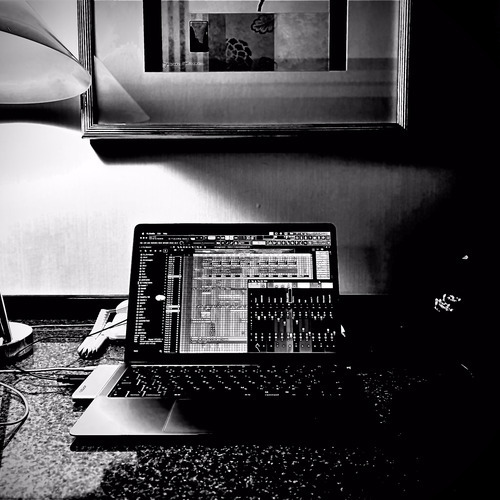
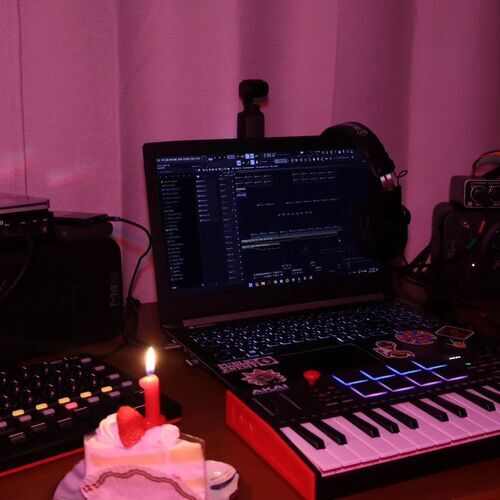
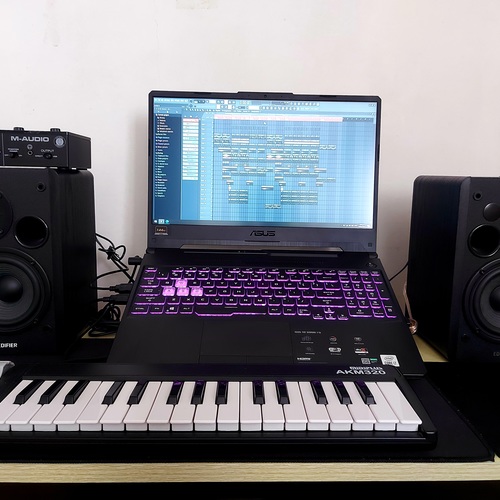
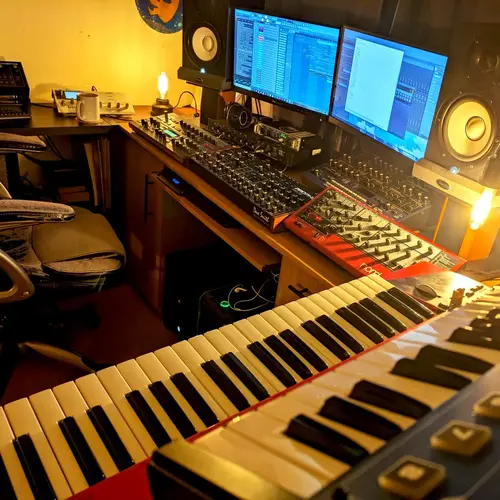
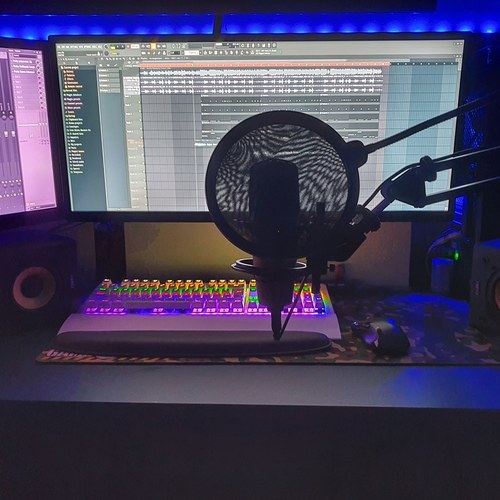
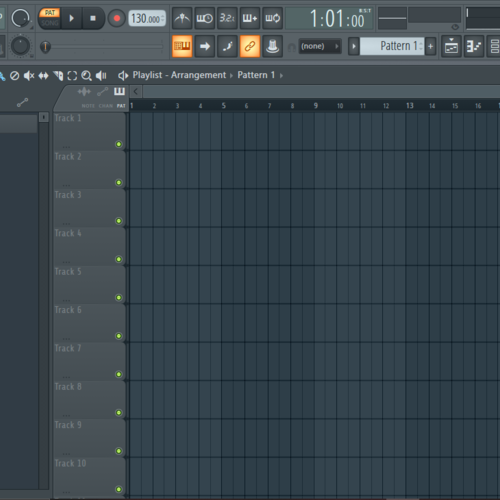
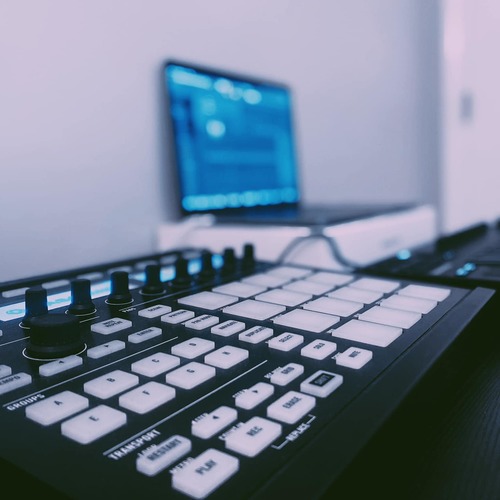
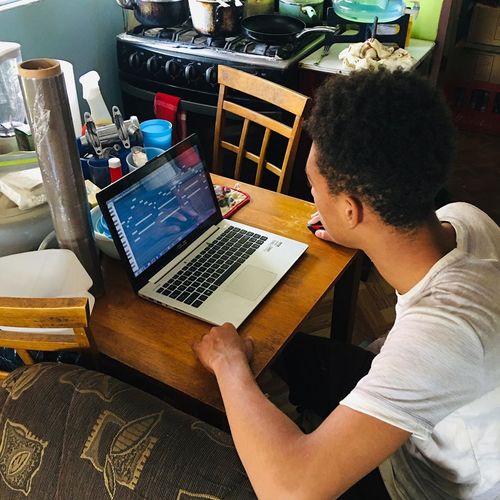
Community setups
Show yours

.png?v=1717448702)
.jpg?v=1776982596)




.png?v=1775150177)





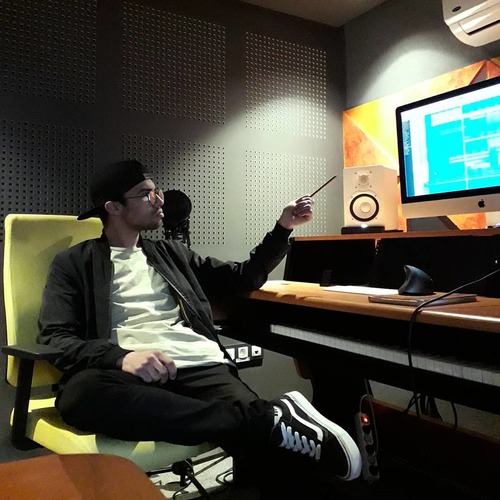


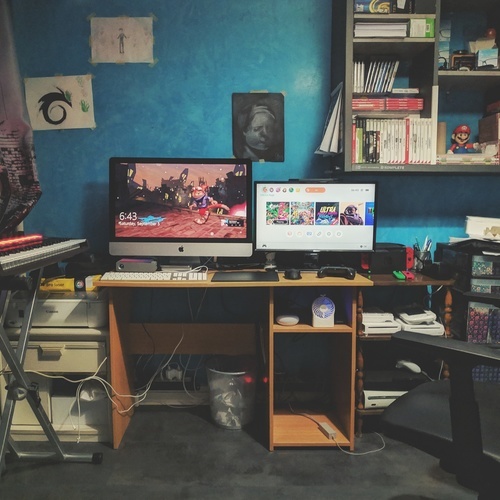

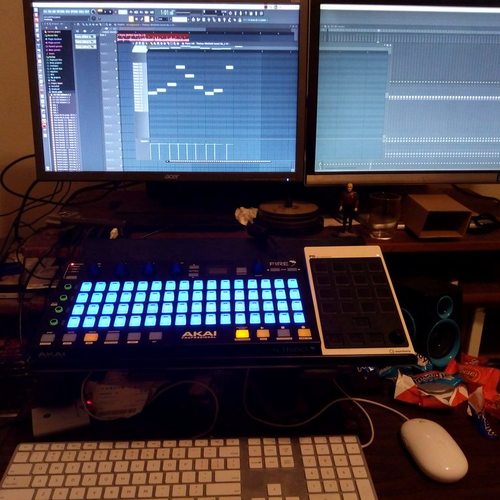
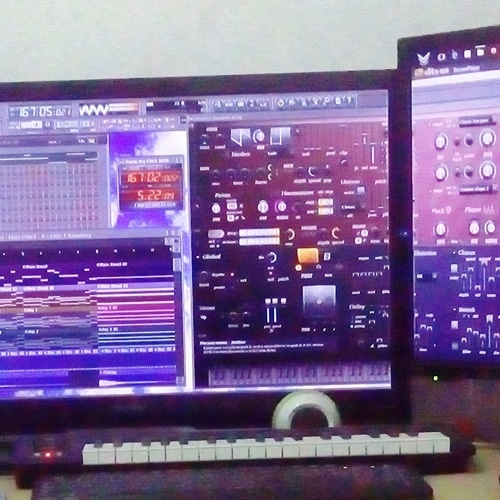


Similar
Add recommendation5 alternative and related items for Image-Line FL Studio, curated by the Equipboard community.

$270.00 - $439.00
Ableton is very similar to FL in terms of its capabilities and performance, but it has a very different interface and workflow that many prefer. Its live performance features are also more extensive, with even some FL artists preferring it for live contexts. That comes at a higher price, as well as Ableton charging users for updates.

$225.00 - $599.00
It is more versatile and works better for most music and SOME electronic music (if you are using hardware synthesizers).


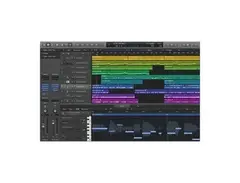
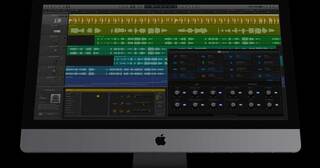
While not available on Windows, Logic is another very popular DAW among producers, and especially for soundtrack composers. Just like FL, it doesn't charge for updates.

⠀⠀⠀⠀⠀⠀⠀⠀⠀⠀⠀⠀⠀⠀⠀⠀⠀⠀⠀⠀⠀⠀⠀⠀⠀⠀⠀⠀⠀⠀⠀⠀⠀⠀⠀⠀⠀⠀⠀⠀⠀⠀⠀⠀⠀⠀⠀⠀⠀⠀⠀⠀⠀⠀⠀⠀⠀⠀⠀⠀⠀⠀⠀⠀
More Image-Line DAW Software

$449.00 - $485.00
in DAW Software Rank


$129.00 - $195.00
in DAW Software Rank

$245.00 - $289.00
in DAW Software Rank


$92.00 - $99.00
in DAW Software Rank


$225.00 - $599.00
in DAW Software Rank


$398.00
in DAW Software Rank
$270.00 - $439.00
in DAW Software Rank


-m.webp?v=1782900043)
$99.99 - $344.00
in DAW Software Rank


$99.00 - $399.99
in DAW Software Rank


-m.webp?v=1782900039)
$409.00 - $499.00
in DAW Software Rank


$119.00 - $299.00
in DAW Software Rank


$209.00 - $329.99
in DAW Software Rank


$199.99
in DAW Software Rank
.jpg?v=1783318437)


$199.00
in DAW Software Rank


$524.00 - $579.99
in DAW Software Rank


$75.00
in DAW Software Rank


$499.00 - $795.00
in DAW Software Rank


$485.00 - $528.00
in DAW Software Rank

$136.00 - $179.00
in DAW Software Rank

$139.99 - $199.99
in DAW Software Rank


$366.00 - $579.99
in DAW Software Rank


$579.99
in DAW Software Rank


$149.00 - $201.00
in DAW Software Rank


$375.00 - $399.95
in DAW Software Rank

$579.99
in DAW Software Rank


$149.00 - $249.00
in DAW Software Rank


$208.00
in DAW Software Rank

Accessories & Related Items


Gear Guides







Most Popular DAW Software
Most Popular Brands
-
Added to Equipboard on by
 littleflyingmonsters
Gear IQ 53
-