

Pricing and availability
We compare 600+ stores and found this item at 1 store. Prices updated .
Store
Reviews
Price




Average Price: $100
Budget/Beginner
$300
$801+
Price Tier
Budget
Standard
High-end
* Product prices and availability are updated by Equipboard every 24hrs and are subject to change. Equipboard may receive compensation for purchases made at participating retailers linked on this site. This compensation does not affect what products or prices are displayed, or the order of prices listed. For more information, please refer to our affiliate disclosure.
Description
Unleash the clarity and precision of your audio projects with the Mackie CR4 4" Active Studio Monitors. These monitors are a favorite among home studio enthusiasts and professionals alike, offering a blend of reliability and performance that is hard to match. Designed to deliver studio-quality sound, the Mackie CR4 monitors are perfect for mixing, creating content, or just enjoying your favorite tunes.
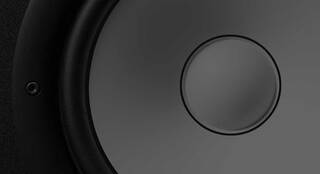
The CR4s feature a 4" polypropylene-coated woofer and a 0.75" ferrofluid-cooled silk-dome tweeter, ensuring balanced frequency response and minimal distortion. These active studio monitors are equipped with a class A/B amplifier, providing a powerful output of 50 watts for both speakers combined. What sets them apart is their versatile connectivity options, including 1/4" TRS, RCA, and convenient front-panel 1/8" stereo input, making it easy to connect to virtually any audio source.
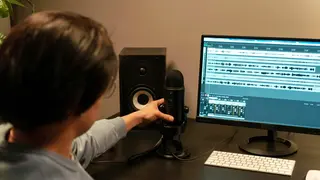
Whether you're setting up your first home studio or upgrading your existing gear, the Mackie CR4s are built to enhance your listening experience. Their compact size fits perfectly on your desk without sacrificing audio quality. With the included acoustic isolation pads, you can ensure that your sound remains crisp and free from unwanted vibrations or resonance.
Key Features:
- 4" polypropylene-coated woofer for accurate audio reproduction
- 0.75" ferrofluid-cooled silk-dome tweeter for clear high frequencies
- Class A/B amplification delivering 50 watts of power
- Multiple input options: 1/4" TRS, RCA, and front-panel 1/8" stereo input
- Acoustic isolation pads included for reduced vibrations
- Convenient front-panel volume knob for easy adjustments
- Sleek design suitable for any studio or workspace
Product specs
| Brand | Mackie |
| Model | CR4 4" Active Studio Monitors (Pair) |
| Year | 2014 - 2019 |
| Categories | Studio Monitors |
| Amplification | Active |
| Electronics | Analog, Solid State |
FAQs
-
Are the Mackie CR4 studio monitors suitable for a small home studio?
-
Yes, the Mackie CR4 studio monitors are well-suited for small home studios due to their compact size and balanced sound, making them ideal for close-range listening and mixing.
-
What is the frequency response range of the Mackie CR4 monitors?
-
The Mackie CR4 studio monitors offer a frequency response range of 70 Hz to 20 kHz, providing clear and accurate sound reproduction for most music production needs.
-
Do the Mackie CR4 monitors have a headphone output?
-
Yes, the Mackie CR4 monitors feature a convenient front-panel headphone output, allowing you to easily switch to private listening without disconnecting your monitors.
-
Can I connect the Mackie CR4 monitors to my computer directly?
-
Yes, the Mackie CR4 monitors can be connected directly to your computer through their RCA or 1/4" inputs, making them compatible with most audio interfaces and sound cards.
-
Are the Mackie CR4 monitors magnetically shielded?
-
Yes, the Mackie CR4 studio monitors are magnetically shielded, which helps prevent interference with nearby electronic devices and ensures a clean audio signal.
Videos

JF Reviews
★Mackie CR4 Pair Unboxing, Review, And Sound Test!!★

★Mackie CR4 Pair Unboxing, Review, And Sound Test!!★
JF Reviews
Reviews
Owner Insights
We analyzed real musician discussions from forums and Reddit to find what players love, question, and tweak about Mackie CR4 4" Active Studio Monitors (Pair).
User experience
-
Owners mention adding a subwoofer with a cutoff at 130 Hz to enhance bass response, indicating the CR4's limited low-end performance.
Source -
CR4s are suggested as a suitable choice for beginners or as secondary monitors when paired with a subwoofer for better low-end clarity.
Source -
Some owners report satisfaction with CR4s for tracking guitar and vocals, and also for movies and music, despite their limitations in mixing.
Source -
It's mentioned that studio monitors like the CR4 might initially sound "flat" to those accustomed to more colored sound systems, but this is a feature, not a flaw.
Source -
Potential buyers should be aware that the CR4s might not meet expectations if they seek significant bass presence without an added subwoofer.
Source
Comparisons
-
Users compare the CR4s to JBL LSR305s, noting the latter's superior sound quality, though they cost more.
Source -
Some users recommend testing the Mackie CR5 instead of the CR4 for better bass response if you're considering the Mackie line.
Source -
Users note that for gaming and occasional music, the M-Audio BX5 offers superior bass reproduction compared to the Mackie CR4.
Source
Features and functionality
-
The CR4s are a mix of active and passive monitors, which is a cost-saving feature but may compromise performance compared to dual active setups.
Source -
Wired mode is recommended for critical tasks due to potential dropouts and latency in Bluetooth mode, which compresses audio similar to MP3.
Source -
The Bluetooth feature is intended for casual media playback, not as the primary connection for monitoring tasks.
Source
Use cases and applications
Based on 0 Reviews and 0 Ratings
More Mackie Active & Passive Monitors

$849.99 - $1,699.98
in Active & Passive Monitors Rank


$299.00
in Active & Passive Monitors Rank


$116.00 - $414.99
in Active & Passive Monitors Rank


$124.61 - $189.99
in Active & Passive Monitors Rank


$149.00
in Active & Passive Monitors Rank


$234.00 - $299.99
in Active & Passive Monitors Rank

$179.99 - $209.99
in Active & Passive Monitors Rank

$449.99 - $649.99


$117.58 - $149.95


$139.99 - $229.99


Artist usage


Community setups


Similar


Gear Guides





Most Popular Active & Passive Monitors
Most Popular Brands
-
Added to Equipboard on by
 equipboard
GearIQ 4934
-


