


Pricing and availability
We compare 600+ stores and found this item at 2 stores. Prices updated .
Store
Reviews
Price




Average Price: $77
Budget/Beginner
$300
$801+
Price Tier
Budget
Standard
High-end
Price History
Based on price data from 1 merchant for "Mackie CR3 3" Creative Reference Multimedia Monitors - Pair". Prices shown reflect NEW condition. Tracking began Apr 23, 2026.
* Product prices and availability are updated by Equipboard every 24hrs and are subject to change. Equipboard may receive compensation for purchases made at participating retailers linked on this site. This compensation does not affect what products or prices are displayed, or the order of prices listed. For more information, please refer to our affiliate disclosure.
Description
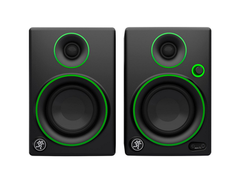
Transform your creative space with the Mackie CR3 3" Creative Reference Multimedia Monitors – a perfect blend of compact design and professional-grade sound quality. Ideal for both aspiring artists and seasoned producers, these monitors deliver precise audio reproduction, making them a staple for any home or project studio.
Equipped with a 3" woofer and a 0.75" tweeter, the Mackie CR3 monitors offer a crisp and balanced sound, ensuring every detail of your music is audible. The Class D amplifier provides a robust 50 Watts of power, allowing these monitors to deliver a frequency range of 80 to 20,000 Hz with clarity. Whether you're mixing tracks or enjoying your favorite playlist, the maximum sound pressure level of 97 dB ensures that your audio is always vibrant and dynamic.
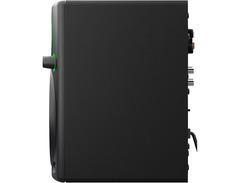
Housed in durable MDF, these monitors are designed to withstand the rigors of daily use while maintaining an elegant aesthetic. The front panel conveniently includes a volume control knob, enabling you to adjust the sound to your preference without any hassle. Connectivity is a breeze with multiple input options, including 6.3 mm jack, RCA, and a 3.5 mm mini-jack, making it versatile for various audio setups.
Key Features:
- 3" woofer and 0.75" tweeter
- 50 Watts total power with Class D amplifier
- Frequency range: 80 - 20,000 Hz
- Max. sound pressure level: 97 dB
- Volume control on the front panel
- MDF housing for durability
- Multiple inputs: 2x 6.3 mm jack, 2x RCA, 3.5 mm mini-jack stereo
- 3.5 mm mini-jack stereo headphone output
- Speaker terminals for the second monitor
Videos

Edward Smith
BEST BUDGET STUDIO MONITORS? - Mackie CR3-XBT Monitors (Unboxing) | Best Studio Monitors Under $100
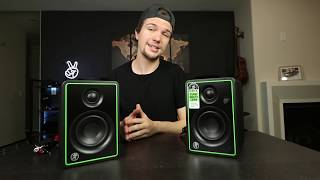
BEST BUDGET STUDIO MONITORS? - Mackie CR3-XBT Monitors (Unboxing) | Best Studio Monitors Under $100
Edward Smith
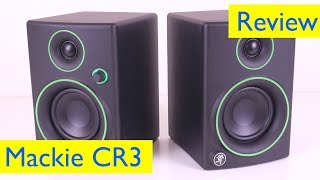
Mackie CR3 Studio Reference Monitors Setup, Review and Sound Test

ReviewLamp

You wish you had this SPEAKER - Mackie CR3 Multimedia Monitors

Tech Shan®
Reviews
PROS
-
Compact size fits well in small studios
-
Exceptional value for the price point
-
Produces serious volume for their size
-
Wide functionality and ease of use
-
Includes everything needed for setup
-
Helps with detailed sound editing tasks
-
Clear sound aids in mixing and mastering
CONS
-
Sound imbalance between the two monitors
-
Not recommended for high-level mixing tasks
-
Chuffing issue at very high volumes
-
Limited edition colors may appear tacky to some
Owner Insights
We analyzed real musician discussions from forums and Reddit to find what players love, question, and tweak about Mackie CR3 3" Creative Reference Multimedia Monitors - Pair.
Comparisons
-
Owners frequently suggest Kali LP6 as a superior alternative to Mackie CR3 for accurate sound reproduction, noting its flat frequency response and balanced output.
Source -
Users experiencing noise issues with Mackie CR3-X often consider PreSonus Eris E3.5 or Sterling MX-3 as quieter alternatives.
Source
User experience
-
A user reported that Mackie CR3 monitors are overly boomy, especially problematic with guitar frequencies, leading to unclear sound without additional subwoofer support.
Source -
Many owners express regret over purchasing due to persistent noise, advising potential buyers to consider return policies before purchase.
Source -
Despite noise issues, some owners find the CR3-X speakers acceptable for non-critical listening in untreated home studio environments.
Source -
Owners appreciate the CR3s for immersive listening experiences despite their limitations in flat frequency response.
Source
Features and functionality
-
Mackie CR3 monitors were clarified by the manufacturer as not true monitors but rather speakers, indicating potential limitations in accuracy for mixing purposes.
Source -
The CR3-X monitors suffer from a static noise issue, unrelated to connection types, present from power-on and persisting across both balanced and unbalanced connections.
Source -
Users note that noise issues are lessened when monitors are positioned further from power sources, though not entirely resolved.
Source -
The CR3s' flexible powered-speaker switch allows users to select which side handles amplification, affecting channel humming.
Source
Use cases and applications
Build quality
-
Owners report consistent white noise and hiss from Mackie CR3-X monitors, audible at all volume levels, even without any input connections.
Source
Setup and maintenance
4.5 out of 5
Based on 7 Reviews and 46 Ratings

94
Budget low, blows loud
Small is better, in the way of the world with tech. for me these speakers are another reference for my music I record. I like working with headphones for mixing & recording, however another set of speakers helps hearing things for what they are. Getting the best studio monitors is great if u have the budget, but most of the public ain't listening to there music on the best speakers. These speakers r great for what u pay and pump out some serious volume thumbs up for me.

151
Great Budget Monitors
These monitors are incredible for the price. I got them for $70 on Amazon a bit ago and they've consistently sounded INCREDIBLE. At first, I thought there was a chuffing issue, but it's just when you really blast the volume. Of course, that's to be expected with any studio monitors. Overall, these are a great buy.

182
Not really monitors, but work well.
These small computer speakers work well for me in recording individual guitar tracks. I don't feel they work as studio reference monitors, although I did catch a drum edit glitch on a recording master version using the CR3's. Good output, clean sounding, easy to use.

77
Love these
Perfect. Just perfect. Sound amazing are perfect size for my studio and did I mention the sound is great? The functionality is awesome as well super easy to use and have a wide range of what you can do. Love these monitors. The green looked tacky so I got the limited edition gold ones.


65
they're cool
Clear sound. Helpful with panning, and deciding which one you want the volume knob on is helpful. Good for mixing and mastering. Everything you need to set up comes straight out of the box, nothing additional needed. Sound is however lower in one monitor as opposed to the other.


77
Awesome
Really dope speakers, I have the gold trim version, is really awesome, professional sounds!
Artist usage
Add artist

In this video, Glenn Fricker uses the following products for a $1500 recording studio project: -Focusrite Scarlett 18i20 -Samson DK-707 Drum Mic Pack -2 Shure SM57's -CAD Audio M179 Condenser Microphone -Mackie CR3 Monitors -Cockos Reaper DAW -Behringer Xenyx 802 Mixer -Slate Digital Bundle Pack -B&H Drum Leveler


Lo muestra en el su vidéo "Mi estación de TRABAJO! y sus componentes!", en el minuto 1:39


Genre Usage
Based on how artists on Equipboard use this gear, it is most commonly found in the following genres.
Used With
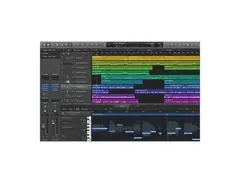
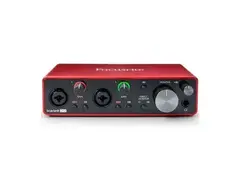
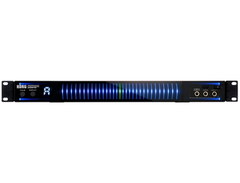
Based on how musicians on Equipboard use Mackie CR3 3" Creative Reference Multimedia Monitors - Pair, it is most commonly used with the following gear.







More Mackie Active & Passive Monitors

$849.99 - $1,699.98
in Active & Passive Monitors Rank


$299.00
in Active & Passive Monitors Rank


$116.00 - $414.99
in Active & Passive Monitors Rank


$124.61 - $189.99
in Active & Passive Monitors Rank


$149.00
in Active & Passive Monitors Rank


$234.00 - $299.99
in Active & Passive Monitors Rank

$179.99 - $209.99
in Active & Passive Monitors Rank

$449.99 - $649.99


$117.58 - $149.95


$139.99 - $229.99


Community setups


Similar


Gear Guides





Most Popular Active & Passive Monitors
Most Popular Brands
-
Added to Equipboard on by
 michael
GearIQ 43713
-


