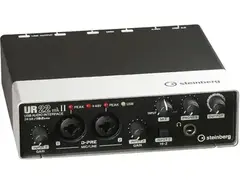


Pricing and availability
We compare 600+ stores and found this item at 6 stores. Prices updated .
Store
Reviews
Price








Average Price: $146
Budget/Beginner
$150
$501+
Price Tier
Budget
Standard
High-end
Price History
Based on price data from 2 merchants for "Steinberg UR22mkII USB Audio Interface". Prices shown reflect NEW condition. Tracking began Apr 2, 2026.
* Product prices and availability are updated by Equipboard every 24hrs and are subject to change. Equipboard may receive compensation for purchases made at participating retailers linked on this site. This compensation does not affect what products or prices are displayed, or the order of prices listed. For more information, please refer to our affiliate disclosure.
Description
Elevate your music production with the Steinberg UR22mkII USB Audio Interface. This device brings together outstanding audio quality, advanced connectivity, and flexible I/O options to create a mobile production platform that caters to your every need. Its top-notch components and robust build quality make it a compelling option in its price range. The UR22mkII is perfect for small studio environments and mobile production scenarios, letting your creativity flow wherever you are.
The Steinberg UR22mkII is a fully-fledged mobile recording studio, thanks to the included Cubase AI and Cubasis LE software. It connects seamlessly to PC, Mac, and even iPad, providing pro-level recording with the CC Mode and external power input. This device doesn't just record music, it also offers latency-free hardware monitoring for a smooth production experience.
The robust metal casing is built to withstand the rigors of the road, making it the perfect companion for touring musicians. The UR22mkII also stands out with its Class-A D-PRE mic preamps, providing a transparent and beautifully detailed sound that sets it apart in this product class.
Key Features:
- 24-bit/192 kHz USB 2.0 audio interface
- Two Class-A D-PRE mic preamps
- Rugged metal casing for durability
- Latency-free hardware monitoring
- Compatible with major recording software (ASIO, Core Audio, WDM standard)
- iPad-ready with CC Mode and external power input
- MIDI input and output for connecting your favorite synth or drum trigger module
- Loopback function for live streaming performances
- Power source selector for stable power supply when connected to an iPad
- Includes Cubase AI and Cubasis LE software for versatile music production.
Product specs
| Brand | Steinberg |
| Model | UR22mkII USB 2.0 Audio Interface |
| Finish | Silver/Black |
| Year | 2010s |
| Categories | Audio Interfaces |
| Bit Depth | 24-bit |
| Bus-Powered | Yes |
| Compatibility | Windows, macOS |
| Computer Connectivity | USB |
| Electronics | Analog, Digital, Solid State |
| Format | Desktop Standalone |
| Number of Analog Inputs | 2 |
| Number of Analog Outputs | 2 |
| Number of Channels | 4 |
| Number of Digital Inputs | 0 |
| Number of Digital Outputs | 0 |
| Number of Headphone Outputs | 1 |
| Number of MIDI Inputs | 1 |
| Number of MIDI Outputs | 1 |
| Number of Mic Preamps | 2 |
| Sample Rate | 192 khz |
FAQs
-
What are the main connectivity options for the Steinberg UR22mkII?
-
The Steinberg UR22mkII offers USB connectivity for easy integration with both Windows and macOS systems. It includes two analog inputs and outputs, MIDI input and output, and a headphone output, making it versatile for various recording setups.
-
Is the Steinberg UR22mkII compatible with popular DAWs like Ableton Live and Pro Tools?
-
Yes, the Steinberg UR22mkII is compatible with all major DAWs, including Ableton Live and Pro Tools. It also comes with Cubase AI, providing a seamless start for your recording projects.
-
Does the Steinberg UR22mkII require an external power supply?
-
No, the Steinberg UR22mkII is bus-powered via USB, eliminating the need for an external power supply. This makes it a convenient choice for mobile recording setups.
-
What is the maximum sample rate and bit depth supported by the Steinberg UR22mkII?
-
The Steinberg UR22mkII supports a maximum sample rate of 192 kHz and a bit depth of 24-bit, ensuring high-resolution audio recording and playback.
-
How many mic preamps does the Steinberg UR22mkII have, and are they suitable for professional recording?
-
The Steinberg UR22mkII features two high-quality mic preamps, which are suitable for professional recording applications, offering clean and transparent sound capture.
Videos

intheblues
Steinberg UR22 MKII USB Audio Interface - Setup & Audio Test
Steinberg UR22 MKII USB Audio Interface - Setup & Audio Test
intheblues
Steinberg UR22mkII - Unboxing, Installation, Configuration, and Test Project

Your Home Recording Studio
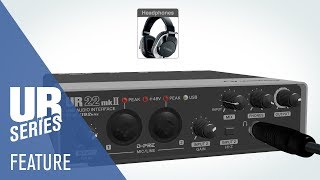
UR22mkII USB Audio Interface | Feature Video

Steinberg
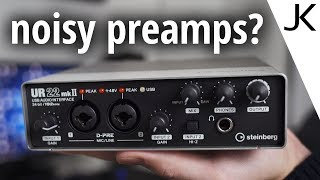
Steinberg UR22mkII Audio Interface Review (with noise measurements)

Julian Krause

Steinberg UR22mkII Follow Up and Lessons Learned
Your Home Recording Studio
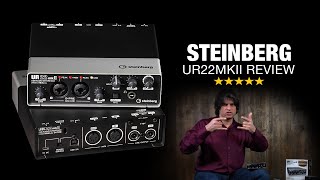
Steinberg UR22 MKII USB Audio Interface Review

Music Villa
Reviews
PROS
-
Works flawlessly with Cubasis for iPad, no driver issues
-
Solid build and easy to understand
-
Preamps are clear and clean, offering quality sound
-
Compatible with various DAWs like Reaper, Maschine, and Ableton
-
Plug and play ease of use after initial driver installation
-
Supports iOS devices, expanding recording capabilities
-
Low noise floor, making it suitable for vocal and instrument recording
-
Compact and portable for on-the-road recording
-
Provides good sound quality at a competitive price
-
Features like 48v phantom power and MIDI in/out enhance functionality
CONS
-
Preamps can be a bit noisy, requiring external solutions like FetHead
-
Windows 10 compatibility issues, including driver conflicts and audio dropouts
-
Occasional bitcrushed headphone output, suggesting durability concerns
-
Requires disabling driver signature checking on Windows 7
-
Some users find the interface's knobs confusing and intimidating
Owner Insights
We analyzed real musician discussions from forums and Reddit to find what players love, question, and tweak about Steinberg UR22mkII USB Audio Interface.
Comparisons
-
The Audient iD22 preamps are praised for their superior quality and usability compared to the UR22mkII, offering excellent monitor control and expandable digital ins/outs.
Source -
Audient interfaces like iD44 MKII are noted to deliver significant audio quality improvements over Steinberg UR series, confirmed by objective measurements and user experiences.
Source -
The UR22mkII doesn't offer additional outputs for effects; Behringer UMC204 is recommended for users needing more routing options at a lower price point.
Source
Features and functionality
-
The iD22 provides tactile volume, mute, mono sum, and dim buttons, adding convenience over the UR22mkII's "fiddly little knobs and GUI."
Source -
Owners appreciate the UR22mkII for its MIDI IO and mix knob, which are considered user-friendly and enhance the interface’s versatility for various applications.
Source
Value and pricing
-
Audient interfaces are reported to be more affordable when purchased from European retailers like Thomann, especially due to favorable exchange rates.
Source
User experience
-
Some users find the UR22mkII's preamps too noisy at high gain levels, noting it struggles to drive microphones like the RE20 effectively without introducing noise.
Source -
Owners report trouble-free driver performance on PCs, contrasting with issues faced using Focusrite drivers, highlighting brand-specific compatibility considerations.
Source
Use cases and applications
-
The UR22mkII is favored for podcasting and low-budget music production, where its stability and feature set meet the needs of users without requiring high gain performance.
Source
Critic Reviews
4.5 out of 5
Based on 10 Reviews and 57 Ratings

67
Easy to use, versatile.
This is easy to use, it has a USB type B connection, (the interface is powered with it) optional 5v micro USB for power, 2 inputs, one with hi-z (for guitars and basses with low power input). It also has 48v phantom power and comes with software. It has MIDI in/out, left and right 6.5mm audio jack outputs, headphone output (with DAW and input mix knob plus a separate volume knob) plus an output volume knob. It is pretty hassle free, just plug and play. The only hassle would be installing the drivers, (if you have windows) but apart from that, a charm to work with!

Just overall better focusrite alternative, especially for vocals and acoustic instruments
A few nuances with drivers on windows 7 (just need to disable friver signature cheking) but nice sound, compared to a focusrite scarlet series. Vocals and acoustic guitars recorded with this interface have slightly rolled-off top-end wich is helpfull when recording strumming and high pitch vocals+ its kind magic, but somehow sounds recorded with this interface are already sitting nice together in the mix both in terms of frequences and the sense of space of the mix, soundstage just feels natural. Again, much better then scarlet counterpart.
Preferred Settings + Usage:
Guitar DI recording feels nice when not using Hi-z mode, at least for the single-coils Guitar amp micing feels nice when amp set to be loud and gain knob is set on 0

324
Very Cool!
It has everything you could want int a 2 channel interface. The this and your outboard drive and laptop and go on a vacation. You might just opt to use this instead of your zillion dollar apogees or whatever you have. I have noticed no difference, expect the 1/2k rate. I use PT HD and I rarely even use 192k.
For 149. Really. I can find nothing even close for 500. Sure, but only 1 input. For guitar processing, keyboards? You need 2 unless you go n directly.. but some of us like to run though some old fashion pre's and I use an actual Fairchild 667 compressor - so for me, I need a very light stereo interface after lugging that bis ass compressor everywhere. I could use my smaller compressor, but that an the UA-710, not much lighter, and one setting for compression.

413
Good interface
This interface works great and is well built.. The pre-amps supposed to have a little more noise floor than many competing interfaces. I use it with my Windows PC and the ASIO drivers are working very well.

79
Pratical, Essential.
This is one of my most useful tools for recording vocals, guitar, or basically anything that isn't already inside of my computer. It is extremely low-noise, easy to use, and powerful. I highly recommend this for anyone looking to make a home studio like mine.

304
Compact powerful midi/audio interface
I use this for interfacing and recording to my laptop. small enough to go on the road to do the same
144
Great for guitar, mic’s, and MIDI
I love my ur22mkii. This is the perfect compact interface that I needed for my studio.

252
if you tap it it makes a satisfying ding
also it has lots of confusing knobs which intimidate me but they cool ig

195
Compact, ready to use and provessional locking little 2x2 audio interface !
Nothing more to say, just listen to it :)
Artist usage
Add artist
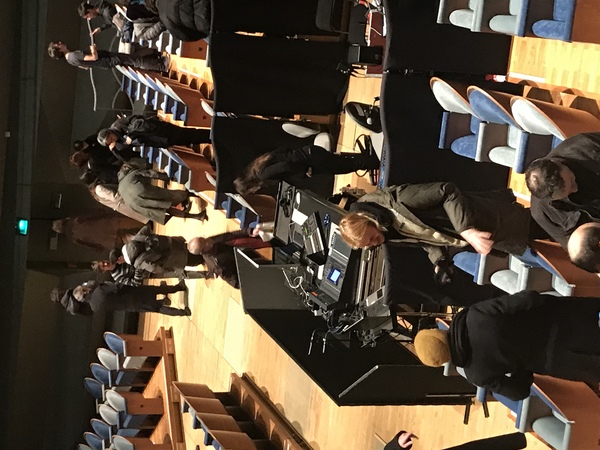
I saw Ryoji Ikeda live in Paris November 23th at the Cité de la musique. From the start to the end Ryoji Ikeda and his team where sitting in the space in the picture, I went down the stairs and saw his equipment, they were using a Steinberg UR22 MKII USB as seen in the picture the black and white box next to the Mac.


In a Twitch video, Tennyson's Luke shows the Steinberg UR22mkII USB Audio Interface in use during a live session.
.jpeg?v=1784733421)

Teminite utilizes the Steinberg UR22mkII USB Audio Interface, as documented by Image Line Software on their FL Studio artist page. This interface plays a crucial role in capturing high-fidelity sound from both his Shure SM7B microphone and Selmer saxophone, ensuring clarity and precision in his recordings. Its reliable performance seamlessly integrates with his production setup, facilitating an efficient workflow and allowing him to focus on the creative aspects of music production.


In the YouTube video titled "【衝撃】今までベースに使ってきた金額合計したらヤバすぎた....," Hiromu Fukuda discusses the total cost of his equipment and specifically mentions using the Steinberg UR22mkII USB Audio Interface.


DJ Junior Felix utilizes the Steinberg UR22mkII USB Audio Interface, known for its superior audio and build quality, to record and compose music across various devices, including laptops, iPads, and iPhones. This versatile interface offers advanced connectivity and flexible I/O options, making it an ideal choice for mobile production. The information is sourced from Steinberg's official website.
Genre Usage
Based on how artists on Equipboard use this gear, it is most commonly found in the following genres.
Used With
Based on how musicians on Equipboard use Steinberg UR22mkII USB Audio Interface, it is most commonly used with the following gear.
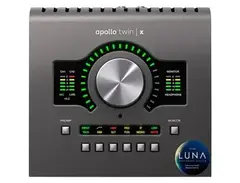


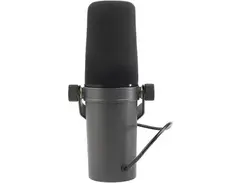

-s.webp?v=1784844401)

-s.webp?v=1784818802)
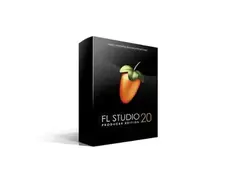

Community setups
Show yoursMore Steinberg Audio Interfaces

$148.74
in Audio Interfaces Rank


$82.00 - $119.99

$220.00 - $681.00

$229.99 - $359.99


.jpg?v=1784756862)


$100.00 - $229.99


$164.00 - $194.99


.jpg?v=1783959930)


$159.99 - $224.99
in Audio Interfaces Rank


-m.webp?v=1784804580)
$749.99
in Audio Interfaces Rank


$59.49 - $239.00
in Audio Interfaces Rank


$79.00 - $299.99
in Audio Interfaces Rank


$320.00 - $799.00
in Audio Interfaces Rank


$239.00 - $495.00
in Audio Interfaces Rank


$56.00
in Audio Interfaces Rank


$49.00 - $149.99
in Audio Interfaces Rank
.jpg?v=1784763257)


$749.00 - $999.00
in Audio Interfaces Rank

.png?v=1784580320)


$799.00 - $1,299.00
in Audio Interfaces Rank


$1,000.00
in Audio Interfaces Rank

Similar


Gear Guides







.webp)
Most Popular Audio Interfaces
Most Popular Brands
-
Added to Equipboard on by
 behrtracks
GearIQ 66
-


