
Pricing and availability
We compare 600+ stores and found this item at 1 store. Prices updated .
Store
Reviews
Price




Average Price: $149
Budget/Beginner
$150
$501+
Price Tier
Budget
Standard
High-end
* Product prices and availability are updated by Equipboard every 24hrs and are subject to change. Equipboard may receive compensation for purchases made at participating retailers linked on this site. This compensation does not affect what products or prices are displayed, or the order of prices listed. For more information, please refer to our affiliate disclosure.
Description
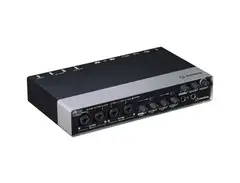
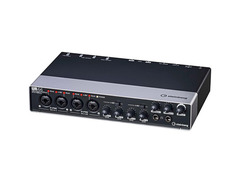
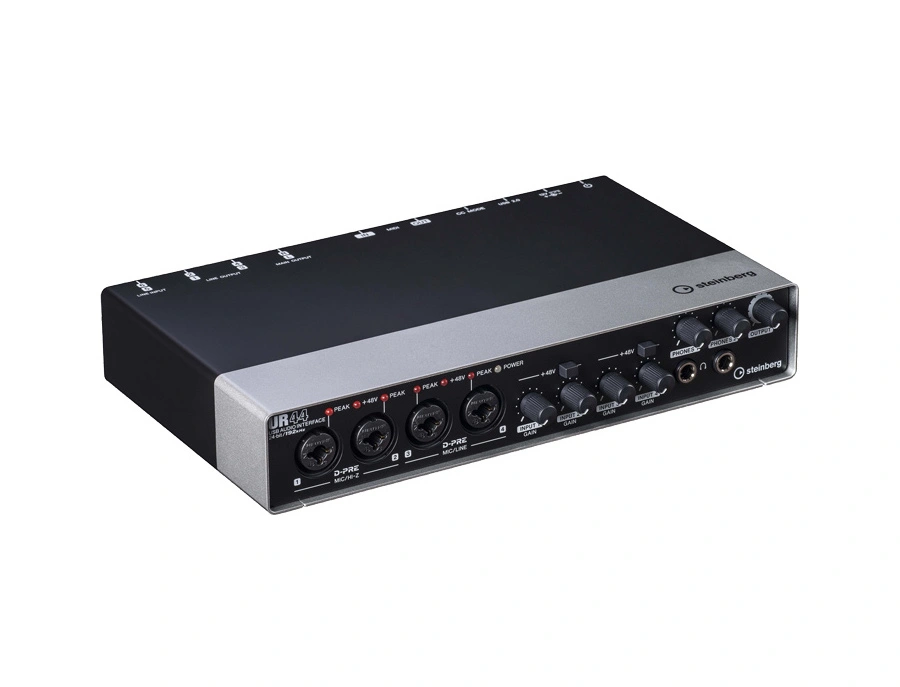
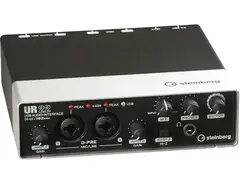
Discover the heart of your home studio with the Steinberg UR44 USB Interface—a versatile powerhouse for musicians and producers alike. This compact yet robust audio interface is designed to elevate your recording sessions with seamless connectivity and exceptional sound quality. Whether you're capturing the nuances of a vocal performance or laying down tracks with your electric guitar, the UR44 is equipped to handle it all, boasting four Neutrik analog combo inputs with peak LEDs and switchable +48V phantom power.
Perfect for both the seasoned pro and the aspiring artist, the UR44 offers six input channels, including two dedicated line inputs, ensuring you can accommodate a diverse range of audio sources. Latency-free monitoring via the dspMixFx application lets you focus on your creativity, offering DSP-powered effects such as compression, EQ, reverb, and amp simulations without missing a beat.
Seamlessly integrated with Cubase, the UR44 empowers you to produce professional-grade recordings with ease. Its MIDI I/O ports further enhance its flexibility, allowing you to connect keyboards, pad controllers, and other MIDI equipment effortlessly. With Steinberg's UR44, transform your musical ideas into reality with precision and depth.
Key Features:
- Four Neutrik analog combo inputs with switchable +48V phantom power
- Two additional line inputs for diverse audio source connections
- dspMixFx application for latency-free monitoring with DSP-powered FX
- Integrated with Cubase for a streamlined recording experience
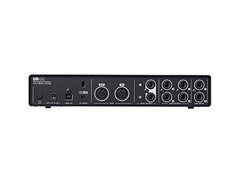
- MIDI I/O ports for expanded connectivity with MIDI equipment
Product specs
| Brand | Steinberg |
| Model | UR44 6x4 USB 2.0 Audio Interface with MIDI I/O |
| Finish | Silver/Black |
| Year | 2010s |
| Categories | Audio Interfaces |
| Bit Depth | 24-bit |
| Bus-Powered | No |
| Compatibility | Windows, macOS |
| Computer Connectivity | USB |
| Electronics | Analog, Digital, Solid State |
| Format | Desktop Standalone |
| Number of Analog Inputs | 6 |
| Number of Analog Outputs | 5 |
| Number of Channels | 11 |
| Number of Digital Inputs | 0 |
| Number of Digital Outputs | 0 |
| Number of Headphone Outputs | 2 |
| Number of MIDI Inputs | 1 |
| Number of MIDI Outputs | 1 |
| Number of Mic Preamps | 4 |
| Sample Rate | 192 khz |
FAQs
-
What are the main connectivity options for the Steinberg UR44 USB Interface?
-
The Steinberg UR44 offers USB 2.0 connectivity, making it compatible with both Windows and macOS. It features 6 analog inputs, 5 analog outputs, MIDI I/O, and 2 headphone outputs, providing versatile options for various recording setups.
-
Is the Steinberg UR44 compatible with major DAW software?
-
Yes, the Steinberg UR44 is compatible with all major DAW software that supports ASIO, Core Audio, or WDM standards, ensuring seamless integration with your existing digital audio workstation.
-
Does the Steinberg UR44 require an external power supply?
-
Yes, the Steinberg UR44 is not bus-powered and requires an external power supply for operation, ensuring stable power delivery for its 4 mic preamps and other components.
-
How many mic preamps does the Steinberg UR44 have?
-
The Steinberg UR44 is equipped with 4 high-quality mic preamps, allowing you to connect multiple microphones for recording vocals or instruments simultaneously.
-
What is the maximum sample rate supported by the Steinberg UR44?
-
The Steinberg UR44 supports a maximum sample rate of 192 kHz, providing high-resolution audio recording for professional-quality sound production.
Videos

Steinberg
Steinberg UR44 - USB audio interface
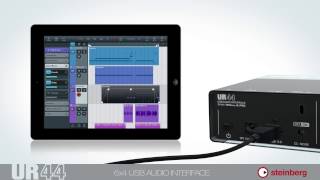
Steinberg UR44 - USB audio interface
Steinberg
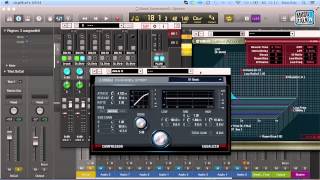
Test - Steinberg UR 44 USB Audio-Interface - deutsch

musotalk
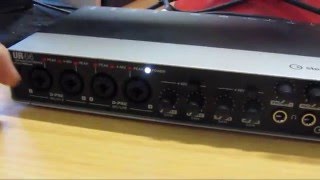
How To Connect Your Steinberg UR44 Sound Interface

How To Make Your Own Music

Steinberg UR44 Audio Interface Review - Sweetwater's iOS Update, Vol. 91

Sweetwater

Steinberg UR44 - 6 Input Audio Interface - Set Up Tutorial for the iPad

The Sound Test Room
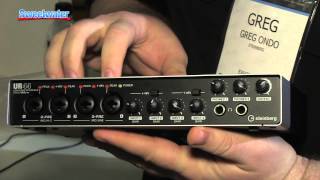
Steinberg UR44 Audio Interface Overview - Sweetwater at Winter NAMM 2014
Sweetwater
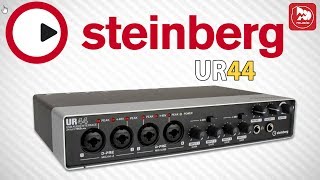
STEINBERG UR44 аудиоинтерфейс с 6 входами и 4 выходами и DSP микшером

PopMusicRu
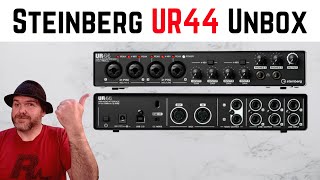
Multi-track AUDIO INTERFACE for iOS/PC/Mac | Steinberg UR44

Pete Johns - Studio Live Today

Steinberg UR44 6x4 Audio Interface

KAOS MUSIC CENTRE
Reviews
PROS
-
Exceptional integration with Cubase and iPad
-
Low latency improves over older models like Tascam
-
High-quality preamps (D-PREs) with clear sound
-
24-bit/192 kHz support for superior sound quality
-
Portable and compatible with Windows, MacOS, and iPad
-
Supports phantom power for condenser microphones
-
Dual monitor sends for added versatility
-
Robust build quality
-
Regular driver updates
-
Two headphone outputs with individual volume controls
CONS
-
Occasional software/driver installation issues
-
Limited to 4 microphone inputs at a time
-
Onboard effects (reverb, compressor) not superior to DAW plugins
-
Some users report random noise with Ableton Live
-
No S/PDIF connectivity, which may limit some users
Owner Insights
We analyzed real musician discussions from forums and Reddit to find what players love, question, and tweak about Steinberg UR44 USB Interface.
Software and compatibility
-
Users report potential power issues with the UR44 when connected through non-dedicated USB ports, suggesting a powered USB hub may resolve disconnection problems.
Source -
Successful installation of the Steinberg driver for UR44 may require deleting and reinstalling both the driver and the Tools software in the prescribed order.
Source -
Using ASIO4ALL with the UR44 can lead to audio crackling, which adjusting buffer size might mitigate, though at the cost of increased latency.
Source -
The UR44 and UR44C have different architectures, which can affect driver compatibility, suggesting users confirm they have the correct driver for their model.
Source
User experience
-
Owners find the UR44 disconnects during rendering, requiring a power cycle to restore functionality, indicating potential power management issues with certain setups.
Source
Critic Reviews
5.0 out of 5
Based on 6 Reviews and 39 Ratings

161
Versatile and easy to use.
Steinberg's UR44 has been an excellent audio interface for my small studio.
I've had it working on both Windows 10 and MacOS and because it is a relatively small unit I can take it with me when I'm not at home. Be aware that when you're switching between OS' you'll want to make sure you follow the setup guide from the manual otherwise you can run into driver issues which lead to the device not being recognised.
I predominantly use it for tracking my synthesiser, drum machine, guitars and vocals and don't often use all the mic/line inputs at once but its nice to have the option of doing so and not having to continuously pull lines in and out to record things.
You can run phantom power for all the microphone inputs which is handy if you're using condenser microphones. But of course, if you're planning on using more than 4 mics at once, this interface won't be for you.
There are a few onboard effects and I've tried the reverb and compressor out but I wouldn't say they're any better than the plugin effects you'll find in your DAW.
It works and does its job as a nice intermediate between a smaller and larger interface.

104
Awesome Except For One Thing
This is a very solid piece of hardware, kind of heavy. I really don't have any complaints except for random noise on the inputs when using Ableton Live (this doesn't happen at all with Logic Pro). I don't know what it is and if you've had this problem I'd love some feedback. Apart from that it's pretty mobile since it isn't huge and 6 inputs plus 6 outputs (1 main, 1,2 and 1,3 with two different mixes) work for most of my studio or live situations. It comes with software that lets you use the inputs and outputs directly without the need of a DAW, you can also choose which of the headphone outs has mix number 1 and mix number 2. I'd say it's much better than my scarlett 2i4 and almost the same size (although heavier).

126
Quality
This soundcard has everything i need. Phantom inputs for my mics and symmetrical line inputs for my KRK monitors. The main thing about it is that there's two phones output with for each of them one volume knob. It makes it really easy to switch from one headphones to another while mixing.

124
Not for the faint of heart
This thing feels like i could bash open the skull of a small child with it. The hardware never fails me, but the software does. Installing the drivers for this is a huge pain in the ass. Sometimes, after disconnecting and reconnecting, it will be unrecognized and i have to "install" the driver for it again. (which is really just grabbing the driver in device manager and 'associating' it with it)

178
Great value for money if you're on a budget.
Nice preamps and built like a tank. Drivers are updated regularly and it powers all my mics just fine.
178
no longer compatible with Macs which is very frustrating

Artist usage
Add artist

In a YouTube video by Splice titled "Creating innovative sound design using Serum’s built-in FX with Virtual Riot," Virtual Riot uses the Steinberg UR44 USB Interface. The interface is visible beneath the NI Audio 6 interface at the 31-second mark.


MAMI runs a CUBASE AI as her DAW on an iMac. The AI is a compact version of CUBASE that comes with her Steinberg UR44 audio interface. (Photo from SOUND DESIGNER magazine)


Andrew uses a ur44 interface for his recordings. He has 3 xlr cables running to the interface at all times. one cable runs from his amp through his di to the interface. the second cable is a a passthrough from the di box. this allows him to record a dry di signal from his guitars. The last cable runs from his mic to the interface. He keeps one input open in case he needs it for anything


DJ Graf B utilizes the Steinberg UR44 USB Interface, a versatile audio/MIDI interface ideal for various recording scenarios and projects. With features like four mic preamps, six inputs, four outputs, MIDI I/O, onboard DSP, and iPad support, the UR44 offers unmatched flexibility. This information is detailed on Steinberg's official website.


Genre Usage
Based on how artists on Equipboard use this gear, it is most commonly found in the following genres.
Used With
Based on how musicians on Equipboard use Steinberg UR44 USB Interface, it is most commonly used with the following gear.
-s.webp?v=1783839617)


-s.webp?v=1783777393)
Community setups
Show yours

More Steinberg Audio Interfaces

$50.00 - $222.00
in Audio Interfaces Rank


.jpeg?v=1783771101)


$53.73 - $681.00

$229.99 - $359.99


$82.00 - $119.99


.jpg?v=1783852350)


$100.00 - $229.99


.jpg?v=1783855530)


$159.99 - $224.99
in Audio Interfaces Rank


-m.webp?v=1783781975)
$749.99
in Audio Interfaces Rank


$79.00 - $299.99
in Audio Interfaces Rank


$369.00 - $799.00
in Audio Interfaces Rank


$345.00 - $535.00
in Audio Interfaces Rank


$60.00
in Audio Interfaces Rank


$79.99 - $149.99
in Audio Interfaces Rank
.jpg?v=1783787053)


$749.00 - $999.00
in Audio Interfaces Rank

.png?v=1783787053)


$799.00 - $1,299.00
in Audio Interfaces Rank


$118.00 - $189.99
in Audio Interfaces Rank


$1,000.00
in Audio Interfaces Rank

Accessories & Related Items



Similar


Gear Guides







Most Popular Audio Interfaces
Most Popular Brands
-
Added to Equipboard on by
 jeanaunis
GearIQ 62
-


