

Pricing and availability
We compare 600+ stores and found this item at 10 stores. Prices updated .
Store
Reviews
Price









Average Price: $176
Standard/Professional
$150
$501+
Price Tier
Budget
Standard
High-end
Price History
Based on price data from 7 merchants for "Arturia MiniFuse 2 USB-C Audio Interface". Prices shown reflect NEW condition. Tracking began Apr 2, 2026.
* Product prices and availability are updated by Equipboard every 24hrs and are subject to change. Equipboard may receive compensation for purchases made at participating retailers linked on this site. This compensation does not affect what products or prices are displayed, or the order of prices listed. For more information, please refer to our affiliate disclosure.
Description
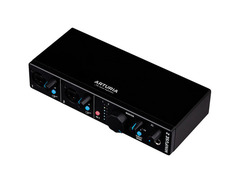
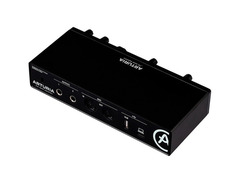
Introducing the Arturia MiniFuse 2 USB-C Audio Interface - your all-in-one solution for impeccable sound quality and seamless connectivity. Whether you're laying down guitar tracks or recording a podcast, this versatile tool is designed to bridge the gap between your creative ideas and the finished product.
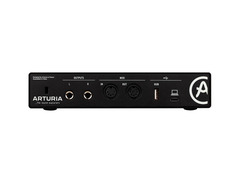
The MiniFuse 2 boasts dual combo inputs that allow you to record two instrument or mic sources simultaneously. With its 5-pin DIN connections, you can sync and record your MIDI devices with ease. Plus, it comes with an extra USB hub socket for added device connectivity, all delivered via universal USB-C computer connectivity.
Don't be fooled by its compact size - this powerful audio interface promises a whopping 110db dynamic range and an equivalent input noise of -129dB, offering sound quality that rivals even the finest studios. You'll enjoy clear, noise-free signal and responsive dynamics that you can truly feel.
What's more, the MiniFuse 2 is built to last. From the careful selection of components to rigorous testing, every aspect of this interface is engineered for reliability. Rest assured knowing that Arturia offers a 5-year hardware warranty on every unit, one of the most extensive warranties on the market.
Key Features: - 24 bit / 192 kHz resolution - Dual XLR/TRS combo inputs for microphones, line signals and instruments - +48 V phantom power switchable - 5-pin DIN connections for MIDI in / out - Built-in USB-A hub (USB-MIDI, max. 250 mA) - USB bus-powered - Includes software package (download): Ableton Live Lite, Analog Lab Intro, Pre 1973, Rev PLATE-140, Delay TAPE-201, Chorus JUN-6 and NI Guitar Rig LE plus additional free 3-month subscription to Auto-Tune Unlimited and Splice Creator Plan - 5-year hardware warranty
Owner's manual
Arturia MiniFuse 2 USB-C Audio Interface User ManualProduct specs
| Available since | December 2021 |
| Recording / Playback Channels | 2x2 |
| Number of Mic Inputs | 2 |
| Number of Line Inputs | 2 |
| Instrument Inputs | 2 |
| Number of Line Outs | 2 |
| Headphone Outs | 1 |
| Phantom power | Yes |
| Number of S/PDIF Connectors | 0 |
| Number of ADAT Connectors | 0 |
| Numer of AES/EBU Connectors | 0 |
| Number of MADI Connectors | 0 |
| Ethernet | 0 |
| Other Connectors | USB |
| MIDI interface | Yes |
| Word Clock | 0 |
| Max. sample rate (kHz) | 192 kHz |
| Max. resolution in bit | 24 bit |
| USB Bus-Powered | Yes |
| Incl. power supply | No |
| USB Version | 2.0 |
| Width in mm | 200 mm |
| Depth in mm | 100 mm |
| Height in mm | 43 mm |
| Connection Format | USB port Type C |
| Included in delivery | Software Bundle (Download): Ableton Live Lite, Analog Lab Intro, Pre 1973, Rev PLATE-140, Delay TAPE-201, Chorus JUN-6 und NI Guitar Rig LE; free 3 Months Auto-Tune Unlimited and Splice Creator Plan; USB cable (Type C to A) |
| Zero latency monitoring | 1 |
FAQs
-
What are the main connectivity options for the Arturia MiniFuse 2?
-
The Arturia MiniFuse 2 features USB-C connectivity and includes two mic/instrument/line combo inputs, two line outputs, and a MIDI interface. It also offers a headphone output with independent volume control.
-
Is the Arturia MiniFuse 2 compatible with popular DAWs like Ableton Live and Pro Tools?
-
Yes, the Arturia MiniFuse 2 is class-compliant, making it compatible with any operating system and DAWs such as Ableton Live and Pro Tools. It also comes with a software bundle including Ableton Live Lite.
-
Does the Arturia MiniFuse 2 support phantom power for condenser microphones?
-
Yes, the Arturia MiniFuse 2 provides phantom power, allowing you to connect and use condenser microphones for high-quality recordings.
-
What is the maximum sample rate and resolution of the Arturia MiniFuse 2?
-
The Arturia MiniFuse 2 supports a maximum sample rate of 192 kHz and a resolution of 24-bit, providing high-quality audio recording and playback.
-
Is the Arturia MiniFuse 2 suitable for mobile recording setups?
-
Yes, the Arturia MiniFuse 2 is USB bus-powered, making it an excellent choice for mobile recording setups as it doesn't require an external power supply.
Videos

Julian Krause
Arturia MiniFuse 1 and 2 USB Audio Interface - REVIEW (sound test)
Arturia MiniFuse 1 and 2 USB Audio Interface - REVIEW (sound test)
Julian Krause
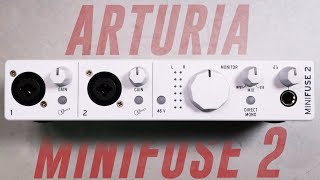
Arturia MiniFuse 2 Interface Review / Explained (vs. 2i2, ID14)

Podcastage
BEST ENTRY LEVEL INTERFACE | Arturia MiniFuse 2 Review

Dark Corner Studios
Arturia Mini Fuse 2 - USB Audio Interface - Setup and First Use

DSoundman
Focusrite Scarlett 2i2 4th Generation VS Arturia Minifuse 2

The GarageBand Guide
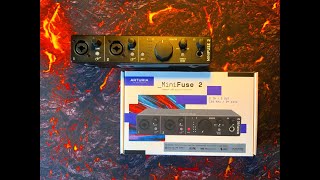
Arturia MiniFuse 2 - FULL Setup Tutorial for iOS - Feature Packed & Affordable Audio Interface

The Sound Test Room
Reviews
PROS
-
Superior audio quality for OBS recordings and speaking
-
Solid build, aesthetically pleasing design
-
Includes valuable software package
-
Efficient iPad Pro integration without draining battery quickly
-
Built-in USB hub supports easy MIDI keyboard connection
-
Excellent sound clarity through speakers
-
Offers MIDI IN/OUT and hub extender, offering great value
-
Robust construction; can withstand drops
-
Reliable performance with various inputs and software
CONS
-
Input metering is inferior to competitors, only flashes red when clipping
-
Low end slightly thinner compared to Focusrite Scarlett 2i2
-
Monitor knob placement can obstruct right channel meter visibility
-
Horizontal monitor outs require crossing cables, vertical placement preferred
-
No power button; lights on knobs stay on, requiring unplugging to turn off
-
Some users report sound bleeding from speakers even at zero volume
Owner Insights
We analyzed real musician discussions from forums and Reddit to find what players love, question, and tweak about Arturia MiniFuse 2 USB-C Audio Interface.
Features and functionality
Software and compatibility
Use cases and applications
-
The USB port on the MiniFuse 2 is designed for computer connectivity, not for directly connecting USB mics.
Source
Mods and upgrades
-
Owners recommend switching to a vocal mic with an XLR connection, like the Shure SM58, for compatibility with the MiniFuse 2.
Source
Critic Reviews
4.5 out of 5
Based on 0 Reviews and 7 Ratings
Genre Usage
Based on how artists on Equipboard use this gear, it is most commonly found in the following genres.
Used With
Based on how musicians on Equipboard use Arturia MiniFuse 2 USB-C Audio Interface, it is most commonly used with the following gear.


Community setups
Show yours
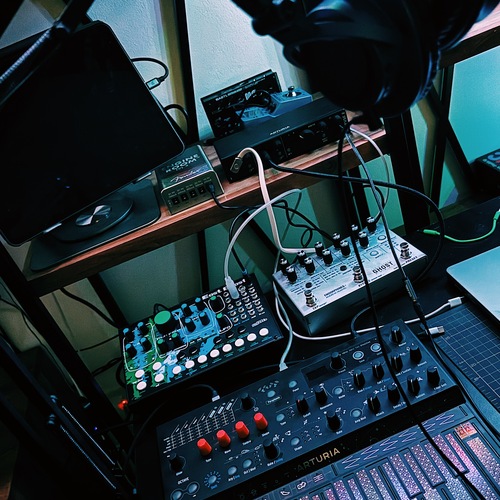
More Arturia Audio Interfaces

$251.19 - $1,026.87
in Audio Interfaces Rank


$765.00 - $999.00


$116.76 - $199.00


$84.10 - $119.00

$83.00 - $119.00


$103.75 - $249.00

$1,099.00 - $1,849.00


$279.00 - $349.00


$159.99 - $224.99
in Audio Interfaces Rank


-m.webp?v=1784804580)
$749.99
in Audio Interfaces Rank


$59.57 - $239.00
in Audio Interfaces Rank


$79.00 - $299.99
in Audio Interfaces Rank


$360.00 - $799.00
in Audio Interfaces Rank


$239.00 - $495.00
in Audio Interfaces Rank


$84.00
in Audio Interfaces Rank


$49.00 - $149.99
in Audio Interfaces Rank
.jpg?v=1784763257)


$749.00 - $999.00
in Audio Interfaces Rank

.png?v=1784891692)


$799.00 - $1,299.00
in Audio Interfaces Rank


$1,000.00
in Audio Interfaces Rank


$239.00 - $799.00
in Audio Interfaces Rank


$85.00 - $391.13
in Audio Interfaces Rank


$118.00 - $189.99
in Audio Interfaces Rank


$190.00 - $872.49
in Audio Interfaces Rank


$689.00 - $899.00
in Audio Interfaces Rank


$224.99
in Audio Interfaces Rank


$1,468.00 - $1,999.00
in Audio Interfaces Rank

.jpeg?v=1784891088)

$83.73 - $299.99
in Audio Interfaces Rank


$866.00 - $1,199.00
in Audio Interfaces Rank

.png?v=1784921366)
.jpg?v=1784480765)
-m.webp?v=1784331838)
$70.00
in Audio Interfaces Rank


$69.78 - $159.99
in Audio Interfaces Rank


in Audio Interfaces Rank


$699.00 - $1,899.00
in Audio Interfaces Rank


$400.00
in Audio Interfaces Rank


Accessories & Related Items
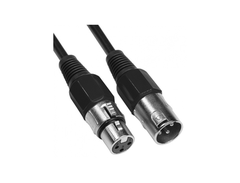
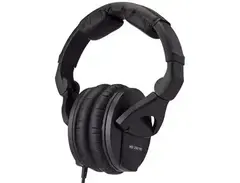




-s.webp?v=1784934320)


Artist usage


Similar


Gear Guides







.webp)
Most Popular Audio Interfaces
Most Popular Brands
-
Added to Equipboard on by
 ajaik
ajaikGearIQ 448
-


