

Pricing and availability
We compare 600+ stores and found this item at 10 stores. Prices updated .
Store
Reviews
Price









Average Price: $1,272
High-end/Boutique
$150
$501+
Price Tier
Budget
Standard
High-end
Price History
Based on price data from 7 merchants for "Arturia AudioFuse 16Rig USB Audio Interface". Prices shown reflect NEW condition. Tracking began Apr 2, 2026.
* Product prices and availability are updated by Equipboard every 24hrs and are subject to change. Equipboard may receive compensation for purchases made at participating retailers linked on this site. This compensation does not affect what products or prices are displayed, or the order of prices listed. For more information, please refer to our affiliate disclosure.
Description
Arturia's AudioFuse 16Rig USB Audio Interface is the ultimate hub for your creative pursuits. Designed for studio, stage, and beyond, this interface sets a new standard in audio recording and management. With an extensive range of connectivity options and control features, it never compromises on quality or clarity.
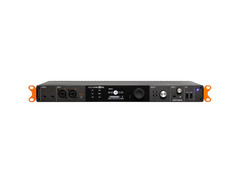
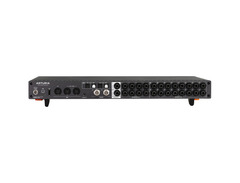
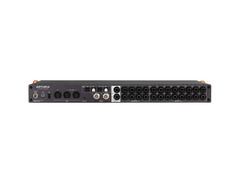
The AudioFuse 16Rig is designed to accommodate complex routing, monitoring, and re-amping, as well as multi-instrumental, simultaneous I/O recording, and live support. It is armed with a 16-in/12-out array of analog connections, dual ADAT I/O pairs, a Word Clock I/O, two combo jacks, and multipurpose headphone outputs, alongside USB and 5-pin DIN MIDI support.
Thanks to its powerful, versatile, matrix-style modularity, the AudioFuse 16Rig can be instantly re-routed with unmatched flexibility. This interface can even function as a standalone unit — no DAW required. Plus, it includes the AudioFuse Creative Suite of plug-ins.
Key Features:
- A comprehensive interface with an all-analog design for consistent signal preservation and unwavering clarity.
- 16-in/12-out design with front-mounted combo jacks to accommodate line-level, instrument, and XLR inputs.
- 12 multimode analog outputs, including 8 DC-coupled TRS outputs to control synth modules, expression devices, and more.
- Standalone design for managing audio sources and Class Compliant MIDI devices through USB or 5-pin DIN without the need for a computer.
- 2 ADAT I/O pairs for managing up to 16 total channels at 96kHz recording quality.
- Word Clock for virtually any master/slave sync configuration.
- Included Arturia AudioFuse Control Center software for deep control of Main and Cue Mixers, MIDI management, Routing Matrix, and preset design.
- Entire interface can be controlled via MIDI, including mixer levels and routing management with a Class Compliant controller.
- Routing Matrix for controlling any analog and digital destination across Monitor, Phones, ADAT, Main Mix, Cue Mix, and Auxiliary sends.
- Included USB-A to USB-C cable, USB-C to USB-C cable, PSU, registration card, and removable rack ears for compatibility with nearly any rack or desktop arrangement.
Owner's manual
Arturia AudioFuse 16Rig USB Audio Interface User ManualProduct specs
| Computer Connectivity | USB 2.0 |
| Form Factor | Rackmount |
| Simultaneous I/O | 32 x 28 |
| Number of Preamps | 2 x mic/instrument |
| Phantom Power | Yes |
| A/D Resolution | Up to 24-bit/192kHz ; Optical (ADAT): 8 channels @ 96kHz, 16 channels @ 48kHz |
| Effects | Arturia FX Plug-ins |
| Analog Inputs | 2 x XLR-1/4" combo (mic/line/Hi-Z), 1 x 1/8" TRS (front duplicate input ch 3,4), 16 x 1/4" (line) |
| Analog Outputs | 2 x 1/4" (monitor), 8 x 1/4" (DC coupled), 2 x 1/4" TRS (front duplicate output ch 3,4) |
| Digital Inputs | 2 x Optical Toslink (ADAT) |
| Digital Outputs | 2 x Optical Toslink (ADAT) |
| Headphones | 1 x 1/4", 1 x 1/8" |
| MIDI I/O | 1 x In, Dual Out/Thru (assignable), USB |
| USB | 1 x USB-C, 3 x Type A |
| Clock I/O | 2 x BNC (in, out), 1 x 1/8" (out) |
| Features | Internal Main & Cue Mixers, 16-channel Immersive Monitor Control |
| Software | AudioFuse Control Center, AudioFuse Creative Suite |
| OS Requirements - Mac | macOS 10.13 or later |
| OS Requirements - PC | Windows 10 or later |
| Rack Spaces | 1U, Rack Kit Included |
| Power Supply | 15V DC Power Supply (included) |
| Height | 1.7" |
| Width | 17.3" |
| Depth | 11.6" |
FAQs
-
What are the main connectivity options for the Arturia AudioFuse 16Rig USB Audio Interface?
-
The Arturia AudioFuse 16Rig offers USB 2.0 connectivity, with 2 x XLR-1/4" combo inputs, 16 x 1/4" line inputs, 2 x Optical Toslink (ADAT) inputs, and multiple analog and digital outputs, including 8 x 1/4" DC coupled outputs.
-
Is the Arturia AudioFuse 16Rig compatible with my DAW software?
-
Yes, the Arturia AudioFuse 16Rig is compatible with major DAWs such as Ableton Live, Pro Tools, and Logic Pro, thanks to its USB connectivity and included AudioFuse Control Center software.
-
Does the Arturia AudioFuse 16Rig support phantom power for microphones?
-
Yes, the Arturia AudioFuse 16Rig provides phantom power for its mic/instrument preamps, allowing you to use condenser microphones that require external power.
-
Can the Arturia AudioFuse 16Rig handle high-resolution audio recording?
-
Absolutely, the Arturia AudioFuse 16Rig supports high-resolution audio up to 24-bit/192kHz, ensuring professional-grade sound quality for recording and playback.
-
Does the Arturia AudioFuse 16Rig include any built-in effects?
-
Yes, the Arturia AudioFuse 16Rig includes Arturia FX Plug-ins, offering a range of effects to enhance your audio production directly within the interface.
-
What are the headphone output options on the Arturia AudioFuse 16Rig?
-
The Arturia AudioFuse 16Rig features both a 1/4" and a 1/8" headphone output, providing flexible monitoring options for different headphone types.
Videos

Starsky Carr
Why I'd choose AudioFuse16 over my Neve and UAD

Why I'd choose AudioFuse16 over my Neve and UAD
Starsky Carr
Tutorials | AudioFuse Control Center - Overview

Arturia

Why is the Arutria Audiofuse 16 Rig Audio Interface so good? | Gear4music Synths & Tech

Gear4music Synths & Tech

AudioFuse 16Rig | How To Create Mixes
Arturia

ARTURIA AUDIOFUSE 16RIG: What makes different to the rest...

Lui Piluso
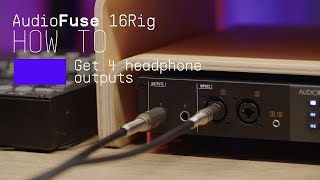
AudioFuse 16Rig | How To Use 4 Pairs of Headphones
Arturia
Reviews
PROS
-
16 balanced inputs and 2 combo jacks provide extensive connectivity
-
Seamless integration with Windows 11 and Ableton Live
-
Versatile functionality suitable for multiple studio scenarios
-
Standalone digital mixer capability with comprehensive I/O
-
Intuitive design, easy setup, and user-friendly operation
-
High build quality and solid feel
-
Noticeable improvement in sound quality over budget interfaces
-
Stable drivers even for larger projects
-
Comes with quality Arturia effect plugins for DAWs
CONS
-
Requires manual power on, inconvenient for automated setups
-
Loud popping sounds in speakers upon powering on
-
No sound until either power cycled or sample rate changed
-
Firmware updates and support do not resolve the issues mentioned
Owner Insights
We analyzed real musician discussions from forums and Reddit to find what players love, question, and tweak about Arturia AudioFuse 16Rig USB Audio Interface.
Features and functionality
-
The Arturia AudioFuse 16Rig's autoswitching feature is praised for seamless operation, accommodating 3.5mm gear with ease.
Source -
The Reamp output allows quick integration of guitar pedals, maintaining high audio quality and signal-to-noise ratio.
Source -
The standalone mode requires a custom setup in the matrix to play system audio without a DAW, using USB channels 29/30 for system audio routing.
Source -
The routing matrix allows for custom mixes; users must configure it via the second tab and access additional inputs using the +/- Channels button.
Source
User experience
-
One owner reported a wish for easier mute/unmute control in the mixer's standalone mode but praised its overall functionality.
Source -
A user paired the AudioFuse 16Rig with an A&H Zed R-16 via ADAT, achieving a total of 32 inputs and 10 outputs, showcasing its expandability.
Source -
Some owners find the lack of preset configurations in the AudioFuse 16Rig's manual limiting, especially when compared to interfaces like Apollo that offer more extensive presets.
Source
Comparisons
-
The AudioFuse 16Rig competes with Audient Evo16 + SP8 and MOTU 828 for latency and conversion quality at similar price points, ideal for users needing multiple inputs.
Source
Software and compatibility
-
A third-party program, "Sound Control," is necessary to manage volume control per app on macOS, enhancing the interface’s usability outside of a DAW.
Source
5.0 out of 5
Based on 0 Reviews and 1 Rating
Artist usage
Add artist

Genre Usage
Based on how artists on Equipboard use this gear, it is most commonly found in the following genres.
Used With
Based on how musicians on Equipboard use Arturia AudioFuse 16Rig USB Audio Interface, it is most commonly used with the following gear.


-s.webp?v=1784818679)


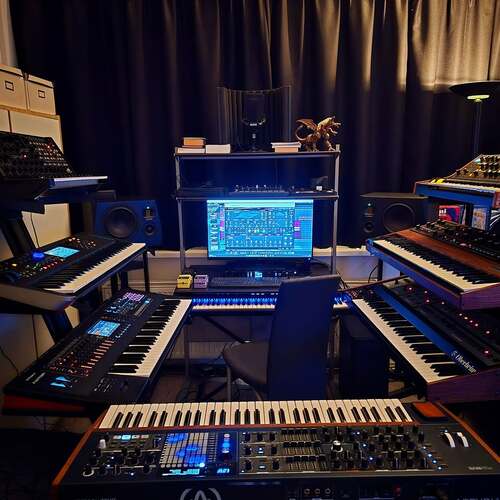
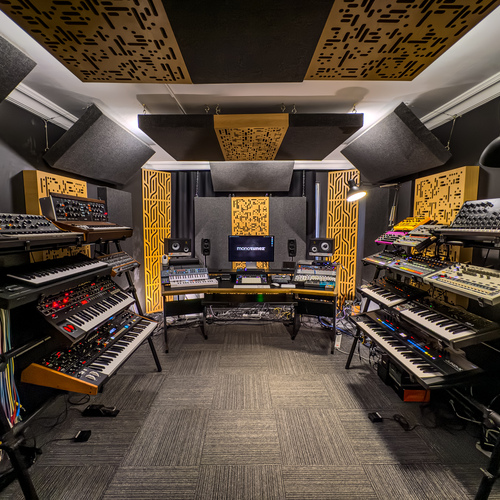
Community setups
Show yours

More Arturia Audio Interfaces

$251.21 - $1,026.87
in Audio Interfaces Rank


$765.00 - $999.00


$116.61 - $199.00


$84.10 - $119.00

$116.61 - $199.00

$83.00 - $119.00


$103.60 - $249.00

$279.00 - $349.00


$159.99 - $224.99
in Audio Interfaces Rank


-m.webp?v=1784804580)
$749.99
in Audio Interfaces Rank


$59.49 - $239.00
in Audio Interfaces Rank


$79.00 - $299.99
in Audio Interfaces Rank


$320.00 - $799.00
in Audio Interfaces Rank


$239.00 - $495.00
in Audio Interfaces Rank


$56.00
in Audio Interfaces Rank


$49.00 - $149.99
in Audio Interfaces Rank
.jpg?v=1784763257)


$749.00 - $999.00
in Audio Interfaces Rank

.png?v=1784580320)


$799.00 - $1,299.00
in Audio Interfaces Rank


$1,000.00
in Audio Interfaces Rank


$239.00 - $799.00
in Audio Interfaces Rank


$85.00 - $391.13
in Audio Interfaces Rank


$118.00 - $189.99
in Audio Interfaces Rank


$210.00 - $872.49
in Audio Interfaces Rank


$689.00 - $899.00
in Audio Interfaces Rank


$224.99
in Audio Interfaces Rank


$1,468.00 - $1,999.00
in Audio Interfaces Rank

.jpeg?v=1784733415)

$187.41 - $299.99
in Audio Interfaces Rank


$866.00 - $1,199.00
in Audio Interfaces Rank

.jpg?v=1784480765)
-m.webp?v=1784331838)
$70.00
in Audio Interfaces Rank


$69.78 - $159.99
in Audio Interfaces Rank


in Audio Interfaces Rank


$699.00 - $1,899.00
in Audio Interfaces Rank


$411.04
in Audio Interfaces Rank


Accessories & Related Items


Similar


Gear Guides







.webp)
Most Popular Audio Interfaces
Most Popular Brands
-
Added to Equipboard on by
 glaure
GearIQ 493
-


