



Pricing and availability
We compare 600+ stores and found this item at 10 stores. Prices updated .
Store
Reviews
Price









Price History
Based on price data from 7 merchants for "Korg nanoKONTROL Studio". Prices shown reflect NEW condition. Tracking began Apr 2, 2026.
* Product prices and availability are updated by Equipboard every 24hrs and are subject to change. Equipboard may receive compensation for purchases made at participating retailers linked on this site. This compensation does not affect what products or prices are displayed, or the order of prices listed. For more information, please refer to our affiliate disclosure.
Description
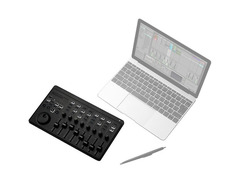
Introducing the Korg nanoKONTROL Studio, a versatile addition to your music production setup that effortlessly marries comprehensive control with expanded functionality. This compact yet powerful controller is an evolution of the successful nanoSERIES2 format, now enhanced with Bluetooth and USB MIDI connectivity.
The nanoKONTROL Studio is meticulously designed to streamline your creative process. It boasts a full suite of control options, including 8 long-throw faders, 8 encoders, and 16 switches. Its full transport control with a jog wheel allows for seamless navigation through your tracks. Plus, with the capacity for 5 recallable panel snapshots, you can easily switch between your favorite settings.
Despite its robust feature set, the nanoKONTROL Studio maintains a compact form factor, no bigger than an A4-sized notebook. This makes it ideal for musicians on the move, fitting comfortably into your backpack or gig bag. Whether you prefer wireless freedom with Bluetooth LE or traditional USB MIDI connectivity, the nanoKONTROL Studio is ready to adapt to your workflow.
Key Features:
- Comprehensive control options: 8 long-throw faders, 8 encoders, 16 switches
- Full transport control with jog wheel for easy navigation
- Ability to store and recall 5 panel snapshots
- Compact, travel-friendly design, no bigger than an A4-sized notebook
- Flexible connectivity options: Bluetooth LE and USB MIDI
Owner's manual
Korg nanoKONTROL Studio User ManualProduct specs
| Type | Mobile Bluetooth LE MIDI controller |
| Faders | 8 |
| Transport Controls | Yes |
| Encoders/Pots | 8 x Encoders |
| Computer Connectivity | USB Micro-B |
| MIDI I/O | Bluetooth, USB |
| OS Requirements - Mac | OS X 10.10 or later |
| OS Requirements - PC | Windows 8.1 or later |
| Power | USB / 2 x AAA batteries |
| Height | 1.30" |
| Width | 10.94" |
| Depth | 6.30" |
| Weight | 1.01 lbs. (without batteries) |
FAQs
-
How does the Korg nanoKONTROL Studio connect to a computer or device?
-
The Korg nanoKONTROL Studio connects via USB Micro-B for wired connections and supports Bluetooth LE for wireless connectivity with compatible devices.
-
Is the Korg nanoKONTROL Studio compatible with both Mac and Windows operating systems?
-
Yes, it is compatible with Mac OS X 10.10 or later and Windows 8.1 or later.
-
Does the Korg nanoKONTROL Studio have motorized faders?
-
No, the Korg nanoKONTROL Studio features eight non-motorized faders.
-
What power options are available for the Korg nanoKONTROL Studio?
-
The Korg nanoKONTROL Studio can be powered via USB or with two AAA batteries for portable use.
-
Can the Korg nanoKONTROL Studio be used with iOS devices?
-
Yes, the Korg nanoKONTROL Studio can connect wirelessly to iOS devices using Bluetooth LE functionality.
Videos

Korg
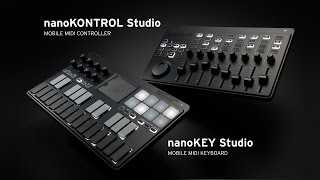
KORG nanoKEY Studio / nanoKONTROL Studio - Take Control Further
KORG nanoKEY Studio / nanoKONTROL Studio - Take Control Further
Korg
This ONE Feature Makes This 🔥.. |Korg NanoKontrol Studio Review!|

John Mike
Korg nano Studio Bluetooth/USB Controllers - SonicLAB Review

sonicstate
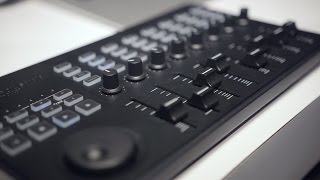
Korg nanoKEYS Studio & nanoKONTROL Studio - NAMM 2016

Sound On Sound magazine
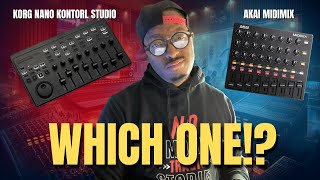
Akai Midimix Vs. Korg NanoKontrol Studio!
John Mike
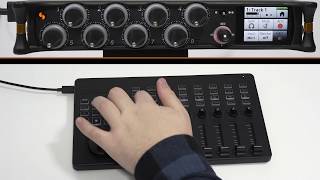
Tiptorial: How to Use the Korg nanoKONTROL Studio and nanoKONTROL2 with Your MixPre

Sound Devices
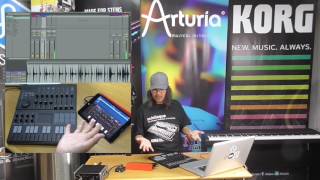
KORG: nanoKONTROL Studio & nanoKEY Studio walk through

Korg Australia
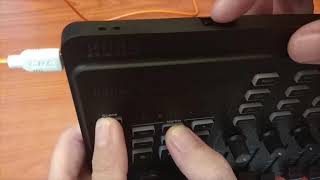
How to use Korg NanoKontrol Studio in Cubase!

CKMusicOnline
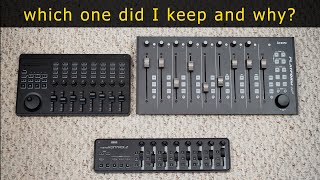
NanoKontrol Studio VS NanoKontrol 2 VS the Platform M+ control surface review

TechTVusa
Reviews
PROS
-
Wireless functionality allows for portable DAW control
-
Syncs well with several DAWs including Reaper and Digital Performer
-
Responsive and compact design for easy integration into setups
-
Long battery life for extended use
-
Affordable price point for budget-minded users
-
Solid build quality with light but sturdy sliders and knobs
-
Works great with iOS for mobile music production setups
-
Easy setup with specific DAWs when following the manual
CONS
-
Compatibility issues with Windows, requiring registry edits
-
Frequent disconnection and reconnection problems
-
Lacks a master fader for overall control
-
Limited assignable MIDI buttons
-
Difficulty configuring the scrub/jog wheel for effective use
-
Requires purchase of full software package for Apple users without a discount
-
Bluetooth connectivity issues, especially with certain DAWs like Reaper and GarageBand
-
Short microUSB cable and fragile connection point
-
Not fully compatible with the latest versions of GarageBand and Logic Pro X
-
May experience sudden crashes and freezes with specific DAWs like Reaper
Owner Insights
We analyzed real musician discussions from forums and Reddit to find what players love, question, and tweak about Korg nanoKONTROL Studio.
Features and functionality
-
No motorized faders; positions on the nanoKONTROL remain static after closing Logic.
Source -
Offers basic transport controls and track navigation, enhancing workflow beyond simple fader and pan adjustments.
Source -
Control plugin parameters through Korg Editor software or Logic's MIDI Learn, adding flexibility to its basic functions.
Source -
The "select" track button does not illuminate upon track selection, which some users find inconvenient.
Source
User experience
Software and compatibility
-
Korg nanoKONTROL Studio may not automatically appear in Logic on M2 Macs; requires specific "Pro Tools" mode setup for functionality.
Source -
Running Logic in Rosetta mode helps resolve compatibility issues with nanoKONTROL Studio on M2 Macs.
Source -
Installing the Control Surface Plug In can help achieve full functionality on Ventura 13.6 with Logic 10.7.9.
Source
Critic Reviews
4.5 out of 5
Based on 0 Reviews and 4 Ratings
Genre Usage
Based on how artists on Equipboard use this gear, it is most commonly found in the following genres.
Used With
Based on how musicians on Equipboard use Korg nanoKONTROL Studio, it is most commonly used with the following gear.



-s.webp?v=1784845311)


Community setups
Show yours

Similar
Add recommendation1 alternative for Korg nanoKONTROL Studio, curated by the Equipboard community.

More Korg DAW Controllers

$53.00 - $119.99
in DAW Controllers Rank


$133.00 - $240.00
in DAW Controllers Rank


$180.00 - $277.00
in DAW Controllers Rank


$249.00 - $499.00
in DAW Controllers Rank


$80.00
in DAW Controllers Rank


$33.91 - $209.99
in DAW Controllers Rank


$285.00 - $419.00
in DAW Controllers Rank


$182.68 - $599.99
in DAW Controllers Rank


$1,045.00 - $1,399.99
in DAW Controllers Rank


$76.40 - $109.00
in DAW Controllers Rank


$57.00 - $1,299.99
in DAW Controllers Rank


in DAW Controllers Rank


$95.00
in DAW Controllers Rank


$99.00 - $229.00
in DAW Controllers Rank


$699.99 - $839.99
in DAW Controllers Rank


$169.00 - $209.99
in DAW Controllers Rank


$228.68 - $524.99
in DAW Controllers Rank


$1,295.00 - $1,495.00
in DAW Controllers Rank


$995.00 - $1,195.00
in DAW Controllers Rank


$79.95 - $109.00
in DAW Controllers Rank


$122.00 - $189.00
in DAW Controllers Rank


$160.63 - $349.99
in DAW Controllers Rank

$184.28
in DAW Controllers Rank

$575.69 - $799.99
in DAW Controllers Rank

$120.00
in DAW Controllers Rank


$48.00 - $70.90
in DAW Controllers Rank


$1,191.76
in DAW Controllers Rank


$635.00 - $999.99
in DAW Controllers Rank


$333.00 - $399.99
in DAW Controllers Rank

$995.00 - $1,195.00
in DAW Controllers Rank

$140.00
in DAW Controllers Rank


$544.00 - $699.99
in DAW Controllers Rank

$1,191.76
in DAW Controllers Rank


$199.00 - $409.00
in DAW Controllers Rank

$125.00 - $169.99
in DAW Controllers Rank

$377.44 - $699.00
in DAW Controllers Rank


$249.00 - $469.90
in DAW Controllers Rank
Accessories & Related Items






Artist usage


Gear Guides







Most Popular DAW Controllers
Most Popular Brands
-
Added to Equipboard on by
.jpg?v=1784736721) gchiaren
gchiarenGearIQ 37849
-


