

Pricing and availability
We compare 600+ stores and found this item at 1 store. Prices updated .


* Product prices and availability are updated by Equipboard every 24hrs and are subject to change. Equipboard may receive compensation for purchases made at participating retailers linked on this site. This compensation does not affect what products or prices are displayed, or the order of prices listed. For more information, please refer to our affiliate disclosure.
Description
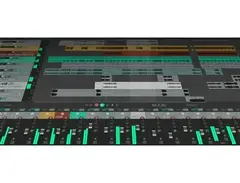
Dive into the world of music production with Cockos REAPER, a versatile and comprehensive Digital Audio Workstation (DAW) software that’s built for both seasoned professionals and budding musicians alike. Whether you're crafting intricate soundscapes or laying down a simple track, REAPER offers an intuitive and customizable interface that adapts to your creative process. Its seamless integration with a wide array of plugins and virtual instruments ensures that your studio setup can grow with your ambitions.
REAPER stands out with its robust audio and MIDI routing capabilities, offering you the flexibility to experiment with complex projects or maintain a streamlined setup. Enjoy real-time effects processing and automation that give you precise control over every element of your mix. With REAPER’s non-destructive editing and unlimited track count, your creativity knows no bounds. Plus, its efficient performance ensures your computer’s resources are optimized, making it an ideal choice for both home studio setups and professional environments.
Key Features:
- Fully customizable interface with advanced audio and MIDI routing
- Supports a wide range of audio formats and virtual instruments
- Non-destructive editing with unlimited track count
- Real-time effects processing and automation
- Efficient resource management for optimal performance
- Comprehensive plugin support, including VST, AU, and more
- Cross-platform compatibility (Windows and macOS)
- Regular updates and community support for evolving features and improvements
Product specs
| Operating Systems | Mac, Windows |
Videos

RealHomeRecording.com
Cockos REAPER 5 Beginner Basics Overview

Cockos REAPER 5 Beginner Basics Overview
RealHomeRecording.com
COCKOS Reaper 5 LE TUTO MAO GRATUIT

Tutoriels MAO
Reviews
PROS
-
Highly customizable UI with themes, layouts, and scripts for tailored workflows
-
Lightweight and efficient, runs smoothly on older computers
-
Affordable with a generous unlimited 60-day trial and low-cost full license
-
Supports unlimited tracks and powerful routing for audio, MIDI, and buses
-
Portable, can run from a USB stick without installation
-
Extensive plugin support including VST, AU, and JSFX scripting for custom plugins
-
Rock-solid stability with frequent updates and bug fixes
-
Active online community with extensive resources and tutorials
-
Great for various applications: music production, sound design, podcasting, and more
-
Excellent CPU/RAM efficiency, handles large projects without hogging resources
CONS
-
Steep learning curve, not ideal for complete beginners
-
Minimal stock plugins, requiring additional third-party purchases for best use
-
Interface can appear outdated and unintuitive to some users
-
Lacks built-in high-end features like integrated chord tracks
-
Not the best choice for live electronic music production without additional investments
Owner Insights
We analyzed real musician discussions from forums and Reddit to find what players love, question, and tweak about Cockos REAPER.
Features and functionality
-
REAPER's custom actions allow coding of custom features, significantly speeding up workflow, especially in tasks like sample replacement and database management for audio work.
Source -
REAPER's flexibility in creating custom actions can automate lengthy tasks that would take 30-60 minutes in other DAWs, showing its efficiency in professional settings.
Source -
Reaper's batch processing capability is highly valued in game audio, allowing for efficient handling of thousands of files at once.
Source
Use cases and applications
-
In the video game industry, REAPER is preferred for creating new sounds due to its quick access and switching of audio samples and its integrated database feature.
Source -
Some users mention REAPER's suitability for music production due to its flexibility, although they prefer Pro Tools for broadcast and film mixing.
Source -
It's noted that Reaper is increasingly used for Front of House multitrack recording, with endorsements from major companies like Waves for SoundGrid Live recording.
Source
Software and compatibility
-
The DAW supports LV2 plugins, which provides future-proofing against new plugin formats, ensuring longevity of use even if development stops.
Source -
Reaper's ability to be installed as a portable app allows for a highly customizable experience, but this can lead to potential stability issues in different studio setups.
Source
User experience
Value and pricing
-
The perception of Reaper as a "cheap" option can deter some professionals, despite its capabilities rivaling more expensive DAWs.
Source
Critic Reviews
4.5 out of 5
Based on 93 Reviews and 406 Ratings

103
Amazing
Pros: - super cheap licenses ($60 for personal $225 for commercial which is only necessary if you make 20k+ yearly off of the music you produce with Reaper) - super customizable and compatible with Windows, Apple, AND Linux. - has all the industry standard features that any producer would need, just doesn't come with all the pretty plugins that other DAWs come with. - can look a lot better than it does stock if you're willing to spend 5-15 minutes installing a theme (check out ReaperTips) - super low CPU useage, barely takes up any storage on your hard drive, and has very low latency, so it can run on older computers just fine.
Cons: - does not come with actual instrument plugins - can be difficult to learn because of how much customization is possible
Preferred Settings + Usage:
Use the ReaperTips theme, looks like stock reaper but a lot sharper, newer, and cohesive. Easier on the eyes and also makes it easier to use in some ways because it regulates the size of buttons to not be so drastically different.

1186
LINUX friendly! LOVE IT!
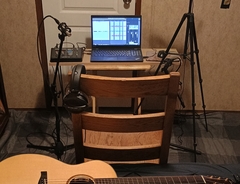
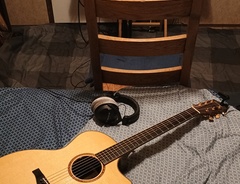
The only other DAW i've used is audacity, but I like this. definitely a learning curve as to setting it up and learning a flow and streamlining actions, but the online community is strong for this. Kenny Gioia (reaper mania) on youtube is a massive help. Use this a few times a month, and they always do updates. there are also quite a few free plug ins online. Im happy with it! LINUX friendly!

383
Great DAW
Price & Licensing Affordable: A full license is much cheaper than most major DAWs. Generous trial: Unlimited 60-day evaluation, fully functional with no restrictions.
Performance Lightweight: The installer is under 20MB, and it runs fast even on older computers. Efficient CPU/RAM usage: Handles big projects without hogging resources. Portable: Can run from a USB stick — no installation needed.
Customization Highly customizable UI: Themes, layouts, toolbars, colors, and even menus can be tailored. Scripting & extensions: Users can write scripts (Lua, Python, EEL) or use community add-ons like SWS to extend functionality. Flexible workflow: Almost every shortcut, mouse modifier, and action is remappable.
Audio & MIDI Features Unlimited tracks/routing: Audio, MIDI, and buses are all just “tracks,” making routing very powerful. Track templates: Save complex setups and recall instantly. Extensive plugin support: VST2, VST3, AU (macOS), JSFX scripting for custom plugins. Built-in tools: Stretch markers, pitch shifting, spectral editing, and detailed automation. MIDI editing: While not as fancy as some DAWs (like Cubase), it’s powerful, scriptable, and constantly improving.
Stability & Updates Rock-solid stability: Rarely crashes, even with heavy projects. Fast updates: Developers push frequent bug fixes and new features (often weekly). Tiny download: Updates are a few MB and install in seconds.
Community & Ecosystem Huge community: Active forums, tons of tutorials, scripts, and free resources. JSFX & ReaPlugs: A large library of free plugins, many surprisingly powerful. Third-party themes: You can make REAPER look like Logic, Pro Tools, Ableton, etc.
Flexibility of Use Works for music production, film scoring, sound design, podcasting, live performance, and even mastering. Popular with people who like to tinker and optimize their workflow rather than being locked into one style.
Bottom line: REAPER is the most customizable, lightweight, and cost-effective DAW out there. It’s not always the most “out-of-the-box polished” compared to Logic or Ableton, but if you’re willing to tweak it, it can become the most powerful DAW for your needs.

Great DAW
It is very good choice for recording live instruments. I mean it is very lightweight and customisable DAW, but its MIDI functionality lacks usability and comfort in usage. It is unintuitive in interface, so its not a good beginner choice, but it is probably the best free DAW. Also, it has very small stock base, so it might be difficult to just learn it without using other plugins. Still the best free DAW tho

277
Reaper is the best
Reaper is a relatively simple and intuitive DAW, but light and very good, it has become my main DAW.

10745
Gold standard of DAW software. Don't waste your money on overpriced DAWs, get Reaper.
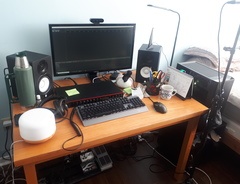
I've been using Reaper since November 2018 to phase out Audacity that I've been using prior to this. And oh boy, is this DAW a game-changer. It is a fully-featured DAW that comes with everything you need and more. You get a user-friendly interface that allows you to instantly route your audio signals however you want, not to mention the fact that you can even customize the skin of Reaper DAW to make it look like the DAW of your dreams. I didn't even need to use any sort of tutorial videos to get myself started with recording music! I just plugged in my audio interface and I recorded away. It's so easy to use that even a bass player will understand how to use this DAW.
Reaper also comes with its own included ReaPlugs Suite, which comes with a huge load of useful VSTs that I still use to this day - mastering limiters, EQ, ReaPitch, saturation, and so much more!
Other DAW software will charge you over $230+ for the features you're looking for in Reaper's personal license version that only costs USD$60. Don't waste your money if you care about getting the job done, get Reaper DAW for your studio production platform. You won't be disappointed.

1168
pretty cool for linux
takes some setting up overall, and every time you use it. you can get very tech with this, i want simple. i use linux so there are not many options. i chose this for the real time fx editing. its pretty good.

53
Powerful, Full-featured, Extensible, Very Reasonably Priced
Reaper is the whole toolkit. Being such, there is a pretty steep learning curve, but as you get in the swing of things, you'll find it's malleable UI and flexible workflow well worth the effort. Constant updates assure that Reaper remains state-of-the-art and rapidly overcomes discovered faults. I was a former Cubase user, but found their cost structure unjustifiable once I discovered Reaper - never looked back, no regrets over the last 10 years. Highly, HIGHLY recommended!

439
Reaper is the best
What I love about reaper is how simple and clean it can be. I see videos and stuff of people using other DAWs and there are so many windows, colors, graphs, and everything else open that I’m astonished they can even get a sense of what’s going on. Reaper is cheap, clean, and simple. And it has a ton of great stuff built into it should you choose to explore. I had never used a DAW previously and while the learning curve was a bit steep, a few YouTube watches and I was up and going. I’ve recorded and produced over 20 albums between my Silent Caesar and Hound Of Durango projects using reaper exclusively and all from the comfort of my bedroom studio. Check out the free version if you doubt me! Awesome stuff.

75
Amazing and customizable DAW without limits, but just basic if you dont use the community expansions.
Nothing you can´t do in this DAW For 60 USD you got a very Professional DAW (for recording and editing), very beginner friendly. Just hit record and start.
In my opinion its the most flexible DAW, if you start reaper the first time, its like a clean and classic DAW. But with the Community expansion behind reaper you can shape reaper perfectly to fits your workflow. That means you can transform reaper to an electronic music daw, or if you want, you can transform reaper to a mixing and Mastering Daw too. But without extensions it's just a basic Recording daw with midi compatibility.
i would recommand Reaper if you... ... want a customizable DAW without limits. ... want a professional DAW (recording, mixing & mastering) ... are a tinker ... want to use Hardware Synths ... want a "sky is the limit - daw" ... are a beginner, and want to grow up with your DAW
i wouldn´t recommend Reaper if you... ... looking for a cheap electronic music DAW (its just 60 USD but you have to buy synths, drumsamplers, samples, ect...too) ... want a all-in-one Daw (Reaper just have FX plugins, No Synths, and a simple Sampler) ... looking for highend features (like intigrated chord tracks) ... want to make live music. (doesn´t mean you can´t do it with reaper) ... if you want to do many collabs with other electronic music producer
This is my experience and opinion with Reaper. A unique and great DAW.
Artist usage
Add artist

Esaú Peñaloza uses Cockos REAPER as his DAW, as detailed on the Quadcoremusic blog.




In this video, Bruno is using REAPER to record Thiago's voice.


In an Instagram post by mr.hyper_0, Sahil Mishra is shown using Cockos REAPER for covering and making demos for his projects.

Vasily recorded a songs using Reaper DAW
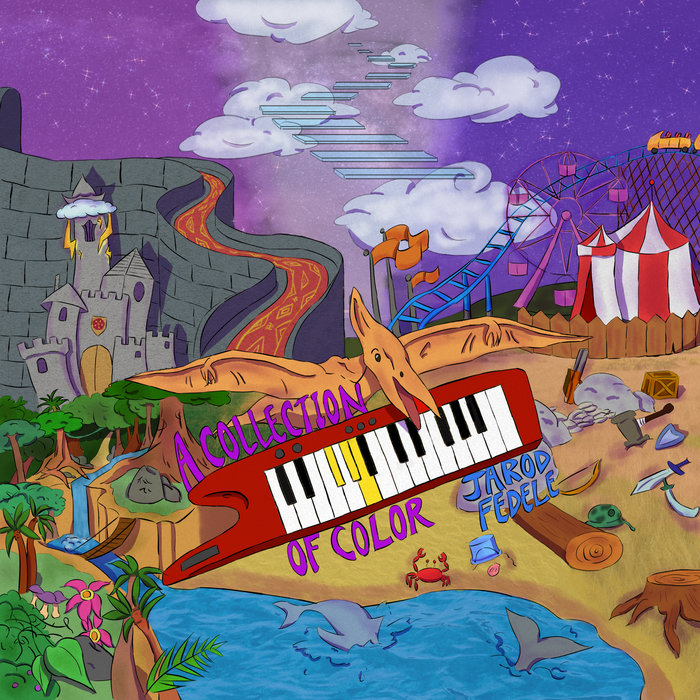
"REAPER" is listed under equipment used for production for the album A Collection of Color on Bandcamp


"I keep things very caveman-simple. I just use Logic, Vienna samples and Omnisphere 2 on my main production rig. However, I have recently purchased Reaper and have an open mind about it, which is on my other rig." (Page 64).

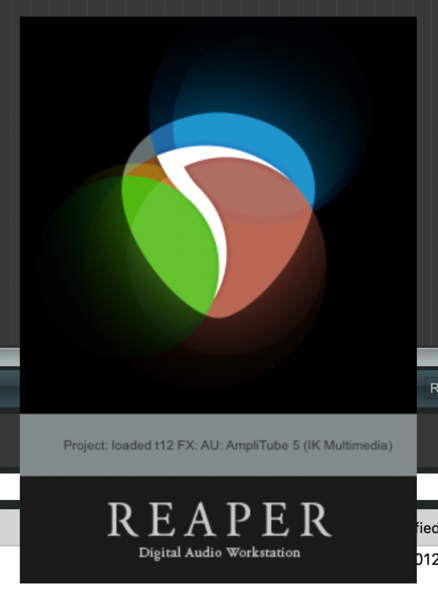
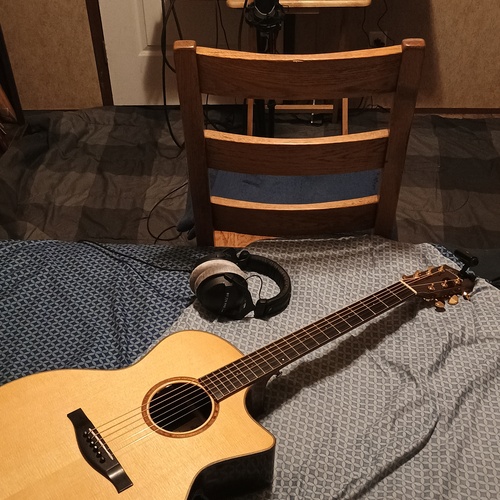
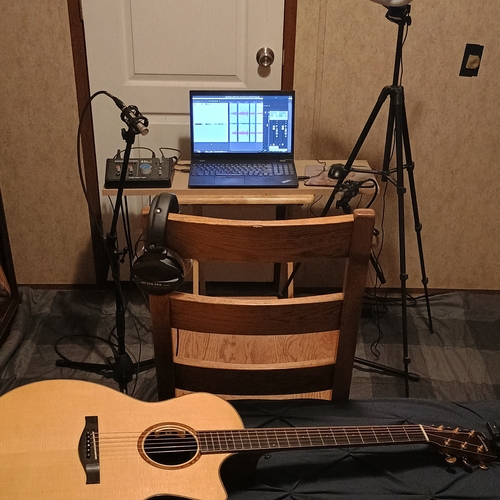
AMBASSADOR21 has been using Cockos REAPER as their primary DAW since 2011, as evidenced by a user-uploaded photo.


Snow Ghost uses Cockos REAPER as their DAW, inspired by seeing Tristam use it in a livestream. They appreciate its flexibility and enjoy exploring its features, as noted on their official site.


In a YouTube video titled "Gear I use for producing Jazz Fusion (2026)," Dylan Reavey states at the 7:47 mark that he uses Cockos REAPER as his DAW.


Album Usage
The Cockos REAPER has been featured on the following albums:

Genre Usage
Based on how artists on Equipboard use this gear, it is most commonly found in the following genres.
Used With
Based on how musicians on Equipboard use Cockos REAPER, it is most commonly used with the following gear.



Community setups
Show yours.png?v=1775150177)

Similar
Add recommendation10 alternative and related items for Cockos REAPER, curated by the Equipboard community.

$409.00 - $499.00
Although this might seem to be a high end alternative, Reason is an amazing tool to understand how to write music properly before going on your own sound campaign. I've generally learned to use Reaper in approximately 3 months with my Reason music writing exp

$179.00
FL Studio isn't really a cheaper alternative for Reaper

$225.00 - $599.00

-m.webp?v=1782900039)
$409.00 - $499.00

$209.00 - $329.99
Reaper is cheaper than Cubase. It doesn't make sense Cubase being a cheaper alternative to Reaper.
More Cockos DAW Software
$225.00 - $599.00
in DAW Software Rank


$398.00
in DAW Software Rank

$266.00 - $439.00
in DAW Software Rank


-m.webp?v=1782900043)
$99.99 - $344.00
in DAW Software Rank


$99.00 - $399.99
in DAW Software Rank


$179.00
in DAW Software Rank


$409.00 - $499.00
in DAW Software Rank


$119.00 - $299.00
in DAW Software Rank


$209.00 - $329.99
in DAW Software Rank


$199.99
in DAW Software Rank
.jpg?v=1783318437)


$199.00
in DAW Software Rank


$524.00 - $579.99
in DAW Software Rank


$75.00
in DAW Software Rank


$449.00 - $485.00
in DAW Software Rank


$129.00 - $195.00
in DAW Software Rank


$395.00 - $499.00
in DAW Software Rank


$485.00 - $528.00
in DAW Software Rank

$136.00 - $179.00
in DAW Software Rank

$139.99 - $199.99
in DAW Software Rank


$366.00 - $579.99
in DAW Software Rank


$579.99
in DAW Software Rank


$245.00 - $285.00
in DAW Software Rank


$149.00 - $201.00
in DAW Software Rank


$375.00 - $399.95
in DAW Software Rank

$579.99
in DAW Software Rank


$149.00 - $249.00
in DAW Software Rank


$208.00
in DAW Software Rank


$47.00 - $59.99
in DAW Software Rank


$249.99 - $499.99
in DAW Software Rank
Gear Guides









Most Popular DAW Software
Most Popular Brands
-
Added to Equipboard on by
yeenkingGear IQ 75
-