


Pricing and availability
We compare 600+ stores and found this item at 2 stores. Prices updated .
Store
Reviews
Price




Average Price: $115
Budget/Beginner
$150
$501+
Price Tier
Budget
Standard
High-end
* Product prices and availability are updated by Equipboard every 24hrs and are subject to change. Equipboard may receive compensation for purchases made at participating retailers linked on this site. This compensation does not affect what products or prices are displayed, or the order of prices listed. For more information, please refer to our affiliate disclosure.
Description
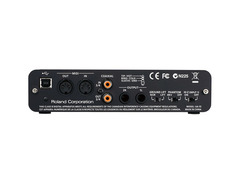
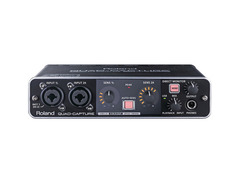
With a pair of premium VS Preamps onboard, plus superb 24-bit/192 kHz audio quality, ultra-low latency performance, and convenient USB bus power, QUAD-CAPTURE sets a new standard for portable USB 2.0 audio interfaces. Its compact, durable design and pristine sound makes it the perfect foundation for portable, multichannel computer-based productions on the go. With quality and performance that far exceeds its size and price, QUAD-CAPTURE stands at the head of its class.
VS Preamps
QUAD-CAPTURE boasts two premium-grade, digitally controlled mic preamps (VS Preamps) made from the same high-grade components as the preamps found in Roland's V-Studio 700 and M-400 digital mixer. Two XLR/TRS combo inputs are provided for the preamps, plus independent phantom power, low-cut filter, phase invert, and digital compression for each channel. The VS preamps can be controlled easily and intuitively with the included graphical Control Panel software (Mac/PC).
One-Click AUTO-SENS
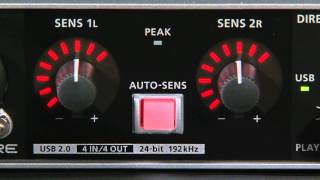
Never before has it been faster or easier to set perfect input levels-simply activate the AUTO-SENS feature with the push of a button, play your connected instruments, and QUAD-CAPTURE automatically sets the ideal recording level for each input. Whether you're a beginner or a professional, AUTO-SENS is great for quick, fail-safe recordings, saving you setup time and letting you focus on where it starts... the performance.
VS Streaming
QUAD-CAPTURE offers incredible stability and industry-leading low-latency USB performance via Roland's proprietary VS Streaming technology. All current Mac and PC DAW platforms are supported through ASIO 2.0/WDM (Windows) and Core Audio (Mac).
Low-Noise Power Supply
One of QUAD-CAPTURE's key "behind-the-scenes" features is its low-noise, wide-ranging power supply. Designed to deliver a clean, balanced input and output, it provides a reliable foundation for any professional audio application or environment. When driven by the USB bus power supply, QUAD-CAPTURE's power is regenerated, providing the analog circuitry ideal voltage for the very best sound quality and efficiency in mobile environments.
Aluminum Build, DI Functionality
QUAD-CAPTURE is small, strong, and housed in a road-tough aluminum body, so you can transport it anywhere with the confidence that its premium internal components are securely protected. For live-concert environments, QUAD-CAPTURE also provides Direct-Box (DI) functionality, essential for noise-free live stage use.
Product specs
| Brand | Roland |
| Model | UA-55 Quad-Capture USB 2.0 Audio Interface |
| Finish | Black |
| Year | 2010s |
| Categories | Audio Interfaces |
| Bit Depth | 24-bit |
| Bus-Powered | Yes |
| Compatibility | Windows, macOS |
| Computer Connectivity | USB |
| Digital Input Format | S/PIDF |
| Digital Output Format | S/PIDF |
| Electronics | Analog, Digital, Solid State |
| Format | Desktop Standalone |
| Number of Analog Inputs | 2 |
| Number of Analog Outputs | 2 |
| Number of Channels | 8 |
| Number of Digital Inputs | 2 |
| Number of Digital Outputs | 2 |
| Number of Headphone Outputs | 1 |
| Number of MIDI Inputs | 1 |
| Number of MIDI Outputs | 1 |
| Number of Mic Preamps | 2 |
| Sample Rate | 192 khz |
FAQs
-
Is the Roland QUAD-CAPTURE compatible with both Windows and macOS?
-
Yes, the Roland QUAD-CAPTURE USB 2.0 Audio Interface is compatible with both Windows and macOS operating systems, making it versatile for different computer setups.
-
How many mic preamps does the Roland QUAD-CAPTURE have?
-
The Roland QUAD-CAPTURE features two high-quality mic preamps, allowing for professional-grade audio recording.
-
What is the maximum sample rate of the Roland QUAD-CAPTURE?
-
The Roland QUAD-CAPTURE supports a maximum sample rate of 192 kHz, ensuring high-resolution audio recording and playback.
-
Is the Roland QUAD-CAPTURE bus-powered?
-
Yes, the Roland QUAD-CAPTURE is bus-powered, meaning it draws power directly from the USB connection to your computer, eliminating the need for an external power supply.
-
Does the Roland QUAD-CAPTURE support MIDI connectivity?
-
Yes, the Roland QUAD-CAPTURE includes both MIDI input and output, allowing you to connect MIDI-compatible devices for enhanced music production capabilities.
-
What kind of digital input and output formats does the Roland QUAD-CAPTURE support?
-
The Roland QUAD-CAPTURE supports S/PIDF digital input and output formats, providing high-quality digital audio connections.
Videos

RolandChannel
Quad-Capture USB 2.0 Audio Interface Overview
Quad-Capture USB 2.0 Audio Interface Overview
RolandChannel

Roland Quad Capture Audio Interface Video Review

Basic Studio Dave
Roland UA-55 Quad-Capture

GUITARGUITAR
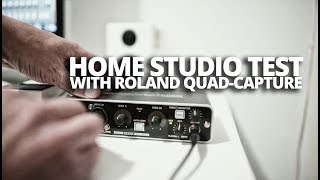
Home studio test with Roland Quad-Capture

Jari Uutinen
Roland Quad Capture Review

Real Home Studio
Reviews
PROS
-
Amplifies SM7B mic without additional equipment
-
Very low noise even at max amp settings
-
Supports high-resolution audio up to 192kHz
-
Sturdy aluminum case with recessed LED VU meters
-
Versatile inputs: XLR, 1/4" TRS, MIDI, and coax RCA
-
Includes software for amp gain, EQ, and output control
-
Excellent for digitizing vinyl and open reel tapes
-
Designed with musicians in mind, not just tech-savvy users
-
Portable and efficient for high-fidelity audio playback
CONS
-
Issues with driver compatibility on certain computers
-
Headphone and speaker outputs cannot be muted independently
-
May require multiple reboots to detect microphone signal
-
Installation can freeze without proper driver updates
-
Some users report early headphone jack failure
Owner Insights
We analyzed real musician discussions from forums and Reddit to find what players love, question, and tweak about Roland QUAD-CAPTURE USB 2.0 Audio Interface.
Software and compatibility
-
Users report issues with Roland Quad-Capture not being recognized on Mac Monterey (12.6) despite driver compatibility claims.
Source -
An owner successfully ran the Quad-Capture on Big Sur with Logic Pro X 10.7.4 but faced recognition issues after upgrading to Monterey.
Source -
It's noted that the Quad-Capture is unsupported on Mac Ventura, prompting users to seek workarounds or modifications.
Source -
Windows 11 users experience heavy stuttering and lag when using the Quad-Capture, which isn't present in Windows 10 or Linux setups.
Source -
Stuttering issues on Windows 11 may appear within 5-10 minutes of use, even with the latest drivers and software.
Source
Features and functionality
-
The Roland Quad-Capture performs best when connected to a standard USB 2.0 port, not ports marked with a lightning bolt, to avoid audio issues.
Source
User experience
4.5 out of 5
Based on 2 Reviews and 22 Ratings

984
solid product, btu died early, and windows only
headphone jack died early, the headphone/speaker output can't be muted indipentantly so you just need to unplug the cords to stop sending outputs. overall, solid on paper, but once you get to the nitty gritty, it falls apart. wouldn't reccomend

Artist usage
Add artist

While Finneas' and Eilish's music became more and more minimalist over time, Finneas' studio setup was minimalist from day one. "I moved to my own house early this year, and now work from a room there, but my setup is still pretty much the same as when we did 'Ocean Eyes'. I still use Logic, and at the time I had the Roland Quad Capture interface, a set of Yamaha HS5 monitors with a Yamaha HS8S subwoofer, and an Audio-Technica AT2020 microphone, which cost $80.


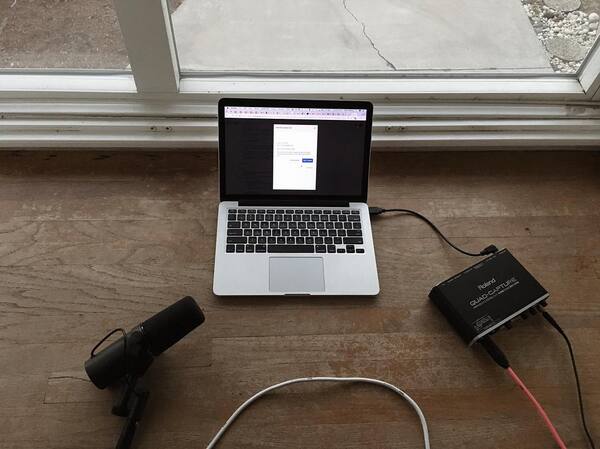
The audio interface is hooked up to his Macbook. The brand and model is visible on the top of it.


On Instagram, Ralvero shares a photo featuring the Roland QUAD-CAPTURE USB 2.0 Audio Interface, highlighting it as his choice for creating beats.



In the YouTube video titled "Carly Rae Jepsen - Call Me Maybe (garageband remake)" by fake E.Y. beats, EY Beats is seen using the Roland QUAD-CAPTURE USB 2.0 Audio Interface.


Genre Usage
Based on how artists on Equipboard use this gear, it is most commonly found in the following genres.
Used With
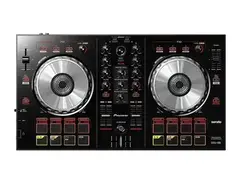
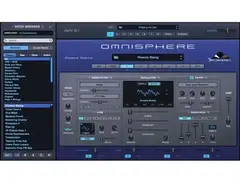
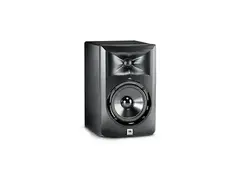
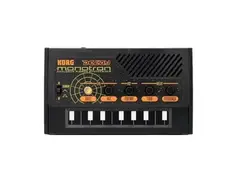
Based on how musicians on Equipboard use Roland QUAD-CAPTURE USB 2.0 Audio Interface, it is most commonly used with the following gear.




Community setups
Show yours
More Roland Audio Interfaces

$300.00 - $1,199.00


$518.00 - $987.00


$65.53 - $88.88


$71.99 - $222.00


$159.99 - $224.99
in Audio Interfaces Rank


-m.webp?v=1784804580)
$749.99
in Audio Interfaces Rank


$59.57 - $239.00
in Audio Interfaces Rank


$79.00 - $299.99
in Audio Interfaces Rank


$360.00 - $799.00
in Audio Interfaces Rank


$239.00 - $495.00
in Audio Interfaces Rank


$84.00
in Audio Interfaces Rank


$49.00 - $149.99
in Audio Interfaces Rank
.jpg?v=1784763257)


$749.00 - $999.00
in Audio Interfaces Rank

.png?v=1784580320)


$799.00 - $1,299.00
in Audio Interfaces Rank


$1,000.00
in Audio Interfaces Rank


$239.00 - $799.00
in Audio Interfaces Rank


$85.00 - $391.13
in Audio Interfaces Rank


$118.00 - $189.99
in Audio Interfaces Rank


$190.00 - $872.49
in Audio Interfaces Rank


$689.00 - $899.00
in Audio Interfaces Rank


$224.99
in Audio Interfaces Rank


$1,468.00 - $1,999.00
in Audio Interfaces Rank

.jpeg?v=1784733415)

$83.73 - $299.99
in Audio Interfaces Rank


$866.00 - $1,199.00
in Audio Interfaces Rank

.jpg?v=1784480765)
-m.webp?v=1784331838)
$70.00
in Audio Interfaces Rank


$69.78 - $159.99
in Audio Interfaces Rank


in Audio Interfaces Rank


Similar


Gear Guides







.webp)
Most Popular Audio Interfaces
Most Popular Brands
-
Added to Equipboard on by
 batuhancansiz
GearIQ 99
-


