

Pricing and availability
We compare 600+ stores and found this item at 6 stores. Prices updated .
Store
Reviews
Price






Price History
Based on price data from 5 merchants for "Waves Q10 Paragraphic Equalizer Plugin". Prices shown reflect NEW condition. Tracking began Apr 2, 2026.
* Product prices and availability are updated by Equipboard every 24hrs and are subject to change. Equipboard may receive compensation for purchases made at participating retailers linked on this site. This compensation does not affect what products or prices are displayed, or the order of prices listed. For more information, please refer to our affiliate disclosure.
Description
Experience precision and versatility with the Waves Q10 Paragraphic Equalizer Plugin, a staple in the toolkit of audio professionals. This renowned EQ plugin offers ten fully parametric bands, each equipped with a range of six filter types, allowing you to shape audio with surgical precision or apply gentle tonal enhancements. The Q10's ability to operate as either separate mono or ganged stereo EQs provides unparalleled flexibility, making it ideal for both mixing and mastering tasks.
With a wide array of presets tailored for specific applications like multimedia, pseudo-stereo, and hum removal, the Waves Q10 ensures you're prepared for any audio challenge. Its advanced noise-shaping capabilities guarantee optimal fidelity, while the option to choose between Legacy and Modern interfaces allows for a customized user experience. The 25th Anniversary edition brings enhancements like Proportional Q filters and Double Precision 64-bit processing, ensuring the Q10 remains a timeless tool in the ever-evolving world of audio production.
Whether you're repairing problematic frequencies or refining the overall soundscape, the Waves Q10 is your go-to solution for powerful and precise equalization.
Key Features:
- Ten-band fully parametric EQ
- Six filter types per band
- Advanced noise-shaping for optimal fidelity
- Presets for multimedia, pseudo-stereo, band limiting, and more
- Up to 24-bit/192 kHz resolution
- Supports mono and stereo components
- Legacy and Modern interface options
- Proportional Q filters
- Double Precision 64-bit processing
- Separate or ganged processing and parameter control
Owner's manual
Waves Q10 Paragraphic Equalizer Plugin User ManualProduct specs
| Software Type | EQ |
| Platform | Mac, PC |
| Upgrade/Full | Full |
| Download/Boxed | Download |
| Bit Depth | 64-bit |
| Format | AAX Native, AudioSuite, VST, AU, SoundGrid |
| Hardware Requirements - Mac | Intel Core i7 or higher (M1 support), 8GB RAM minimum |
| Hardware Requirements - PC | Intel Core i5 / AMD Quad-core or higher (AVX required), 8GB RAM minimum |
| OS Requirements - Mac | macOS 10.15.7 or later |
| OS Requirements - PC | Windows 10 or later (21H2), 64-bit |
FAQs
-
What makes the Waves Q10 Paragraphic Equalizer unique compared to other EQ plugins?
-
The Waves Q10 combines the visual interface of a graphic equalizer with the precision of a parametric equalizer, offering adjustable frequency and Q for each band. This allows for detailed and flexible sound shaping.
-
Is the Waves Q10 Equalizer compatible with my DAW?
-
The Waves Q10 supports multiple formats, including AAX Native, AudioSuite, VST, AU, and SoundGrid, making it compatible with most major DAWs on both Mac and PC platforms.
-
What are the system requirements for running the Waves Q10 on a Mac?
-
To run the Waves Q10 on a Mac, you need macOS 10.15.7 or later, an Intel Core i7 processor or higher (M1 supported), and at least 8GB of RAM.
-
Can I use the Waves Q10 Equalizer for mastering purposes?
-
Yes, the Waves Q10 is suitable for mastering, offering precise control over 10 bands for detailed frequency adjustments, making it ideal for final mix tweaks and mastering.
-
Does the Waves Q10 Equalizer support 64-bit processing?
-
Yes, the Waves Q10 supports 64-bit processing, ensuring high-quality audio performance and compatibility with modern DAWs and operating systems.
Videos

Waves Audio
EQing Separate Tracks + Mix Buss with the Q10 Equalizer
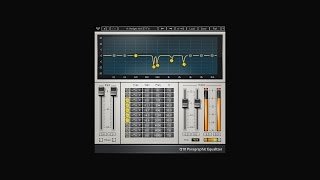
EQing Separate Tracks + Mix Buss with the Q10 Equalizer
Waves Audio
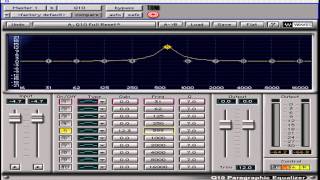
Waves Mastering Lesson 18 - Q10 Paragraphic Equalizer Tool

Gabriel Toma
Surgical EQ On Drums & Vocals With The Waves Q10 And Cubase Studio EQ Plugin

David Domminney Fowler
Reviews
PROS
-
Extremely user-friendly interface, ideal for quick adjustments
-
Renowned for its precision in surgical equalization tasks
-
Capable of resolving complex audio issues, even in post-production disasters
-
Highly effective in removing unwanted resonances and muddiness
-
Trusted by professionals worldwide for over two decades
-
Affordable price point for its capabilities
-
Works efficiently on vocal chains and master buses
CONS
-
Lacks built-in sound analysis features
-
Requires an additional analyzer for comprehensive audio monitoring
Owner Insights
We analyzed real musician discussions from forums and Reddit to find what players love, question, and tweak about Waves Q10 Paragraphic Equalizer Plugin.
Features and functionality
Setup and maintenance
-
It's preferable to use the input stage fader for preamp settings, aligning with the traditional "PREamp" concept.
Source
4.0 out of 5
Based on 1 Review and 13 Ratings


41029
do you have ears? try using those for analysis :-)
118
Of course I have Ears buddy but sometimes I miss Shitty frequenzys when i'm just using my ears so I use the PAZ for safety. And... ..Wait found my Ears!
Artist usage
Add artist

Used for Quavo and Offest's features on Beyoncé and Jay-Z's "Apeshit", as stated by producer Stuart White in this September 2018 Sound on Sound interview.
The first four aux tracks feature SoundToys effects, namely Little Microshift, two EchoBoy delays, and a delay from the Little PrimalTap. Next are a Hall Reverb aux and a Church Reverb aux, both using Waves’ RVerb, an EMT plate from Audio Ease’s Altiverb, four aux tracks with the Waves H-Delay and various other plug-ins on them as well, and four more reverb auxes with the Avid Revibe II, two Avid D-Verbs and another RVerb.
White: “I use the Little Microshift in pretty much every mix, with the left-right micro pitch-shift effect that’s similar to the classic effect in the Eventide H3000 shift where you pitch one side down six cents and one side up six cents to create width. It’s a good way to get your vocals wider without them being out of phase. It thickens up vocals, and is kind of like a doubler. I do quite a lot of filtering on some of the EchoBoy delays, for example with the Waves REQ, and I am adding colour with the SoundToys Devil-Loc, which is great if you want to colour the delay so it is separate from the main vocal, and compress it with the UAD LA3A and mix that in to taste.”
(...) “The Migos vocals came in as seven audio tracks, with the Avid D-Verb on each of them. Putting a D-Verb on a track before EQ is not something I normally do, but it sounded great. So I adjusted them a bit, but otherwise left them as they were. The tracks also came in with the Aux track above, and the EQ3, with a high pass at 60Hz and notches at 430Hz and 1.41kHz and a high boost, the Waves API 2500 compressor, the RComp, the Waves Q10 EQ, following a slightly similar curve to the EQ3, the Waves De-esser, the Waves Aphex Aural Exciter, and the Avid Dyn3 expander/gate. I added the EQ3, with another high-pass filter at 144Hz, and the RComp, with a ratio of 10:1.”

In this video you can see Emika using Waves Q10 Paragraphic Equalizer at 13.47.

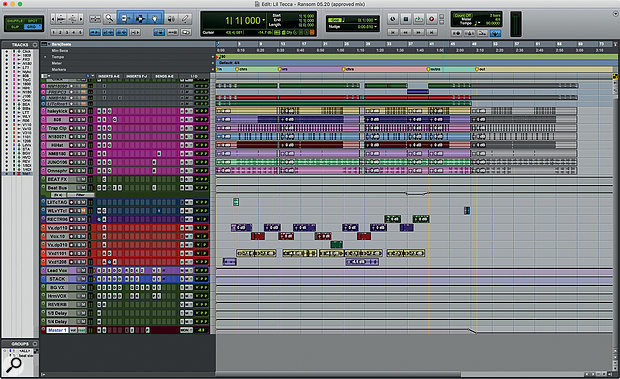
Q6 was used on vocals for "Ransom", as mentioned by mix engineer Joseph Colmenero in this November 2019 Sound on Sound interview.
"Many of the plug-ins on the vocal tracks came with the session. The vocal audio tracks all have Antares Auto-Tune Pro because the session came with Auto-Tune Live, and I didn't have my licence with me, so I put Auto-Tune Pro on. Without seeing the Live plug-in I had to use my ears to make sure that the settings were exactly right. They had recorded Tecca's vocals with Auto-Tune on, playing Auto-Tune like an instrument.
"All audio tracks go to the LeadVox bus, on which there is a stack of plug-ins. Again many of them came with the session. The chain starts with the Waves Q6 EQ, the FabFilter Pro-C2 compressor, then a Waves SSL Channel, two Waves De-Essers, a Waves RVox used as a noise gate, the SoundToys Decapitator for vibe, and a Waves C4 to bang down some peak frequencies. There's a track with distant ad-libs that goes to the Harmony Vox aux, which has some similar plug-ins, and adds a D-Verb for some extra reverb. There are sends on the vocal busses to the reverb aux, with the Waves RVerb, and delay quarter-note aux, with the Waves H-Delay. I also have the Avid EQ7 before the reverb, to take out the low end and high end. You don't want to have esses all over your reverb. The other two aux tracks that I did not use are part of the producer's template."


"I think Q10 is the first Waves plugin I fell in love with. It's got really extreme notch filtering. There's an old trick I developed where I notch out frequencies from white noise until it becomes harmonic." - at 12:58 in the Waves webinar with Guy Sigsworth.

Used for Quavo and Offest's features on Beyoncé and Jay-Z's "Apeshit", as stated by producer Stuart White in this September 2018 Sound on Sound interview.
The first four aux tracks feature SoundToys effects, namely Little Microshift, two EchoBoy delays, and a delay from the Little PrimalTap. Next are a Hall Reverb aux and a Church Reverb aux, both using Waves’ RVerb, an EMT plate from Audio Ease’s Altiverb, four aux tracks with the Waves H-Delay and various other plug-ins on them as well, and four more reverb auxes with the Avid Revibe II, two Avid D-Verbs and another RVerb.
White: “I use the Little Microshift in pretty much every mix, with the left-right micro pitch-shift effect that’s similar to the classic effect in the Eventide H3000 shift where you pitch one side down six cents and one side up six cents to create width. It’s a good way to get your vocals wider without them being out of phase. It thickens up vocals, and is kind of like a doubler. I do quite a lot of filtering on some of the EchoBoy delays, for example with the Waves REQ, and I am adding colour with the SoundToys Devil-Loc, which is great if you want to colour the delay so it is separate from the main vocal, and compress it with the UAD LA3A and mix that in to taste.”
(...) “The Migos vocals came in as seven audio tracks, with the Avid D-Verb on each of them. Putting a D-Verb on a track before EQ is not something I normally do, but it sounded great. So I adjusted them a bit, but otherwise left them as they were. The tracks also came in with the Aux track above, and the EQ3, with a high pass at 60Hz and notches at 430Hz and 1.41kHz and a high boost, the Waves API 2500 compressor, the RComp, the Waves Q10 EQ, following a slightly similar curve to the EQ3, the Waves De-esser, the Waves Aphex Aural Exciter, and the Avid Dyn3 expander/gate. I added the EQ3, with another high-pass filter at 144Hz, and the RComp, with a ratio of 10:1.”


Joey Sturgis is among the producers and engineers to have released plug‑ins capturing aspects of his sound. Here, two instances of his JST Clip peak-clipping plug‑in form part of a complex snare drum processing chain which also incorporates Cubase's channel EQ and Waves' SSL Channel, TransX and Q10.
Album Usage
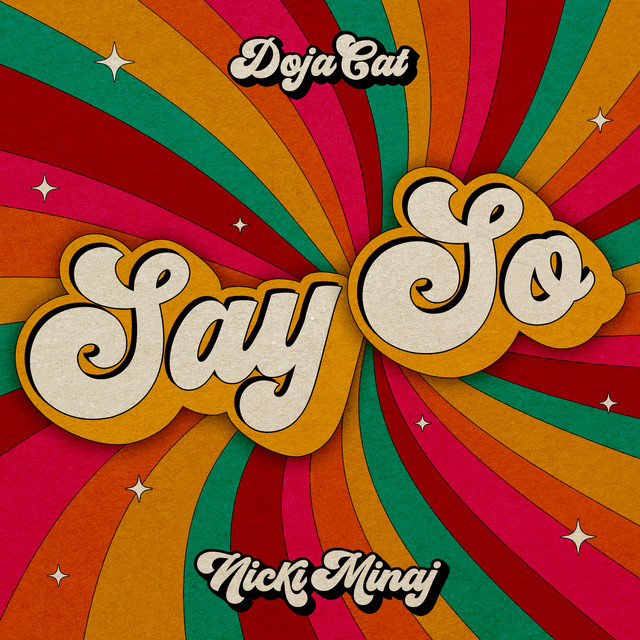
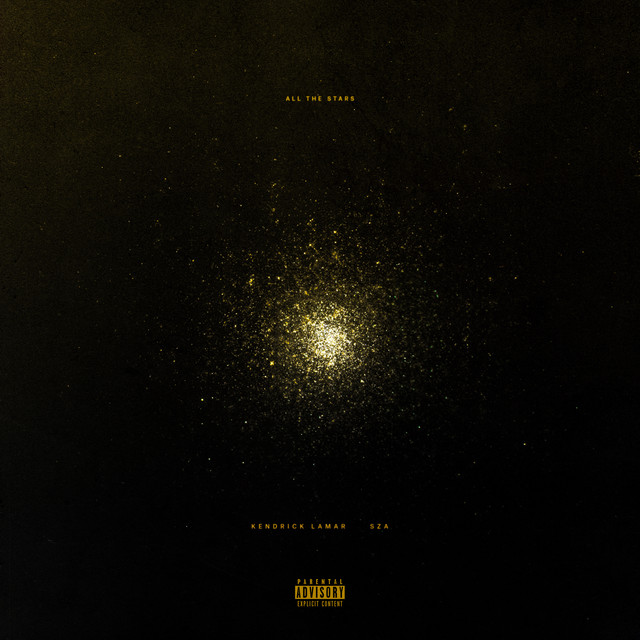
The Waves Q10 Paragraphic Equalizer Plugin has been featured on the following albums:






Genre Usage
Based on how artists on Equipboard use this gear, it is most commonly found in the following genres.
Used With
Based on how musicians on Equipboard use Waves Q10 Paragraphic Equalizer Plugin, it is most commonly used with the following gear.


-s.webp?v=1783229810)


More Waves EQ Plugins
-m.webp?v=1783231093)
$34.99 - $38.00
in EQ Plugins Rank


$33.00 - $49.99
in EQ Plugins Rank


$33.00 - $34.99
in EQ Plugins Rank


$33.00 - $34.99
in EQ Plugins Rank


.jpg?v=1782886998)

$34.99 - $47.00
in EQ Plugins Rank


$33.00 - $34.99
in EQ Plugins Rank


$33.00 - $35.99
in EQ Plugins Rank


$33.00 - $34.99
in EQ Plugins Rank


$33.00 - $34.99
in EQ Plugins Rank


$29.99 - $34.99
in EQ Plugins Rank


$38.00
in EQ Plugins Rank


$33.00 - $249.00
in EQ Plugins Rank

$29.00 - $29.99
in EQ Plugins Rank


$33.00 - $34.99
in EQ Plugins Rank


$33.00 - $34.99
in EQ Plugins Rank


$34.99
in EQ Plugins Rank


$169.00 - $199.00
in EQ Plugins Rank


$1,015.75 - $1,195.00
in EQ Plugins Rank


$64.00 - $240.00
in EQ Plugins Rank


$39.00
in EQ Plugins Rank


$39.00 - $49.00
in EQ Plugins Rank
.jpeg?v=1783065967)


$0.00
in EQ Plugins Rank


$22.00 - $99.00
in EQ Plugins Rank

$80.00 - $99.00
in EQ Plugins Rank


Accessories & Related Items


-s.webp?v=1783173639)
-s.webp?v=1783173699)
-s.webp?v=1783173726)


-s.webp?v=1783173737)


-s.webp?v=1783144077)


Community setups


Similar


Gear Guides







Most Popular EQ Plugins
Most Popular Brands
-
Added to Equipboard on by
 equipboard
Gear IQ 4934
-