
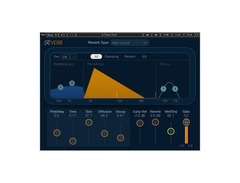
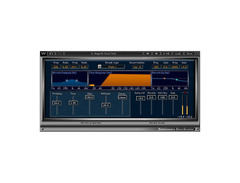

Pricing and availability
We compare 600+ stores and found this item at 5 stores. Prices updated .
Store
Reviews
Price


Price History
Based on price data from 4 merchants for "Waves Renaissance Reverb". Prices shown reflect NEW condition. Tracking began Apr 2, 2026.
* Product prices and availability are updated by Equipboard every 24hrs and are subject to change. Equipboard may receive compensation for purchases made at participating retailers linked on this site. This compensation does not affect what products or prices are displayed, or the order of prices listed. For more information, please refer to our affiliate disclosure.
Description
Transform your soundscapes with the Waves Renaissance Reverb, a versatile reverb plugin that brings the lush, atmospheric depth of 12 classic reverberation types right to your digital audio workstation. Whether you're looking to add warmth to vocals with a touch of plate reverb, create a sense of space for drums with room ambience, or infuse guitar tracks with iconic spring reverb vibes, this plugin covers it all. Its simple controls and intuitive graphic display allow for quick adjustments, letting you spend more time crafting your sound and less time navigating complex menus.
Designed with both seasoned producers and aspiring musicians in mind, the Renaissance Reverb offers a user-friendly experience without compromising on professional-grade quality. The plugin's de-correlation feature allows for subtle early reflections and fine-tuning, adding an immersive atmosphere to your tracks. With a negative predelay option, you can experiment with unique, ambient-rich effects that delay the dry signal.
Whether you're producing in mono or stereo, the Renaissance Reverb offers efficient performance across all your tracks, supporting up to 24-bit/96kHz resolution to meet the rigorous demands of modern audio production. Elevate your mixes with this studio-standard reverb plugin that seamlessly integrates into any workflow.
Key Features:
- 12 reverb types, covering classic styles
- Easy-to-use interface with graphic display
- De-correlation for subtle early reflections and atmosphere
- Negative predelay for ambient effects
- Supports up to 24-bit/96kHz resolution
- Mono-to-Stereo and Stereo components for flexible performance
Product specs
| Available since | October 2016 |
| Los artikel / bundelartikel | Los artikel |
| Delay | No |
| Dynamics | No |
| Effect Filter | No |
| Encoder/Decoder | No |
| Equalizer | No |
| Guitar amps/-effects | No |
| Channel Strip | No |
| Metering / Analysis / Correction | No |
| Modulation Effects | No |
| Multieffect / Plugin-Host | No |
| Overdrive/Distortion | No |
| Preamp / Saturation | No |
| Psychoacoustic tool / Enhancer / Exciter | No |
| Restauration | No |
| Reverb | Yes |
| Special FX | No |
| Summer / Mixing Consoles | No |
| Tape Simulation | No |
| Pitch Shifter / Harmonizer / Timestretching | No |
| Transient Processing | No |
| Vocoder / Vocal effect | No |
| Mastering Tools | No |
| Hardware Controller | No |
| Download | 1 |
FAQs
-
What type of reverb algorithms does the Waves Renaissance Reverb offer?
-
The Waves Renaissance Reverb provides 12 distinctive reverb algorithms, offering a wide range of reverb textures suitable for various musical and production needs.
-
Is Waves Renaissance Reverb suitable for both vocals and instruments?
-
Yes, Waves Renaissance Reverb is versatile and can be effectively used on both vocal tracks and a variety of instruments, enhancing the depth and space in your mixes.
-
Does the Waves Renaissance Reverb support any DAWs?
-
Waves Renaissance Reverb is compatible with all major DAWs, including Ableton Live, FL Studio, Logic Pro, and Pro Tools, ensuring seamless integration into your existing workflow.
-
Can I use the Waves Renaissance Reverb for live performances?
-
While primarily designed for studio use, Waves Renaissance Reverb can also be used in live settings to add professional-quality reverb to your live mix, provided your setup supports plugin hosting.
-
Does Waves Renaissance Reverb require a lot of CPU power?
-
Waves Renaissance Reverb is optimized to run efficiently, minimizing CPU load while providing high-quality reverb effects, making it suitable for use in complex projects without significantly impacting system performance.
Videos

Waves Audio
Reverb Mixing Tips: Sculpting with Waves R-Verb
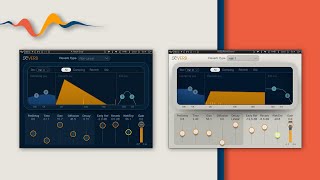
Reverb Mixing Tips: Sculpting with Waves R-Verb
Waves Audio
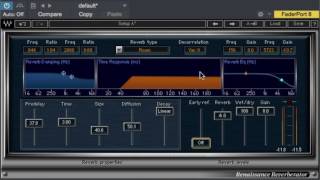
Waves Renaissance Reverb overview

Czar
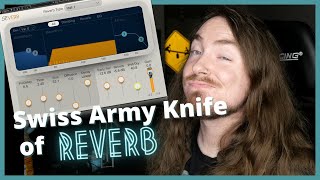
Renaissance Reverb from Waves || Tuesday Review Day

Topmop Productions
Reviews
Owner Insights
We analyzed real musician discussions from forums and Reddit to find what players love, question, and tweak about Waves Renaissance Reverb.
Comparisons
-
Users find Valhalla unable to replicate the nuanced chamber sound of Waves Renaissance Reverb, despite its strong reputation among reverb plugins.
Source
Use cases and applications
-
The chamber setting on Waves Renaissance Reverb is particularly valued and hard to replicate on other platforms, emphasizing its unique sound profile.
Source -
The Waves DeReverb plugin is highlighted as essential by users, outperforming more expensive alternatives like RX10's de-reverb in certain scenarios.
Source
Value and pricing
-
The plugin’s value is questioned when not on sale, highlighting its cost sensitivity compared to other plugins like Valhalla and TAL Reverb.
Source -
Waves plugins often become more affordable through third-party sales, with users suggesting everyplugin.com for significant discounts, making the update plan more palatable.
Source
Software and compatibility
-
Users struggle to find an affordable alternative that matches the specific tonal qualities of Waves Renaissance Reverb even after extensive tweaking.
Source -
Users on Mac may face compatibility issues with Waves plugins after OS updates, whereas Windows users report minimal problems, allowing older plugins to run smoothly.
Source
Features and functionality
-
The Waves Renaissance Collection, including Renaissance Reverb, remains prevalent in major albums, praised for its enduring utility rather than cutting-edge technology.
Source
4.5 out of 5
Based on 2 Reviews and 9 Ratings

2769
3D View how reverb works!
I use it everywhere and it gives me the flexibility to position my instruments or effects anywhere I want to in 3D field. Intuitive interface and very easy to use. It sounds very natural to my ears.

41029
little trick with r verb, it has one of the ebst algorithmic early reflections engines to my ear, try setting up an ALL ER send and then 2 separate sends with no ERs and all verb but with different tails on the same algorithm so you can mix and match tracks.... throw up an EMT plate IR (plates have no earlies) on a 4th send for another flavor and maybe set up another send with some tape slap that can feed all 4 axues to create timed pre-delay on all 4 verbs... and EQ the shit out of each send, maybe gate the plate in time with your 8th notes

Artist usage
Add artist

In this video at 7.22 he is using renaissance reverb.


Used on Cardi B's vocals for "Bodak Yellow", as mentioned by mix engineer Evan LaRay in this February 2018 Sound on Sound interview.
In his mix of ‘Bodak Yellow’, Evan LaRay used almost identical vocal chains on two auxiliary busses. The ‘Vox 1’ chain includes FabFilter’s Pro-DS de-esser and Waves’ C4 multiband compressor, plus the Waves CLA Vocals plug-in and SoundToys’ Decapitator saturation processor.
The main ‘Hook’ and ‘Verse’ vocal tracks have similar plug-in chains, incorporating the EQ3 seven-band, Waves CLA-76 and Waves De-esser, though the ‘Hook’ also has FabFilter’s Timeless 2 delay. LaRay explains, “The EQ on the ‘Hook’ has a high-pass, around 100Hz, and I’m also cutting 3dB at 300Hz, because the vocal sounded a bit muddy, and again 3dB at 4kHz, because there was a piercing frequency there. The CLA keeps the peaks in check, and the de-esser again takes some higher frequencies out, at 4270Hz, and the Timeless is another favourite plug-in. I think in general the FabFilter plug-ins are extremely dope. I wanted the ‘Hook’ vocal to stand out from the ‘Verse’ vocal, so I used a stereo delay preset, and then tweaked that. The presets on the FabFilter plug-ins are pretty good: you just run through all of them and then choose the best one. In this case I lowered the width and the wet value of the stereo delay preset, and that sounded good and gave the hook its own space. The three plug-ins on the ‘Verse’ track do pretty much the same.
“The ‘Inout’ tracks that are below the ‘Hook’ and the ‘Verse’ are vocal doubles. They are words or lines we use for emphasis and additional power on these lines and words. They come from one of her original vocal takes, which I just cut and cleaned up. Both ‘Inout’ tracks have the Waves RCompressor, just containing these words and lines so they don’t overwhelm the ‘Hook’ or the ‘Verse’ vocal, and then the FabFilter Pro-Q2, taking out some high frequencies, again to make sure it doesn’t clash with the leads, and also cutting below 200Hz. And there’s a delay on these tracks to put them in a slightly different space from the lead vocal tracks.
“In addition to the two ‘Inout’ tracks, both the ‘Hook’ and the ‘Verse’ tracks are also accompanied by an ‘Ad Libs’ track, which were some ad libs Cardi had recorded with Mike over at Krematorium. Mike had also set up a separate aux track for these ad libs, which is ‘Vox2’, and I liked that and kept two of the plug-ins he had on that: the [Avid] Sansamp for some distortion and the SoundToys Panman. I then added the D-Verb and the [Waves] CLA Vocals. I adore the CLA Vocals. I use it on every track I work on. When I don’t use it, the vocals sound completely different. I’d love to know what exactly it does! Finally, the inserts have the Waves L1, just to control the peaks.
“The other tracks — ‘EXF1’, ‘EXF2’, ‘EXF3’ and ‘EXF4’, are because I prefer to create a new track if I want to have a specific effect on specific words or phrases. I prefer doing that to automating the effects on a track. Automation is great, but I tend to only do volume automation. So I copy audio to another track, and then put the effect on that, and in this case I created four different effects tracks with four different delays. ‘EFX1’ is the main one, and has the same three plug-ins as the Verse tracks — EQ3 three-band, CLA76 and Waves De-esser — just with the EQ3 cutting more of the high frequencies. Then there’s an eighth-note ping-pong delay from the Waves H-Delay, and then a D-Verb set to ‘hall’ with 7s decay and a 15ms pre-delay. ‘EFX2’ has another H-Delay delay, ‘EFX3’ the Timeless 2 delay, and ‘EFX4’ again has the H-Delay plus a D-Verb.”
All the main vocal audio tracks go to LaRay’s ‘Vox1’ aux group track. This, he explains, has “A FabFilter Pro-DS de-esser, then the Waves RCompressor controlling the peaks, the Waves C4 multiband compressor boosting the high end and containing the lows in her voice, so it doesn’t cut through too much, and Waves CLA Vocals. Again, it’s really making my vocals sound good. I push the Pitch fader to stereo, spank it on the compressor, also push up the treble to brighten it up, turn the reverb down to ‘tight’, and lower the delay by 9dB because my own quarter delay is my main vocal delay, and it sounds great. There’s also a SoundToys Decapitator, to add more harmonic distortion, and then there’s the Waves RVox. That was supposed to be the final plug-in on the insert, but then I realised the vocal was still peaking too much once she began rapping loudly, so I put on the L1 [limiter] to control that.”
The ‘special sauce’ in Evan LaRay’s mixes comes from a parallel aux channel containing a blend of compression, saturation, EQ and other processors. Key ingredients are Waves’ PuigChild compressor and PuigTech equaliser.
The ‘Vox1’ and ‘Vox2’ tracks also each have a Trim plug-in on an insert, and sends to the ‘Verb’ aux and to the ‘ELR’ (LaRay’s initials) track. “I put the Trim on all my tracks at the end of the vocals, and at the end of the beat, because the vocals actually began distorting in places. These two tracks were too hot, and I wanted to make sure they had a good level before going to the ‘Sub Print’ track. I have the ‘ELR’ aux track in every session. It’s most of all parallel compression, but I also always try out new things with distortion, exciters and things like that, and I label that ‘ELR’. In this case it really is the ‘ELR’ track that makes the vocals cut through the mix.
“The compression on the ‘ELR’ track comes from the Waves PuigChild 670, which is a great compressor, and it’s compressing a lot, so the vocal stays right there in the middle. The signal is then going to the PuigTech EQP-1A, which is boosting some low end to add some warmth to the vocals, and some 5kHz, and then the Waves Aphex Vintage Aural Exciter, set to AX Mix 6, for some added crispness and clarity, then the EQ3 seven-band to control the low mids, and another De-Esser cutting 4398Hz, to finalise the vocal sound. The L1 also helps keep the vocals in the same place. Finally, the ‘Verb’ send on the ‘Vox1’ and ‘Vox2’ tracks goes to the ‘Verb’ aux, which has the Waves RVerb, and that pretty much glues everything together.”


"If we look at the snare drum, we've sent it into a reverb... RVerb, yeah. And then we deliberately create a modern take on an 80s drum sound, where we're deliberately cutting off the return very abruptly in the verses, and then we make it slightly longer in the choruses." - at 9:45 in the Waves webinar with Guy Sigsworth


"I mostly used the Sony Oxford EQ and Dynamics for processing and the version of Amplitube that comes free with Pro Tools for effects," explains Uwe. "I didn't really use any delays other than for the odd little dub-style effect parts, but if there are any they will also be from Amplitube. Sometimes I used very cheap reverbs, like the D-Verb, which comes free with Pro Tools, and I used a lot of reverbs from Amplitube. Then there is also a bit of Waves Renaissance Reverb. I usually put two reverbs on each song; one small, close one and a distant one. I wanted the quieter instruments like the saxophone section to sound close and strong, and the loud instruments, like the trumpet and trombone, to be far away at the back of the room as if there was one mic standing there listening to them all. Having said that, I based the sound mainly on records from the '70s where some instruments were recorded together, some separately, then the reverbs were added afterwards to create a particular space. I didn't want to overdo the reverb so it's all relatively dry, and there are also a lot of unprocessed sounds in the mix."


Used for Quavo and Offest's features on Beyoncé and Jay-Z's "Apeshit", as stated by producer Stuart White in this September 2018 Sound on Sound interview.
The first four aux tracks feature SoundToys effects, namely Little Microshift, two EchoBoy delays, and a delay from the Little PrimalTap. Next are a Hall Reverb aux and a Church Reverb aux, both using Waves’ RVerb, an EMT plate from Audio Ease’s Altiverb, four aux tracks with the Waves H-Delay and various other plug-ins on them as well, and four more reverb auxes with the Avid Revibe II, two Avid D-Verbs and another RVerb.
White: “I use the Little Microshift in pretty much every mix, with the left-right micro pitch-shift effect that’s similar to the classic effect in the Eventide H3000 shift where you pitch one side down six cents and one side up six cents to create width. It’s a good way to get your vocals wider without them being out of phase. It thickens up vocals, and is kind of like a doubler. I do quite a lot of filtering on some of the EchoBoy delays, for example with the Waves REQ, and I am adding colour with the SoundToys Devil-Loc, which is great if you want to colour the delay so it is separate from the main vocal, and compress it with the UAD LA3A and mix that in to taste.”
(...) “The Migos vocals came in as seven audio tracks, with the Avid D-Verb on each of them. Putting a D-Verb on a track before EQ is not something I normally do, but it sounded great. So I adjusted them a bit, but otherwise left them as they were. The tracks also came in with the Aux track above, and the EQ3, with a high pass at 60Hz and notches at 430Hz and 1.41kHz and a high boost, the Waves API 2500 compressor, the RComp, the Waves Q10 EQ, following a slightly similar curve to the EQ3, the Waves De-esser, the Waves Aphex Aural Exciter, and the Avid Dyn3 expander/gate. I added the EQ3, with another high-pass filter at 144Hz, and the RComp, with a ratio of 10:1.”


In a Facebook post by Maarten Vorwerk, the Waves Renaissance Reverb plugin is featured, highlighting its use in his production setup.


The Waves Renaissance Reverb was used on the track "Repow - From Zero To Hero 2015 Splice Remix" by Repow.


Album Usage
The Waves Renaissance Reverb has been featured on the following albums:
Enemy Brain
Fox Stevenson (2022)

Sum 2 Prove
Lil Baby (2020)

We Love You Tecca
Lil Tecca (2019)

Geography
Tom Misch (2018)

Black Panther The Album Music From And Inspired By
Kendrick Lamar & SZA (2018)
All The Stars (with SZA)
Kendrick Lamar & SZA (2018)

Bodak Yellow (feat. Kodak Black)
Cardi B & Kodak Black (2017)

Perfect Strangers
Jonas Blue & JP Cooper (2016)

Alone
Alan Walker (2016)

Closer
The Chainsmokers & Halsey (2016)
Banzai
Will K (2015)

From Zero To Hero
Repow (2013)
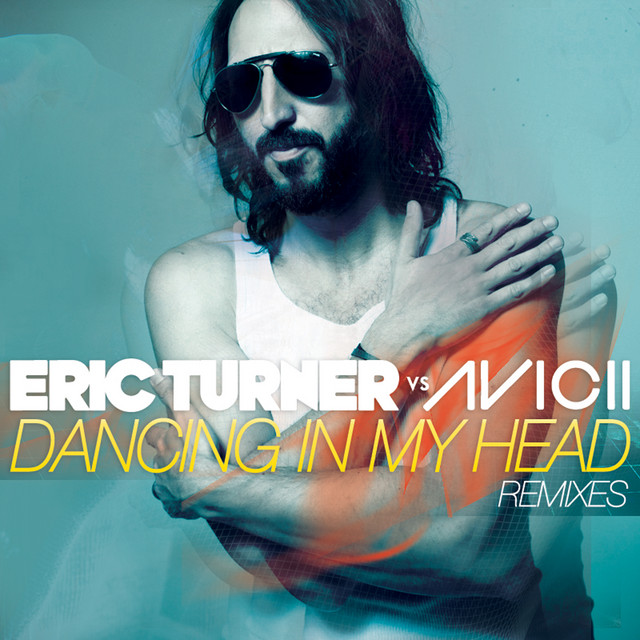
Dancing In My Head
Avicii & Eric Turner (2012)

There Is Love in You (Expanded Edition)
Four Tet (2010)
Genre Usage
Based on how artists on Equipboard use this gear, it is most commonly found in the following genres.
Used With
Based on how musicians on Equipboard use Waves Renaissance Reverb, it is most commonly used with the following gear.


-s.webp?v=1783316060)


More Waves Reverb Plugins

$33.00 - $39.99
in Reverb Plugins Rank


$33.00 - $39.99
in Reverb Plugins Rank


$34.99
in Reverb Plugins Rank


$33.00 - $39.99
in Reverb Plugins Rank


$33.00 - $249.00
in Reverb Plugins Rank


$33.00 - $39.99
in Reverb Plugins Rank

$219.00
in Reverb Plugins Rank


$33.00 - $34.99
in Reverb Plugins Rank


$29.99 - $99.00
in Reverb Plugins Rank


$179.00 - $199.00
in Reverb Plugins Rank


$34.00 - $349.00
in Reverb Plugins Rank


$141.00 - $149.00
in Reverb Plugins Rank


$99.00
in Reverb Plugins Rank


$59.00
in Reverb Plugins Rank

$49.00 - $99.00
in Reverb Plugins Rank


$77.00 - $282.00
in Reverb Plugins Rank


$6.00 - $29.50
in Reverb Plugins Rank

$68.00 - $299.00
in Reverb Plugins Rank


$299.00
in Reverb Plugins Rank


$299.00
in Reverb Plugins Rank


$144.00 - $149.00
in Reverb Plugins Rank

$253.00 - $299.00
in Reverb Plugins Rank

$129.00 - $149.00
in Reverb Plugins Rank

$99.00
in Reverb Plugins Rank


$14.99 - $129.00
in Reverb Plugins Rank


$69.00 - $169.00
in Reverb Plugins Rank

$58.00 - $69.00
in Reverb Plugins Rank

$74.25 - $99.00
in Reverb Plugins Rank

$94.00 - $99.00
in Reverb Plugins Rank

$381.00 - $474.00
in Reverb Plugins Rank

Accessories & Related Items


-s.webp?v=1783316885)


-s.webp?v=1783316602)

-s.webp?v=1783316979)


-s.webp?v=1783317103)


-s.webp?v=1783317036)


Community setups


Similar


Gear Guides








Most Popular Reverb Plugins
Most Popular Brands
-
Added to Equipboard on by
.jpg?v=1782968794) gchiaren
gchiarenGear IQ 37552
-