

Pricing and availability
We compare 600+ stores and found this item at 1 store. Prices updated .


* Product prices and availability are updated by Equipboard every 24hrs and are subject to change. Equipboard may receive compensation for purchases made at participating retailers linked on this site. This compensation does not affect what products or prices are displayed, or the order of prices listed. For more information, please refer to our affiliate disclosure.
Description
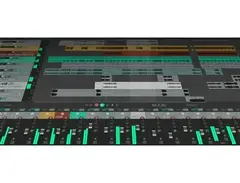
Dive into the world of music production with Cockos REAPER, a versatile and comprehensive Digital Audio Workstation (DAW) software that’s built for both seasoned professionals and budding musicians alike. Whether you're crafting intricate soundscapes or laying down a simple track, REAPER offers an intuitive and customizable interface that adapts to your creative process. Its seamless integration with a wide array of plugins and virtual instruments ensures that your studio setup can grow with your ambitions.
REAPER stands out with its robust audio and MIDI routing capabilities, offering you the flexibility to experiment with complex projects or maintain a streamlined setup. Enjoy real-time effects processing and automation that give you precise control over every element of your mix. With REAPER’s non-destructive editing and unlimited track count, your creativity knows no bounds. Plus, its efficient performance ensures your computer’s resources are optimized, making it an ideal choice for both home studio setups and professional environments.
Key Features:
- Fully customizable interface with advanced audio and MIDI routing
- Supports a wide range of audio formats and virtual instruments
- Non-destructive editing with unlimited track count
- Real-time effects processing and automation
- Efficient resource management for optimal performance
- Comprehensive plugin support, including VST, AU, and more
- Cross-platform compatibility (Windows and macOS)
- Regular updates and community support for evolving features and improvements
Product specs
| Operating Systems | Mac, Windows |
Videos

RealHomeRecording.com
Cockos REAPER 5 Beginner Basics Overview

Cockos REAPER 5 Beginner Basics Overview
RealHomeRecording.com
COCKOS Reaper 5 LE TUTO MAO GRATUIT

Tutoriels MAO
Reviews
PROS
-
Highly customizable UI with themes, layouts, and scripts for tailored workflows
-
Lightweight and efficient, runs smoothly on older computers
-
Affordable with a generous unlimited 60-day trial and low-cost full license
-
Supports unlimited tracks and powerful routing for audio, MIDI, and buses
-
Portable, can run from a USB stick without installation
-
Extensive plugin support including VST, AU, and JSFX scripting for custom plugins
-
Rock-solid stability with frequent updates and bug fixes
-
Active online community with extensive resources and tutorials
-
Great for various applications: music production, sound design, podcasting, and more
-
Excellent CPU/RAM efficiency, handles large projects without hogging resources
CONS
-
Steep learning curve, not ideal for complete beginners
-
Minimal stock plugins, requiring additional third-party purchases for best use
-
Interface can appear outdated and unintuitive to some users
-
Lacks built-in high-end features like integrated chord tracks
-
Not the best choice for live electronic music production without additional investments
Owner Insights
We analyzed real musician discussions from forums and Reddit to find what players love, question, and tweak about Cockos REAPER.
Features and functionality
-
REAPER's custom actions allow coding of custom features, significantly speeding up workflow, especially in tasks like sample replacement and database management for audio work.
Source -
REAPER's flexibility in creating custom actions can automate lengthy tasks that would take 30-60 minutes in other DAWs, showing its efficiency in professional settings.
Source -
Reaper's batch processing capability is highly valued in game audio, allowing for efficient handling of thousands of files at once.
Source
Use cases and applications
-
In the video game industry, REAPER is preferred for creating new sounds due to its quick access and switching of audio samples and its integrated database feature.
Source -
Some users mention REAPER's suitability for music production due to its flexibility, although they prefer Pro Tools for broadcast and film mixing.
Source -
It's noted that Reaper is increasingly used for Front of House multitrack recording, with endorsements from major companies like Waves for SoundGrid Live recording.
Source
Software and compatibility
-
The DAW supports LV2 plugins, which provides future-proofing against new plugin formats, ensuring longevity of use even if development stops.
Source -
Reaper's ability to be installed as a portable app allows for a highly customizable experience, but this can lead to potential stability issues in different studio setups.
Source
User experience
Value and pricing
-
The perception of Reaper as a "cheap" option can deter some professionals, despite its capabilities rivaling more expensive DAWs.
Source
Critic Reviews
4.5 out of 5
Based on 93 Reviews and 406 Ratings
.jpg?v=1778815686)
282
THE BEST
It's a war tank! It can handle anything you throw at it without complaining, you opened Amplitube 15 times? Don't worry, it doesn't crash or anything. This DAW can handle everything you throw at it and it's perfectly optimized, it's compatible with everything, you have a 4 dollar mixer? It recognizes it and works perfectly without installing drivers on the PC.
It's the only DAW that never gave me any problem at all!
This review has been translated automatically into English. See original
Fantastic value
The private version is only $60, and even then it's on the honor system. I like to save my money for hardware so spending a lot on either Logic or Ableton didn't make sense to me. I have never felt limited in any way using Reaper. I don't play live so Ableton doesn't hold much appeal for me, plus I just haven't really meshed with it when I have tried. Logic has a great visual look and is very user friendly, but the price point of Reaper was too enticing. There are plenty of easy to follow tutorials on YouTube for any question you have, and a vibrant and helpful online community of users, especially on Reddit. Even if you eventually want to move to Logic or Ableton, starting with Reaper is a great choice for versatility and usability without spending a fortune.

6201
Powerful!
Easy learning curve, very useful training info and videos available, the online user base is the most active for additional free support, incredibly powerful and customizable. For Pro Tool users there are skins that mimic the look, feel, and user quick-keys. Your license is also very portable to any desktop you happen to be using whether Windows, Mac OS, or Linux. There is no expense or hassle with an iLok USB dongle for piracy control required either, that is a huge win for easy of use. Its core engine is built so efficiently that you can easily run on older slower machines with smaller amounts of RAM as well. And its stability is remarkable... You can now see why its user base has exploded with a paltry price of only $60 for the FULL LICENSE. It is a no-brainer: Highly recommended.

91
Make a DAW!
Reaper has been an absolute joy to work in! The stock setup is not that user friendly but Reaper is so customizable that you set the pace for what your workflow will be.
The fewest words I can use to describe it is: Make a DAW! With the help of SWS Extensions and Reapack you can set up Reaper to work for you, instead of you for it! An absolute steal for the price they charge for small businesses. (its not free so please buy it).
The PDC (plugin delay compensation) has been rock solid in my time using it. Key commands are super customizable so you can have your favorite plugins on the tips of your fingers!!! Reaper is great for working with video as well when you get the FFMPEG libraries installed.
Definitely my DAW of the year (past 3 actually)
127
The more you use it, the more you love it
I was looking for a DAW, that is simple to use, portable, runs on linux, scriptable and yet professional. It has a learning curve for sure, but it customizable like nothing else and you can tweak it to your exact needs. Did I mentioned it's portable? You can install onto a USB stick and bring your production environment in your pocket to everywhere. The stock plugins are... minimalistic to say the least, however with a little elbow grease you can build a very powerful config and setup, you just need to drop into your next project. Routing is also superb and can be used not only for audio, but midi as well. Start using it a creative way along with folders. This way I built my very own 808 with the stock sampler pulugin on our first night. Of course Reaper can host your favorite VST too without any problem. I could praise this DAW for hours, I really love it. Worth every penny.

A simply perfect D.A.W for custom setups
If you are an electronic music producer that writes music over your own drum compositions with your own sound source and Vst plugins, Reaper is considerably in the top 5 Daws. Either it being PS1, AvPT, FL Studio, Cubase or itself.
Preferred Settings + Usage:
Macros, simple and efficient comprehension Automation, midi and audio recording/rendering/playback

157
Versatile and customizable beast of a DAW
Intuitable, compared to FL for example. With the free VST market it is perfect to get 'hands wet' quickly and start experimenting. Already built-in plugins have enormous capabilities although the (in web development terms, somewhat) aged visual part may leave other impressions. Robust and straight to the point! Visually customizable but whats more important, functionally superbly customizable with the custom actions feature. Strongly recomment the SWS/S&M plugin as it cuts down on loads of repeated actions and makes working with Reaper a breeze.

250
Uhhh...
He sold WinAmp in 1999 (just before Steve Jobs arrived with his iPod) and wanted to try something he liked after a couple of AOL corporate years, something that didn't have business as the prime mover. Why haven't I tried this DAW before? Or, I am sure I have tried it before, but was somehow scared away of how ugly it seemed to me, and all of the endless possibilities... well, now I think it's pretty and awesome and I'm in love! :D

2937
Has been my goto DAW since 2007
I started off recording on PC before it was even popular using TwoTrak freeware on a 486 (and god that was a PITA to get working), then using QuartzAudiomaster Freeware for awhile, and then when Quartz went belly-up in 2007 and their website disappeared, I needed to look for a new DAW, and I found REAPER and it has stayed mine ever since.
I've seen REAPER as an excellent DAW both for beginners and pros alike. I'm kind of a "savant" of sorts with this stuff, I never studied mixing, I never learned how to master or how to even USE a DAW, but I figured out REAPER on my own enough to recreate the functionality of Quartz AudioMaster Free years ago and have used it ever since to the point that I've actually learned a lot through using it making demos, recordings for YouTube and elsewhere, and whatnot.
I did have some problems using it at first because my computer was older (an eight year old Pentium III with half a gig of RAM running WIndows 2000), but I found out that switching to a better soundcard caused the metronome and tracks to sync properly.
And even then, I had a period using a Pentium-D using Windows 7 x64 and 4GB of RAM with it where it would go out of synch but was easy to fix everything so no biggie there.
But since about 2012 I've been golden. For awhile I even used an even older PC with it (Pentiium 4 2.8GHz w/3GB of RAM and an SSD) and it performed well there too. Currently I'm using a custom home-built box for it now where hardware is not a concern.
And $60 to use it commercially is a real steal TBH. When a guy who was learning from a major producer tells you he's amazed how your demo tracks you bring to the band sound like actual album production tracks, you know you're using the right DAW.

137
Great for Beginners
When I started learning about audio, I read several articles on various DAWs. I downloaded and played around with all the popular ones mentioned. However, as a newbie I found them not easy to work with. I came across Reaper and tried it out. It was wonderful! The interface was straight-forward, it was very customizable, and there were a lot of tutorials offered on the site to help me learn. Their pricing was also very attractive. For anyone new to making computer music, I'd highly recommend Reaper to start. If you find your aspirations moving to a more professional environment, then move to another DAW.
Artist usage
Add artist

In this video stream the item is seen all over the screen whereas on the top left corner is where it says "REAPER v5.40/x64".

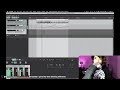
On this video he Is using Reaper (0:52)


In this stream he uses REAPER to make sure he is audible throughout the stream, although Logic is his main DAW.


"...I learned a lot touring with Alt-J and seeing their setup. Their production was beyond anything I've ever encountered as a musician and it was really inspiring to see such a complex system and so many people working to bring it all together and present a seamless performance each night. That's what initially got me thinking about rebuilding our set and the loss of the laptops and a month off seemed like a good opportunity to make it happen.
For the benefit of any other musicians out there I thought I'd outline the basics of the new system. For the audio portion we're running two Macbook Pros, each with a set of RME UCX interfaces running in tandem via ADAT connected to them (we were previously using 2 single RME Fireface 800's). The ADAT tandem mode allows for more inputs and outputs per computer in one rackspace. The first machine handles playback of automation, SMPTE timecode for video sync, MIDI sync, and our in ear monitoring system (Sennheiser G3 IEM). The second machine is linked to the first via MIDI sync and handles all input channels, virtual instrument hosting and effects processing. Both machines are running Reaper with each project in its own tab. We were running into a lot of resource limitations when the entire set was on one computer so the only way to open things up and allow us to expand the set was to distribute the load across multiple machines. I also just switched to an API 3124+ for the front end of the input laptop as it fits 4 preamps into one rackspace, and it sounds amazing. We run the bass, guitars, and synths through it which lessens the amount of plugins we have to use to get a good tone inside the box."

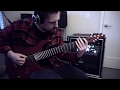
GEAR USED: Aristides Guitars 070SR (Lundgren Guitar Pickups M7'S) - Kemper Amps - Focusrite 18i20 - Reaper.
.png?v=1783346559)

Thomas Bangalter working on the music for Mirage [transitory] premiering September 27th in Fukuoka, Japan

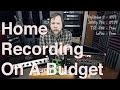
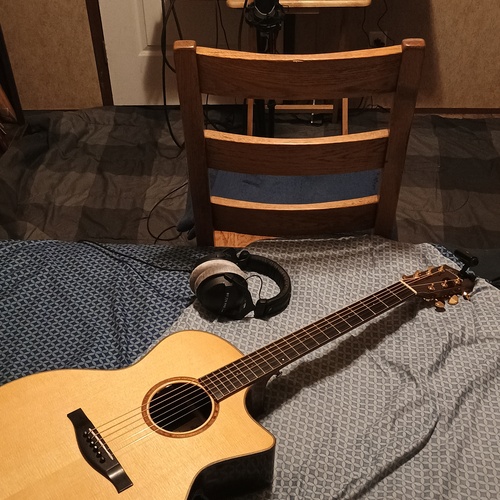
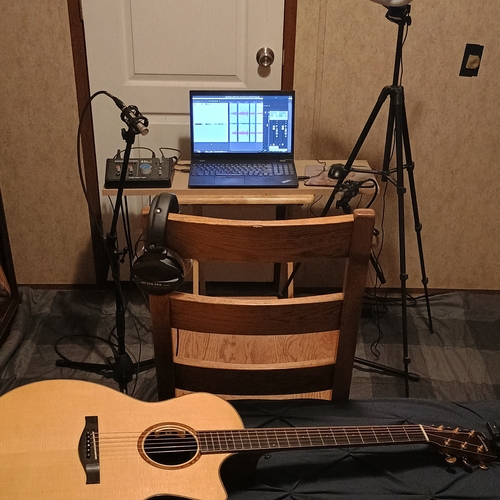
In the YouTube video "Tutorial: Home Recording On A Budget" by Riffs, Beards & Gear, Fluff demonstrates his long-term use of Cockos REAPER.


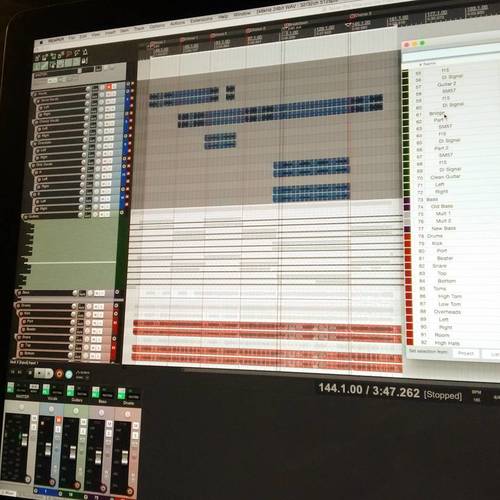
Tristam uses the hashtag #reaper and shows a screenshot of a song he's working on in what looks like the interface of Cockos Reaper.


At 2:36 of the video, a fan asks the band what DAW they use to making music, Geoff answers the question with REAPER.


At around 8:40 Glenn explains that he switched from his previous DAW to Reaper a couple of years ago.


In this Instagram photo, Shawn Wasabi can be seen using Reaper 4 to remix a song on June 26, 2015.

Album Usage
The Cockos REAPER has been featured on the following albums:

Genre Usage
Based on how artists on Equipboard use this gear, it is most commonly found in the following genres.
Used With
Based on how musicians on Equipboard use Cockos REAPER, it is most commonly used with the following gear.




Community setups
Show yours

.png?v=1775150177)

Similar
Add recommendation10 alternative and related items for Cockos REAPER, curated by the Equipboard community.

$409.00 - $499.00
Although this might seem to be a high end alternative, Reason is an amazing tool to understand how to write music properly before going on your own sound campaign. I've generally learned to use Reaper in approximately 3 months with my Reason music writing exp

$179.00
FL Studio isn't really a cheaper alternative for Reaper

$225.00 - $599.00

-m.webp?v=1782900039)
$409.00 - $499.00

$209.00 - $329.99
Reaper is cheaper than Cubase. It doesn't make sense Cubase being a cheaper alternative to Reaper.
More Cockos DAW Software
$225.00 - $599.00
in DAW Software Rank


$398.00
in DAW Software Rank

$266.00 - $439.00
in DAW Software Rank


-m.webp?v=1782900043)
$99.99 - $344.00
in DAW Software Rank


$99.00 - $399.99
in DAW Software Rank


$179.00
in DAW Software Rank


$409.00 - $499.00
in DAW Software Rank


$119.00 - $299.00
in DAW Software Rank


$209.00 - $329.99
in DAW Software Rank


$199.99
in DAW Software Rank
.jpg?v=1783318437)


$199.00
in DAW Software Rank


$524.00 - $579.99
in DAW Software Rank


$75.00
in DAW Software Rank


$449.00 - $485.00
in DAW Software Rank


$129.00 - $195.00
in DAW Software Rank


$395.00 - $499.00
in DAW Software Rank


$485.00 - $528.00
in DAW Software Rank

$136.00 - $179.00
in DAW Software Rank

$139.99 - $199.99
in DAW Software Rank


$366.00 - $579.99
in DAW Software Rank


$579.99
in DAW Software Rank


$245.00 - $285.00
in DAW Software Rank


$149.00 - $201.00
in DAW Software Rank


$375.00 - $399.95
in DAW Software Rank

$579.99
in DAW Software Rank


$149.00 - $249.00
in DAW Software Rank


$208.00
in DAW Software Rank


$47.00 - $59.99
in DAW Software Rank


$249.99 - $499.99
in DAW Software Rank
Gear Guides








Most Popular DAW Software
Most Popular Brands
-
Added to Equipboard on by
 yeenking
Gear IQ 75
-