


Pricing and availability
We compare 600+ stores and found this item at 9 stores. Prices updated .
Store
Reviews
Price









Average Price: $239
Standard/Professional
$200
$501+
Price Tier
Budget
Standard
High-end
Price History
Based on price data from 3 merchants for "Nektar Impact LX88+". Prices shown reflect NEW condition. Tracking began Apr 2, 2026.
* Product prices and availability are updated by Equipboard every 24hrs and are subject to change. Equipboard may receive compensation for purchases made at participating retailers linked on this site. This compensation does not affect what products or prices are displayed, or the order of prices listed. For more information, please refer to our affiliate disclosure.
Description
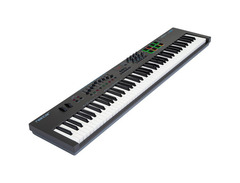
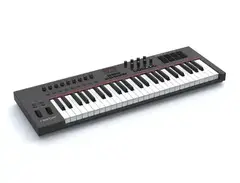
Dive into the realm of digital music creation with the Nektar Impact LX88+, a USB MIDI controller that serves as the bridge between your musical ideas and their realization. Perfect for keyboard enthusiasts seeking a broader range, the LX88+ combines an intuitive layout with a plethora of control options, making it an ideal companion for both studio recording and live performance. Its seamless integration with popular DAWs ensures a smooth workflow, eliminating the hassle of manual mapping and allowing you to focus on what truly matters - your music.
The heart of the LX88+ lies in its 88 velocity-sensitive keys, providing a semi-weighted feel that captures every nuance of your performance. Whether you're laying down a delicate piano melody or a powerful synth lead, the LX88+ responds with precision and sensitivity. Beyond the keys, the controller is equipped with pads, faders, and knobs, all assignable for utmost control over your software instruments and DAW. The pads offer a "Pad Learn" feature for effortless assignment, while the faders and knobs are pre-mapped for immediate use, reducing the time you spend staring at your computer screen.
For those who love to tweak and customize, the LX88+ doesn't disappoint. Its extensive MIDI programming options, along with DAW integration, provide a level of control that will satisfy even the most detail-oriented producers. Whether you're mixing, mastering, or experimenting with new sounds, the LX88+ places every tool you need at your fingertips.
Key Features:
- 88 velocity-sensitive semi-weighted keys for expressive performance
- Seamless DAW integration with popular software like Bitwig, Cubase, FL Studio, and more
- 8 velocity-sensitive pads with "Pad Learn" feature for easy assignment
- 9 assignable faders and 8 encoders for comprehensive control over your mix
- Dedicated transport controls for efficient workflow
- Class-compliant USB connectivity for true plug-and-play experience
- Includes Bitwig 8-Track DAW software for immediate music creation
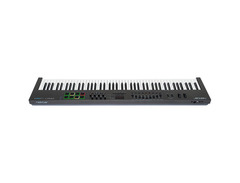
- MIDI Out for controlling external hardware instruments
Owner's manual
Nektar Impact LX88+ User ManualProduct specs
| Type | Keyboard Controller |
| Number of Keys | 88 |
| Type of Keys | Semi-weighted |
| Velocity Sensitive | Yes |
| Pads | 8 LED Backlit |
| Other Controllers | Pitchbend, Mod Wheel |
| Encoders/Pots | 8 |
| Faders | 8 plus volume |
| Dedicated Transport Control | Yes, full integration for major DAWs |
| Zones | Zones, Layers and Splits |
| Pedal Inputs | 1 x 1/4" (assignable) |
| MIDI I/O | Out/USB |
| USB | 1 x Type B |
| Computer Connectivity | USB |
| Software | Bitwig 8-Track (VST plug-in compatible) |
| OS Requirements - Mac | OS X 10.7 or later, iOS (Apple Camera Connection kit required for iPad) |
| OS Requirements - PC | Windows 7 or later |
| Height | 3.50" |
| Width | 50.25" |
| Depth | 11.00" |
| Weight | 18.0 lbs. |
FAQs
-
Does the Nektar Impact LX88+ have semi-weighted keys?
-
Yes, the Nektar Impact LX88+ features 88 semi-weighted keys, providing a responsive and expressive playing experience suitable for various musical styles.
-
What DAW software is the Nektar Impact LX88+ compatible with?
-
The Nektar Impact LX88+ offers full integration with major DAWs, including Bitwig, Cubase, Digital Performer, FL Studio, GarageBand, Logic, Nuendo, Reaper, Reason, and Studio One.
-
How many assignable controls does the Nektar Impact LX88+ have?
-
The Nektar Impact LX88+ includes 8 encoders, 8 faders, and 8 LED backlit pads, all of which are assignable to various parameters within your DAW for enhanced control.
-
Can the Nektar Impact LX88+ be used with an iPad?
-
Yes, the Nektar Impact LX88+ can be connected to an iPad using an Apple Camera Connection Kit, allowing you to control music apps and software on your iOS device.
-
Does the Nektar Impact LX88+ support MIDI output?
-
Yes, the Nektar Impact LX88+ has a MIDI output, allowing you to connect and control external MIDI hardware in addition to its USB connectivity for computer integration.
-
What type of power supply does the Nektar Impact LX88+ require?
-
The Nektar Impact LX88+ is powered via USB, which means it does not require an external power supply when connected to a computer or compatible USB power source.
Videos

NektarTechnology
Nektar Impact LX88+ MIDI controller jam

Nektar Impact LX88+ MIDI controller jam
NektarTechnology
Nektar Impact LX88+ Unboxing/Review

Johnmunstudios
Dilla-Style MIDI Controller Jam with Nektar Impact LX88+
NektarTechnology
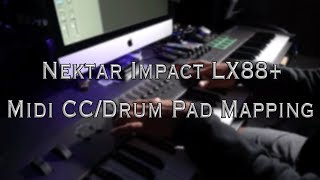
Nektar Impact LX88+: MIDI CC/Drum Pad Mapping
Johnmunstudios
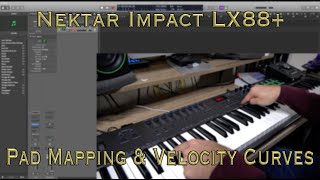
Nektar Impact LX88+: Pad Mapping/Velocity Curves
Johnmunstudios
Reviews
PROS
-
Perfect action, not too heavy or light, ideal for classically trained pianists
-
Seamless integration with major DAWs enhances workflow
-
Semi-weighted keys with high-quality feel and depth
-
Includes backlit pads and smooth faders for streamlined mixing
-
Offers excellent value for money, especially for an 88-key controller
-
Solid build quality with a durable design for long-term use
-
Easy to use, practically plug and play for instant setup
-
Comes with Bitwig 8-track, adding immediate production value
-
Responsive customer support via email or website
CONS
-
Keys may malfunction with moderate use, requiring warranty claims
-
Some users desire heavier keys for a more authentic piano feel
-
Limited resale value, with buyers often expecting significant discounts
-
Short USB cable included, necessitating additional purchases for some setups
-
No direct integration for Ableton Live out of the box
Owner Insights
We analyzed real musician discussions from forums and Reddit to find what players love, question, and tweak about Nektar Impact LX88+.
Software and compatibility
-
The Nektar Impact LX88+ requires installation of DAW Integration for full functionality, which may not work with the ARM-version of Reaper on M1 Macs.
Source -
For full button functionality, ensure the Nektar LX88+ is plugged in before starting Reaper, or else some controls may not be recognized.
Source -
Both LX61+ and LX88 models offer Nektarine software for DAW integration and customization, enhancing their functionality across various music production setups.
Source
Features and functionality
-
The LX88+ has extensive controls, but some users may not utilize them fully unless performing live, as DAW software can handle most functions.
Source -
The LX88+ requires connection to a computer with soft synths to produce sound, as it lacks onboard speakers or headphone outputs.
Source -
LX88 is ideal for those needing a more piano-like feel due to its semi-weighted keybed, making it suitable for classical or acoustic music.
Source
User experience
-
The keys on the LX88+ are noted for being less noisy compared to other Nektar models, which some users appreciate for a quieter playing experience.
Source
Comparisons
-
The keybed of the Nektar LX88+ is perceived as similar to the Arturia KeyLab Essential 88, offering a middle ground between piano and synth feel.
Source -
Some users note the LX88+ doesn’t provide a full piano feel, suggesting fully weighted keys are better for those primarily learning piano.
Source -
The primary difference between the LX61+ and LX88 is the number of keys and the keybed type; LX61+ has 61 synth-action keys, while LX88 features 88 semi-weighted keys.
Source
Build quality
-
The faders on the LX88+ are made of rubber, contributing to a tactile, durable feel during use.
Source
Use cases and applications
Critic Reviews
4.5 out of 5
Based on 1 Review and 3 Ratings

187
Very adaptive to all DAW and cool looking too!
LX88+ is a very cool MIDI Controller as a generic controller. You got all 88 keys and can connect it to every DAW with ease. You don't need any mapping software which is a plus. It got back lit pads and buttons and looks really cool in a live performance.
187
replying to the 14 year old me< NO SIR, NO MAPPING SOFTWARE DEPENDS ON WHAT YOU DO. You dont need mapping software for production, but maybe for live performances. Oh and its big and i use it instead of a digital piano, although Williams Legato is much cheaper than this. But it has a lots of more function. Its bulky and won't look nice until uness you have a big workstation (table).
Artist usage
Add artist

Genre Usage
Based on how artists on Equipboard use this gear, it is most commonly found in the following genres.
Used With
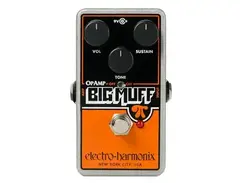
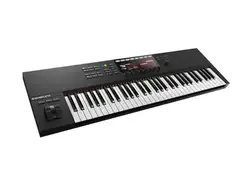
Based on how musicians on Equipboard use Nektar Impact LX88+, it is most commonly used with the following gear.

-s.webp?v=1784818714)



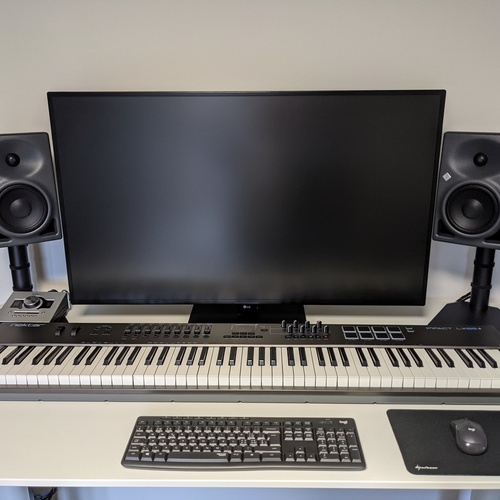
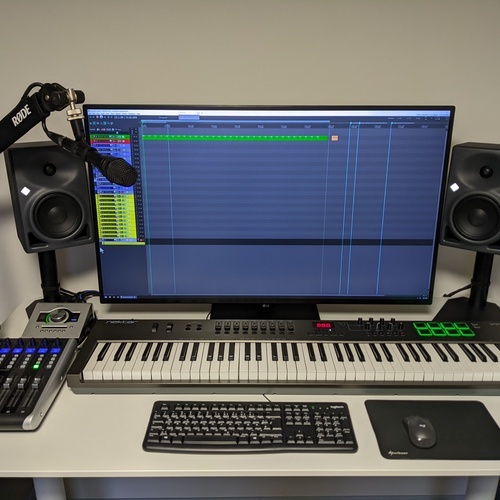
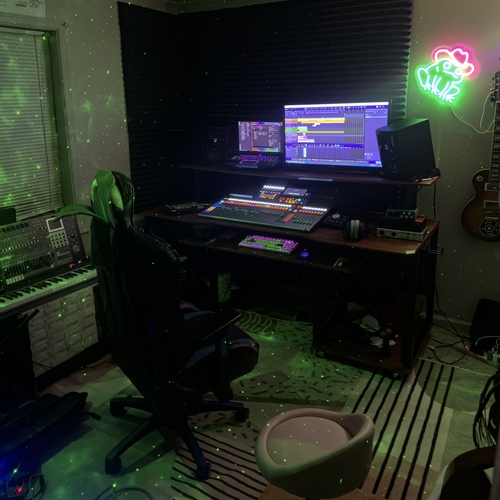
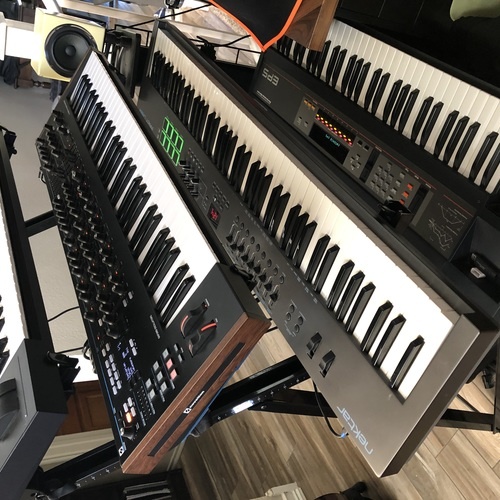
Community setups
Show yours


More Nektar MIDI Keyboard Controllers

$20.00 - $599.99
in MIDI Keyboard Controllers Rank


$80.00 - $109.99
in MIDI Keyboard Controllers Rank


$172.00 - $199.99
in MIDI Keyboard Controllers Rank

$5.00 - $499.99
in MIDI Keyboard Controllers Rank


$25.00 - $129.99
in MIDI Keyboard Controllers Rank


$5.00 - $299.99
in MIDI Keyboard Controllers Rank

$159.99 - $179.99


$30.00 - $189.99


$124.95 - $179.99


$89.60 - $99.99


$88.00 - $179.00


$136.00 - $189.99

$10.00 - $289.99


-m.webp?v=1784813313)


$248.00 - $279.99
in MIDI Keyboard Controllers Rank
-m.webp?v=1784819051)
$85.00 - $149.50
in MIDI Keyboard Controllers Rank


.jpeg?v=1784831401)

$174.45 - $712.00
in MIDI Keyboard Controllers Rank


$135.00 - $678.00
in MIDI Keyboard Controllers Rank


$32.72 - $59.00
in MIDI Keyboard Controllers Rank


$46.41
in MIDI Keyboard Controllers Rank


-m.webp?v=1784818827)
$406.30 - $469.00
in MIDI Keyboard Controllers Rank


$76.07 - $89.00
in MIDI Keyboard Controllers Rank


Accessories & Related Items




Similar


Gear Guides







Most Popular MIDI Keyboard Controllers
Most Popular Brands
-
Added to Equipboard on by
iamkubicGearIQ 187
-


