
Pricing and availability
We compare 600+ stores and found this item at 3 stores. Prices updated .
Store
Reviews
Price




Average Price: $296
Standard/Professional
$200
$501+
Price Tier
Budget
Standard
High-end
Price History
Based on price data from 1 merchant for "Novation Launchkey 49 Keyboard Controller". Prices shown reflect NEW condition. Tracking began Apr 2, 2026.
* Product prices and availability are updated by Equipboard every 24hrs and are subject to change. Equipboard may receive compensation for purchases made at participating retailers linked on this site. This compensation does not affect what products or prices are displayed, or the order of prices listed. For more information, please refer to our affiliate disclosure.
Description
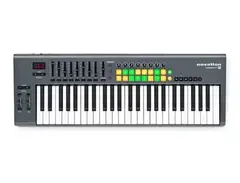
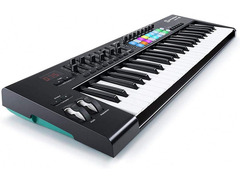
Unleash your musical creativity with the Novation Launchkey 49 Keyboard Controller, a versatile tool for both budding musicians and seasoned producers. Designed to seamlessly integrate with major DAWs like Ableton Live and Logic Pro, this controller allows you to focus on making music, not navigating complex software. With its 49 semi-weighted keys, you'll enjoy a premium feel and dynamic response whether you're composing intricate melodies or performing live.
The 16 velocity-sensitive pads are perfect for finger drumming and clip launching, offering an expressive touch with polyphonic aftertouch capabilities. Meanwhile, eight rotary encoders and nine faders provide hands-on control of your virtual instruments and mix levels, reducing reliance on your mouse and enhancing your studio or stage workflow.
What sets the Launchkey 49 apart are its advanced creative tools. Scale Mode helps you stay in key, while Chord Mode lets you play complex chords with a single press. Engage the Arpeggiator to transform your notes into rhythmic sequences, adding layers of texture to your soundscapes. Dive deeper into your compositions with the keyboard split feature, allowing for dual MIDI zone control and layering of sounds.
The Launchkey 49 is not just a DAW controller—it's a bridge to your hardware synths and sound modules, thanks to its MIDI out port. It's also USB-powered and class-compliant, making it compatible with iOS devices for mobile music-making.
Key Features:
- 49 semi-weighted keys for expressive playability
- 16 velocity-sensitive pads with polyphonic aftertouch
- Seamless integration with major DAWs like Ableton Live and Logic Pro
- Eight rotary encoders and nine faders for intuitive control
- Scale Mode, Chord Mode, and Arpeggiator for musical inspiration
- MIDI out port for hardware synths and sound modules
- USB-powered and class-compliant for use with iOS devices
Product specs
| Brand | Novation |
| Model | Launchkey 49 MKIII MIDI Keyboard Controller |
| Finish | Black |
| Year | 2020 - 2025 |
| Categories | Keyboard MIDI Controllers, Pad MIDI Controllers |
| Analog / Digital | Digital |
| Key Size | Full Size |
| Keyboard Action | Synth Action |
| MIDI I/O | MIDI Output, USB MIDI |
| Number of Keys | 49 Keys |
| Number of Pads | 16 Pads |
FAQs
-
Does the Novation Launchkey 49 MKIII require a computer to function?
-
The Novation Launchkey 49 MKIII can operate standalone, making it suitable for use in both computer-based and hardware-focused music setups.
-
What type of keys does the Novation Launchkey 49 MKIII have?
-
The Launchkey 49 MKIII features a synth-action keybed, which is designed for quick response and dynamic playability.
-
How many pads are included on the Novation Launchkey 49 MKIII?
-
The Launchkey 49 MKIII includes 16 velocity-sensitive pads, ideal for triggering samples, loops, and controlling various DAW functions.
-
Is the Novation Launchkey 49 MKIII compatible with Ableton Live?
-
Yes, the Launchkey 49 MKIII is designed with deep integration for Ableton Live, allowing for seamless control over session view, mixer, and more.
-
Can the Novation Launchkey 49 MKIII connect to other MIDI devices?
-
The Launchkey 49 MKIII offers MIDI output, enabling it to connect with other MIDI-compatible devices for expanded control and performance options.
Videos

Novation
Novation // Launchkey 49 MKII - Performance
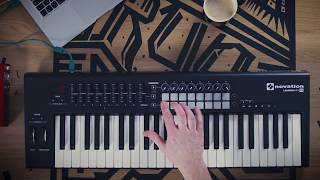
Novation // Launchkey 49 MKII - Performance
Novation
Novation Launchkey 49 MK2 Review & Recording

Reuben Chng
Novation Launchkey 49-Key MIDI Keyboard Controller Performance | Full Compass

Full Compass
Reviews
PROS
-
Enhances creativity and melody composition
-
Durable, can withstand rough use
-
Includes useful plugins (V-Station, BassStation 2)
-
Supports efficient mapping for DAWs like FL Studio and Ableton
-
Integrates well with various DAWs, including Logic Pro X and GarageBand
-
Lightweight and portable for live performances
-
Offers a good number of pads and controllers
-
Velocity-sensitive keys and pads for expressive performance
-
Affordable price for its features and quality
CONS
-
Keys and drum pads feel cheap, not satisfying to play
-
Limited RGB functionality (only 3 LEDs)
-
Lack of detailed manual or setup guidance
-
USB port durability concerns
-
Some users reported a delay, potentially DAW or computer related
-
Part of the device broke quickly for one user
-
Knobs quality not appreciated by all users
Owner Insights
We analyzed real musician discussions from forums and Reddit to find what players love, question, and tweak about Novation Launchkey 49 Keyboard Controller.
Software and compatibility
-
The Launchkey's automatic mapping in Ableton is a significant advantage, simplifying setup and enhancing workflow efficiency for producers using this DAW.
Source -
The MK4 can map keystrokes, including modifiers, to pads, making it function like a Stream Deck without needing additional software, offering system-wide shortcut compatibility.
Source -
The Launchkey 49 is noted to work well with Ableton, but users suggest considering the FL Key for more intuitive mapping with FL Studio.
Source
Use cases and applications
User experience
-
The MK4 is praised for its quiet keybed, avoiding the loud clicking sounds found in some other MIDI controllers like the Nektar LX61+.
Source -
Owners note the 49-key MK4's improved key feel and velocity sensitivity, described as having a nice spring and accurate response, despite not being the weightiest.
Source -
It's been noted that the 49-key is the bare minimum for playing recognizable pieces like "Für Elise," highlighting its suitability for more than just groove basslines.
Source
Build quality
-
Owners highlight that the MK4's knobs are closely spaced, potentially hindering quick adjustments, though they appreciate the tactile feedback and accuracy of the encoders.
Source -
Some users appreciate the Novation's design, noting it as robust for a mass-produced plastic product, though not matching the durability of higher-end controllers.
Source -
Some owners report that the knobs and sliders on the Launchkey 49 can detach easily, reflecting a flimsy build quality.
Source
Features and functionality
-
The MK4's chord mode enhances playability for users with limited music theory knowledge, aiding in organic music creation and reducing reliance on mouse interactions.
Source -
The MK4 model features two pages for plugin mode encoders, allowing for more detailed synth and device settings adjustments during live play.
Source -
The Launchkey's integration with Live, Cubase, and Bitwig is praised for its seamless mapping, making it a strong choice for users of these DAWs.
Source -
The lack of infinite knobs and a sequencer on the Launchkey 49 is highlighted; users appreciate the arp, though it doesn't allow setting user chords on pads.
Source
Comparisons
-
Users note that while the Akai MPK249 offers a more robust keybed, they find the Novation Launchkey's combination of pads and sliders more versatile for studio setups.
Source -
Arturia Keylab mkII is praised for its metal body and better construction compared to the "cheap" feel of the Launchkey 49.
Source
4.5 out of 5
Based on 46 Reviews and 129 Ratings

Great Keyboard
I have been playing piano since I was about 5 using an old Yamaha keyboard that my grandparents gave me. When I started producing music, I didn't know how to write melodies very well. I knew music theory but in my opinion it can only help you a little bit when producing. People who know me will tell you that I have a passion for beautiful melodies but when I was making progressive house, I couldn't unleash those melodies. I tried to make them as beautiful as possible without overdoing it but it doesn't work like that. With my Novation, I can create those melodies flying around in my head more easily and more productively than ever before! Though I still use Ableton's piano roll to draw the notes out, the Novation is deffinantly my secret weapon for finding melodies. I have noticed that not very many people use it but in my opinion, be different! You don't have to by really expensive stuff cause in the end it's all about creativity and how wild your imagination can go!

142
This review was great thanks man! You just convinced me to get one of these.
Anytime bro! If you have any more questions feel free to contact me :D

67
Really great. But a bit complex to learn to use.
Everything so far works well. I won't know for a while how secure all of the equipment is. I hope that the USB port on the back isn't broken in 6 months. I take great care of my gear too, I have just seen the USB female port on other M-Audio midi keyboards break and those are significantly higher in price, too.
I also wish there was a manual (or even a youtube video) that told me 3 things.
- How to easily use the "launch pads" as midi controlled notes (I found out how, thanks to a youtube video)
- How to set up within 10 minutes on Ableton.
- What 5 potential set ups you could use the Launchkeys for in different daws.
I like the look, feel and weight. I did not enjoy troubleshooting for 45 minutes to get my DAW controls to work in Ableton which is a relatively simple DAW I have not had any issues with. I even upgraded to Ableton 11 JUST to have the novation preset in the midi setup tab.
Overall, I enjoy this product. 4 stars. Thank you SO MUCH novation for the plug ins!!
Made me want to continue to purchase from Novation, knowing that they really do want me making music.
Happy with V-Station and BassStation 2.

984
is cheap, feels cheap, works good
this is a cheap 250(ish cad) midi all in one controller.
the keys feel worse then my microbrute, the drum"pads" are more buttons. having 3 leds (red, orange, and green) but but rgb is a massive oversite. however, this can take a shit kicking, and given modern day tech, it doesn't hold up well today. back in it's day though, couldn't really be beat for the price. just not a modern day buy at all.

62
So far this keyboard has been really great.
Mapping macros to it in FL has been amazing. Once setup it works fine, although I don't have it setup full time on my desk so it is constantly moving. I've made some tracks with it so far, and it's really helped my workflow speed up in some ways.
Example track
https://soundcloud.com/e3aglmusic/improvisation-in-fl-test
Couldn't have done that track without the keyboard, it's super useful when it comes to recording automation.
A few software things to recommend- FPC is a little drum and pad synth, and it's hella useful because you can use the pads to the fullest extent. I'd recommend making some drum kits when you're not busy. Also useful for sampling. Also, when you are moving things, just map them to the mod wheel. They will remove the mapping from the previous parameter and you can modify things with the mod wheel very easily. Pitch wheel doesn't work so well in FL, but hey, what can you do?
I got this for ~$70 US, and if you can find it on ebay around that price, go for it. A worthy addition to any pro's setup.

222
Perfect controller with something disappointing
This controller is made to be used with Ableton, but you can easily use it to control every other DAW (I use it with Logic Pro X). The thing that I don't like about it is the key feeling: it's not smooth, you can really feel that is cheap plastic. It's not a pleasure to play that keyboard at all. But anyway, is a controller, you just use it for simple chords and controls. I only disencourage the people who want to buy it and use it as a master keyboard. You deserve better for your home studio... check out other brands ;)
197
It works, nothing so special though
I needed a smaller masterkeyboard because I was moving to London and rent prices for small flats cost a fortune. This keyboard does this very well for me. I am not so much a controller guy, so the Native keyboard would be overkill, but I have mapped the faders and buttons to a few of my favourite soft synths, and it works just well, especially at that price point.

An expensive keyboard, took too much $$$
I only use this keyboard cuz it’s got enough controllers integrated into one. The beat pad, I use mostly for hip hop, and midi record using the keyboard mostly on hip hop. For EDM, I might play back a song from other producers that I know such as Martin Garrix, Alan Walker, etc.

Compatibility with Ableton
If your DAW is Ableton, this will be very useful to you. As for the quality of the materials, the entire case is plastic. If you want something of higher quality, you will have to pay for it.
This review has been translated automatically into English. See original

1868
I loved the one I had... I sold only because I needed money to move to Canada.

Artist usage
Add artist


Double U utilizes the Novation Launchkey 49 Keyboard Controller for producing and performing electronic music with Ableton Live, as detailed on NovationMusic.com.

.jpg)
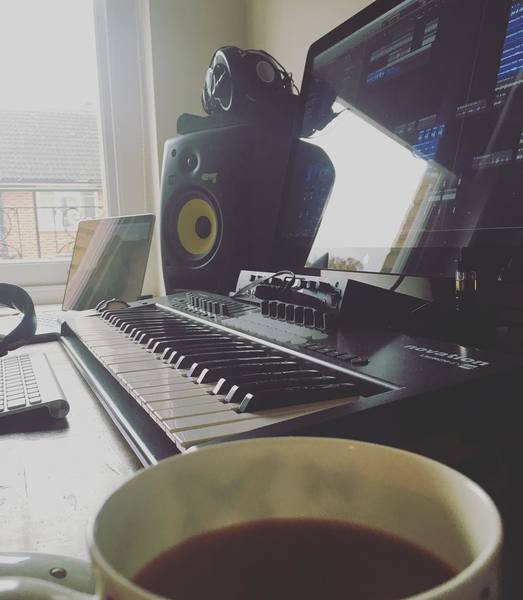
Curbi shares a photo of his Novation Launchkey 49 Keyboard Controller on Instagram.


This Pomplamoose music video shows Jack Conte using the Novation Launchkey 49.


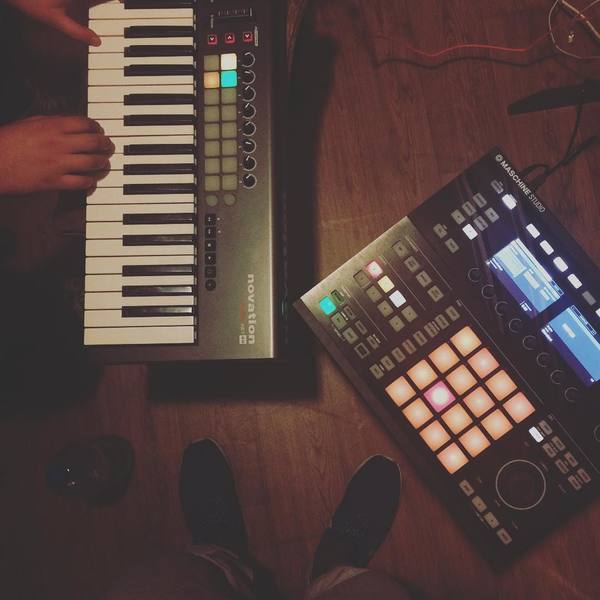
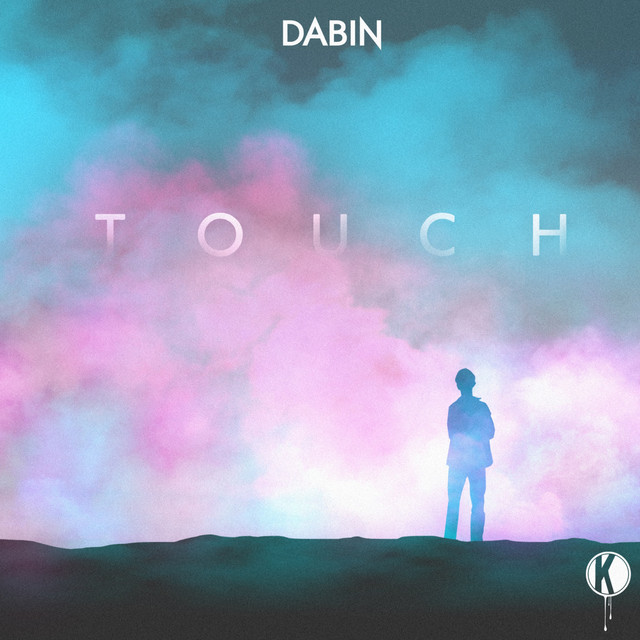
In the "Touch" music video, Dabin is seen playing the Novation Launchkey 49

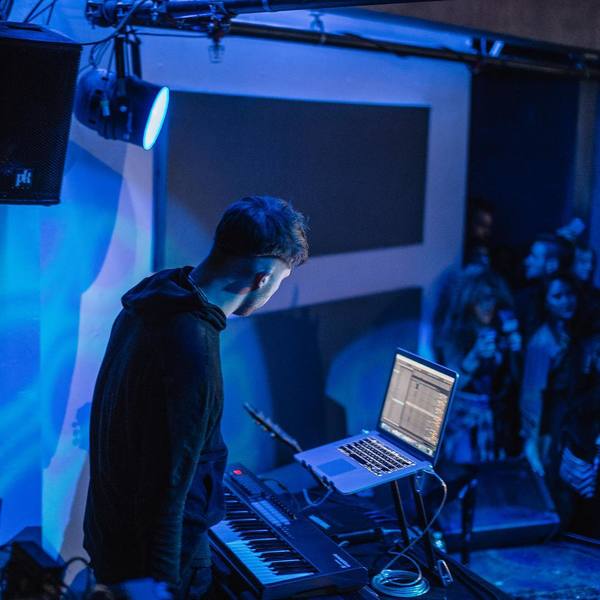
In this Instagram picture, the keyboard can be seen under a Macbook Pro


In the video titled "Artist Additions by Output - ANALOG STRINGS Expansion Modern String Beds with The Album Leaf," at timestamp 0:08, the Novation Launchkey 49 Keyboard Controller can be seen on the desk of Jimmy LaValle, the artist behind The Album Leaf. This video is provided by Output on YouTube.


In the YouTube video titled "READY FOR THE WEEKEND - Mashd N Kutcher," Mashd N Kutcher can be seen using the Novation Launchkey 49 Keyboard Controller.


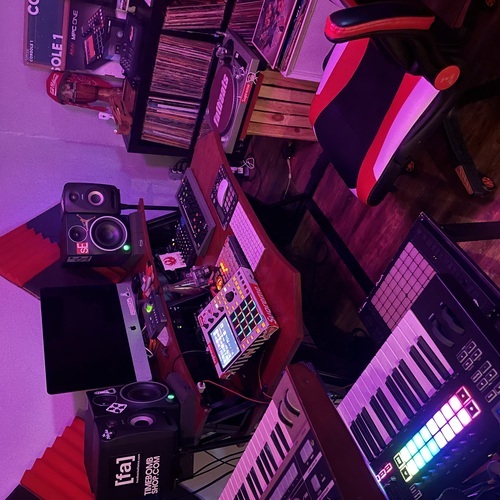
In this photo we can see the launchkey 49 by novation on the desk



"I’ve tried many controllers with Reason but most of them didn’t work all the functions within the program, and that has brought me a lot of frustration. With the Novation Launchkey 49 I’m able to control every function in Reason with the controller. Diagnosis: no longer frustrated."
From Attack Magazine

Album Usage
The Novation Launchkey 49 Keyboard Controller has been featured on the following albums:
Genre Usage
Based on how artists on Equipboard use this gear, it is most commonly found in the following genres.
Used With
Based on how musicians on Equipboard use Novation Launchkey 49 Keyboard Controller, it is most commonly used with the following gear.





Community setups
Show yours

More Novation MIDI Keyboard Controllers

$245.00 - $279.99
in MIDI Keyboard Controllers Rank

$277.00 - $440.00
in MIDI Keyboard Controllers Rank


$214.99
in MIDI Keyboard Controllers Rank


$99.99 - $149.99
in MIDI Keyboard Controllers Rank


$211.00 - $300.00
in MIDI Keyboard Controllers Rank


$362.00 - $497.56
in MIDI Keyboard Controllers Rank


$517.00 - $649.99
in MIDI Keyboard Controllers Rank


$116.83 - $149.99
in MIDI Keyboard Controllers Rank


$69.99 - $129.99
in MIDI Keyboard Controllers Rank


$279.99 - $329.99
in MIDI Keyboard Controllers Rank


$39.99 - $98.00
in MIDI Keyboard Controllers Rank


$256.00 - $329.99
in MIDI Keyboard Controllers Rank


$140.20
in MIDI Keyboard Controllers Rank


.jpg?v=1784733418)


$211.00 - $300.00


$149.00 - $199.99


$574.00 - $749.99


$85.00 - $119.99


$135.00 - $279.99


$99.99 - $189.79


$151.87 - $219.99


$221.97 - $299.99

$277.00 - $329.99


$149.00 - $199.99


Accessories & Related Items


Similar


Gear Guides







Most Popular MIDI Keyboard Controllers
Most Popular Brands
-
Added to Equipboard on by
MmalardmikeGearIQ 54
-


