

Pricing and availability
We compare 600+ stores and found this item at 7 stores. Prices updated .
Store
Reviews
Price







Price History
Based on price data from 6 merchants for "FabFilter Pro-MB Multiband Dynamics Plugin". Prices shown reflect NEW condition. Tracking began Apr 2, 2026.
* Product prices and availability are updated by Equipboard every 24hrs and are subject to change. Equipboard may receive compensation for purchases made at participating retailers linked on this site. This compensation does not affect what products or prices are displayed, or the order of prices listed. For more information, please refer to our affiliate disclosure.
Description
Dive into the world of precise audio control with the FabFilter Pro-MB Multiband Dynamics Plugin. Redefining multiband dynamics, this plugin offers an innovative approach to compression and expansion without the complexity of conventional systems. Instead of splitting the entire frequency spectrum, the Pro-MB allows you to craft new bands directly at your desired frequency range, ensuring unparalleled control over your sound.
The Pro-MB features a unique Dynamic Phase processing mode, delivering the benefits of multiband processing with zero latency and minimal phase change. This, alongside the Linear Phase and Minimum Phase modes, grants you the flexibility to choose the perfect processing style for your project. The intuitive multiband display allows seamless interaction and band management, while the ability to snap bands together offers the versatility of a traditional crossover system when needed.
Designed with both precision and ease-of-use in mind, the Pro-MB is a lifesaver for musicians and producers seeking high-quality processing with minimal fuss. Enjoy the perfectly tuned knobs, Smart Parameter Interpolation for smooth transitions, and a beautiful Retina interface that makes sound shaping a visual pleasure. Whether you're aiming for transparent compression or punchy gating, the Pro-MB is equipped to handle any dynamics processing task.
Key Features:
- Up to six processing bands, freely placeable anywhere in the spectrum
- Unique Dynamic Phase processing mode with zero latency
- Linear and Minimum Phase processing modes for flexible control
- Intelligent and program-dependent attack and release curves
- Customizable per band: threshold, range, attack, release, output gain, and more
- Steepness of crossover slopes adjustable between 6 dB/oct and 48 dB/oct
- Interactive multiband display with band solo/mute and bypass options
- Retina interface with real-time frequency analyzer and GPU acceleration
- MIDI Learn, Smart Parameter Interpolation, and sample-accurate automation
- Available for macOS and Windows in VST2, VST3, AU, and AAX formats
Owner's manual
FabFilter Pro-MB Multiband Dynamics Plugin User ManualProduct specs
| Software Type | Compressor |
| Platform | Mac, PC |
| Upgrade/Full | Full |
| Download/Boxed | Download |
| Bit Depth | 64-bit |
| Format | AAX Native, VST, VST3, AU, AudioSuite, CLAP |
| Hardware Requirements - Mac | Intel Core 2 Duo or higher, 4GB RAM minimum |
| Hardware Requirements - PC | Intel Core 2 Duo / AMD Athlon 64 X2 or higher, 4GB RAM minimum |
| OS Requirements - Mac | macOS 10.13 or later |
| OS Requirements - PC | Windows 7 SP1 or later |
FAQs
-
What is the primary function of the FabFilter Pro-MB plugin?
-
The FabFilter Pro-MB is a multiband dynamics plugin designed for precise audio mixing and mastering. It allows users to apply compression or expansion to specific frequency ranges, enhancing control over the sound.
-
How many bands can the FabFilter Pro-MB handle simultaneously?
-
The FabFilter Pro-MB can handle up to six bands, each independently adjustable for parameters like threshold, attack, release, and ratio, providing detailed dynamic control.
-
Is the FabFilter Pro-MB compatible with my DAW?
-
The FabFilter Pro-MB is compatible with most major DAWs, supporting formats like AAX Native, VST, VST3, AU, AudioSuite, and CLAP on both Mac and PC platforms.
-
What system requirements are needed to run the FabFilter Pro-MB?
-
For Mac, it requires macOS 10.13 or later with an Intel Core 2 Duo or higher and 4GB RAM. For PC, it needs Windows 7 SP1 or later with an Intel Core 2 Duo / AMD Athlon 64 X2 or higher and 4GB RAM.
-
Can the FabFilter Pro-MB be used for both mixing and mastering applications?
-
Yes, the FabFilter Pro-MB is suitable for both mixing and mastering, offering flexible multiband dynamics processing to enhance audio tracks in various production stages.
Videos

FabFilter
Introduction to FabFilter Pro-MB multiband compressor/expander
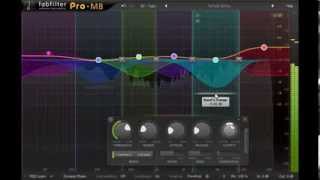
Introduction to FabFilter Pro-MB multiband compressor/expander
FabFilter
Fabfilter Pro-MB Tutorial - Everything You Need to Know

Sam Smyers
Fabfilter Pro-MB - Review & Demonstration

SadowickProduction

Warum du nur diesen Multiband Kompressor brauchst! Fabfilter Pro MB

Mix dich zum Master
Reviews
PROS
-
Intuitive interface simplifies multiband dynamics processing
-
Customizable bands and frequencies for personalized sound shaping
-
Compatible with high-resolution displays (2K, 4K, 5K, 8K)
-
Allows use on multiple systems without restrictions
-
Offers both upward and downward compression and expansion
-
High-quality oversampling options: 2X and 4X available
-
Excellent visual feedback aids in precise adjustments
-
Effective for de-essing and frequency overlap management
-
Recognized for its appealing and clear visual design
CONS
-
Lacks a dedicated hardware control console
-
Some users find it less impactful than other FabFilter plugins
Owner Insights
We analyzed real musician discussions from forums and Reddit to find what players love, question, and tweak about FabFilter Pro-MB Multiband Dynamics Plugin.
Use cases and applications
-
The plugin is praised for its ability to maintain mid-range presence in dynamic mixes using upward compression, providing a balanced sound without losing energy.
Source -
Pro-MB is recommended for processing wide-spectrum sources with specific frequency issues, such as taming instruments in a stereo mix without stems.
Source -
Pro-MB is favored for shaping vocals by balancing frequencies and compressing lows, mids, highs, and "air" bands for precise vocal control.
Source -
Users find Pro-MB effective for creating dynamics in sub-bass and bringing out highs in percussion without excessive sizzle through upward expansion.
Source
Comparisons
-
Pro-MB offers more dynamic controls like attack, release, and ratio compared to Pro-Q3, which lacks these features.
Source -
Pro-MB's unique character is noted for its ability to impart a distinct sound, unlike the transparent approach of Pro-Q's dynamic EQ.
Source -
Some users prefer Pro-MB over TrackSpacer for frequency ducking due to its comprehensive frequency control, especially when managing overlapping frequencies.
Source -
The dynamic EQ in Ozone can mimic multiband compression using band shelf filters, offering a similar utility to Pro-MB.
Source -
Users describe Pro-MB as having a "softer, rounder" sound compared to the "harder, pointier" tone of Waves C6.
Source
User experience
-
Some users find Pro-MB more attractive after learning about its versatility compared to other dynamic tools.
Source -
Real-time visual feedback in the Pro-MB interface helps users see compression effects clearly, aiding in intuitive adjustments and better understanding of dynamic changes.
Source -
Owners appreciate FabFilter's user interface for its versatility and ease of use, contributing to an efficient workflow.
Source
Features and functionality
-
Pro-MB can mimic a dynamic EQ using its Dynamic Phase setting, offering flexibility in dynamic processing.
Source -
Pro-MB offers a "free sidechain" mode for frequency-specific listening and ducking, enhancing mixing precision across different frequencies.
Source -
Pro-MB allows for frequency-specific sidechain filtering, enabling users to compress one frequency band while using another as the sidechain input for precise control.
Source -
Pro-MB allows creating custom OTT settings, providing additional dynamic processing flexibility not typically needed but valued by some users.
Source -
Pro-MB can perform expansion in addition to compression, allowing for custom dynamic range manipulation not always available in other plugins.
Source
Critic Reviews
5.0 out of 5
Based on 6 Reviews and 60 Ratings

851
Great Sound Shaping Capabilities
Using the Pro-MB, I now favor it over the others (OTT and Maximus) for getting the sound I need. I use it for upward compression transient shaping on the highs, downward compression on the mids, and downward expansion on the low end. It really works well because I can see exactly what is going on. This is characteristic of the Fabfilter plugins and I like that and think you will too.
Copy this link for my OTT-like settings: https://gum.co/DnGMz


Artist usage
Add artist
In this video at 20:00 can see FabFilter Pro-MB Multiband Dynamics Plugin


Lady Gaga uses the FabFilter Pro-MB Multiband Dynamics Plugin, as confirmed by her engineer: "The keyboards also have Fresh AIR, FabFilter Pro‑MB, and Waves RVox on the Omnisphere piano that I added in the drop. I used Waves CLA Vocals on the high strings, with everything off besides stereo widening." (source: Soundonsound, Inside Track: Lady Gaga 'Rain On Me').

When in the video Fluff shows the mixer, you can see on the second slot of the EZDrummer's channel the FF pro MB

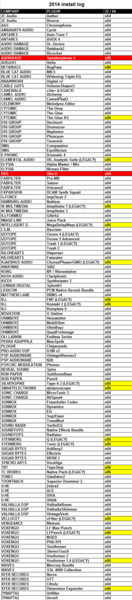


In this YouTube video of Slushii making DESU at 1:09, you can see in the plug-in list Fabfilter Pro-MB.


In an interview on Pensado's Place, Illangelo discusses using the FabFilter Pro-MB Multiband Dynamics Plugin, specifically mentioning its application in his production workflow at the 55:03 mark.

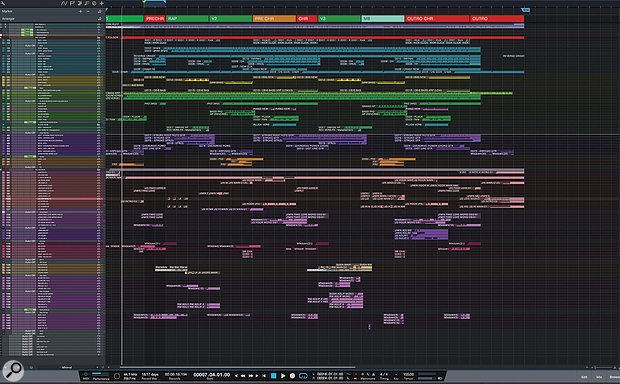
Used for Jimin's lead vocals on "Fake Love", as stated by producer James Reynolds in this August 2018 Sound on Sound interview. An image of the settings can be found here.
Jimin chorus lead vocal: iZotope Neutron, FabFilter Pro-MB, Empirical Labs Arousor, iZotope Trash 2 & FabFilter Pro-DS, plus sends to Slate VerbSuite Classics, FabFilter Pro-R, Soundtoys EchoBoy, Waves Factory Trackspacer & FabFilter Pro-DS.
“Welcome to my vocal world! BTS like bright, punchy vocals. There is not a lot of room in the mix because there is a lot of stuff going on, so I am not boosting low end on the vocals, because you are not going to hear that. Instead I’m trying to give the vocals more presence. The first thing I have in the chain is Neutron, which is a great EQ, and I love its dynamic mode. I boost high end with the Neutron, and band three is set to 4-6000 Hz, with the dynamic mode pulling down any loud ‘ess’ sounds or anything else too sharp. The Neutron is also tidying up the bottom end. After that is the Pro-MB multiband compressor just reining in a couple of frequencies to control the vocal.
“Next is the Arousor, adding some distortion so the vocal is very spitty and present, with lots of attack. After that there’s another instance of Trash 2 set to multiband, which I am using to give the vocal drive and really making it sit solidly in the mix. You have to know how to use Trash 2, otherwise vocals can get too harsh, but in general it is a very good way of saturating and really thickening a vocal and giving it presence. It does depend on the song, I am not always so full on with a vocal! At the end I have the Pro-DS de-esser just controlling the sibilance. Sometimes I used two instances of it, one at the beginning and one at the end, but the Neutron is already kind of doing a de-essing job.
“There also are many sends on that lead vocal. The first send is going to one of my favourites, the Slate VerbSuite Classics. It’s set to a hall-type reverb with 1.75s decay, and because I set quite high pre-delays it is almost like a slap on the vocal, which puts the vocal in a nice space. The next send is to the Pro-R for a longer, bigger reverb, which works for a chorus. I have cut low end and high end as you don’t want that floating around. The Pro-R is really good for controlling those things. Next is an EchoBoy quarter-note delay, saturated by setting it to ‘Splattered’ under ‘Style’ and that send then goes into the Trackspacer. I have a send from the lead vocal going to Trackspacer, so that whenever the lead vocal is singing the Trackspacer ducks the quarter-note delay out of the way. The Trackspacer is frequency-dependent, so it will duck whatever frequencies are dominant in the vocal, which makes it great for moving stuff out of the way. Then there’s another half-time EchoBoy delay setting, which is being automated for delay shots, and finally another Pro-DS.”


at 14:38 you can see his list of fabfilter plugins.


Selena Gomez uses the FabFilter Pro-MB Multiband Dynamics Plugin. According to an engineer's statement from Sound On Sound's article "Inside Track: Selena Gomez 'Rare'", "The 'Chorus SG' aux also has the FabFilter Pro-MB before the VMR, and it's dipping above 6.3kHz, because Selena was pushing harder in the choruses, and I needed to control that."


At 1:28 in the video you can see the Fabfilter PRO-MB being used.


Album Usage
The FabFilter Pro-MB Multiband Dynamics Plugin has been featured on the following albums:

Ex Machina
Metrik (2020)

Rare
Selena Gomez (2020)

Echoes
Ben Duffy & Kove (2019)

Alabaster
Andrew Huang (2019)

Gravity
Metrik (2019)

Forever
Taska Black (2018)

Sober
Cat Dealers (2017)
Boomerang (Extended Mix)
Brooks (2017)
Boomerang
Brooks (2017)

Dharma
Headhunterz & KSHMR (2016)

Hymn for the Weekend (Seeb Remix)
Coldplay & seeB (2016)
![FabFilter Pro-MB Multiband Dynamics Plugin as heard on Here I Stand (feat. Cimo Fränkel) [Radio Edit] by Tom Swoon (2015)](https://images.equipboard.com/uploads/album/image/514930/here-i-stand-feat-cimo-frankel-radio-edit.jpg)
Here I Stand (feat. Cimo Fränkel) [Radio Edit]
Tom Swoon (2015)

A Head Full of Dreams
Coldplay (2015)
Genre Usage
Based on how artists on Equipboard use this gear, it is most commonly found in the following genres.
Used With
Based on how musicians on Equipboard use FabFilter Pro-MB Multiband Dynamics Plugin, it is most commonly used with the following gear.




Community setups
Show yours
Similar
Add recommendation1 alternative for FabFilter Pro-MB Multiband Dynamics Plugin, curated by the Equipboard community.

More FabFilter Compressor Plugins

$144.00 - $199.00
in Compressor Plugins Rank


-m.webp?v=1783173639)
$33.00 - $39.99
in Compressor Plugins Rank


-m.webp?v=1783173726)
$33.00 - $39.99
in Compressor Plugins Rank


$33.00 - $39.99
in Compressor Plugins Rank


$38.00 - $39.99
in Compressor Plugins Rank


$33.00 - $39.99
in Compressor Plugins Rank


$134.00 - $149.00
in Compressor Plugins Rank


-m.webp?v=1783173632)
$141.00 - $149.00
in Compressor Plugins Rank


$45.00 - $49.00
in Compressor Plugins Rank
.jpeg?v=1783200117)


$33.00 - $34.99
in Compressor Plugins Rank


$39.00 - $1,549.00
in Compressor Plugins Rank


$33.00 - $99.00
in Compressor Plugins Rank


$33.00 - $34.99
in Compressor Plugins Rank
.jpg?v=1783082401)


$33.00 - $39.99
in Compressor Plugins Rank


$33.00 - $34.99
in Compressor Plugins Rank


$33.00 - $39.99
in Compressor Plugins Rank

-m.webp?v=1783173687)
$33.00 - $39.99
in Compressor Plugins Rank


-m.webp?v=1783173736)
$34.99 - $39.99
in Compressor Plugins Rank


$33.00 - $34.99
in Compressor Plugins Rank


$49.00 - $149.00
in Compressor Plugins Rank


$26.00 - $49.00
in Compressor Plugins Rank


$33.00 - $34.99
in Compressor Plugins Rank


$33.00 - $34.99
in Compressor Plugins Rank


$95.00 - $149.00
in Compressor Plugins Rank


$29.99
in Compressor Plugins Rank

$33.00 - $39.99
in Compressor Plugins Rank


$5,799.00 - $6,599.00
in Compressor Plugins Rank


$23.90 - $40.00
in Compressor Plugins Rank


$26.00 - $49.00
in Compressor Plugins Rank


$33.00 - $82.50
in Compressor Plugins Rank


$96.00 - $99.00
in Compressor Plugins Rank

$1,699.00 - $2,035.00
in Compressor Plugins Rank
Accessories & Related Items


Gear Guides








Most Popular Compressor Plugins
Most Popular Brands
-
Added to Equipboard on by
 equipboard
Gear IQ 4934
-


