

Pricing and availability
We compare 600+ stores and found this item at 2 stores. Prices updated .
Store
Reviews
Price




Average Price: $349
Standard/Professional
$150
$501+
Price Tier
Budget
Standard
High-end
Price History
Based on price data from 1 merchant for "MOTU Track16". Prices shown reflect NEW condition. Tracking began Apr 22, 2026.
* Product prices and availability are updated by Equipboard every 24hrs and are subject to change. Equipboard may receive compensation for purchases made at participating retailers linked on this site. This compensation does not affect what products or prices are displayed, or the order of prices listed. For more information, please refer to our affiliate disclosure.
Description
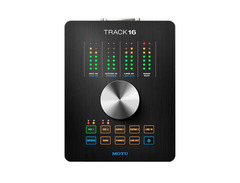
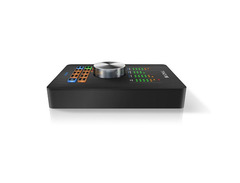
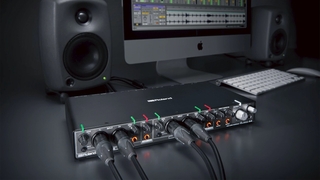
Discover the MOTU Track16, your compact yet powerful solution for professional studio recording. This sleek audio interface offers a rich array of inputs and outputs, perfect for musicians and producers seeking versatility without compromising on quality. With eight analog channels, including mic, line, and high-impedance instrument inputs, the Track16 ensures you have the connectivity you need for any setup. Its aluminum-alloy chassis not only provides durability but also adds a touch of elegance to your studio space.
The Track16 supports pristine 24-bit recording with sampling rates reaching up to 192 kHz, ensuring your audio captures are as detailed as they are authentic. The user-friendly interface, highlighted by a large multifunction knob, allows for intuitive control over levels, while user-assignable LED meters keep you informed about input and output levels at a glance.
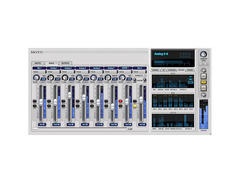
Connectivity is a breeze with both USB 2.0 and FireWire options, offering compatibility with both Mac and Windows systems. When using FireWire, enjoy the convenience of bus-powered operation, eliminating the need for an external power source. The included MOTU CueMix FX software provides low-latency hardware monitoring, complete with reverb, EQ, and vintage compression effects that can be applied to your mixes or printed into your recordings.
Key Features:
- 16 input and 14 output channels, including mic, Hi-Z guitar, line inputs, and ADAT optical
- 24-bit audio resolution with support for up to 192 kHz sampling rates
- USB 2.0 and FireWire connectivity options for flexible setup
- Aluminum alloy chassis for durability
- Included MOTU CueMix FX software with low-latency monitoring and DSP effects
- MIDI In/Out for additional instrumentation connectivity
- Bus-powered via FireWire for portable use without an AC adapter
- Compatible with Mac OS X and Windows systems, supporting WDM, ASIO, and Core Audio drivers
Product specs
| Brand | MOTU |
| Model | Track 16 |
| Finish | Black |
| Year | 2010s |
| Categories | Audio Interfaces |
FAQs
-
What are the main connectivity options for the MOTU Track16?
-
The MOTU Track16 offers both FireWire and USB 2.0 connectivity, making it versatile for different computer setups and ensuring compatibility with a wide range of devices.
-
Is the MOTU Track16 compatible with popular DAW software like Ableton Live and Pro Tools?
-
Yes, the MOTU Track16 is compatible with major DAWs including Ableton Live, Pro Tools, Logic Pro, and others, thanks to its comprehensive driver support.
-
Does the MOTU Track16 provide enough I/O for a small home studio?
-
The MOTU Track16 offers a variety of input and output options, including mic, line, and instrument inputs, as well as multiple outputs, making it suitable for small home studio setups.
-
Can the MOTU Track16 be used for both Mac and Windows systems?
-
Yes, the MOTU Track16 is designed to work seamlessly with both Mac and Windows operating systems, providing flexibility for different user preferences.
-
How does the MOTU Track16 handle latency during recording?
-
The MOTU Track16 is engineered to deliver low-latency performance, ensuring smooth recording and monitoring experiences for musicians and producers.
Videos

Sweetwater
Sweetwater Minute - Vol. 158 MOTU Track 16 Desktop Audio Interface
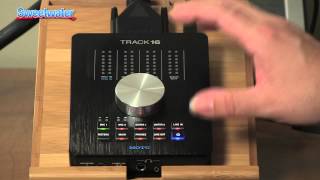
Sweetwater Minute - Vol. 158 MOTU Track 16 Desktop Audio Interface
Sweetwater
MOTU Track 16 - Review

RainComputersUK
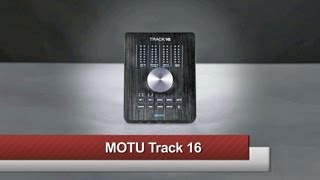
MOTU Track16

B&H Photo Video Pro Audio
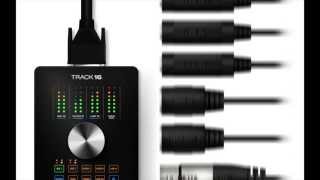
MOTU Track 16 Desktop Audio Interface with Effects and Mixing Overview | Full Compass

Full Compass
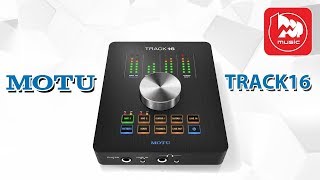
Аудиоинтерфейс MOTU TRACK16

PopMusicRu

MOTU Track16 製品紹介 by Connor Garvey

High Resolution co.,ltd.
Reviews
PROS
-
Compact design suitable for small studios or mobile setups
-
Solid aluminum chassis with customizable LED colors
-
Extremely low noise floor for clean audio recordings
-
Built-in DSP and channel effects, including useful EQ
-
Front panel VU meters provide detailed audio feedback
-
Offers standalone functionality without a computer
-
Includes flexible digital optical connections like ADAT and TOSLink
-
Dual headphone amps for versatile monitoring options
-
Easy setup with most major DAWs and software
CONS
-
Breakout cable is required and very heavy, affecting stability
-
CueMix software is clunky and unintuitive to use
-
Drivers are finicky, requiring reboots and lack plug-and-play capability
-
Overheating issues, with chassis getting very hot to touch
-
Main output may have factory defects leading to audio dropouts
-
Firewire port connection is unstable, disrupting audio if moved
-
Only 6 physical inputs and outputs, misleading for 16 channels
-
No firmware or driver updates since 2015
-
Headphone output is underpowered for some users
Owner Insights
We analyzed real musician discussions from forums and Reddit to find what players love, question, and tweak about MOTU Track16.
Build quality
-
The Track16 uses a "Type B" FireWire connector, which is considered more reliable than the traditional "Type A" connectors for FireWire 400.
Source
Features and functionality
-
The FireWire port on the Track16 runs at 400 Mbps despite using a 9-pin "Type B" connector typically seen in FireWire 800 setups.
Source
User experience
-
Owners appreciate the connector's durability, noting it feels secure, does not spark during hot-plugging, and cannot be inserted incorrectly.
Source
Software and compatibility
-
Users report MOTU Track16 drivers are stable on Windows 7 64-bit, but issues like pops and crackles occur on some setups, leading to mixed user experiences.
Source
Comparisons
-
RME is favored for lower latency and more intuitive routing software compared to MOTU Track16, making RME interfaces a stronger choice for some users.
Source
Use cases and applications
-
One user frequently uses the MOTU Track16 when avoiding heat from turning on a rack, highlighting its convenience for desktop use.
Source
Critic Reviews
4.0 out of 5
Based on 2 Reviews and 5 Ratings

Writing interface
As I'm not actively involved in the recording industry anymore, I wanted something simple to work on my own projects whenever I feel the creative urge. A friend of mine had this and didn't want it anymore. I like it because it has optical ins/outs and lots of analog IO as well. There is also a MIDI interface built into it too. The one drawback I don't like is that the headphone output is quite underpowered.
Artist usage
Add artist

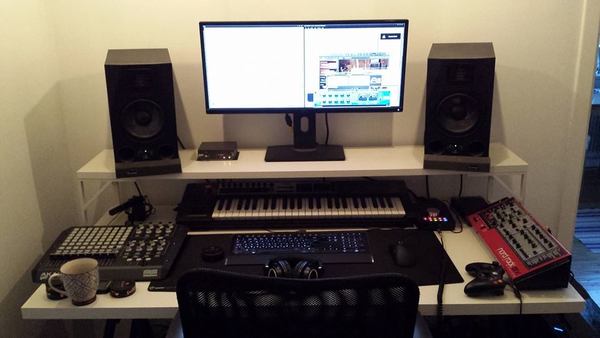
In this picture, Avicii is seen using the MOTU Track16 soundcard while recording his second album "Stories" from 2014. The same soundcard can also be seen in a picture from the book "Avicii, Tim Bergling, his life and music".


"My setup is simple—most of it is in the box. I'm an Ableton guy, and I use all of the usual suspects like Native Instruments, Spectrasonics, Arturia, u-he, Xfer etc. I work primarily on Beyerdynamic DT770 Pro 250 ohm headphones and use Adam Audio monitors + sub for reference. I use a MOTU Track 16 and Apollo Twin Duo, I have a few midi keyboards, a Nord Electro 5d, a Neumann u87ai mic, a Banshee Talkbox and a bunch of other stuff. When I need any kind of high-end gear, or I need to record horn sections etc, I go to a few different studios around New York City that have some amazing gear and rooms."


Genre Usage
Based on how artists on Equipboard use this gear, it is most commonly found in the following genres.
Used With
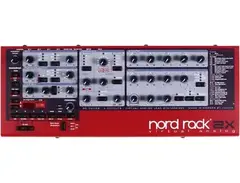
Based on how musicians on Equipboard use MOTU Track16, it is most commonly used with the following gear.








More MOTU Audio Interfaces

$130.00 - $819.00
in Audio Interfaces Rank


$45.00 - $695.00
in Audio Interfaces Rank


$45.00 - $695.00
in Audio Interfaces Rank


$199.95 - $569.99
in Audio Interfaces Rank


$261.50 - $279.95
in Audio Interfaces Rank


$45.00 - $695.00
in Audio Interfaces Rank


$1,095.00


$599.00 - $1,282.41


$199.95 - $569.99


$500.66 - $849.00


$1,390.00 - $2,589.00


$395.00 - $499.00

$373.00 - $649.00


.png?v=1783713282)


$1,095.00 - $1,124.00


$820.00 - $1,495.00


$995.00 - $1,459.60


$1,499.00 - $1,629.00


$800.00 - $1,101.00


-m.webp?v=1783782439)


$995.00 - $1,145.00


$1,595.00 - $1,650.00
Community setups


Similar


Gear Guides







Most Popular Audio Interfaces
Most Popular Brands



