



Pricing and availability
We compare 600+ stores and found this item at 10 stores. Prices updated .
Store
Reviews
Price









Average Price: $277
Standard/Professional
$150
$501+
Price Tier
Budget
Standard
High-end
Price History
Based on price data from 7 merchants for "MOTU M4". Prices shown reflect NEW condition. Tracking began Apr 2, 2026.
* Product prices and availability are updated by Equipboard every 24hrs and are subject to change. Equipboard may receive compensation for purchases made at participating retailers linked on this site. This compensation does not affect what products or prices are displayed, or the order of prices listed. For more information, please refer to our affiliate disclosure.
Description
Introducing the MOTU M4, an exceptional 4-in/4-out USB-C audio interface that delivers top-tier audio quality, speed, and metering. This versatile device can be used with Mac, Windows, and iOS, making it a versatile tool for any musician or content creator.
The M4 stands out with its impressive ESS Sabre32 Ultra DAC technology, offering a remarkable 120 dB dynamic range on its main outputs. This technology is usually found in high-end audio interfaces that cost thousands, but MOTU brings it within reach without compromising on quality.
The M4 offers ultra-low latency, thanks to MOTU's expertly engineered USB drivers. With a 2.5 ms Round Trip Latency at 96 kHz with a 32 sample buffer, you can monitor live inputs such as a mic, guitar, or keyboard through your computer with no noticeable delay.
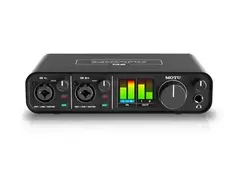
The M4 also features a full-color LCD, providing clear, detailed level meters for all inputs and outputs. This is a unique feature in its class, allowing you to achieve optimum levels while recording and mixing.
The M4 includes two mic preamps, four DC-coupled analog outputs, and an ESS-driven stereo headphone output. MIDI I/O is also included. For podcasters and live streamers, the M4's loopback functionality is a boon, enabling easy routing of computer output back to the computer for mixing with live inputs.
Key Features:
- 4-in/4-out USB-C audio interface
- Includes MOTU Performer Lite and Ableton Live Lite production software, 100+ instruments, dozens of plug-ins, and over 6 GB of loops and samples
- ESS Sabre32 Ultra DAC technology for top-class audio quality
- Ultra-low latency for monitoring live inputs through your computer
- Full-color LCD for detailed level metering
- Two microphone preamps with individual gain adjustment and phantom power
- Four DC-coupled analog outputs
- Loopback function for live streaming and podcasting
- MIDI input/output
- USB bus-powered for portability
- Hardware monitoring for all inputs
- Mix knob for balancing live input with computer playback
- Stereo headphone output driven by ESS converters
- Rugged metal construction.
Owner's manual
MOTU M4 User ManualProduct specs
| Computer Connectivity | USB 2.0 |
| Form Factor | Desktop, Portable |
| Simultaneous I/O | 4 x 4 |
| Number of Preamps | 2 |
| Phantom Power | Yes |
| A/D Resolution | Up to 24-bit/192kHz (32 sample buffer) |
| Analog Inputs | 2 x XLR-1/4" TRS (mic/line/Hi-Z), 2 x 1/4" (line) |
| Analog Outputs | 2 x 1/4" TRS (DC coupled, monitor), 2 x 1/4" TRS (DC coupled, line), 1 x Dual RCA Stereo (monitor), 1 x Dual RCA Stereo (line) |
| Headphones | 1 x 1/4" |
| MIDI I/O | In/Out/USB |
| USB | 1 x USB-C |
| Software | MOTU Performer Lite, Ableton Live Lite, Bundled Loops/Sounds |
| OS Requirements - Mac | OS X 10.13 or later |
| OS Requirements - PC | Windows 10 or later |
| Bus Powered | Yes |
| Power Supply | USB bus powered |
| Height | 1.75" |
| Width | 8.25" |
| Depth | 4.25" |
| Weight | 1.55 lbs. |
FAQs
-
What are the main connectivity options for the MOTU M4?
-
The MOTU M4 offers USB 2.0 connectivity via USB-C, with 4x4 simultaneous I/O, including 2 XLR-1/4" TRS combo inputs, 2 additional 1/4" line inputs, and MIDI In/Out. It also includes multiple output options with 1/4" TRS and RCA connections.
-
Is the MOTU M4 compatible with popular DAWs like Ableton Live and Pro Tools?
-
Yes, the MOTU M4 is compatible with major DAWs, including Ableton Live and Pro Tools. It comes bundled with Performer Lite and Ableton Live Lite software, ensuring seamless integration with your music production setup.
-
Does the MOTU M4 require an external power supply?
-
No, the MOTU M4 is USB bus-powered, meaning it draws power directly from your computer via the USB connection, eliminating the need for an external power supply.
-
What is the audio resolution capability of the MOTU M4?
-
The MOTU M4 supports up to 24-bit/192kHz A/D resolution, offering high-quality audio recording and playback suitable for professional studio environments.
-
Does the MOTU M4 provide phantom power for condenser microphones?
-
Yes, the MOTU M4 includes phantom power, allowing you to use condenser microphones that require external power for operation.
-
What software is included with the MOTU M4?
-
The MOTU M4 comes with Performer Lite and Ableton Live Lite, along with a collection of loops and sounds from Big Fish Audio, Lucidsamples, and Loopmasters, providing a comprehensive start to music production.
Videos

Your Home Recording Studio
MOTU M4 Unbox and Workout
MOTU M4 Unbox and Workout
Your Home Recording Studio
MOTU M4 vs Solid State Logic SSL2

Jacob Dark
SSL 2+ Versus MOTU M4 - A Side-By-Side Comparison
Your Home Recording Studio
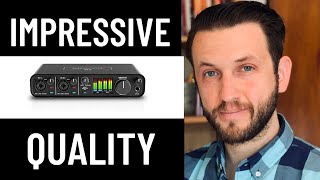
Audio Interface Review and Unboxing | Motu M4 | Insane Quality For $250

LiveKeyboardist

Motu M4 Unboxing and Setup (Guide)

GrowWithGuitar
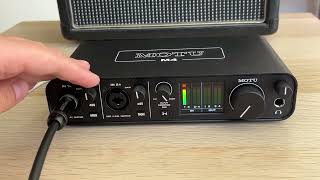
MOTU M4 - plugging in electric guitar

obviouswhite
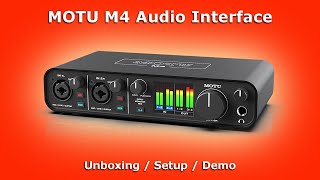
MOTU M4 Audio Interface | Unboxing / Setup / Demo

Stamatis Stabos
Reviews
PROS
-
Excellent sound quality with ESS Sabre32 Ultra DAC chip
-
Low latency, great for recording instruments
-
Durable build quality with sturdy knobs and jacks
-
LCD display provides smooth and accurate metering
-
USB-C connectivity, compatible with Mac, PC, and iPad
-
Good headphone amp, drives high-impedance headphones well
-
Preamps offer clean gain, ideal for low-output mics
-
Phantom power switchable per channel for versatile mic setups
-
Loopback feature for easy recording of system sounds
-
Can operate without PC for standalone mixing/routing
CONS
-
No volume control for outputs 3/4, complicating monitor switching
-
Loopback and monitoring features limited to outputs 1&2
-
Some reported driver issues on Windows, causing sound distortion
-
Lacks routing/mixing software, relies on physical controls
-
Minor build quality issues with wobbling buttons
Owner Insights
We analyzed real musician discussions from forums and Reddit to find what players love, question, and tweak about MOTU M4.
User experience
-
Some users find the headphone amp on the M4 slightly underpowered, a common issue in bus-powered interfaces.
Source -
The MOTU M4 lacks a dedicated switch or knob for selecting between its RCA and 1/4" outputs, requiring manual adjustments for changing speaker setups.
Source -
An M4 owner reports a seamless transition from a Scarlett 4i4, noting improved reliability over several months of use.
Source
Setup and maintenance
-
Transitioning to the M4 often leads to users disabling their PC's internal audio card to streamline their audio setup through the interface.
Source
Features and functionality
-
Users need an adapter for connecting consumer speakers to the MOTU M4's balanced outputs, indicating potential accessory needs for compatibility with consumer gear.
Source -
The MOTU M4 supports both balanced and unbalanced outputs, allowing flexibility with different speaker types, including consumer audio devices via RCA outputs.
Source -
The MOTU M4 has audio loopback capability, allowing users to capture audio from other applications directly into their DAW.
Source -
The VU meters on the MOTU M4 provide detailed visual feedback that many users find indispensable compared to the simpler LED indicators on the Scarlett 4i4.
Source
Use cases and applications
-
The M4 can be used to route audio from a PC for gaming, movies, and guitar practice, using effects processed in a DAW and outputted through RCA or headphones.
Source -
The MOTU M4 is favored for its simplicity, with users appreciating that it requires no additional software for operation, managing all controls directly on the unit.
Source
Software and compatibility
-
Users appreciate the MOTU M4's thoughtfully designed software, which is considered more useful than that of the Scarlett series.
Source -
Windows users find the M4 works well with legacy and niche VST plugins, benefiting from Windows' strong backward compatibility.
Source -
Some users have experienced driver deprecation issues on macOS post-Catalina, which may affect non-class-compliant features.
Source
Comparisons
-
The Focusrite Scarlett 4i4's preamp Air function, which provides a gentle high boost, is noted but was not personally tested by some users due to setup issues.
Source -
Owners who switched from RME to the MOTU M4 due to budget constraints found no significant difference in recording quality, especially for synthesizer use where preamps are less critical.
Source
Build quality
Critic Reviews
4.5 out of 5
Based on 1 Review and 11 Ratings

282
One of the best, multi-purpose and affordable interface card for your home studio by far!
Shortly, its just a perfect audio card for home user! :) First, pros. Easy to install, easy to setup. This little sister of the Motus more and more expensive professional cards is actually a big MOTU too! The card sound is just incredible: very clean, with fine details, rich, structured and enough powerful! I think it`s just sounds like a more expensive cards. Yes, its already not a regular budget class interface. I compared it with an old, but still very good semi-professional E-mu 1212M PCI card - the MOTU M4 card sounds almost on the same level of the quality, with details and rich timbers (some of tiny differences can be heard listening a high-range HI-FI/professional headphones). Very good preamps, mic recording is really nice with low noise level. You can connect to M4 the consumer powered loudspeakers as a second pair for the testing your mixes. You can insert any line sources: synthesizers, CD/DVD/Tape players, analog amplifiers, etc. Amazing and enough high performance interface - my mid-sized projects in Reaper DAW could be working fine even with 64 samples at 44kHz without the clicks/pops, etc. (tested on Win10 x64 Pro, i7-9700K). It can be setup for work with hardware I/O and virtual I/O as well. I tested M4 in multi-client mode, with game emulators and PC games - all working fine and very nice! Ok. A bit of cons. Some little issues with build quality (wobbling buttons). And It doesnt have any proper mixing/routing software (all are physically), but you just can resolve it easy by installing the VoiceMeeter Banana/Potato, for instance - an excellent applications for you needs here. Yes, the M4 as any professional cards I know, just dont like the hibernation state of the system. But if you dont hear any sound in that case you can just reboot the card with onboard switch on/off. Anyway, it have a very nice quality of the rotary knobs, bright LCD with full color and useful indication for the signal graphic. Even with those a bit wobbling buttons I give it a five stars, because this card` SOUND and possibilities - far higher of the budget-class gear as I mentioned earlier! Bravo, MOTU and thank you! Wow so many letters here... Anyway, thanks for your time =)
UPD. First great feature: loopback (you can easily record voices, system sounds, game, BGM simultaneously. Ideal for video tutorials, streaming, blogging, etc. And the second feature is using M4 as sound mixer/router/adapter. MOTU M4 card just can work without the PC and USB power! I don 't know how it called be correct but this feature allows you using the card as sound "router". For instance, you can use your favourite studio monitors even with the digital TV tuner! Just connect all components and ... don' t switch power on of the card. Only one important thing - in that case you can't able to control the volume with the card. Use the sound source for it. And I noticed strange thing - I got the sound from the digital tuner when it was connected to M4 through the RCA monitor outs (!). I asked about it the MOTU support team and waiting for the answer.

27237
I'm so jealous you were able to get one so soon. They're back-ordered everywhere. Thanks for reviewing!

Artist usage
Add artist

Nuphory uses a MOTU M4 audio interface, as indicated in her Twitter post celebrating her new hypertrance track being featured in Rocket League.


Genre Usage
Based on how artists on Equipboard use this gear, it is most commonly found in the following genres.
Used With
Based on how musicians on Equipboard use MOTU M4, it is most commonly used with the following gear.

-s.webp?v=1784352648)



-s.webp?v=1784332760)
Community setups
Show yours
More MOTU Audio Interfaces

$130.00 - $819.00
in Audio Interfaces Rank


$45.00 - $695.00
in Audio Interfaces Rank


$45.00 - $695.00
in Audio Interfaces Rank


$199.95 - $569.99
in Audio Interfaces Rank


$45.00 - $695.00
in Audio Interfaces Rank


$1,095.00


$599.00 - $1,291.47


$199.95 - $569.99


$501.36 - $849.00


$875.00 - $2,589.00


$395.00 - $499.00

$373.00 - $649.00


.png?v=1784328024)


$820.00 - $1,495.00


$995.00 - $1,461.63

$1,095.00 - $1,124.00


$1,499.00 - $1,629.00


$680.00 - $1,101.00


-m.webp?v=1784337309)


$995.00 - $1,145.00


Accessories & Related Items


Similar


Gear Guides







Most Popular Audio Interfaces
Most Popular Brands
-
Added to Equipboard on by
 bkrogh
GearIQ 1057
-


