

Pricing and availability
We compare 600+ stores and found this item at 2 stores. Prices updated .
Store
Reviews
Price




Price History
Based on price data from 1 merchant for "Softube Console 1 MKIII Fader DAW Controller". Prices shown reflect NEW condition. Tracking began Apr 30, 2026.
* Product prices and availability are updated by Equipboard every 24hrs and are subject to change. Equipboard may receive compensation for purchases made at participating retailers linked on this site. This compensation does not affect what products or prices are displayed, or the order of prices listed. For more information, please refer to our affiliate disclosure.
Description
Enhance your mixing workflow with the Softube Console 1 MKIII Fader DAW Controller. This innovative control surface offers a seamless blend of tactile precision and digital versatility, transforming your digital audio workstation into a hands-on mixing experience. The 100mm capacitive-touch faders bring a classic analog feel to your fingertips, enabling you to adjust levels, automation, and pan settings without the need for a mouse.
With its high-resolution displays, navigating through tracks becomes a breeze, offering real-time feedback on track names, levels, and pan settings. The haptic feedback enhances the tactile experience, ensuring that every adjustment feels intuitive and satisfying. Whether you're a seasoned engineer or a digital native, the Console 1 MKIII Fader provides an immersive mixing environment that bridges the gap between analog warmth and digital precision.
Customization is key with the Console 1 MKIII Fader. The Parameter mode gives you control over filters, drive, compression thresholds, and more, allowing you to tailor your workflow to your unique needs. And with Softube’s Core Mixing Suite, you'll have a collection of exquisite effects, including Tape, FET Compressor Mk II, and Bus Processor, all organized into dedicated sections for streamlined operation.
For those looking to expand their setup, the Console 1 MKIII Fader offers dual USB-C ports for daisy-chaining multiple units, and it supports a range of compatibility modes, including Pro Tools HUI and Generic MCU. Whether you're working in a home studio or a professional environment, this controller is designed to elevate your mixing capabilities.
Key Features:
- 100mm capacitive-touch faders for an analog feel
- High-resolution screens for simplified track navigation
- Haptic feedback for intuitive operation
- Softube's Core Mixing Suite effects included
- Parameter mode for customizable control
- Dual USB-C ports for daisy-chaining up to 4 units
- Compatibility modes: Console 1, Pro Tools HUI, Generic MCU, and Apollo Central
- VESA and 19-inch rackmounting options
Product specs
| Type | Mixing Control Surface |
| Screen | 10 x high-resolution screens |
| Faders | 10 x 100mm, Motorized |
| Computer Connectivity | USB |
| USB | 2 x USB-C |
| Software | Console 1 Core Mixing Suite |
| Power | USB bus powered |
| Height | 1.77" |
| Width | 17.1" |
| Depth | 8.66" |
| Weight | 4.6 lbs. |
FAQs
-
How does the Softube Console 1 MKIII Fader integrate with popular DAWs?
-
The Softube Console 1 MKIII Fader integrates seamlessly with major DAWs like Ableton Live, Pro Tools, and Logic Pro, offering hands-on control over your mixing process with its motorized faders and high-resolution screens.
-
Are the faders on the Softube Console 1 MKIII Fader motorized?
-
Yes, the Softube Console 1 MKIII Fader features 10 motorized 100mm faders, allowing for precise and automated control of your mix levels.
-
What kind of connectivity does the Softube Console 1 MKIII Fader offer?
-
The Softube Console 1 MKIII Fader connects via USB, featuring two USB-C ports for reliable and fast data transfer, making it easy to integrate into your existing studio setup.
-
Is the Softube Console 1 MKIII Fader bus-powered?
-
Yes, the Softube Console 1 MKIII Fader is USB bus-powered, which means it draws power directly from your computer, eliminating the need for an external power supply.
-
What software comes with the Softube Console 1 MKIII Fader?
-
The Softube Console 1 MKIII Fader includes the Console 1 Core Mixing Suite, providing a comprehensive set of tools to enhance your mixing workflow directly from the hardware.
Videos

SoftubeStudios
Console 1 Fader Mk III Walkthrough – Softube
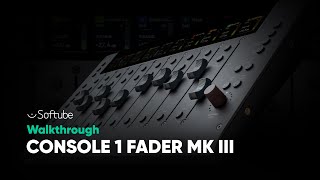
Console 1 Fader Mk III Walkthrough – Softube
SoftubeStudios

The Best Pro Tools Controller - Softube Console 1 Fader Mk III

Urban Sound Studio
Reviews
Owner Insights
We analyzed real musician discussions from forums and Reddit to find what players love, question, and tweak about Softube Console 1 MKIII Fader DAW Controller.
Features and functionality
Software and compatibility
-
Softube Console 1 works seamlessly with Fabfilter, UAD, and Softube plugins, optimizing workflow for these systems.
Source -
Some users find the need to navigate through Softube's interface instead of seeing native UA plugin interfaces frustrating.
Source -
Only 8 of the 10 faders are usable in Pro Tools due to integration limitations.
Source -
Cannot control MIDI tracks and VCAs in Pro Tools, reducing its versatility for complex sessions.
Source -
It's noted that Reaper users might face fader reset issues unless "reset Pitch/sustain" is disabled in MIDI Outputs settings.
Source -
Reaper users can enhance controller functionality using Realearn, an advanced mapping tool praised for its comprehensive capabilities.
Source
User experience
-
Some users find tactile control enhances focus during mixing, allowing simultaneous track manipulation and easy soloing of multiple tracks.
Source -
Button colors do not match track colors in Pro Tools, which can be confusing during sessions.
Source -
Some users experience communication loss with the Console 1 software, causing significant lag in DAW sessions, particularly in large projects.
Source -
Long-term users report a decline in Softube's quality control since the MKII version, affecting overall product reliability.
Source
Build quality
-
The units are considered robust and well-built, but earlier models like Fader MK2 had issues with sticky faders not initializing.
Source
Other
-
The Console 1 MKIII Fader is noted for reducing reliance on mouse and keyboard during mixing, although not entirely eliminating it.
Source
Critic Reviews
Based on 0 Reviews and 0 Ratings
Genre Usage
Based on how artists on Equipboard use this gear, it is most commonly found in the following genres.
More Softube DAW Controllers

$249.00 - $499.00
in DAW Controllers Rank


$377.73 - $699.00
in DAW Controllers Rank


$668.00 - $899.00
in DAW Controllers Rank

$929.00 - $1,099.00
in DAW Controllers Rank

$133.00 - $240.00
in DAW Controllers Rank


$182.00 - $277.00
in DAW Controllers Rank


$53.00 - $119.99
in DAW Controllers Rank


$80.00
in DAW Controllers Rank


$33.85 - $209.99
in DAW Controllers Rank


$285.00 - $419.00
in DAW Controllers Rank


$182.37 - $599.99
in DAW Controllers Rank


$1,045.00 - $1,399.99
in DAW Controllers Rank


$76.40 - $109.00
in DAW Controllers Rank


$57.00 - $1,299.99
in DAW Controllers Rank


in DAW Controllers Rank


$95.00
in DAW Controllers Rank


$99.00 - $229.00
in DAW Controllers Rank


$699.99 - $839.99
in DAW Controllers Rank


$169.00 - $209.99
in DAW Controllers Rank


$228.86 - $524.99
in DAW Controllers Rank


$1,295.00 - $1,495.00
in DAW Controllers Rank


$995.00 - $1,195.00
in DAW Controllers Rank


$79.95 - $109.00
in DAW Controllers Rank


$122.00 - $189.00
in DAW Controllers Rank


$129.00 - $349.99
in DAW Controllers Rank

$184.42
in DAW Controllers Rank


$573.71 - $799.99
in DAW Controllers Rank

$120.00
in DAW Controllers Rank


$48.00 - $70.90
in DAW Controllers Rank


$1,191.76
in DAW Controllers Rank


$635.00 - $999.99
in DAW Controllers Rank


$333.00 - $399.99
in DAW Controllers Rank

$995.00 - $1,195.00
in DAW Controllers Rank

$249.00
in DAW Controllers Rank


$539.00 - $699.99
in DAW Controllers Rank

$1,191.76
in DAW Controllers Rank


$199.00 - $409.00
in DAW Controllers Rank


$125.00 - $169.99
in DAW Controllers Rank

$249.00 - $469.90
in DAW Controllers Rank


Accessories & Related Items


Artist usage


Community setups


Similar


Gear Guides







Most Popular DAW Controllers
Most Popular Brands
-
Added to Equipboard on by
 equipboard
GearIQ 4934
-


