


Pricing and availability
We compare 600+ stores and found this item at 1 store. Prices updated .
Store
Reviews
Price




* Product prices and availability are updated by Equipboard every 24hrs and are subject to change. Equipboard may receive compensation for purchases made at participating retailers linked on this site. This compensation does not affect what products or prices are displayed, or the order of prices listed. For more information, please refer to our affiliate disclosure.
Description
Immerse yourself in the world of music with the Akai Professional APC40 Ableton Performance Controller, a groundbreaking device co-developed with Ableton. This controller pioneers in its field, offering a comprehensive grid for launching clips and a mixing interface for managing up to eight tracks. This device lets you take charge of the master volume and cue mix, adding to its versatility. The APC40 features two banks of eight encoders, allowing you to manipulate macros, effects, instruments, and sends depending on your chosen mode. Its navigation and transport controls make performing Ableton Sets an entirely hands-free experience. Despite being superseded by the compact APC40 mkII and Ableton's new Push series, the APC40 remains an exceptional tool for Ableton users desiring an inexpensive MIDI controller with instant mapping capabilities.
Key Features:
- Co-developed with Ableton for seamless integration
- Comprehensive grid for launching clips
- Mixing interface for managing up to eight tracks
- Control over master volume and cue mix
- Two banks of eight encoders for manipulation of macros, effects, instruments, and sends
- Navigation and transport controls for hands-free performance
- Instant mapping capabilities for Ableton users.
Product specs
| Brand | Akai |
| Model | APC40 |
| Finish | Black |
| Year | 2010s |
| Made In | United States |
| Categories | DJ Controllers |
FAQs
-
Is the Akai Professional APC40 compatible with all versions of Ableton Live?
-
The Akai Professional APC40 is designed specifically for integration with Ableton Live, offering seamless plug-and-play functionality. It is compatible with all versions of Ableton Live, but for optimal performance, using it with Ableton Live 8 or later is recommended.
-
Does the Akai Professional APC40 require any additional drivers for setup?
-
No, the Akai Professional APC40 is a plug-and-play device and does not require any additional drivers for setup. Simply connect it to your computer, launch Ableton Live, and select the APC40 as your controller.
-
What are the primary features of the Akai Professional APC40?
-
The Akai Professional APC40 features a clip-launching grid, rotary encoders, faders, and dedicated transport controls, all designed for intuitive control over Ableton Live. It offers hands-on control for live performances and studio productions, enhancing workflow and creativity.
-
Can the Akai Professional APC40 be used with DAWs other than Ableton Live?
-
While the Akai Professional APC40 is optimized for Ableton Live, it can be used with other DAWs that support MIDI mapping. However, users may need to manually map controls for full functionality in non-Ableton environments.
-
Does the Akai Professional APC40 come with any bundled software?
-
Yes, the Akai Professional APC40 typically includes a version of Ableton Live Lite, which provides essential features for music production and performance. Check the product packaging or manufacturer details for specific software bundle information.
Videos

Ableton
Touch - Introducing the APC 40
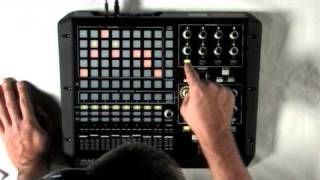
Touch - Introducing the APC 40
Ableton
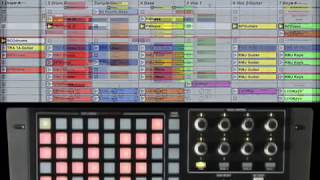
Akai Pro APC40: Introduction

AkaiProVideo
Akai Pro APC40: Live Performance
AkaiProVideo
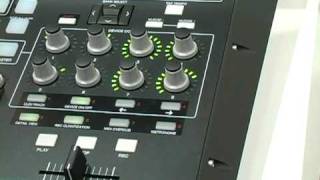
Akai Professional APC40 Summer NAMM demo

Sweetwater
Reviews
PROS
-
Robust build quality, feels durable
-
Seamless integration with Ableton Live
-
Offers hands-on control, reducing reliance on mouse
-
Versatile, with many knobs, faders, and buttons for control
-
Supports custom mapping for personal workflow optimization
-
Suitable for both studio and live performance use
-
Automatic MIDI mapping simplifies setup
-
Can control additional software like Resolume
-
Encourages creativity and experimentation in music production
-
Compact enough for gigging despite being slightly bulky
CONS
-
Bulkier design requires more setup space
-
Requires external power source, not USB powered
-
Knob caps and faders prone to physical damage
-
Some users find the layout and shape unintuitive
-
Faders not motorized, can cause issues with track alignment
-
Tap tempo button and proximity of crossfader to transport buttons can be inconvenient
-
Stock sliders may send ghost signals, affecting performance
-
Some features missing compared to newer models like Ableton Push
-
Not ideal for users seeking a lightweight, highly portable controller
-
Older technology may feel outdated to some users
Owner Insights
We analyzed real musician discussions from forums and Reddit to find what players love, question, and tweak about Akai Professional APC40.
Software and compatibility
Mods and upgrades
User experience
-
Some owners use the MK1 and MK2 side by side for different tasks, highlighting its flexibility and reliability in various settings.
Source -
Owners who use the APC40 for mixing in Ableton often integrate multiple units, using one for individual tracks and another for VCA-style control.
Source -
Multiple users report that the tactile feel of knobs and faders is significantly more conducive to creativity compared to touch interfaces.
Source
Comparisons
-
The APC40 MK2 faders are described as cheaper in feel compared to the MK1, but still adequate for most users.
Source -
The APC40 is often compared to the Ableton Push, with users noting the APC40's superior live control capabilities but the Push's edge in studio environments.
Source -
The APC40 MK2 is noted for being more compact and sleeker than the MK1, though some users prefer the original's layout.
Source
Features and functionality
-
While the MK2's pads are rectangular and multi-colored, some users note that not all colors transition perfectly from Ableton, though they find this generally helpful.
Source -
The APC40 MK2 does not require an external power adapter, a convenience over the MK1's setup.
Source -
Some users find the dedicated record enable button on the APC40 critical for live use, something not present on other controllers like the Push.
Source -
MK1 lacks multi-colored launch buttons, considered a drawback for some users who desire clearer visual feedback.
Source
Value and pricing
-
The recent re-release of the APC40 MKII has made it easier to find new units, previously being sold for double the price due to scarcity.
Source
Build quality
Use cases and applications
-
The APC40 MKII excels in live performances, particularly for launching loops and mixing, with users often pairing it with other synthesizers for more comprehensive setups.
Source -
The APC40 is frequently used for live performances, with its layout considered ideal for triggering clips and mixing.
Source
Critic Reviews
4.5 out of 5
Based on 46 Reviews and 196 Ratings

619
4 Stars at its birth, less now
Akai APC-40 was truly a pioneering product; it was the first affordable complete controller for Ableton Live. So many launch pads, knobs, faders, buttons, etc.
There are two main issues with the APC-40:
- Knob caps will fall off whatever you do
- Faders bend real easily, and once it's bent the unit looks clunky
Aside from these two this is a perfectly capable unit that can be used for a myriad of multimedia applications and with the right software can control basically anything. It has a killer look that is sure to impress anyone who looks at it.
Even by today's standards, it's one of the best Live controllers and except for a few bells and whistles the APC-40 MKII is not that much more advanced, same with Novation Launchpad.
Things I liked about it: the crossfader, the 4 way direction buttons, the transport section, the number of channels available, the dedicated cue level knob.
Things I disliked: the horrible tap tempo button with click, the close proximity of the crossfader to transport buttons making almost any technical move risky, the dumb exterior shape, the small "Activation" buttons, the Nudge buttons which could have served a way better purpose.

407
Ace Controller
I'm not sure where to begin with expressing my love for this controller. Build quality is a good start, I am thoroughly impressed with Akai's attention paid to engineering solidly built controllers. With the APC40 MK1 you get 16 solid knobs seperated into two groups, One for track adjustments (panning, sends, ect) The second for device racks within ableton. It truly is a software controller that absolutely has the feel and structure of a hardware device.
104
It works great, albeit a bit bulky
It is an absolute delight to use, and offers physical knobs and buttons for effects. Only dislike is that it is a bit bulky and requires a power brick. But besides those I love it.

1798
Useful for studio and live use
I mainly use this as a controller for when I'm mixing something in the studio, but since I sometimes bring my Mac with me to shows I also use it to trigger the samples I have during my sets. It's very intuitive and straightforward. It's not as good the Ableton controller, but it works.

415
Pretty good controller
If you want to launch clips in Ableton and want some really good endless knobs, then this controller is for you! The APC 40 integrates perfectly with Ableton. I've seen people controlling other Software like Resolume with it, too. As said, the endless LED knobs are really good, and the clip launch buttons are well made. The faders are a cool idea, but I wish they would be motor faders. When you have more than 8 tracks and you start moving the tracks around, the faders are often in the wrong position, which causes the typical jumping issues ... The built quality is really good. I own the APC since quite a while and no issues. Would I buy it today? Probably not. The Ableton Push has way more features.

66
Amazing for studio
This was the first hardware investment I made for production and I am so glad I made that investment! I first used this for djing, but I didn't like it, so I put it in my studio and just use it when I am at the studio. I have had it for a good 3 years now, and I have noticed no problems as of yet. I have dropped it so many times, and it still works great!

218
Ideal MIDI Controller for Ableton Live Beginners
MIDI Maps automatically to Ableton Live, it's a good way to familiarize myself with external controllers in general, my first one and (for now) my last...it suits all my needs, plenty of knobs and faders to map to.

Great machine but breaks easily
Don't take me wrong, I love both my apc40, but the stock sliders are probably the worst ever made to a dj gear. They break all the time and keeps sending ghost signal. If you want to use it to make fast cuts with the sliders go with mkii

176
The Launchpad!
This is such a good tool to have in your arsenal - whether it's playing a life show or just mixing around some new ideas. This APC40 is great for staying organized and connected with Ableton. Much Loved
Cheers,
- Chase Caffey

127
Hunter
This is possibly the best MIDI controller I've ever owned. I has all the controls you need if you mainly perform using Ableton. It's super flexible and can map to almost everything with is faders, knobs, buttons, etc. If you use Ableton and you use it to perform get this now! I also prefer this over the new MKII version.
Artist usage
Add artist

What's your current live/DJ set-up and why have youchosen this over everything else available in the market?
If I play out, like a lot of producers I use Ableton on a laptop. The DJs turn their noses up a bit at this and I can understand that, one of the great things about DJ-ing is the 'flying by the seat of your pants' aspect to it and their perception is that the laptop thing takes away from that.
Actually though I have always played live, the difference these days is that I can do on a laptop what I used to have to do on a whole studio set-up. The penny dropped one day few years back ashen I played a gig with Charlie May - I had our Land Rover stuffed full of gear and he had a back pack with a laptop and caught the tube home! So I bought the APC40 twinned with the laptop. This set-up is still being tweaked though, last couple of gigs the APC has lost connection with the laptop which is a real pain. It doesn't lock out but you have to piss about with it instead of concentrating on what you're doing. I'm looking at alternatives.

.jpg)

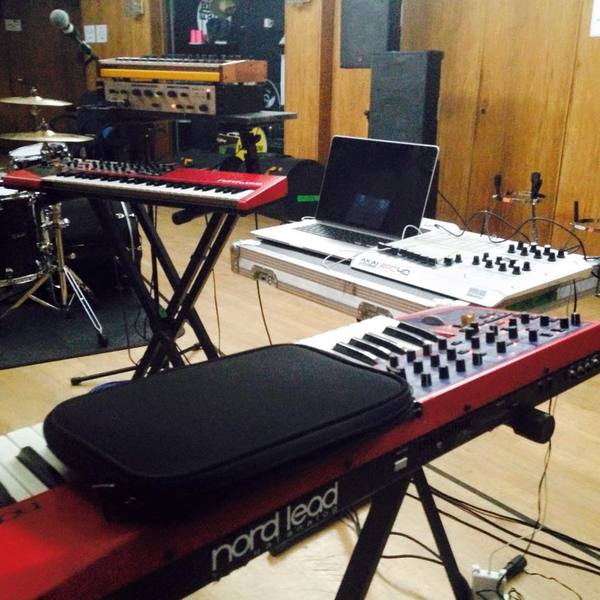

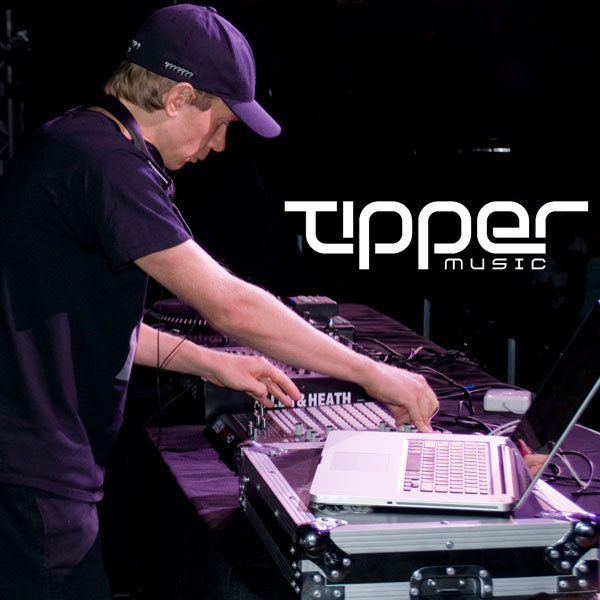


The APC40 can be seen in a close up of Emoh's studio photos


Many times in the video you can see the APC40


In the YouTube video "Jan Blomqvist - Something Says (Live at WEEKEND Rooftop)," Jan Blomqvist uses the Akai Professional APC40 during his live performance.

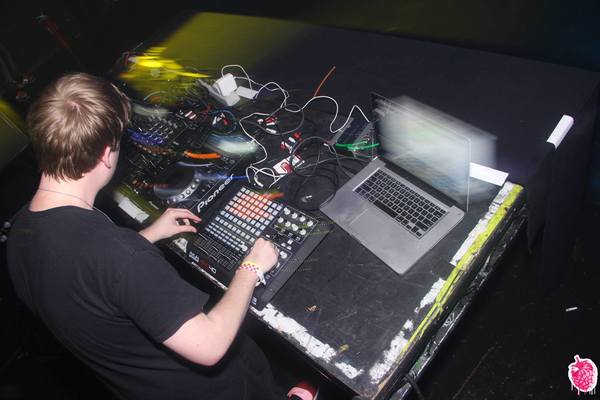
In this Facebook photo of DotEXE performing, the label of his APC 40 is just to the right of DotEXE himself, near the left of the shot.


In this Facebook post from OMFG's old music alias, he shows his brand new APC40 that he "got for half price ;]"


In this tweet Dibiase posts a video of himself showcasing the APC40's abilities. He tweeted, "Was testing out the apc 40 for that @micro_chop #RunToFlipChallenge. I’ll just make a thread with the other times a flipped this sample as well."

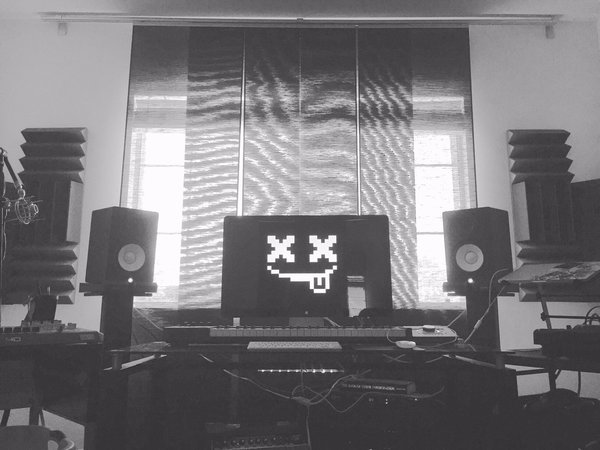
It can be seen to the left of his HS7s in this picture from his twitter feed. Part of it is cut off in this image, but the "40" portion is showing.


Album Usage
The Akai Professional APC40 has been featured on the following albums:


Genre Usage
Based on how artists on Equipboard use this gear, it is most commonly found in the following genres.
Used With
Based on how musicians on Equipboard use Akai Professional APC40, it is most commonly used with the following gear.


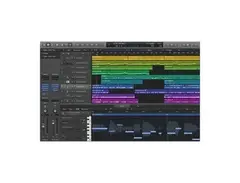


Community setups
Show yours


Similar
Add recommendation1 alternative for Akai Professional APC40, curated by the Equipboard community.

$299.00 - $350.00
More Akai DAW Controllers

$76.40 - $109.00
in DAW Controllers Rank


$99.00 - $229.00
in DAW Controllers Rank


$74.00 - $99.00
in DAW Controllers Rank


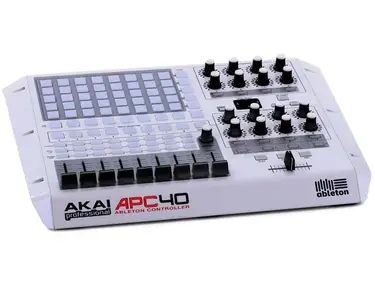

$133.00 - $240.00
in DAW Controllers Rank


$120.00 - $279.00
in DAW Controllers Rank


$52.00 - $119.99
in DAW Controllers Rank


$249.00 - $499.00
in DAW Controllers Rank


$34.03 - $209.99
in DAW Controllers Rank


$285.00 - $419.00
in DAW Controllers Rank


$181.04 - $599.99
in DAW Controllers Rank


$589.79 - $1,399.99
in DAW Controllers Rank


$57.00 - $1,299.99
in DAW Controllers Rank


$215.54
in DAW Controllers Rank


$83.59
in DAW Controllers Rank


$699.99 - $839.99
in DAW Controllers Rank


$170.00 - $209.99
in DAW Controllers Rank


$227.36 - $524.99
in DAW Controllers Rank


$1,295.00 - $1,495.00
in DAW Controllers Rank


$995.00 - $1,195.00
in DAW Controllers Rank


$79.95 - $109.00
in DAW Controllers Rank


$125.00 - $189.00
in DAW Controllers Rank


$575.13 - $799.99
in DAW Controllers Rank

$232.50 - $349.99
in DAW Controllers Rank

$183.21
in DAW Controllers Rank


$125.00
in DAW Controllers Rank


$48.00 - $70.90
in DAW Controllers Rank


$1,191.76
in DAW Controllers Rank


$635.00 - $999.99
in DAW Controllers Rank


$144.00 - $169.99
in DAW Controllers Rank

$338.00 - $399.99
in DAW Controllers Rank

$995.00 - $1,195.00
in DAW Controllers Rank

$544.00 - $699.99
in DAW Controllers Rank

$167.31
in DAW Controllers Rank


$1,191.76
in DAW Controllers Rank


$199.00 - $409.00
in DAW Controllers Rank

$293.58 - $699.00
in DAW Controllers Rank


$249.00 - $469.90
in DAW Controllers Rank

$215.54
in DAW Controllers Rank


Accessories & Related Items


Most Popular DAW Controllers
Most Popular Brands
-
Added to Equipboard on by
 equipboard
Gear IQ 4934
-


