

Pricing and availability
We compare 600+ stores and found this item at 9 stores. Prices updated .
Store
Reviews
Price









Average Price: $2,668
High-end/Boutique
$150
$501+
Price Tier
Budget
Standard
High-end
Price History
Based on price data from 7 merchants for "Apogee Symphony Studio 8 x 8 Audio Interface". Prices shown reflect NEW condition. Tracking began Apr 2, 2026.
* Product prices and availability are updated by Equipboard every 24hrs and are subject to change. Equipboard may receive compensation for purchases made at participating retailers linked on this site. This compensation does not affect what products or prices are displayed, or the order of prices listed. For more information, please refer to our affiliate disclosure.
Description
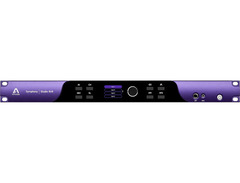
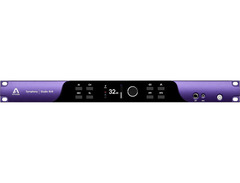
Transform your studio into a sonic powerhouse with the Apogee Symphony Studio 8 x 8 Audio Interface. Designed for musicians and producers who demand precision and clarity, this interface is the perfect blend of professional-grade quality and user-friendly flexibility. With its Symphony MkII–class converters, the 8 x 8 ensures every nuance of your audio is captured with pristine clarity, making it a trusted companion for any recording project.
Its robust feature set includes eight mic/line inputs and eight line outputs, allowing for versatile connectivity options. The transparent mic preamps, offering a substantial 75dB of gain, empower you to use a wide range of microphones without compromise. Whether you're recording delicate vocals or dynamic instruments, the Symphony Studio 8 x 8 delivers impeccable sound quality.
Beyond recording, this interface doubles as a sophisticated monitoring solution, thanks to its built-in DSP for speaker calibration and room correction. It supports immersive audio formats, making it a future-proof investment for any studio. The onboard channel strip plugin further enhances your recordings with EQ, compression, and saturation controls, giving you the tools to sculpt your sound to perfection.
With USB-C connectivity, the Apogee Symphony Studio 8 x 8 integrates seamlessly into both macOS and Windows environments, offering low-latency performance for uninterrupted creativity. Its durable design, complemented by a sleek extruded aluminum faceplate, ensures it can withstand the demands of daily studio use.
Key Features:
- Symphony MkII–class converters for high-resolution audio
- 8 mic/line inputs and 8 line outputs
- Transparent mic preamps with 75dB gain
- Built-in DSP for speaker calibration and room correction
- USB-C connectivity for macOS and Windows
- Input DSP channel strip for EQ, compression, and saturation
- Supports immersive audio formats
- Durable extruded aluminum faceplate
Product specs
| Form Factor | Rackmount |
| Simultaneous I/O | 8 x 8 |
| Number of Preamps | 8 x mic |
| Phantom Power | Yes |
| Effects | EQ, Delay, Bass Management |
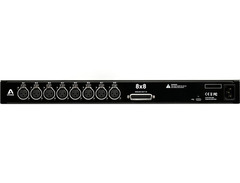
| Analog Inputs | 8 x XLR |
| Analog Outputs | 1 x DB-25 |
| Headphones | 1 x 1/4", 1 x 1/8" |
| USB | 1 x USB-C |
| Features | 7.1 Surround Sound |
| Software | Symphony Studio Channel Strip Plugin, Control 2 Software |
| OS Requirements - Mac | macOS 13.6.8 or later |
| OS Requirements - PC | Windows 10 or later |
| Rack Spaces | 1U |
| Power Supply | Standard IEC AC Cable |
FAQs
-
Is the Apogee Symphony Studio 8 x 8 Audio Interface compatible with Windows?
-
Yes, the Apogee Symphony Studio 8 x 8 Audio Interface is compatible with Windows 10 or later, in addition to macOS 13.6.8 or later.
-
What type of connectivity does the Apogee Symphony Studio 8 x 8 offer?
-
The Apogee Symphony Studio 8 x 8 Audio Interface features a USB-C connection for high-speed data transfer, ensuring seamless integration with modern computer systems.
-
How many microphone preamps does the Apogee Symphony Studio 8 x 8 have?
-
The Apogee Symphony Studio 8 x 8 Audio Interface includes 8 microphone preamps, providing ample input options for professional recording setups.
-
Does the Apogee Symphony Studio 8 x 8 support surround sound?
-
Yes, the Apogee Symphony Studio 8 x 8 Audio Interface supports 7.1 surround sound, making it suitable for immersive audio production environments.
-
What software is included with the Apogee Symphony Studio 8 x 8?
-
The Apogee Symphony Studio 8 x 8 comes with the Symphony Studio Channel Strip Plugin and Control 2 Software, enhancing its functionality and user control.
-
Can the Apogee Symphony Studio 8 x 8 provide phantom power?
-
Yes, the Apogee Symphony Studio 8 x 8 Audio Interface is equipped with phantom power, necessary for using condenser microphones.
Videos

Apogee Electronics
Introducing Symphony Studio Series
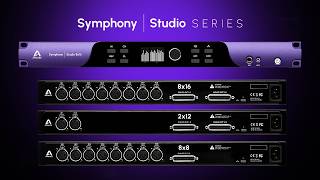
Introducing Symphony Studio Series
Apogee Electronics
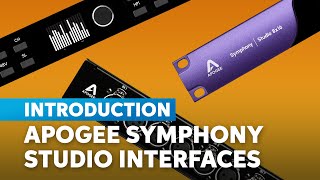
Apogee Symphony Studio Interface Introduction & Demo: Atmos, Immersive Sound & Beyond

Sweetwater Soundcheck
Reviews
Owner Insights
We analyzed real musician discussions from forums and Reddit to find what players love, question, and tweak about Apogee Symphony Studio 8 x 8 Audio Interface.
Comparisons
-
The Symphony Mk2 is preferred for its superior sound quality in Atmos rigs compared to the Apollo x16, with users noting a clear difference in blind tests.
Source -
Users note that moving away from DSP solutions to Thunderbolt or Dante offers a more modern approach, given the power of current computers.
Source -
Users found the Audient Oria offered better routing flexibility and DSP calibration compared to the Symphony Studio, especially for Atmos setups.
Source
Use cases and applications
-
Heavy CPU usage from polyphonic VSTs and FX inserts suggests the Symphony I/O MkII might require careful project management or freezing tracks for efficient performance.
Source -
Apogee interfaces are considered highly suitable for users focused on sound quality without the extensive need for plugins, such as voiceover work.
Source -
Some users noted the Symphony Studio lacks digital I/O, which limits its functionality for complex setups requiring extensive connectivity.
Source
Software and compatibility
-
Apogee's Thunderbolt option is compatible only with Macs, while the Dante option supports Windows, making it a versatile choice for future-proofing.
Source -
The Symphony Studio was criticized for limited support resources upon release, lacking a dedicated knowledge base and ticketing options on Apogee's website.
Source
Features and functionality
-
The Dante interface lacks native low-latency monitoring, requiring audio to pass through the DAW, subject to DAW buffer size latency.
Source -
The Apogee Symphony is praised for its touchscreen controls and routing application, which are favored over other interfaces' configurations.
Source -
The Symphony Studio allows volume control via keyboard keys, which users found beneficial compared to their previous setups with EuCon surfaces.
Source -
The Apogee Control 2 software had a bug affecting delay calibration settings, which was resolved with an earlier software version provided by support.
Source
User experience
-
The Symphony Desktop is highlighted for producing fuller low-end and clearer high-end audio compared to UAD Apollo's dull sound.
Source -
Users switching from UAD to Apogee note that Apogee converters provide a livelier, more accurate sound, especially in the low and high-end frequencies.
Source -
The Apogee Symphony Studio's outputs produce a loud pop upon startup due to the absence of anti-pop circuits, which is a design choice for signal transparency.
Source -
Delays in Apogee support response times were reported, with some users waiting several days for assistance on critical issues.
Source
Based on 0 Reviews and 0 Ratings
More Apogee Audio Interfaces

$56.00
in Audio Interfaces Rank


$1,000.00
in Audio Interfaces Rank


$20.00
in Audio Interfaces Rank


$399.99 - $592.05
in Audio Interfaces Rank


$300.00 - $1,995.00
in Audio Interfaces Rank


$250.00 - $261.77
in Audio Interfaces Rank


$3,099.00 - $7,495.00

.jpg?v=1784733418)


$2,150.00 - $3,527.00


$4,475.00 - $5,199.00


$4,799.00 - $5,199.00


$5,899.26 - $6,899.00


-m.webp?v=1784815387)

$3,189.12 - $3,499.00
Accessories & Related Items


Artist usage


Community setups


Similar


Gear Guides







.webp)
Most Popular Audio Interfaces
Most Popular Brands
-
Added to Equipboard on by
 equipboard
GearIQ 4934
-


