

Pricing and availability
We compare 600+ stores and found this item at 7 stores. Prices updated .
Store
Reviews
Price








Average Price: $1,368
High-end/Boutique
$150
$501+
Price Tier
Budget
Standard
High-end
Price History
Based on price data from 5 merchants for "Apogee Symphony Desktop". Prices shown reflect NEW condition. Tracking began Apr 2, 2026.
* Product prices and availability are updated by Equipboard every 24hrs and are subject to change. Equipboard may receive compensation for purchases made at participating retailers linked on this site. This compensation does not affect what products or prices are displayed, or the order of prices listed. For more information, please refer to our affiliate disclosure.
Description
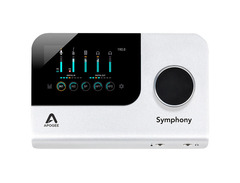
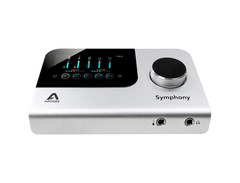
The Apogee Symphony Desktop is a powerhouse audio interface that brings the revered quality of the Symphony series into a compact, user-friendly format. Designed for musicians and producers who demand pristine sound, this interface delivers Apogee’s legendary AD/DA conversion for industry-leading audio fidelity. With a 10-in/14-out configuration, it’s equipped to handle diverse recording setups, from solo artists to full band sessions.
Elevate your recordings with the Symphony Desktop’s Alloy Mic Preamp emulations, offering the warmth of 50s American tube tones and the punch of British solid-state circuits. These preamps provide up to 75dB of gain with variable impedance, ensuring clarity and richness in every take. The interface also features a dynamic touchscreen display, making it intuitive to navigate and adjust settings.
Integration is seamless with an array of analog and digital I/O options, including optical, USB-C, and MIDI. For those working with Apple’s Logic Pro X, the Symphony Desktop offers an unparalleled workflow, allowing full control from within the software. Apogee’s ECS Channel Strip plug-in, crafted by Bob Clearmountain, adds professional-grade EQ, compression, and saturation to your toolkit, enhancing your creative possibilities.
Whether you’re tracking, mixing, or mastering, the Symphony Desktop is designed to be the centerpiece of your studio setup, providing the tools you need to craft impeccable soundscapes.
Key Features:
- 10-in/14-out USB-C audio interface
- Apogee’s Symphony AD/DA conversion with 24-bit/192kHz resolution
- 2 mic preamps with up to 75dB of gain and variable impedance
- DSP processing for preamp emulations and ECS Channel Strip
- Dynamic touchscreen display for intuitive control
- Comprehensive I/O options including ADAT & S/PDIF
- Seamless integration with Apple Logic Pro X for streamlined workflow
Owner's manual
Apogee Symphony Desktop User ManualProduct specs
| Computer Connectivity | USB 2.0 |
| Form Factor | Desktop |
| Simultaneous I/O | 10 x 14 |
| Number of Preamps | 2 x mic, 1 x instrument |
| A/D Resolution | Up to 24-bit/192kHz |
| Effects | Built-in DSP Processing, Mic Pre Emulations, Symphony ECS Channel Strip |
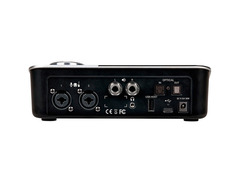
| Analog Inputs | 2 x XLR-1/4" combo (mic/line), 1 x 1/4" (Hi-Z) |
| Analog Outputs | 2 x 1/4" (L/R) |
| Digital Inputs | 1 x Optical Toslink (ADAT, S/PDIF) |
| Digital Outputs | 1 x Optical Toslink (ADAT, S/PDIF) |
| Headphones | 1 x 1/4", 1 x 1/8" |
| USB | 1 x Type A, 1 x USB-C |
| Software | Symphony Desktop Control Application |
| OS Requirements - Mac | macOS 10.13 or later, iOS 13 or later |
| OS Requirements - PC | Windows 10 Anniversary Update or later |
| Power Supply | 12V DC power supply (included) |
| Height | 2.5" |
| Width | 8" |
| Depth | 4.75" |
| Weight | 1.85 lbs. |
FAQs
-
What are the main connectivity options for the Apogee Symphony Desktop?
-
The Apogee Symphony Desktop offers USB 2.0 connectivity with 2 x XLR-1/4" combo inputs, 1 x 1/4" Hi-Z input, 2 x 1/4" outputs, 1 x Optical Toslink (ADAT, S/PDIF) input and output, and both 1/4" and 1/8" headphone outputs.
-
Is the Apogee Symphony Desktop compatible with Windows and macOS?
-
Yes, the Apogee Symphony Desktop is compatible with macOS 10.13 and later, Windows 10 Anniversary Edition and later, as well as iOS 13 devices and above.
-
Does the Apogee Symphony Desktop require an external power supply?
-
Yes, the Apogee Symphony Desktop requires a 12V DC power supply, which is included with the interface. It cannot be bus-powered via USB.
-
What is the A/D resolution capability of the Apogee Symphony Desktop?
-
The Apogee Symphony Desktop supports an A/D resolution of up to 24-bit/192kHz, ensuring high-quality audio recording and playback.
-
Does the Apogee Symphony Desktop have built-in DSP processing?
-
Yes, the Apogee Symphony Desktop features built-in DSP processing, including mic pre emulations and the Symphony ECS Channel Strip for enhanced audio effects and processing.
-
How many simultaneous inputs and outputs does the Apogee Symphony Desktop support?
-
The Apogee Symphony Desktop supports 10 simultaneous inputs and 14 outputs, providing ample connectivity for various recording and playback needs.
Videos

Sweetwater
Apogee Symphony Dual Path Demo
Apogee Symphony Dual Path Demo
Sweetwater
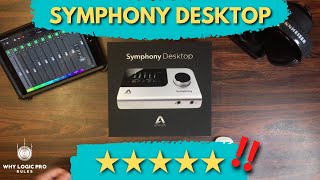
Apogee Symphony Desktop - Why You Should Check Out This Interface Right Now

Why Logic Pro Rules
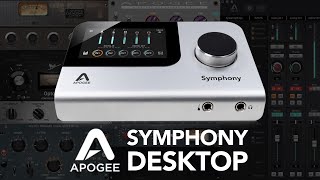
Touch Display on an Audio Interface!? // APOGEE SYMPHONY DESKTOP

MusicTechHelpGuy
Getting Started with Symphony Desktop

Apogee Electronics
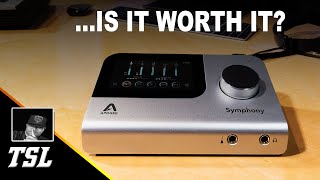
The Apogee Symphony Desktop True Review | Is It Worth Getting?

Dan Tanna🎹🔥

Review and testing the Apogee Symphony Desktop!

Inside Audio
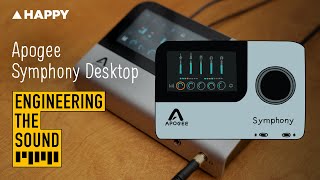
Apogee: Symphony Desktop | Full Demo and Review

Happy Mag

Better In Every Way...Except One | Apogee Symphony Desktop

★ ZndBorn Mixed It ★
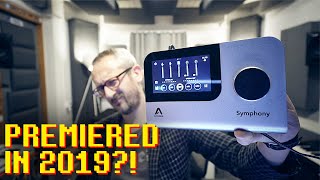
Apogee SYMPHONY DESKTOP. Still a thing in 2024?

Folia Soundstudio

Multi Platinum Engineer Louie Valentino on using Symphony Desktop
Apogee Electronics
Reviews
PROS
-
Exceptional sound quality, delivering audiophile-level audio recordings
-
Stellar DA conversion ensures accurate mix translation to various consumer products
-
DSP FX like opto comp, pultech, and Digital EQ enhance recording capabilities
-
Three different pre-amp choices for versatile sound shaping
-
Integrated VST effects expand creative possibilities during recording
-
Two independent headphone outputs for flexible monitoring
-
Compact and portable design, ideal for mobile recording setups
-
Low latency performance suitable for professional use
-
Attractive design that stands out in a studio environment
-
Compatible with major DAWs, enhancing workflow efficiency
CONS
-
Initial setup can be confusing for some users
-
Limited I/O options for the price range
-
High cost, though quality justifies the price
-
Touchscreen resolution could be higher for better user experience
-
Software not fully implemented at the time of some reviews
Owner Insights
We analyzed real musician discussions from forums and Reddit to find what players love, question, and tweak about Apogee Symphony Desktop.
Comparisons
Features and functionality
-
The Symphony Desktop features top-notch ESS Sabre conversion chips, offering better signal accuracy, particularly noticeable when stacking multiple tracks.
Source -
Owners appreciate the dual control options via the Symphony Desktop's touch screen and a computer app, enhancing workflow flexibility.
Source -
The Symphony Desktop connects via USB 2 with a Type C connector, allowing compatibility with Mac, Windows, and iOS devices, emphasizing its versatility in different setups.
Source -
Dualpath Apogee FX plugins can run on both internal DSP and computer CPU, enabling direct monitoring and processing flexibility without relying solely on the interface.
Source
Use cases and applications
-
Benefits of the Symphony's preamps are most apparent when recording nuanced details in voice or acoustic instruments, less so with DI recordings and amp sims.
Source -
The Symphony Desktop is favored for stable low-latency tracking with plug-ins, regardless of project size, which is crucial for users with older MacBooks.
Source
User experience
-
Owners describe the Apogee sound as "musical" and transparent, attributing this to high-quality ADA chips and jitter clocking, enhancing mix/master translation.
Source -
It's noted that the Symphony Desktop's audio quality is significantly superior, even for those upgrading from mid-tier interfaces like the Zen Q.
Source -
Users can achieve the 10 IN x 14 OUT configuration through the optical ports, allowing connection to additional outboard gear.
Source
Value and pricing
-
While expensive, the Symphony Desktop is justified for those seeking professional results, but the difference may not be significant for non-commercial studio setups.
Source
Software and compatibility
-
Potential buyers should be aware that Apogee's plug-in suite is not as extensive as UA's, particularly in terms of guitar plugins.
Source -
Symphony Desktop's USB 2 protocol supports 480mbps, which is adequate for its 2x6 I/O configuration, despite using a USB-C connector.
Source -
The Symphony Desktop integrates seamlessly with Logic, offering control from a single window without needing additional mixer software, ideal for Logic users.
Source
Critic Reviews
Based on 0 Reviews and 0 Ratings
Genre Usage
Based on how artists on Equipboard use this gear, it is most commonly found in the following genres.
More Apogee Audio Interfaces

$80.00
in Audio Interfaces Rank


$1,000.00
in Audio Interfaces Rank


$20.00
in Audio Interfaces Rank


$399.99 - $592.35
in Audio Interfaces Rank


$300.00 - $1,995.00
in Audio Interfaces Rank


$250.00 - $261.71
in Audio Interfaces Rank


$3,099.00 - $7,495.00

.jpg?v=1785048584)


$2,150.00 - $3,527.00


$4,475.00 - $5,199.00


$700.00 - $2,999.00


$4,799.00 - $5,199.00


$5,897.71 - $6,899.00


-m.webp?v=1785247266)

$3,188.28 - $3,499.00
Accessories & Related Items


Artist usage


Community setups


Similar


Gear Guides







.webp)
Most Popular Audio Interfaces
Most Popular Brands


