

Pricing and availability
We compare 600+ stores and found this item at 2 stores. Prices updated .
Store
Reviews
Price




Average Price: $524
High-end/Boutique
$150
$501+
Price Tier
Budget
Standard
High-end
* Product prices and availability are updated by Equipboard every 24hrs and are subject to change. Equipboard may receive compensation for purchases made at participating retailers linked on this site. This compensation does not affect what products or prices are displayed, or the order of prices listed. For more information, please refer to our affiliate disclosure.
Description
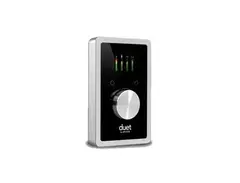
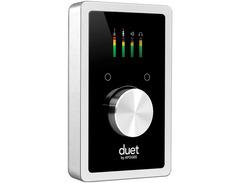
Apogee Duet is an award-winning audio interface, headphone amp and MIDI interface making it easy to create professional recordings anywhere on your iPod touch, iPhone, iPad or Mac. With Apogee’s legendary digital audio conversion and world-class mic preamps, Duet is the best way to capture your music with incredible dimension and detail.
The new Duet for iPad and Mac features special circuitry designed to deliver professional performance for iPad use along with low latency USB 2.0 performance for Mac. And with the addition of MIDI I/O you can connect and power a Core MID compatible keyboard/controller while using Duet with your iPad or iOS device.
A difference you will hear
From the mic preamps to the AD/DA converters and the clocking, Duet is best-in-class and cutting-edge Apogee technology. With components carefully selected in critical listening tests and a highly efficient circuit design, Duet was built by Apogee engineers to make a difference you can hear.
Pristine, next generation AD/DA converters
Duet’s AD/DA converters are designed to deliver the purest recordings and best listening experience possible. Duet’s efficient circuitry and state-of-the-art components provide a simplified signal path resulting in incredibly transparent recordings.
Smooth, detailed world-class mic preamps
Much like the AD/DA converters, Duet’s mic preamps feature the latest components and offer seamless click-free transitions as the gain increases and decreases throughout the incredible range of 0-75dB. This unprecedented feature allows you to dial in the perfect level, either with the controller knob or from within software, while delivering ultra-low noise and smooth, crisp detail. Duet’s mic pres are suitable for all dynamic, condenser or ribbon microphones, allowing you to capture any sound without compromise.
iPad puts you in touch with your creativity
Interacting with iPad to make music is like playing an instrument. In fact, some apps like Apple’s GarageBand turn your iPad into a guitar or virtual instrument. Whether you are moving faders on a mixer, adjusting software parameters, or editing a waveform, iPad’s multi-touch interface is a more hands on environment and superior to mouse clicks or track pad swipes.
Setting up your studio has never been easier
iPad makes everything easier with a simplified user interface and plug and play connectivity for accessories like Apogee audio interfaces. You’ll be amazed by how simple it is to set up your studio.
Breakout Cable
Duet’s breakout cable includes two combination mic/instrument connectors (XLR and 1/4” built into a single connector) and two balanced 1/4” connectors for speakers. The elegant single cable-to-junction design allows for easy cable management and the locking connection to Duet is robust and stylish.
Two Analog Inputs
Duet’s 2 combination input connectors (XLR and 1/4”) allow you to connect microphones, guitars and keyboards or your favorite external mic preamps, compressors and EQs.
Four Analog Outputs
Duet includes four analog outputs. 2-1/4” balanced outputs for connection to speakers or outboard equipment and a separate, independently controlled 1/4” stereo headphone output.
With these four outputs it’s possible for a DJ to monitor a separate mix in headphones while sending a house mix to the club, a live performer to send a click track to in-ear monitors while sending a backing track to front-of-house, and a recording engineer to send a headphone mix to the performer while dedicating the main outputs to studio monitors.
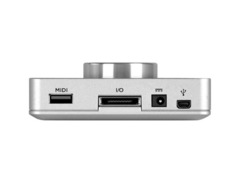
MIDIDuet provides a single USB MIDI connection for your CoreMIDI compatible keyboard, synth, or DJ controller. This eliminates the need for an external MIDI interface and promotes an all-in-one music creation solution where Duet and Maestro manage all audio and MIDI. On iPad, Duet’s MIDI connection allows both Duet and a keyboard or DJ controller to be connected at the same time to the iPad’s single connector (Lightning or 30-pin).
Full-Color OLED Display
The high-resolution OLED screen built into Duet’s top is the main control center for Duet, delivering visual feedback for multiple functions including metering, numeric value for input and output levels, input grouping, and phase, muting, phantom power and Soft Limit indication. With this display you know the status of any input and output at any given moment without having to refer to Maestro or your recording software.
Configurable Touchpads
Duet also introduces configurable touchpads. The two touchpads, located on either side of the encoder knob, allow you to quickly access output functions such as “Mute Outputs”, “Dim Outputs”, “Sum to Mono” or “Toggle Headphone Source”. Each are assignable using a drop-down menu within Apogee’s Maestro 2. This unique feature allows you to select the function you want and access it directly from Duet without having to look at software.
Multi-function Controller Knob
Along with its sleek aluminum chassis, the multi-function controller knob is one of the most recognizable features of Duet’s design. This central control feature allows you to quickly and easily toggle through Duet’s inputs and outputs and set levels while looking at Duet’s dynamic OLED display.
Product specs
| Brand | Apogee |
| Model | Duet for Mac / Windows / iOS USB Audio Interface |
| Finish | Black |
| Year | 2013 - 2021 |
| Categories | Audio Interfaces |
| Bit Depth | 24-bit |
| Bus-Powered | No |
| Compatibility | Windows, iOS, macOS |
| Computer Connectivity | USB |
| Electronics | Analog, Digital, Solid State |
| Format | Compact Portable |
| Number of Analog Inputs | 2 |
| Number of Analog Outputs | 4 |
| Number of Channels | 6 |
| Number of Headphone Outputs | 1 |
| Number of MIDI Inputs | 1 |
| Number of MIDI Outputs | 1 |
| Number of Mic Preamps | 2 |
| Sample Rate | 192 khz |
| Simultaneous I/O | 6 |
FAQs
-
Is the Apogee Duet USB Audio Interface compatible with both macOS and iOS devices?
-
Yes, the Apogee Duet USB Audio Interface is compatible with macOS and iOS devices, allowing seamless integration for recording on both platforms.
-
How many inputs and outputs does the Apogee Duet have?
-
The Apogee Duet features 2 analog inputs and 4 analog outputs, making it suitable for various recording and playback configurations.
-
Can the Apogee Duet USB Audio Interface be used with Windows computers?
-
Yes, the Apogee Duet is compatible with Windows, in addition to macOS and iOS, providing flexibility for different operating systems.
-
What is the maximum sample rate supported by the Apogee Duet?
-
The Apogee Duet supports a maximum sample rate of 192 kHz, ensuring high-resolution audio recording and playback.
-
Does the Apogee Duet USB Audio Interface require an external power source?
-
Yes, the Apogee Duet is not bus-powered and requires an external power source to operate.
Videos

Podcastage
Apogee Duet Audio Interface Review / Test / Explained
Apogee Duet Audio Interface Review / Test / Explained
Podcastage
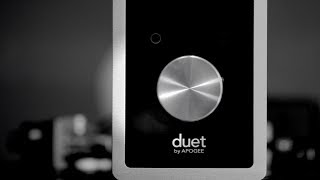
Apogee Duet for iPad and Mac - Unboxing / First use

Hugh Sweeney
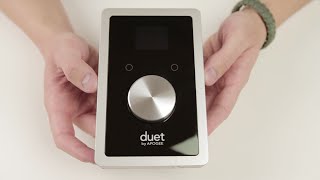
Apogee Duet for iPad and Mac - Unboxing and Overview

Tomas Villegas

Apogee Duet for iPad and Mac Demo - Sweetwater's iOS Update, Vol. 56

Sweetwater
Apogee ONE vs Scarlett 2i2

Learn Audio Engineering
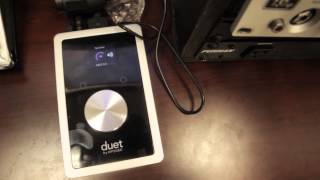
APOGEE DUET for iPad and Mac Overview

Jsean

Apogee Duet for iPad & Mac

Apogee Electronics
Reviews
PROS
-
High-quality audio converters enhance recording clarity
-
Seamlessly integrates with iPad, iPhone, and Mac for mobile recording
-
Ideal for vocal and guitar performance recording
-
Maestro audio manager tool aids in recording external instruments
-
Reliable performance, suited for home studios
-
Compact and portable, easy to carry with a MacBook Air
-
Excellent driver stability ensures smooth operation
-
Provides great sound quality at its price point
CONS
-
Limited I/O may not suit complex recording setups
-
Experiences brief audio cuts after initial startup
-
Occasional driver issues, though not serious
Owner Insights
We analyzed real musician discussions from forums and Reddit to find what players love, question, and tweak about Apogee Duet USB Audio Interface for iPad, iPhone, and Mac.
Features and functionality
-
The Scarlett Solo 3rd gen works with iPad via USB-C, offering portability and compatibility for users needing a compact audio solution.
Source -
The EVO 4 lacks MIDI in/out but excels with a guitar input and headphone output, aligning with users focused on guitar recording.
Source -
The Maestro software, bundled with the Duet Firewire firmware, auto-detects the Duet and may require manual input selection in System Preferences.
Source
User experience
-
The Audient EVO 4 is praised for its compact, minimalist design and ability to send audio to two monitors, making it travel-friendly.
Source -
Some users find the need to unplug headphones to switch to main outputs on the EVO 4 manageable, especially for headphone-centric setups.
Source -
Owners of the Apogee Duet FireWire have reported successful use on both mid-2012 MacBook Pro and late-2015 iMac 27 Retina, confirming versatility across different setups.
Source
Software and compatibility
-
The EVO 4 is confirmed to work on iPad via USB-C, providing flexibility for mobile recording setups.
Source -
The original Apogee Duet FireWire can connect to newer MacBook Pros with Apple-branded FireWire-to-Thunderbolt and Thunderbolt-to-USB-C adapters.
Source -
Users confirm the old Apogee Duet works with macOS versions up to Monterey, utilizing the latest available drivers and Maestro software.
Source -
Despite initial concerns, the Apogee Duet maintains functionality across updates from Mojave to Catalina, without driver issues common to other brands.
Source
Critic Reviews
4.5 out of 5
Based on 8 Reviews and 27 Ratings

118
Tiny workhorse with great converters.
I put off buying my Duet for a while. I was looking at the previous Duet (the all silver one) for a while, but I wanted to have a way to record high quality audio and still use the hardware for a mobile platform (i.e. iPad and iPhone). The Duet was the only device that allowed me to do both. Prior to using the Duet I had a Digi 002, which had quite a bit more I/O, but because most of my songwriting and recording is getting ideas out of a vocal and guitar performance, the Duet is perfect. Highly recommended for high quality converters and scaleability to higher-end hardware.

290
Great for what it is
While it isn't the most versatile or impressive interface, the Duet is perfect for any bedroom producer using a Mac that isn't trying to overly complicate their setup. The Maestro audio manager tool is very useful, especially when recording external instruments, and the general setup of the interface is painless. My only problem with the Duet is the strange audio cuts for the first few minutes of use after you boot it up, but I assume that is simply a byproduct of the device warming up.

99
Great sound and ease of use!
Sounds great for the price point. Integrates really well with Logic X so theres no need to the Apogee Maestro software which is aging. It's a reliable workhorse.
58
Great Quality for Wonderful Form Factor
Really amazing drivers. No complaints so far. Doesn't take too much power but does a lot!


198
High quality
Love the high quality of the duet. It's the standard for home studios.
Artist usage
Add artist

In this instagram post the Duet is seen right behind Kygo on the left of the glass on the table.


The above article describes the band using the Apogee Duet.


You can see on the bottom right side of the screen a Duet Audio Interface.




In a video by Sound On Sound magazine titled "From Raw Vocal To Killer Track In ONE HOUR," at the 0:11 mark, music producer !llmind can be seen using an Apogee Duet USB Audio Interface for iPad, iPhone, and Mac on his work desk.


In the video apogee duet can be seen on the far corner of the desk, next to orla's midi keyboard.

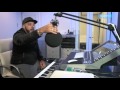
Roger Sanchez confirms he uses the Apogee Duet USB Audio Interface for iPad, iPhone, and Mac in his production process. This is evidenced in a FaderPro course video titled "ROGER SANCHEZ'S PRODUCTION PROCESS of 'Dangerous Thoughts'," where he discusses his workflow for creating music.

Visible in this photo, provided to Rolling Stone for this May 11, 2020 interview.


"Regram shout out to the homies that make it all possible. There isn't a single crew out there making stuff this good that you can use. Muchos gracias @apogeedigital"


Album Usage
The Apogee Duet USB Audio Interface for iPad, iPhone, and Mac has been featured on the following albums:

Genre Usage
Based on how artists on Equipboard use this gear, it is most commonly found in the following genres.
Used With
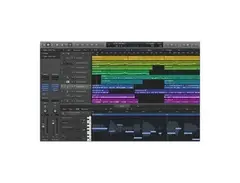
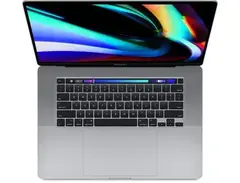
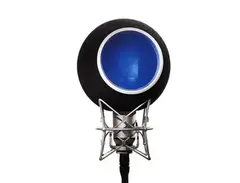
Based on how musicians on Equipboard use Apogee Duet USB Audio Interface for iPad, iPhone, and Mac, it is most commonly used with the following gear.


-s.webp?v=1784905329)
Community setups
Show yours


More Apogee Audio Interfaces

$84.00
in Audio Interfaces Rank


$1,000.00
in Audio Interfaces Rank


$20.00
in Audio Interfaces Rank


$300.00 - $1,995.00
in Audio Interfaces Rank


$250.00 - $262.12
in Audio Interfaces Rank


$3,099.00 - $7,495.00


.jpg?v=1784891692)


$2,150.00 - $3,527.00


$4,475.00 - $5,199.00


$750.00 - $2,999.00


$4,799.00 - $5,199.00


$5,907.00 - $6,899.00


-m.webp?v=1784900385)

$3,193.31 - $3,499.00
Similar


Gear Guides







.webp)
Most Popular Audio Interfaces
Most Popular Brands
-
Added to Equipboard on by
 equipboard
GearIQ 4934
-


